
1. Introduction
This manual provides detailed instructions for the installation, operation, and maintenance of your WINFREE Smart Lock. Designed for sliding doors and windows, this 4-in-1 keyless entry system offers convenience and enhanced security through fingerprint, card, mechanical key, and app control via the Tuya App. It features a rechargeable battery and is suitable for both outdoor garden and indoor use.
Please read this manual thoroughly before installation and use to ensure proper function and safety.

Figure 1.1: Applicable scenarios for the WINFREE Smart Lock.
2. Safety Information
- Read all instructions carefully before installing and operating the lock.
- Do not attempt to disassemble or modify the lock. This may void the warranty and cause damage.
- Keep the mechanical keys in a safe place outside your home in case of emergency or battery depletion.
- Ensure the battery is charged using the specified charging method to prevent damage.
- Protect the lock from extreme temperatures and direct water exposure.
3. Package Contents
Please verify that all components are present before beginning installation:
- WINFREE Smart Lock Assembly (Front and Rear Panels)
- Mounting Hardware (Screws, brackets, etc.)
- Mechanical Keys (2 included)
- IC Cards (2 included)
- Rechargeable Lithium Ion Battery (Pre-installed or separate)
- Instruction Manual (This document)
4. Product Overview
The WINFREE Smart Lock integrates multiple access methods into a sleek design. The front panel features the fingerprint sensor, card reader, and a manual plunger for semi-automatic operation. The rear panel houses the battery compartment and internal mechanisms.
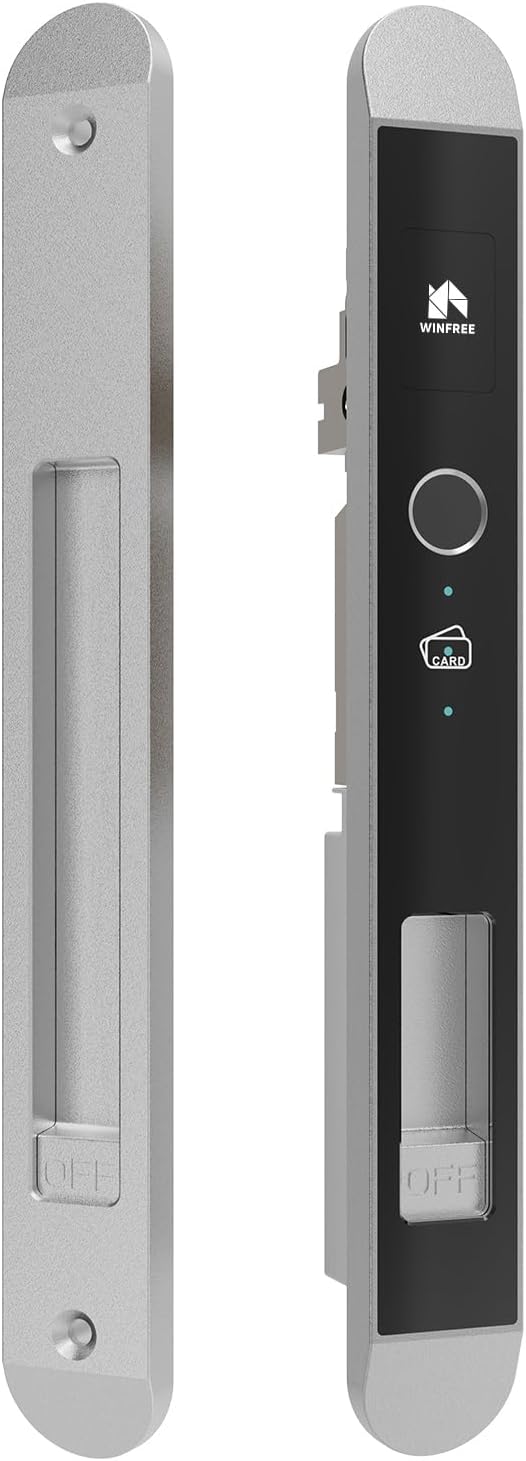
Figure 4.1: WINFREE Smart Lock main components.

Figure 4.2: Overview of unlock methods.
5. Specifications
| Feature | Specification |
|---|---|
| Brand | WINFREE |
| Model Name | 02Y-latch-silver |
| Lock Type | Biometric |
| Special Feature | Fingerprint |
| Material | Aluminum |
| Color | Silver |
| Product Dimensions (L x W x H) | 4.92 x 2.2 x 11.14 inches |
| Item Weight | 1.52 pounds |
| Recommended Uses | Sliding doors and windows for home and office |
| Control Method | App, Touch |
| Battery Type | 1 Lithium Ion battery (included) |
6. Setup and Installation
The WINFREE Smart Lock is designed for easy installation. Ensure your door meets the specified dimensions and thickness requirements before proceeding.
6.1 Door Preparation
Verify your door's dimensions and prepare the necessary cutouts. The lock is compatible with various door thicknesses, requiring different accessories:
- Applicable Door Thicknesses:
- 0) 24-25.5mm
- 1) 30-31.5mm
- 2) 35-36mm
- 3) 39-40mm

Figure 6.1: Latch and door thickness compatibility.

Figure 6.2: Detailed dimensions for installation.
6.2 Battery Installation
The smart lock requires one Lithium Ion battery, which is included. Locate the battery compartment on the rear panel of the lock. Insert the battery according to the polarity indicators. Ensure the battery is fully charged before initial use.
6.3 Lock Assembly
Follow the detailed instructions provided with the mounting hardware to assemble the lock on your door. This typically involves:
- Installing the latch mechanism into the door frame.
- Mounting the exterior and interior panels of the lock, ensuring proper alignment.
- Securing all screws firmly but without over-tightening.

Figure 6.3: Smart Lock installed on a sliding door (interior view).
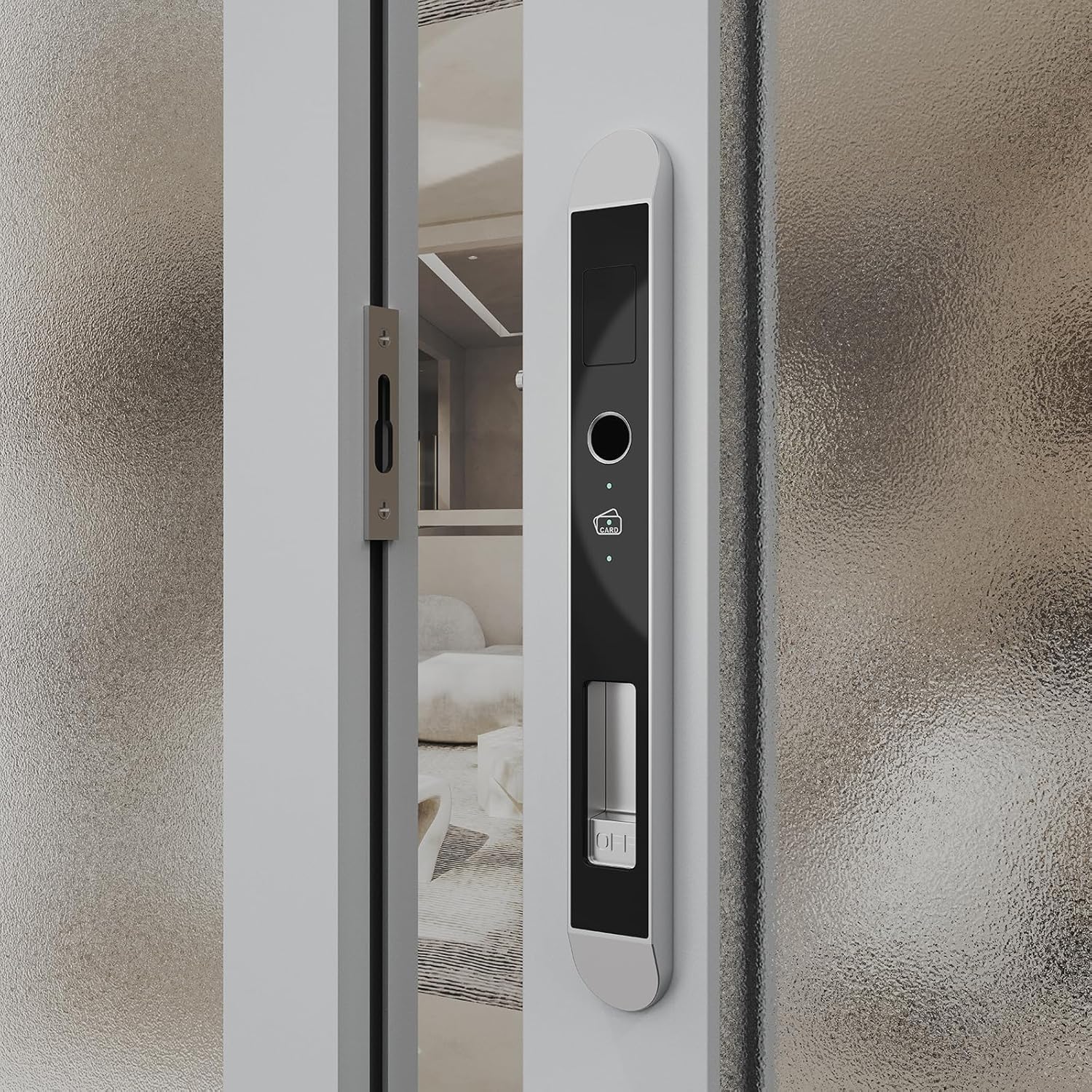
Figure 6.4: Smart Lock installed on a sliding door (exterior view).
7. Operating Instructions
The WINFREE Smart Lock offers four convenient ways to unlock your door.

Figure 7.1: Multiple unlock methods and smart home compatibility.
7.1 Semi-Automatic Operation
This smart lock operates semi-automatically. When opening or closing the lock (including with the app), you must manually push up or press down the plunger with your hand simultaneously to engage or disengage the latch.

Figure 7.2: Manual plunger operation for lock/unlock modes.
7.2 Fingerprint Unlock
- Enroll Fingerprints: Refer to the Tuya App instructions for adding new fingerprints.
- Unlock: Place your registered finger on the fingerprint sensor. Once recognized, the lock will indicate successful authentication.
- Open: Push or press the manual plunger to open the door.
7.3 Card Unlock
- Enroll Cards: Use the Tuya App to register new IC cards.
- Unlock: Present a registered IC card to the card reader area on the lock. The lock will confirm successful authentication.
- Open: Push or press the manual plunger to open the door.
7.4 Mechanical Key Unlock
- Access Keyhole: Locate the mechanical keyhole, usually discreetly placed on the lock.
- Unlock: Insert the mechanical key and turn it to unlock the mechanism.
- Open: Push or press the manual plunger to open the door.
7.5 App Control (Tuya App)
- Download App: Download the Tuya Smart App from your device's app store.
- Pair Device: Follow the in-app instructions to pair your WINFREE Smart Lock with the Tuya App.
- Unlock/Lock: Use the app interface to send unlock or lock commands to the smart lock.
- Open/Close: Remember to manually push or press the plunger to complete the action after an app command.
- Manage Users: The app allows you to add, delete, and manage fingerprints and IC cards, as well as view access logs.
8. Maintenance
- Cleaning: Wipe the lock surface with a soft, dry cloth. Avoid abrasive cleaners or solvents that could damage the finish or electronic components.
- Battery Care: Recharge the battery when the low battery indicator appears. Use only the recommended charging method. Avoid fully depleting the battery for extended periods.
- Moving Parts: Periodically check the latch and plunger for smooth operation. Do not lubricate with oil; if necessary, use a dry lubricant sparingly.
9. Troubleshooting
- Lock not responding: Check battery level. Recharge or replace the battery.
- Fingerprint not recognized: Ensure your finger is clean and dry. Try re-enrolling your fingerprint via the app.
- Card not recognized: Ensure the card is properly registered. Try re-registering the card.
- App connectivity issues: Ensure your phone's Bluetooth is on and the lock is within range. Check your Wi-Fi connection if using a gateway. Restart the app.
- Plunger stuck: Ensure no obstructions are preventing the plunger from moving freely. Do not force it.
- General issues: For any quality or installation problems not covered here, please refer to the instruction manual included with the product or contact customer support.
10. Warranty and Support
WINFREE is a reliable and qualified manufacturer of door locks. For any quality problems or installation issues, our professional customer service team is available online to assist you.
Please retain your proof of purchase for any warranty claims. For specific warranty terms and conditions, refer to the documentation provided at the time of purchase or contact WINFREE customer support directly.
Contact Information: Please visit the official WINFREE website or refer to your purchase documentation for customer support contact details.


