
Introduction
Welcome to the instruction manual for your new ODEJOI D16 MP3 Player. This manual provides essential information on setting up, operating, maintaining, and troubleshooting your device to ensure optimal performance and user experience. Please read this manual thoroughly before using the product.

Image: The ODEJOI D16 MP3 Player, showcasing its compact design and main interface with various application icons.
Setup
1. Unboxing and Included Components
Carefully unpack your ODEJOI D16 MP3 Player. The package should contain the following items:
- 1 x ODEJOI MP3 Player with Bluetooth
- 1 x 3.5mm Wired Stereo Headphones
- 1 x USB C Cable for File transfer & Charge
- 1 x User Manual
2. Charging the Device
Before initial use, fully charge the MP3 player. Connect the provided USB-C cable to the device and a power source (e.g., computer USB port or wall adapter). A full charge typically takes 2-3 hours.

Image: The MP3 player indicating its 500mAh battery capacity and storage options (64GB internal + 128GB Micro SD).
3. Expanding Storage
The device comes with 64GB of internal memory. For additional storage, you can insert a Micro SD card (also known as a TF card) up to 128GB into the designated slot on the side of the player.
4. Transferring Files
Files can be transferred to the MP3 player using the provided USB-C cable. Connect the device to your computer. The player will appear as a removable drive. You can drag and drop music, videos, pictures, and e-book files (TXT format only) directly into the appropriate folders. For optimal organization, it is recommended to arrange your files into folders on your computer before transferring, as the device does not support renaming files directly.
The device also supports OTG (On-The-Go) function, allowing direct file transfer from compatible smartphones using a Type-C to Type-C cable.

Image: The MP3 player connected to a smartphone via an OTG cable, demonstrating the direct file transfer capability.
5. Bluetooth Pairing
The ODEJOI D16 features Bluetooth 5.3 for fast and stable connections to Bluetooth speakers, headphones, or earbuds. To pair:
- Navigate to the 'Bluetooth' icon on the main menu and select it.
- Ensure your Bluetooth accessory is in pairing mode.
- The MP3 player will scan for available devices. Select your device from the list to connect.
Note: This MP3 player is designed for personal audio devices and does not support pairing with car Bluetooth systems, tablet PCs, or smartphones for audio output.
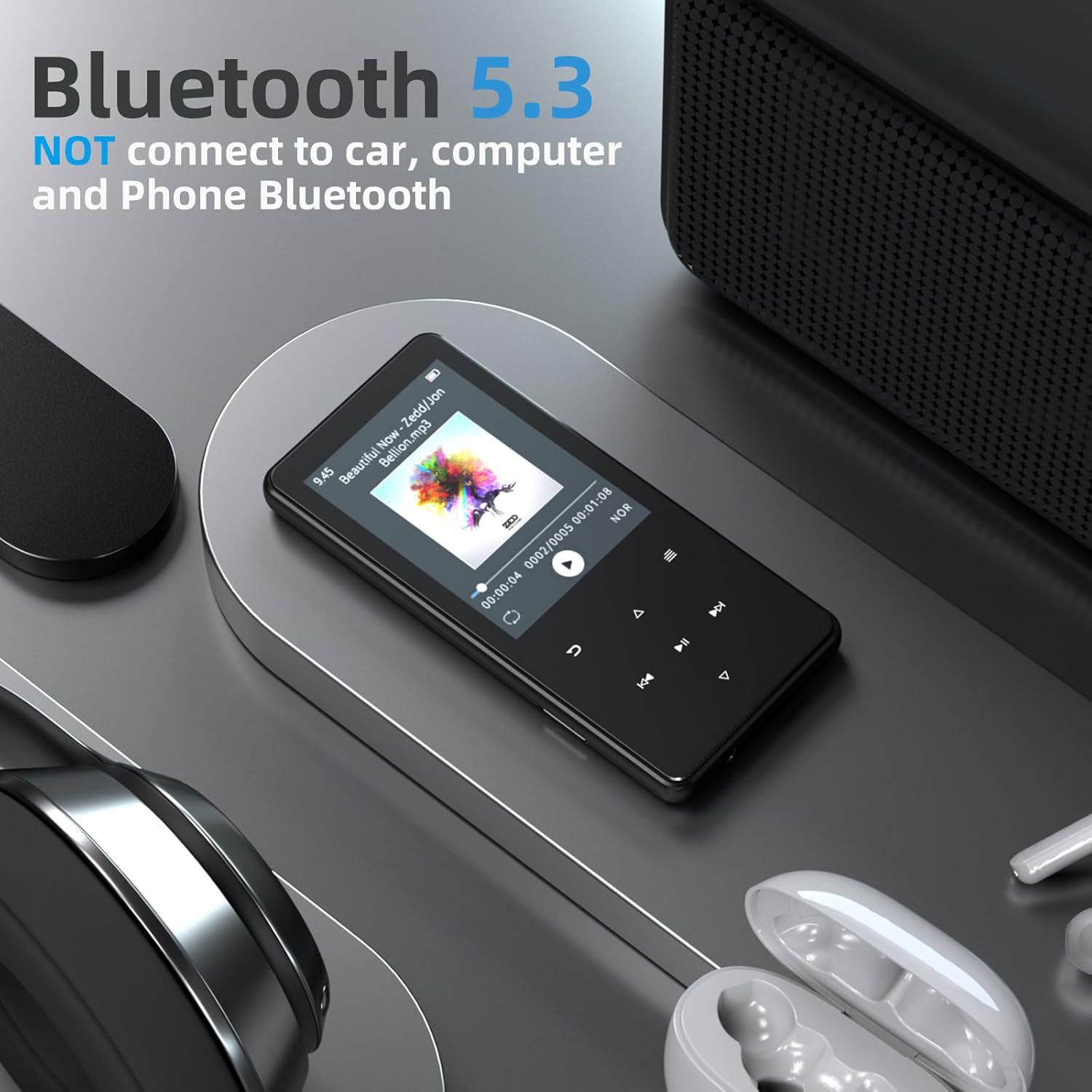
Image: The MP3 player wirelessly connected to Bluetooth headphones and a speaker, illustrating its Bluetooth 5.3 capability.
Operating Instructions
1. Basic Navigation and Controls
The D16 MP3 player features a 2.4-inch HD screen with illuminated touch buttons for navigation. Physical buttons on the side control volume and power.
- Power Button: Located on the side, it also acts as a screen lock. Pressing it turns the screen off/on and prevents accidental presses of the soft buttons.
- Touch Buttons: The illuminated buttons below the screen are used for menu navigation (up, down, left, right), play/pause, and returning to the previous screen.
- Volume Buttons: Dedicated physical buttons on the side for adjusting audio volume.

Image: Close-up of the MP3 player highlighting its sensitive touch buttons for easy operation.
2. Music Playback
Access your music library through the 'Music' icon. The player supports various audio formats including MP3, WMA, APE, FLAC, WAV, OGG, AAC, and ACELP. It offers HiFi sound quality, a customizable equalizer, and album cover display.
For better file organization, consider using the 'Folder' app to browse your music by directory structure, as the 'Music' app's automatic organization may not always align with personal preferences. Playlists can be created but are pre-named (Playlist1, Playlist2, etc.) and adding songs is a manual, one-by-one process.

Image: A woman enjoying music with the ODEJOI D16 MP3 Player and wired headphones, emphasizing Hi-Fi sound quality.
3. White Noise Sound Machine
The 'White Noise' app offers 18 soothing sounds, including 8 nature sounds and 10 relaxing tracks, ideal for unwinding, focusing, or improving sleep. The app supports a resume option to continue from where you left off.

Image: The MP3 player screen showing a selection of 18 soothing sounds, including nature and relaxation tracks.

Image: A child sleeping, with the MP3 player nearby, illustrating the use of white noise for sleep.
4. Video Playback
The 2.4-inch HD screen supports video playback. Videos must be in AMV/AVI format. A converter tool for Windows is typically provided with the player to convert other video formats. Ensure DirectX 9.0 or higher is installed on your computer for the converter to function.
Video playback includes fast-forward and rewind functions via long presses. Note that the video player currently does not support bookmarks, meaning if you exit a video, it will restart from the beginning.

Image: The 2.4-inch screen of the MP3 player displaying a video, highlighting its video playback capability.
5. FM Radio
To use the FM Radio, wired headphones must be connected as they act as the antenna. You can auto-tune for stations, manually tune, and save up to 30 preset stations. The device also allows recording directly from the FM radio.
6. Voice Recorder
The built-in voice recorder allows you to capture audio. You can select the recording bitrate and format (MP3 or WAV). Recordings are automatically named by date and time. You can record using the internal microphone or an external line-in source.
7. E-Book Reader
The E-Book function supports TXT format files. While it offers basic reading functionality and bookmarks, it does not feature text wrapping, which may affect readability for some users. Bookmarks display only the first 10 characters of the line.
8. Pedometer
The pedometer tracks your steps and allows you to input personal information like height, weight, and step length. It stores up to 7 history logs, named 'History 1' through 'History 7'. After stopping a session, you will be prompted to save or discard the data.
9. Clock and Alarm
The device includes a clock with an alarm function. You can set alarm times, choose daily, workday, or one-time cycles (with date selection from a calendar). Alarms can use embedded ringtones or your own music, and the volume is adjustable.
10. Stopwatch
The stopwatch features four time slots for tracking multiple intervals. It can start and stop individual slots. Note that the stopwatch resets all slots upon exiting the application.
11. Photo Viewer
The 'Photos' app allows you to view uploaded images. It supports slideshows with adjustable display times, repeat, and shuffle options. For best quality, images should be resized to 240x320 pixels before uploading.
Video: An official product video from ODEJOI demonstrating the various functions and user interface of the 64GB MP3 Player with Bluetooth and White Noise Machine.
Maintenance
1. Cleaning
Wipe the device with a soft, dry cloth. Avoid using harsh chemicals or abrasive materials that could damage the screen or casing.
2. Battery Care
To prolong battery life, avoid fully discharging the device frequently. Charge the device regularly, especially if it will not be used for an extended period. Battery performance varies with usage; wired headphone use offers up to 45 hours of playback, while Bluetooth and speaker use will consume power faster.
3. Storage Management
Regularly manage your files to free up space. Delete unnecessary files or transfer them to a computer. Ensure your Micro SD card is properly inserted and removed to prevent data corruption.
Troubleshooting
- Bluetooth Connection Issues: Ensure your accessory is in pairing mode. Remember the player does not connect to cars, tablets, or phones.
- White Noise Loop Interruption: When looping white noise tracks, there may be a brief fade and pause between repetitions. This is a characteristic of the current software.
- E-Book Text Wrapping: The E-book reader does not wrap text automatically. This may require manual scrolling for longer lines.
- Music App Organization: If music organization is not ideal, use the 'Folder' app to browse by your custom folder structure. Ensure file names are organized before transfer.
- FM Radio Not Working: Always connect wired headphones to the 3.5mm jack; they serve as the antenna for the FM radio.
- Screen Visibility in Bright Light: The screen may be difficult to see in direct sunlight. Adjusting brightness in settings may help, but optimal viewing is in shaded conditions.
- Speaker Distortion: If using the built-in speaker, avoid high volume levels with custom equalizer settings, as this can cause distortion. Keep the equalizer 'Off' or set all frequencies to 0 for the built-in speaker.
Specifications
| Feature | Detail |
|---|---|
| Brand | ODEJOI |
| Model Name | D16 |
| Memory Storage Capacity | 64 GB (expandable up to 128GB via Micro SD) |
| Connectivity Technology | Aux, Bluetooth 5.3, USB |
| Screen Size | 2.4 Inches |
| Special Features | Built-In Speaker, Equalizer, FM Radio, Video Playback, Voice Recorder, White Noise Sound Machine, E-Book, Pedometer, Alarm Clock, Stopwatch, Calendar, Photo Viewer |
| Compatible Devices | Headphones, Bluetooth Speakers |
| Media Type | Micro SD |
| Item Weight | 6.7 ounces |
| Batteries | 1 Lithium Polymer battery (included) |
| Package Dimensions | 7.09 x 5.12 x 0.75 inches |
Warranty and Support
For any product inquiries, technical assistance, or support, please contact ODEJOI customer service. They are available to assist with questions regarding product functionality, troubleshooting, and other concerns. Refer to the contact information provided on the product packaging or the official ODEJOI website for details.