
Hoteche P805219-E
Hoteche 900W Radial Miter Saw with Laser
Model: P805219-E
Introduction
Thank you for choosing the Hoteche 900W Radial Miter Saw. This manual provides essential information for the safe operation, setup, maintenance, and troubleshooting of your new tool. Please read this manual thoroughly before operating the saw to ensure safe and efficient use. Keep this manual for future reference.
Safety Information
WARNING: Always follow basic safety precautions to reduce the risk of fire, electric shock, and personal injury.
- Read all instructions: Familiarize yourself with the controls and proper use of the tool.
- Wear appropriate safety gear: Always wear safety glasses, hearing protection, and a dust mask.
- Keep work area clean and well-lit: Cluttered or dark areas invite accidents.
- Do not operate in explosive atmospheres: Do not use power tools in the presence of flammable liquids, gases, or dust.
- Secure workpiece: Always clamp or otherwise secure the workpiece to prevent movement during cutting.
- Avoid accidental starting: Ensure the switch is in the off-position before plugging in.
- Maintain tools with care: Keep cutting tools sharp and clean for better and safer performance.
- Disconnect power: Always disconnect the saw from the power source before making any adjustments, changing accessories, or storing the tool.
Product Overview and Components
Familiarize yourself with the various parts of your Hoteche Radial Miter Saw.

Figure 1: Hoteche 900W Radial Miter Saw, front view.

Figure 2: Key components of the saw, including the saw blade, operating handle, dust extraction port, rotating blade guard, bevel lock, 'G' clamp, fence, table insert (kerf plate), and attach fence.

Figure 3: Rear view components, showing the saw arm, spindle lock button, release knob, bevel scale, 45° bevel adjustment screw, miter table, miter lock, and 0° bevel adjustment screw.
Setup
- Unpacking: Carefully remove the saw and all accessories from the packaging. Inspect for any damage.
- Mounting: Securely mount the miter saw to a stable workbench using appropriate bolts or clamps. Ensure the saw is level and does not wobble during operation.
- Dust Bag Attachment: Attach the dust collection bag to the dust extraction port. Ensure it is securely fastened to collect sawdust effectively.
- Extension Rods: Insert the extension rods (if included) into their designated slots on the miter table to support longer workpieces.
- Blade Check: Verify that the TCT saw blade (190mm x 30mm x 2.4mm x 24 teeth) is correctly installed and secured.
Operating Instructions
General Operation
- Power Connection: Connect the saw to a 220-240V AC power supply.
- Workpiece Placement: Place the workpiece firmly against the fence and on the miter table. Use the 'G' clamp to secure it if necessary.
- Starting the Saw: Press the power switch to start the motor. Allow the blade to reach full speed (5500 RPM no-load) before beginning the cut.
- Making a Cut: Slowly lower the saw arm through the workpiece. Do not force the cut. Once the cut is complete, release the switch and allow the blade to stop before raising the saw arm.
Using the Laser Guide

Figure 4: The integrated laser guide projects a line onto the workpiece for precise cutting.
- The integrated laser guide projects a precise cutting line onto your workpiece.
- To activate the laser, locate the laser switch (refer to Figure 3 for location if not immediately visible).
- Align the projected laser line with your desired cut mark on the workpiece for enhanced accuracy.
Miter Cuts
- To adjust the miter angle, loosen the miter lock (Figure 3).
- Rotate the miter table to the desired angle, indicated on the miter scale. The saw features 9 positive detent stops for common angles.
- Tighten the miter lock to secure the table in position before cutting.
Bevel Cuts

Figure 5: The saw is capable of up to 45° bevel cuts, with 9 positive detent stops for common angles.
- To perform a bevel cut, loosen the bevel lock (Figure 2).
- Adjust the saw head to the desired bevel angle using the 0° or 45° bevel adjustment screws (Figure 3). The saw supports up to 45° bevel cuts.
- Tighten the bevel lock to secure the saw head before cutting.

Figure 6: The Hoteche Miter Saw in a typical cutting operation, demonstrating its compact design and dust collection bag.
Maintenance
- Cleaning: Regularly clean the saw, especially the dust extraction port and blade guard, to prevent sawdust buildup. Use a dry cloth or compressed air.
- Blade Inspection: Periodically inspect the saw blade for sharpness and damage. Replace dull or damaged blades immediately.
- Carbon Brushes: The motor is equipped with carbon brushes. If the saw experiences reduced power or intermittent operation, the carbon brushes may need replacement. Refer to the included original carbon brush set for replacement.
- Lubrication: Apply a light coat of machine oil to moving parts as needed to ensure smooth operation.
How to Change the Saw Blade
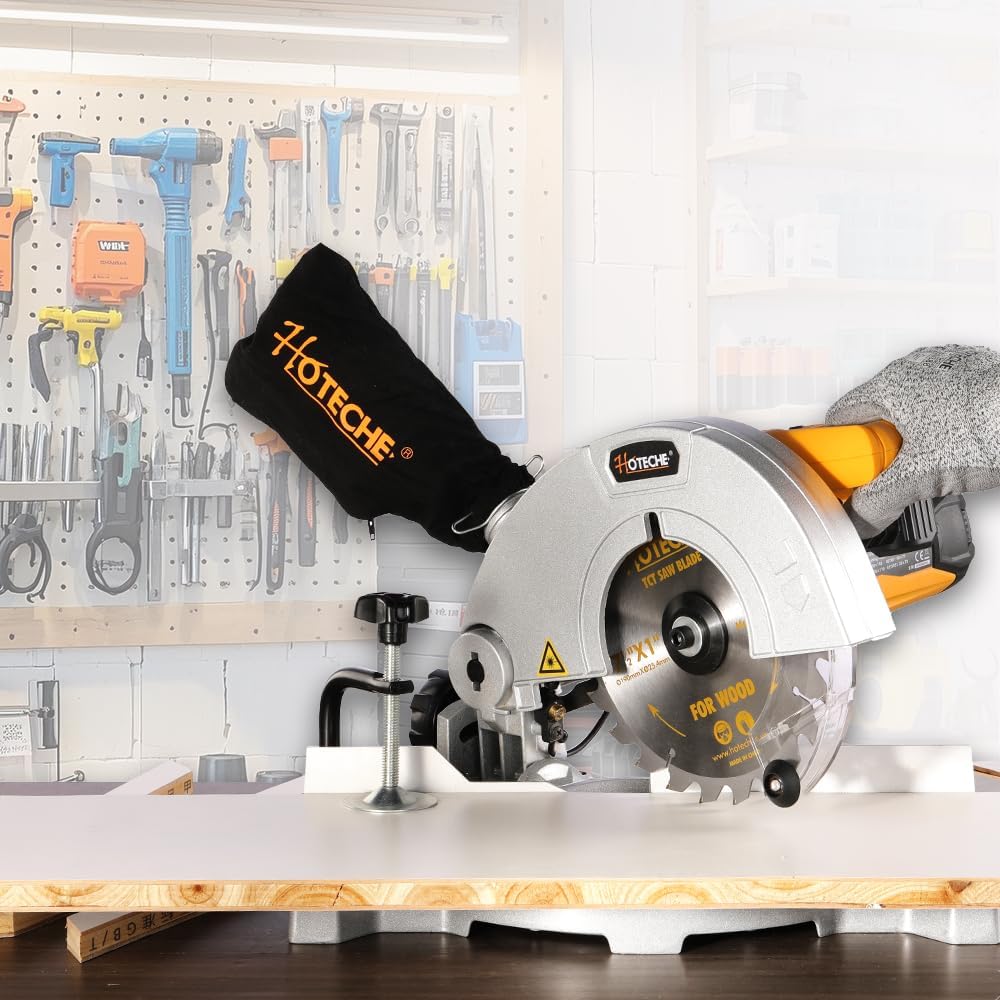
Figure 7: Step-by-step instructions for changing the saw blade.
- Step 1: Use the provided hex key to release the screw securing the blade guard.
- Step 2: Carefully open the lower blade guard to expose the blade.
- Step 3: Press the spindle lock button and use the provided wrench to release the blade retaining screw.
- Step 4: Turn the flange screw right out and remove the external flange. Change the blade, ensuring the teeth direction matches the arrow on the saw. Reassemble in reverse order.
Troubleshooting
| Problem | Possible Cause | Solution |
|---|---|---|
| Saw does not start | No power supply; Faulty switch; Worn carbon brushes | Check power connection and circuit breaker; Inspect and replace switch if necessary; Replace carbon brushes. |
| Reduced cutting performance | Dull or damaged blade; Incorrect blade installation; Motor overload | Replace saw blade; Ensure blade is installed correctly with teeth in proper direction; Reduce cutting pressure. |
| Excessive vibration or noise | Loose blade; Damaged blade; Unstable mounting | Tighten blade retaining screw; Replace damaged blade; Securely mount saw to workbench. |
| Laser guide not working | Laser switch off; Laser lens dirty; Laser module faulty | Turn on laser switch; Clean laser lens; Contact customer support for repair. |
Specifications
| Feature | Specification |
|---|---|
| Model Number | P805219-E |
| Power | 900 Watts |
| Voltage | 220-240 Volts (AC) |
| No-Load Speed | 5500 RPM |
| Saw Blade Diameter | 190 mm |
| Blade Bore Diameter | 30 mm |
| Blade Thickness | 2.4 mm |
| Blade Teeth | 24 Teeth (TCT) |
| Max. Cutting Capacity (0° x 0°) | 110 x 50 mm |
| Max. Cutting Capacity (45° x 0°) | 75 x 50 mm |
| Max. Cutting Capacity (0° x 45°) | 110 x 30 mm |
| Max. Cutting Capacity (45° x 45°) | 75 x 30 mm |
| Weight | 6 Kilograms |
| Special Features | Integrated Laser Guide, Aluminum Base |
Warranty and Support
Hoteche is committed to providing high-quality tools and excellent customer support. This product comes with a performance guarantee. For any questions, technical assistance, or warranty claims, please refer to the contact information provided with your purchase or visit the official Hoteche website. Always use original Hoteche spare parts for repairs to maintain product integrity and warranty validity.
Ask a question about this manual
Ask about setup, troubleshooting, compatibility, parts, safety, or missing instructions. Manuals+ will review the question and use this page’s manual context to help answer it.