
Introduction
The Sofirn SR15 is a powerful and versatile high-lumen flashlight designed for various applications including emergency, repair, camping, and hiking. It features advanced LED technology and robust construction to provide reliable illumination in demanding environments.
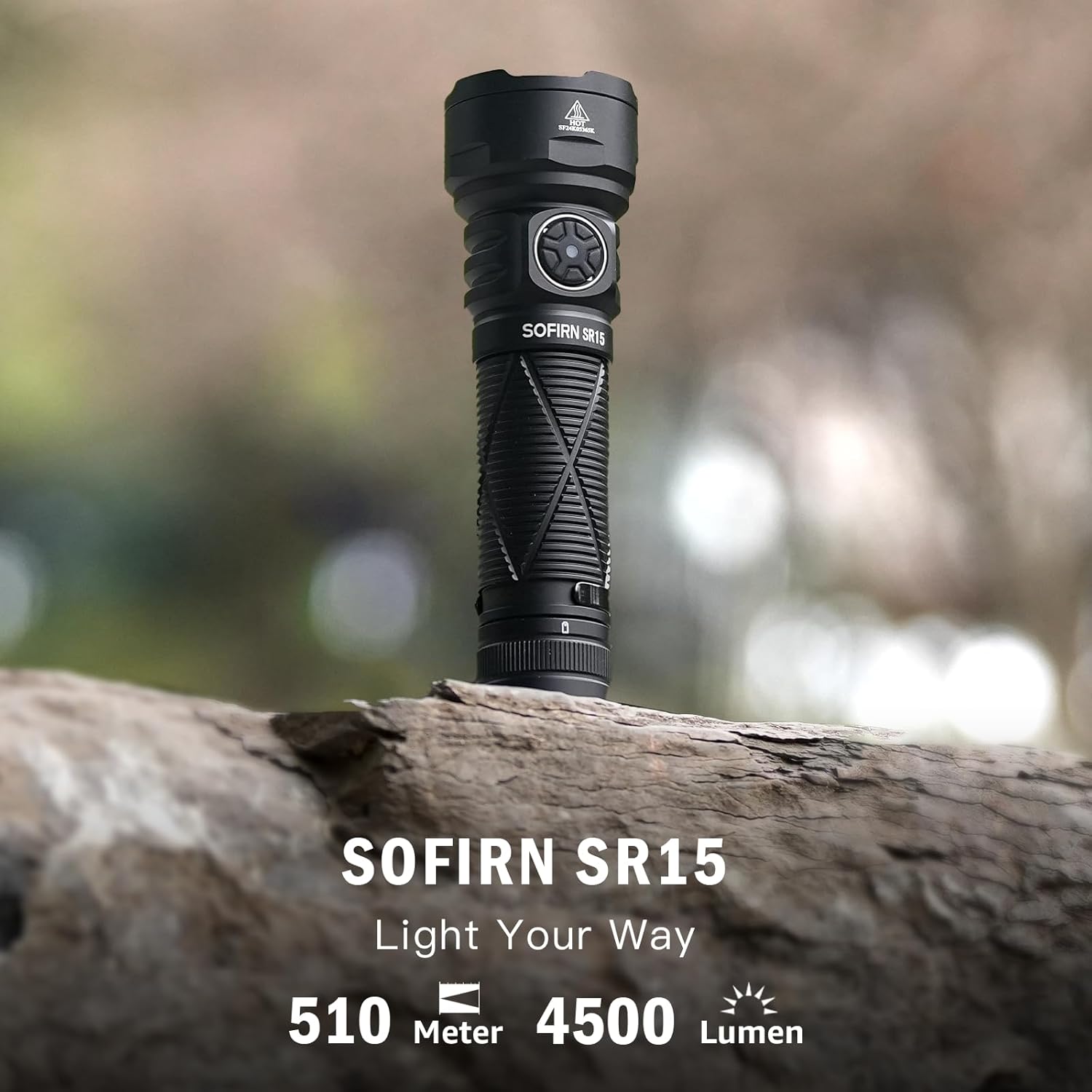
Figure 1: Sofirn SR15 Flashlight highlighting its 4500 lumen output and 510 meter beam distance.
What's in the Box
- Battery
- Charging Cable
- Belt Clip
- Lanyard
Setup
Battery Installation
The Sofirn SR15 comes with a pre-installed 21700 Lithium Polymer battery. To ensure proper function, unscrew the head of the flashlight to access the battery compartment. Remove any protective film from the battery before first use. Insert the battery with the positive (+) end facing towards the head of the flashlight. Securely screw the head back on.
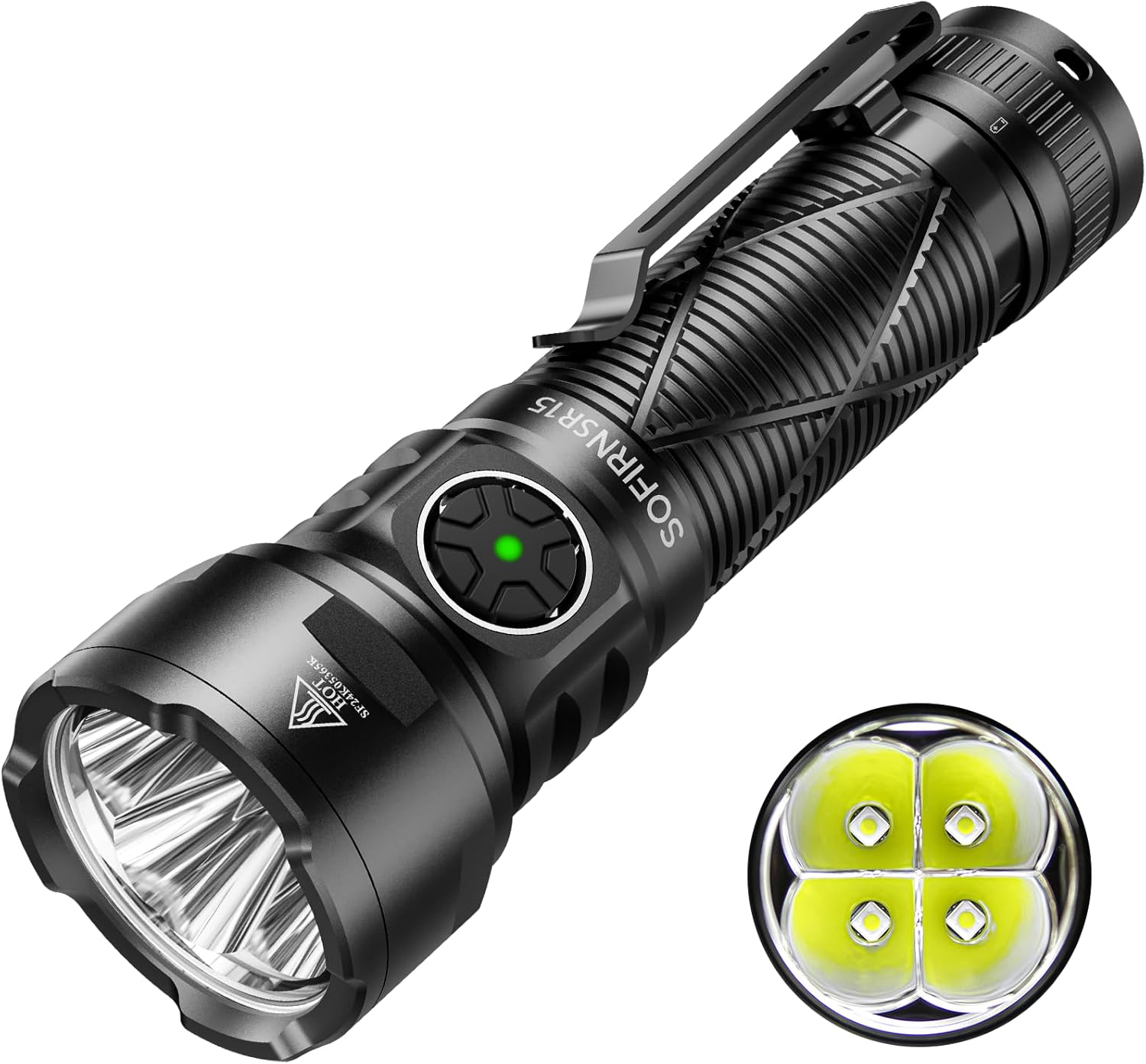
Figure 2: Sofirn SR15 Flashlight showing the main body and side switch.
Charging
The SR15 supports USB-C rapid charging. Locate the USB-C port on the side of the flashlight, protected by a rubber cover. Plug in the provided USB-C charging cable. The side switch acts as a charging indicator:
- Green Constant On: 70%-100% charged
- Red Constant On: 30%-70% charged
- Red Flashes: 1%-30% charged
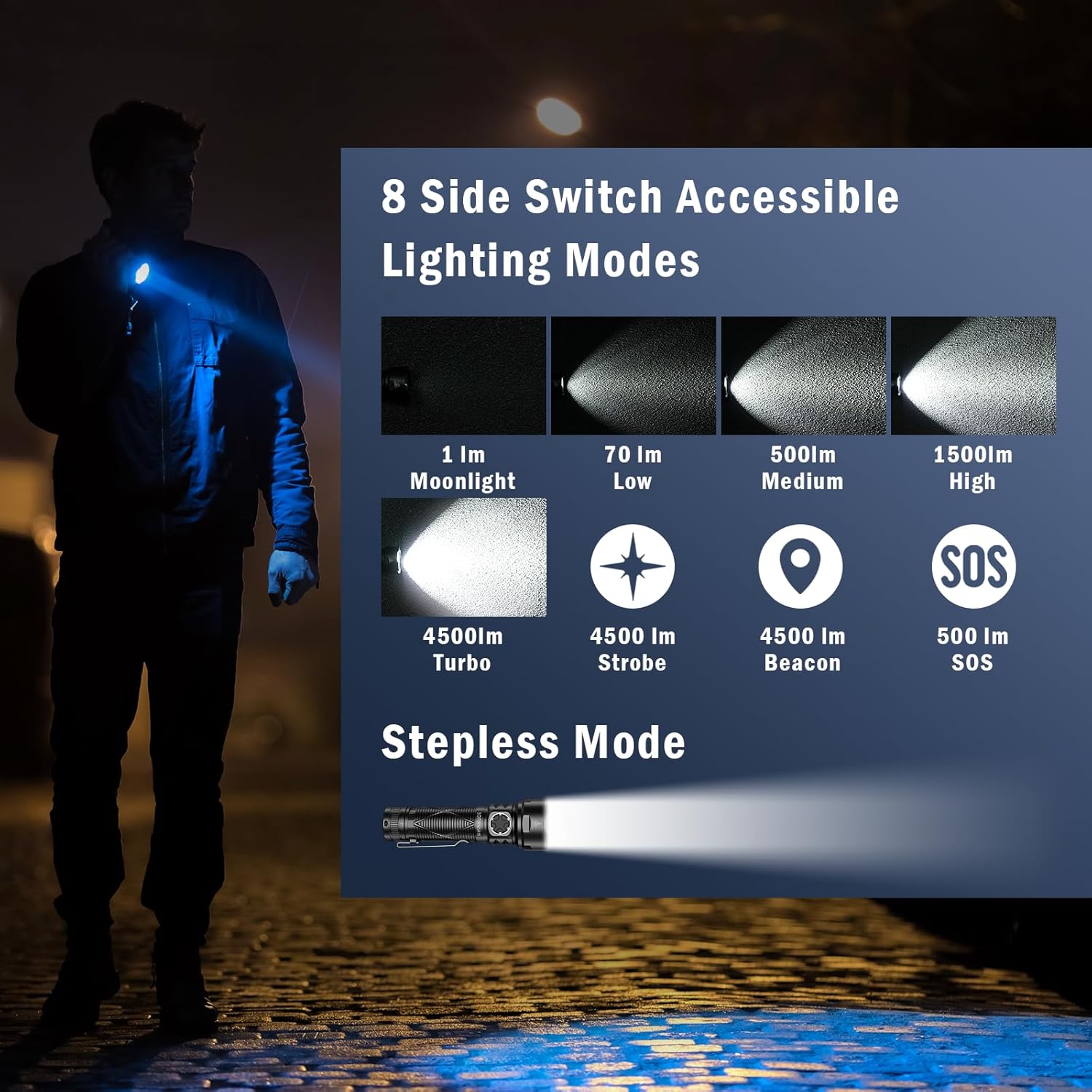
Figure 3: Sofirn SR15 charging via USB-C, illustrating the different indicator light states.
Video 1: Official product video demonstrating the Sofirn SR15's features, including charging capabilities.
Operating Instructions
Basic Operation
- Turn On/Off: Single click the side switch. The flashlight will turn on in the last used brightness mode (memory mode).
Brightness Modes
The SR15 offers both stepped and stepless dimming modes.
- Stepped Mode: From ON, long press the side switch to cycle through Low, Medium, and High. Release to select.
- Stepless Dimming: From ON, long press the side switch to smoothly ramp brightness up or down. Release to select.
- Moonlight Mode: From OFF, long press the side switch to directly access 1 lumen Moonlight mode.
- Turbo Mode: Double click the side switch from ON or OFF to instantly activate 4500 lumen Turbo mode.
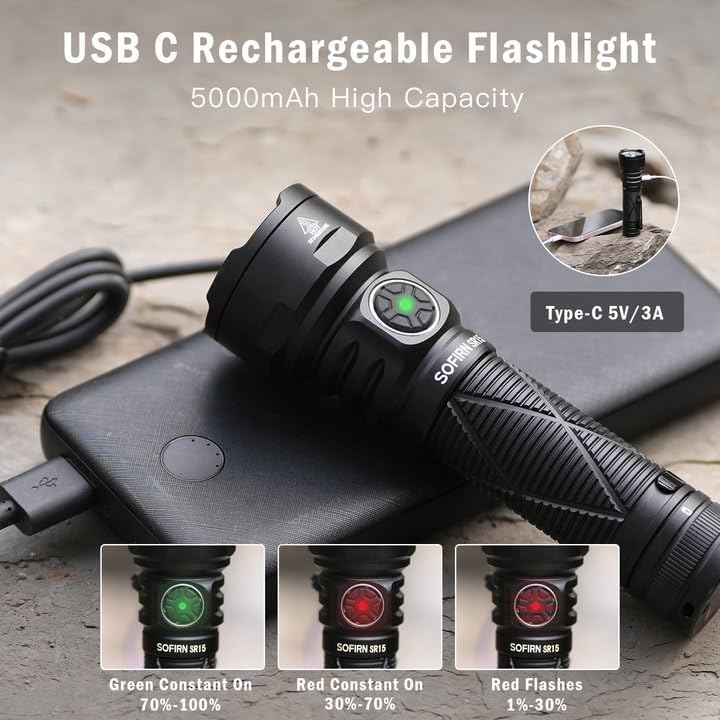
Figure 4: Overview of the 8 accessible lighting modes and stepless dimming function.
Special Modes (Strobe, SOS, Beacon)
- Activate: Triple click the side switch from ON or OFF to enter Strobe mode.
- Cycle: Double click to cycle between Strobe, SOS, and Beacon modes.
- Exit: Single click to return to the previously used brightness mode.
Lockout Mode
- Activate: From OFF, four clicks will activate the electronic lockout. The indicator light will flash to confirm.
- Deactivate: Four clicks again to unlock the flashlight.

Figure 5: Detailed user interface diagram for Sofirn SR15, illustrating all mode access.
Specifications
| Feature | Value |
|---|---|
| Max Output | 4500 Lumens |
| Max Runtime | 410 hours (Moonlight) |
| Max Throw | 510 Meters |
| Power Source | Battery Powered (Lithium Polymer 21700) |
| Material | Aluminum |
| Water Resistance | IP68 Waterproof |
| Product Dimensions | 1.5"D x 1.5"W x 5"H |
| Item Weight | 10.5 ounces |
| Included Components | Battery, Charging Cable, Belt Clip, Lanyard |

Figure 6: Detailed specifications table for Sofirn SR15 across various modes.
Maintenance
Cleaning
Regularly clean the flashlight body with a soft, damp cloth. For the lens, use a lens cleaning cloth and solution to avoid scratches. Keep the threads clean and lubricated with silicone grease to ensure smooth operation and maintain waterproofing.
Battery Care
Store the battery in a cool, dry place when not in use. Avoid fully discharging the battery to prolong its lifespan. If the flashlight will not be used for an extended period, remove the battery to prevent leakage.
Waterproofing
The SR15 is IP68 waterproof. Ensure all O-rings are intact and properly seated, and the USB-C port cover is securely closed before exposing the flashlight to water. Periodically check and lubricate O-rings to maintain the waterproof seal.
Troubleshooting
Light Not Turning On
- Check if the battery is correctly inserted with the positive (+) end towards the head.
- Ensure the battery is charged. Connect to a USB-C charger and check the indicator light.
- Deactivate lockout mode by pressing the side switch four times from OFF.
- Tighten the head and tail cap securely.
Dim Output or Flickering
- Charge the battery fully. Low battery can cause dimming.
- Clean the battery contacts and flashlight threads. Dirt or corrosion can interfere with electrical contact.
- Ensure the battery is fully seated and the head is tightly screwed on.
Overheating
The SR15 features intelligent temperature control. In Turbo or High modes, the flashlight may automatically step down its output to prevent overheating. This is normal operation to protect the LEDs and internal components. Once the temperature drops, the output can be reactivated to higher modes.
Warranty and Support
The Sofirn SR15 comes with a limited warranty. For detailed warranty information, product support, or any inquiries, please refer to the warranty card included in your package or contact 77outdoor customer service directly.
You can find contact information on the product packaging or by visiting the official 77outdoor store on Amazon.


