
1. Introduction
The NEEWER RF1-C Macro Ring Flash is designed for Canon cameras, providing specialized lighting for macro photography. Its ring-shaped design ensures even illumination, minimizing harsh shadows and vignetting, which is crucial for detailed close-up shots of subjects like plants, insects, and small objects. This compact and lightweight flash offers versatile lighting control with multiple modes and adjustable output.
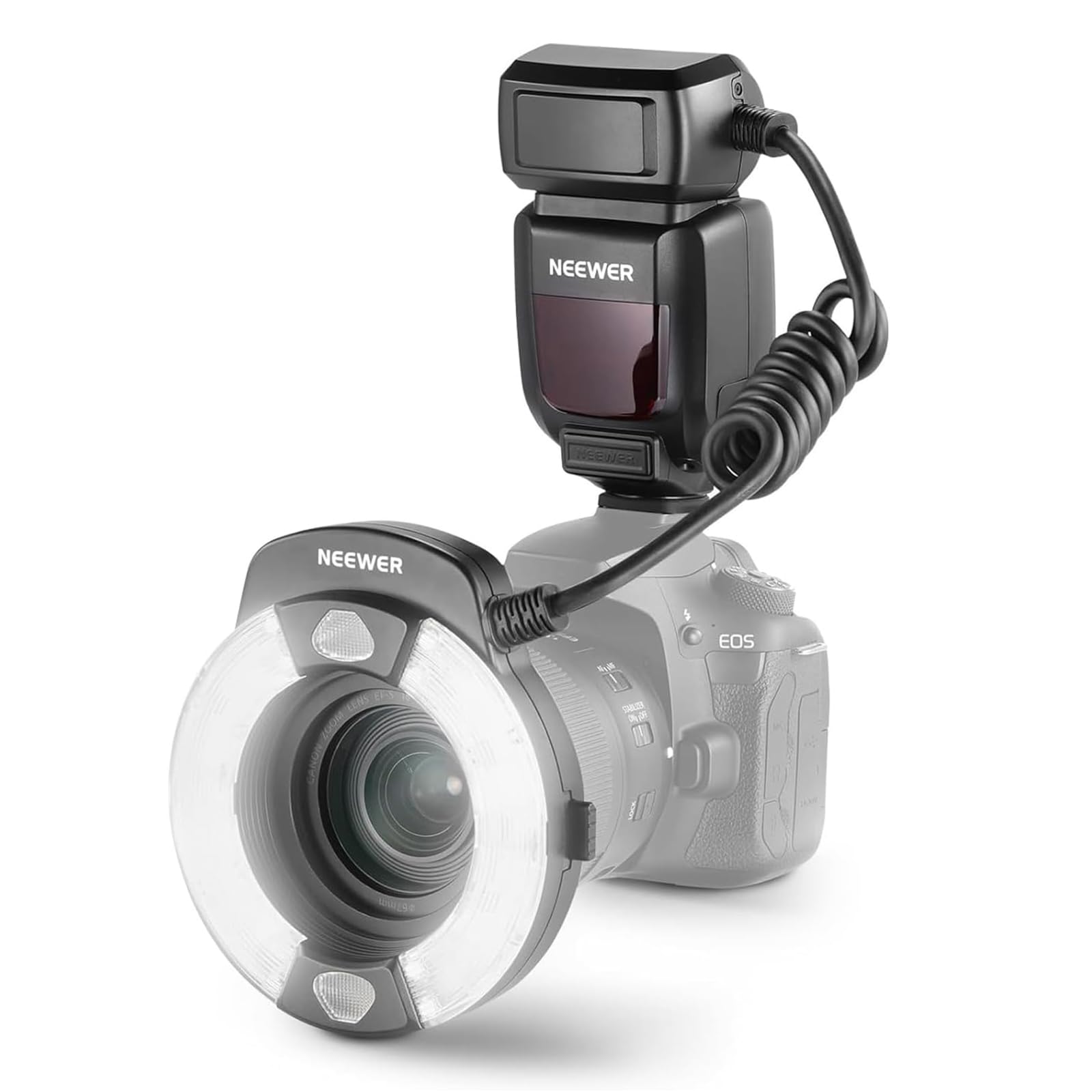
Image: The NEEWER RF1-C Macro Ring Flash mounted on a Canon camera, showcasing its ring design.
2. What's in the Box
Verify that all components are present in your package:
- 1 x RF1-C Macro Ring Flash
- 4 x Color Gel Filters (White, Red, Green, Yellow)
- 8 x Lens Adapter Rings (49mm, 52mm, 55mm, 58mm, 62mm, 67mm, 72mm, 77mm)
- 1 x Instruction Manual

Image: A visual representation of the NEEWER RF1-C Macro Ring Flash and its included accessories.
3. Setup Instructions
3.1 Battery Installation
The RF1-C Macro Ring Flash requires 4x AA batteries for power. Ensure you use 1.5V high-drain rechargeable or alkaline batteries for optimal performance. Open the battery compartment, insert the batteries according to the polarity indicators, and close the compartment securely.
3.2 Attaching to Camera
- Slide the flash unit onto your camera's hot shoe mount until it clicks into place.
- Secure the flash by tightening the locking mechanism on the hot shoe mount.
- Select the appropriate lens adapter ring (49/52/55/58/62/67/72/77mm) that matches your camera lens filter thread.
- Screw the chosen adapter ring onto the front of your camera lens.
- Attach the ring flash head to the lens adapter ring by aligning the mounting points and twisting until it locks.
- Connect the coiled cable from the ring flash head to the main flash unit.

Image: The NEEWER RF1-C Macro Ring Flash fully assembled and mounted on a Canon camera, ready for use.
4. Operating Modes
The RF1-C offers three primary flash modes to suit various photographic needs:
- TTL Mode (Through The Lens): This mode automatically determines the correct flash exposure by measuring the light through the camera lens. It supports exposure compensation, exposure bracketing, and flash lock for precise control.
- M Mode (Manual): In Manual mode, you can manually adjust the flash output from 1/1 (full power) to 1/128 power. This provides complete control over the flash intensity, allowing for fine-tuning based on ambient light conditions and desired effects.
- MULTI Mode (Stroboscopic): This mode allows for creative stroboscopic flashes, firing multiple flashes during a single exposure to capture a sequence of movements.
The A/B flash tubes can be controlled independently or collectively. In TTL/M modes, the flash ratio is adjustable from 8:1 to 1:1 to 1:8 in 1/2 stop increments, enabling fine-tuning of image contrast and directional lighting.
4.1 Assist Focus Lights
The flash unit includes two assist focus lights to aid in quick focusing in low-light conditions. These lights help the camera's autofocus system achieve accurate focus before the main flash fires.

Image: Visual examples demonstrating the effects of different flash modes and sync options.
5. Custom Function Settings
The RF1-C features a simple LCD for clear readouts and easy adjustments of custom functions. These settings allow you to tailor the flash's behavior to your specific photography requirements.
| Function Symbol | Custom Function | Setting Symbol | Setting & Explanation |
|---|---|---|---|
| STBY | Auto Sleep | ON | Turn on |
| OFF | Turn off | ||
| BEEP | Buzzer | ON | Turn on |
| OFF | Turn off | ||
| LIGHT | Backlight Illumination Time | 12s | Auto off after 12s |
| ON | Always on | ||
| OFF | Always off | ||
| LCD | LCD Contrast | -3 - +3 | 7 levels |

Image: The LCD interface of the flash unit, showing various customizable settings.
6. Color Gel Filters
The RF1-C includes white, red, green, and yellow color gel filters. These filters can be magnetically attached to the flash head to introduce atmospheric and artistic effects into your macro photography. Experiment with different colors to enhance the mood or highlight specific aspects of your subjects.

Image: The included color gel filters for creative lighting effects.
7. Specifications
| Feature | Detail |
|---|---|
| Product Model | RF1-C |
| Guide Number | GN15 (ISO 100, 1M) |
| Power Output | 76Ws |
| Color Temperature | 5600K |
| Compatibility | Canon DSLR / Mirrorless Camera |
| Power Supply | 4x AA batteries (rechargeable or alkaline recommended) |
| Trigger Method | Hot shoe trigger, Test manual trigger, PC sync cable |
| Flash Modes | E-TTL / M / MULTI |
| Flash Duration | 1/400s - 1/19300s |
| Sync Mode | Front curtain sync, Rear curtain sync |
| PC Sync Interface | Sync speed < 1/200 |
| Number of Flashes | 100-1500 (depending on battery brand and output power) |
| LED Assist Focus Light | Illuminance Approx. 10Lux/0.5m |
| External Power Supply | Canon universal CP-E4 compatible |
| Recycling Time | Approx. 0.1-2.7s |
| Sync Triggering Method | Hot shoe, PC sync cable |
| Dimensions | 2.8"x2.8"x0.8" / 71x71x20.2 mm |
| Net Weight | 13oz / 368g (excluding batteries) |
8. Troubleshooting
- Flash Not Firing:
- Ensure batteries are correctly installed and have sufficient charge.
- Verify the flash unit is securely mounted on the camera's hot shoe.
- Check camera settings to ensure external flash is enabled.
- Confirm the flash is powered on and not in sleep mode.
- Incorrect Exposure (Too Bright/Dark):
- In TTL mode, adjust Exposure Compensation on your camera or flash.
- In Manual mode, adjust the flash output power (1/1 to 1/128).
- Check camera's ISO, aperture, and shutter speed settings.
- Flash Not Syncing:
- Ensure the flash is set to the correct sync mode (Front/Rear Curtain).
- Verify the camera's shutter speed is within the flash's sync speed capabilities (typically 1/200s or slower).
9. Maintenance
- Keep the flash unit and accessories clean and dry. Use a soft, lint-free cloth for cleaning.
- Avoid exposing the flash to extreme temperatures, humidity, or direct sunlight for extended periods.
- Remove batteries if the flash will not be used for an extended period to prevent leakage.
- Store the unit in a protective case to prevent dust and physical damage.
10. Warranty and Support
The NEEWER RF1-C Macro Ring Flash comes with a 1-Year Manufacturer Warranty. For technical support, warranty claims, or further assistance, please visit the official NEEWER store or contact their customer service.
Official NEEWER Store: NEEWER Store on Amazon