
CASCHO P125
CASCHO P125 Smart Watch User Manual
Model: P125
Introduction
Thank you for choosing the CASCHO P125 Smart Watch. This manual provides detailed instructions to help you get started, operate, and maintain your new smartwatch. The P125 features a vibrant 1.85-inch HD display, Bluetooth 5.3 for calls and notifications, comprehensive health monitoring, and a wide array of sports modes, all encased in an IP68 waterproof design with long battery life.

Image: The CASCHO P125 Smart Watch, highlighting its large display and sleek design.
Setup
1. Package Contents
Before you begin, please ensure all items are present in the package:
- Smartwatch x 1
- Instruction manual x 1
- Magnetic charging cable x 1
- Exquisite box x 1

Image: Visual representation of the smartwatch dimensions and included accessories.
2. Charging the Smart Watch
For optimal performance, fully charge your smartwatch before first use. The watch features a 300mAh battery, providing 5-7 days of continuous use and up to 30 days in standby mode.
- Connect the magnetic charging cable to the charging contacts on the back of the watch.
- Plug the USB end of the cable into a standard USB power adapter (5V/1A recommended) or a computer's USB port.
- The watch screen will display a charging indicator. A full charge typically takes about 2 hours.

Image: The smartwatch connected to its magnetic charging cable, indicating a full charge.

Image: Overview of the smartwatch's battery life and charging duration.
3. App Installation and Pairing
To unlock the full potential of your smartwatch, download and connect it to the 'Da Fit' app on your smartphone. The watch is compatible with iOS 9.0 or later and Android 5.0 or later.
- Turn on Bluetooth: Ensure Bluetooth is enabled on your smartphone.
- Download Da Fit App: Search for "Da Fit" in the Google Play Store (for Android) or Apple App Store (for iOS), or scan the QR code provided in the physical manual.
- Open App and Add Device: Open the Da Fit app, navigate to the "Add Device" section, and select "P125" from the list of available devices to bind it.

Image: Step-by-step instructions for connecting the smartwatch to your smartphone via the Da Fit app.
Operating Instructions
1. Basic Navigation
The CASCHO P125 Smart Watch features a full-touch TFT color display for easy navigation. Swipe left, right, up, or down to access different functions and menus. Press the side button to return to the home screen or wake the device.
2. Bluetooth Call and Message Notifications
With Bluetooth 5.3, your smartwatch can handle calls and display notifications directly from your paired smartphone.
- Make/Answer Calls: Use the built-in microphone and HD speaker to make, answer, or reject calls directly from your wrist. You can also sync contacts and view call history.
- Message Notifications: Receive alerts for messages from various apps like Facebook, WhatsApp, Instagram, and Twitter. Ensure notifications are enabled in the 'Da Fit' app settings.

Image: Features for Bluetooth calling and smart notifications on the smartwatch.

Image: Interface for Bluetooth calling features on the smartwatch.

Image: Smart notifications from various applications displayed on the smartwatch.
3. Custom Dial and Watch Faces
Personalize your smartwatch with over 200 online dials available in the 'Da Fit' app, or upload your own photos as watch face backgrounds.

Image: Customization options for watch faces and the vibrant display.

Image: A variety of watch faces and customization features.
4. Comprehensive Health Monitoring
The P125 Smart Watch is equipped with a high-precision photoelectric sensor to monitor your health metrics.
- Heart Rate: Continuously monitors your heart rate, providing real-time data.
- Blood Oxygen (SpO2): Measures your blood oxygen saturation levels.
- Sleep Monitor: Tracks your sleep patterns, including deep sleep, light sleep, and wake-up times, to help you understand your sleep quality.
- Women's Health: Offers a menstrual cycle recording function to help women track their physiological cycle.

Image: Overview of the smartwatch's health tracking capabilities.

Image: In-depth look at the health data provided by the smartwatch.

Image: The smartwatch's dedicated feature for women's health tracking.
5. 115+ Sport Modes and Activity Tracking
The smartwatch supports over 115 sport modes, including walking, running, cycling, and more. It accurately records daily steps, distance, and calories burned using its built-in 3-axis gravity sensor.

Image: Visual representation of the extensive sport modes and activity tracking features.

Image: Detailed view of all-day activity recording, including steps, heart rate, calories, and distance.

Image: People demonstrating the use of the smartwatch during various sports activities.
6. Other Practical Functions
The P125 Smart Watch offers a variety of useful functions to enhance your daily life:
- Music Control: Control music playback on your smartphone.
- Camera Control: Use your watch as a remote shutter for your phone's camera.
- Weather Forecast: Get real-time weather updates.
- Alarm: Set multiple alarms for reminders.
- Stopwatch & Timer: Essential tools for timing activities.
- Find Phone: Locate your misplaced phone.
- Breathing Exercises: Guided breathing sessions for relaxation.
- Sedentary Reminder: Alerts you to move after periods of inactivity.
- Voice Assistant: Interact with your watch using voice commands.
- Calculator: A convenient tool for quick calculations.
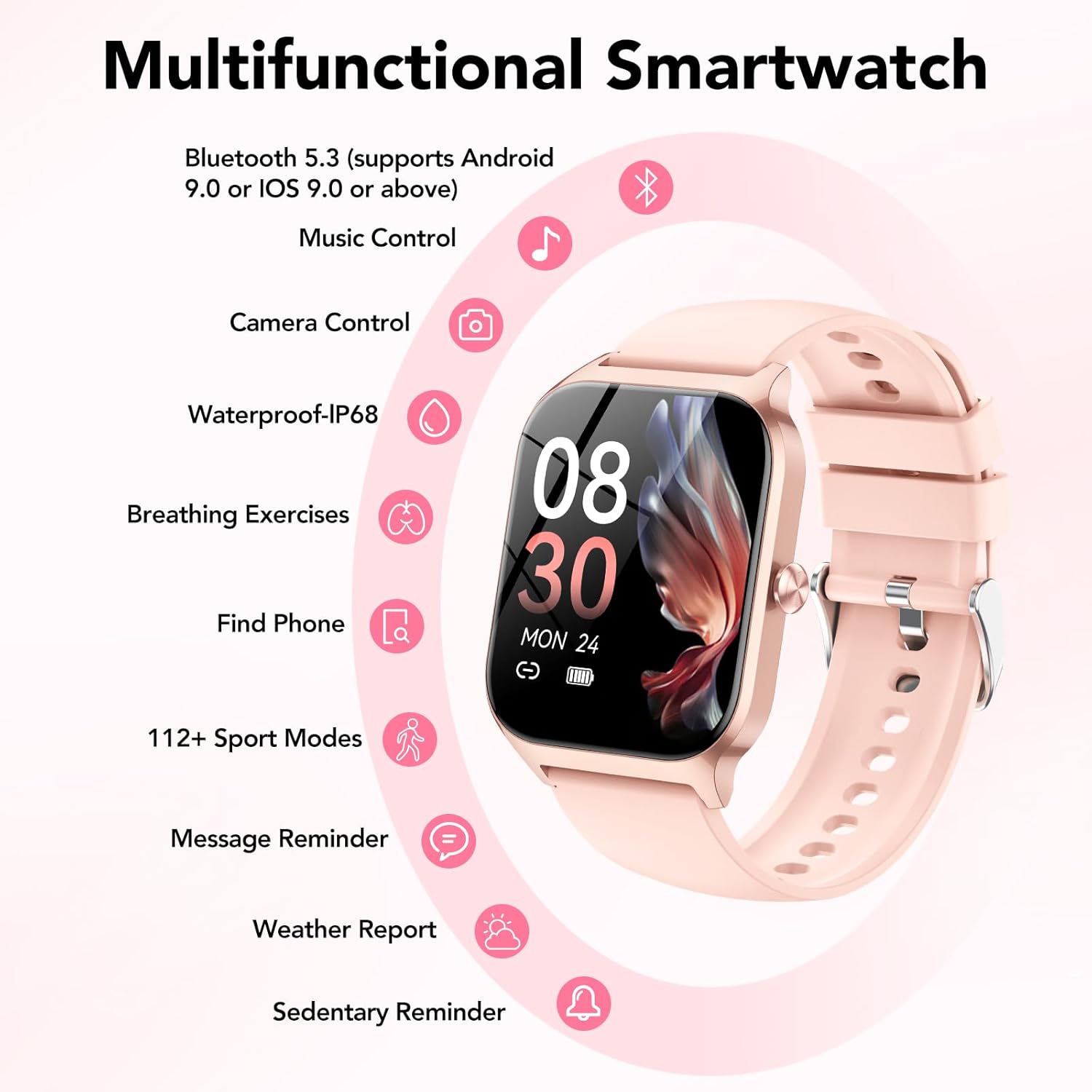
Image: A comprehensive display of the smartwatch's many functions.

Image: Icons and displays for additional practical functions of the smartwatch.

Image: The smartwatch's voice assistant feature in action.
Maintenance
1. IP68 Waterproof Rating
The CASCHO P125 Smart Watch has an IP68 waterproof rating, meaning it is resistant to dust and can withstand immersion in water up to 1.5 meters for 30 minutes. You can wear it while washing hands, in the rain, or during workouts where you sweat. Note: It is not suitable for hot water baths, saunas, or diving.

Image: Visual representation of the smartwatch's IP68 waterproof, shockproof, and dustproof capabilities.
2. Cleaning and Care
To maintain your smartwatch, regularly clean the device and strap. Use a soft, dry cloth to wipe the screen and body. For the strap, a slightly damp cloth can be used. Avoid using harsh chemicals or abrasive materials.
Troubleshooting
- Watch not turning on: Ensure the watch is fully charged. Connect it to the charging cable and leave it for at least 10 minutes before attempting to turn it on again.
- Cannot pair with phone:
- Ensure Bluetooth is enabled on your phone and the watch is within range.
- Restart both your phone and the smartwatch.
- Make sure the 'Da Fit' app is updated to the latest version.
- If previously paired, try unpairing and re-pairing the device.
- Inaccurate health data:
- Ensure the watch is worn snugly on your wrist, not too loose or too tight.
- Clean the sensor on the back of the watch.
- Environmental factors and individual physiology can affect readings. The data is for reference and not for medical diagnosis.
- Notifications not received:
- Check notification permissions in the 'Da Fit' app and your phone's system settings.
- Ensure the app is running in the background and not being closed by battery optimization settings.
- Short battery life:
- Reduce screen brightness.
- Limit continuous heart rate monitoring or turn off features you don't frequently use.
- Ensure the watch is fully charged each time.
Specifications
| Feature | Detail |
|---|---|
| Model Number | P125 |
| Screen Size | 1.85 Inches |
| Display Type | TFT Color Display |
| Connectivity | Bluetooth 5.3 |
| Battery Capacity | 300 mAh Lithium Ion |
| Battery Life | 5-7 days (typical use), 30 days (standby) |
| Charging Time | Approx. 2 hours |
| Waterproof Rating | IP68 |
| Operating System | Wear OS 1.0 |
| Compatibility | Android 5.0+, iOS 9.0+ |
| Item Weight | 40 Grams (1.41 ounces) |
| GPS | Built-in GPS |
Warranty and Support
CASCHO is committed to providing high-quality products and excellent customer service. Your P125 Smart Watch comes with a standard warranty. For specific warranty details and to register your product for an additional 1+1 years extra warranty, please refer to the warranty card included in your package or visit the official CASCHO website.
For any questions, technical support, or service inquiries, please contact CASCHO customer service. We are always there to help you!

Image: CASCHO's commitment to customer satisfaction and support.
Related Documents - P125
 |
CASCHO I33 Bluetooth Headset Instruction Manual User guide for the CASCHO I33 Bluetooth headset, covering connection, operation, troubleshooting, and safety instructions. |
 |
P125 Smartwatch User Manual: Setup, Features, and Support Your guide to the P125 Smartwatch. This manual covers initial setup, pairing with your phone, detailed feature explanations, troubleshooting, and warranty information. Get the most out of your wearable device. |
 |
Smart Watch P125 User Manual User manual for the Smart Watch P125, covering features, app installation, connection, precautions, and FAQs. Learn how to use your smartwatch for health tracking, notifications, and more. |
 |
KALINCO P125 Smart Watch Data Transparency Declaration Official data transparency declaration for the KALINCO P125 Smart Watch, detailing data collection, usage, sharing, storage, and security measures in compliance with EU data regulations. |
 |
Déclaration de Transparence des Données - Montre Connectée KALINCO P125 Déclaration de transparence des données pour la montre connectée KALINCO P125, détaillant les catégories de données collectées, leur utilisation, l'accès utilisateur, le partage, le stockage, la conservation et les mesures de sécurité, conformément au règlement UE. |
Ask a question about this manual
Ask about setup, troubleshooting, compatibility, parts, safety, or missing instructions. Manuals+ will review the question and use this page’s manual context to help answer it.