
1. Product Overview
This manual provides essential information for the installation, operation, and maintenance of your LUVCAASXQ WPF30W-EX Refrigerator Freezer Temperature Control Thermostat. This three-pin, center-mount thermostat is designed to ensure reliable temperature regulation for compatible refrigeration units.
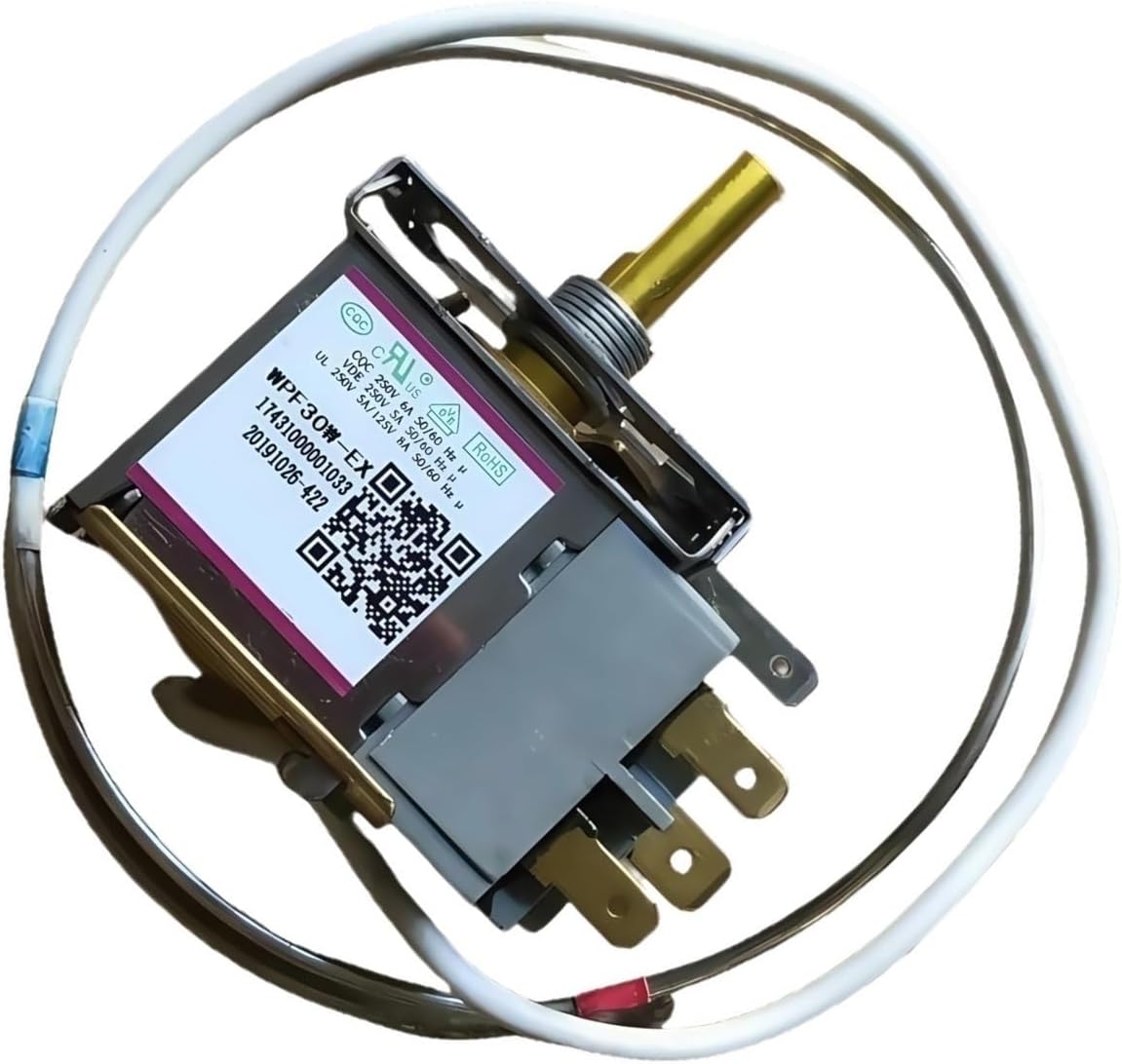
Image 1: Front view of the WPF30W-EX thermostat. Product identification codes: SA000075301, 17431000001033, 20191026, 422, 22477.
2. Key Features
- Durable Construction: Built with premium materials for reliable and long-lasting performance.
- Reliable Cooling Support: Designed to maintain optimal performance, ensuring efficient and effective refrigeration.
- Easy to Install: Simple and quick installation, suitable for DIY repairs or professional maintenance.
- Cost-Effective Solution: A smart investment to minimize frequent replacements and repairs.
- Model Specific: Specifically designed as a WPF30W-EX thermostat for center mount, three-pin freezer temperature control.
3. Technical Specifications
| Specification | Detail |
|---|---|
| Model Number | WPF30W-EX |
| Type | Refrigerator/Freezer Temperature Control Thermostat |
| Mounting | Center Mount |
| Pins | Three-Pin |
| Color | Light Grey (Thermostat body), One Color (Overall product) |
| Probe Length | Approximately 60 cm (23.6 inches) |
| Item Weight | 1.76 ounces (50 Grams) |
| Package Dimensions | 1.18 x 0.79 x 0.39 inches |
| Manufacturer | GOGOSHOP01 |

Image 2: The WPF30W-EX thermostat showing the 60cm probe length and three-pin configuration. Product identification codes: SA000075301, 17431000001033, 20191026, 422, 22477.
4. Safety Information
Always prioritize safety when working with electrical appliances. Failure to follow these safety guidelines may result in electric shock, injury, or damage to property.
- Disconnect Power: Always unplug the appliance from the power source before attempting any installation, repair, or maintenance.
- Wear Protective Gear: Use appropriate personal protective equipment, such as insulated gloves and safety glasses.
- Qualified Personnel: If you are unsure about any step, consult a qualified technician.
- Check Wiring: Ensure all electrical connections are secure and correctly wired according to the appliance's specifications.
- Avoid Water: Keep the thermostat and electrical components away from water or excessive moisture.
5. Installation Guide
This section outlines the general steps for installing the WPF30W-EX thermostat. Specific installation procedures may vary depending on your refrigerator or freezer model. Refer to your appliance's service manual for detailed instructions.
5.1. Before You Begin
- Ensure the appliance is completely disconnected from the power supply.
- Gather necessary tools (e.g., screwdrivers, pliers, wire strippers).
- Locate the existing thermostat in your refrigerator or freezer.
5.2. Installation Steps
- Carefully remove the old thermostat, noting the position and connection of each wire. It is recommended to take photos for reference.
- Disconnect the wires from the old thermostat.
- Mount the new WPF30W-EX thermostat in the same location as the old one, ensuring it is securely fastened.
- Connect the three wires to the corresponding pins on the new thermostat. Ensure connections are firm and correct.
- Position the temperature sensing probe (capillary tube) in the same manner as the original. The probe is crucial for accurate temperature readings.
- Reassemble any covers or panels removed during the process.
- Reconnect the appliance to the power supply and test its operation.
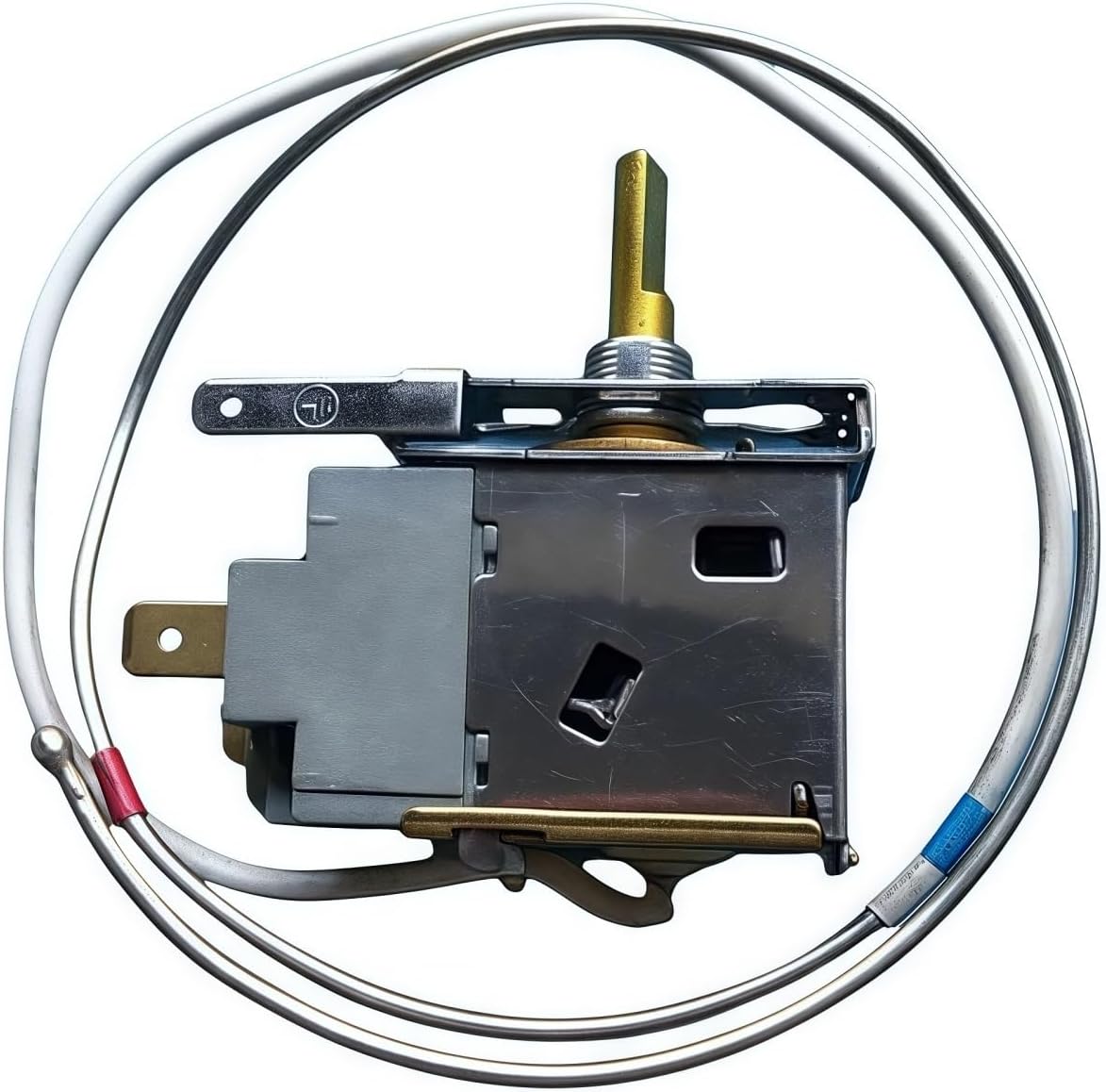
Image 3: Side view of the thermostat, highlighting the mounting bracket and shaft.
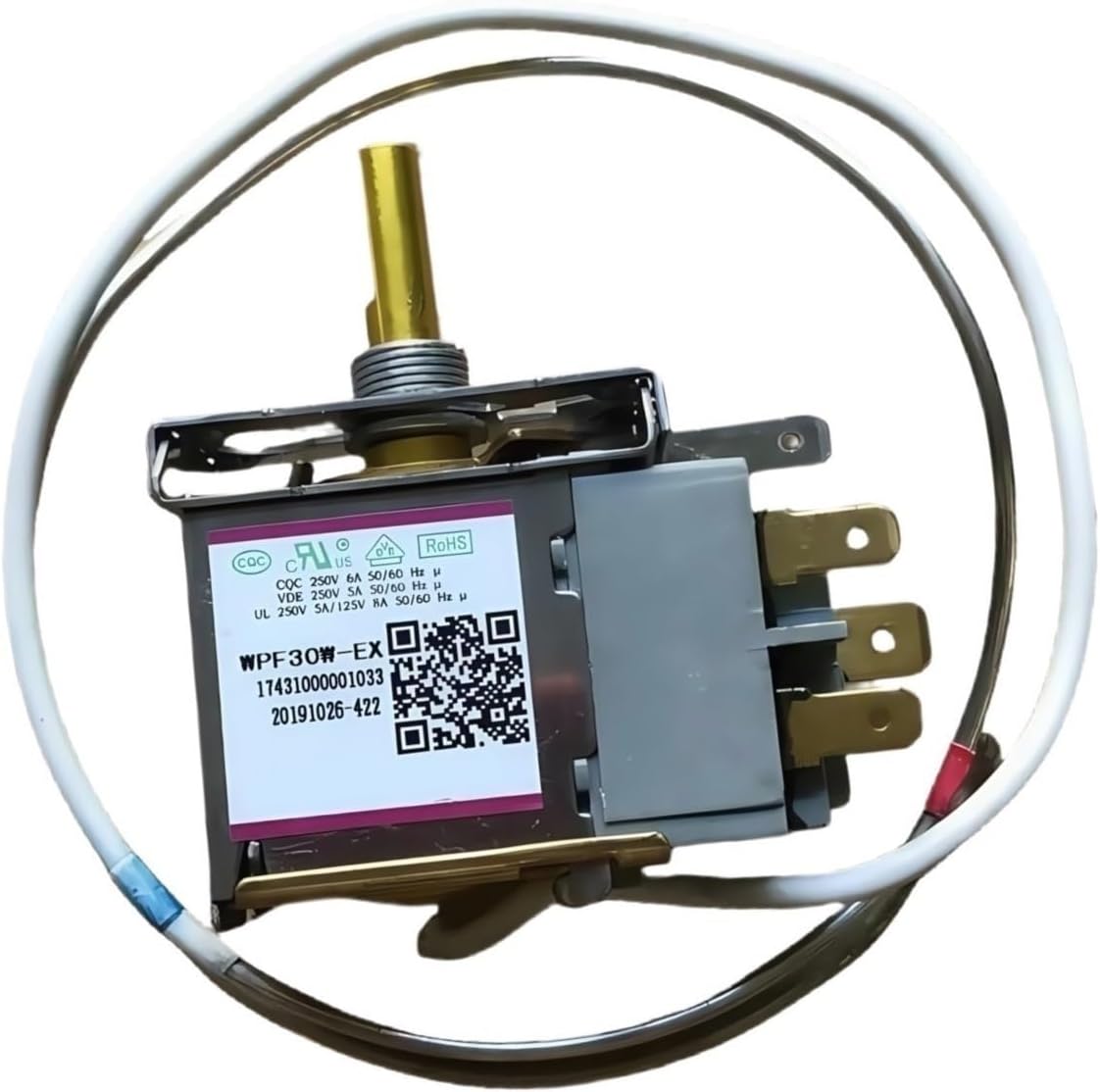
Image 4: Angled view showing the electrical terminals and overall compact design.
6. Operating Instructions
The WPF30W-EX thermostat controls the temperature within your refrigerator or freezer. Once installed, its operation is typically managed by the appliance's external temperature control knob.
- Temperature Adjustment: Rotate the temperature control knob on your appliance to set the desired cooling level. The thermostat will automatically cycle the compressor on and off to maintain this set temperature.
- Initial Startup: After installation, allow the appliance several hours to reach the set temperature before loading it with food.
- Monitoring: Periodically check the internal temperature of your appliance to ensure it is operating within safe food storage ranges.
7. Care and Maintenance
Proper care and maintenance can extend the life of your thermostat and ensure efficient operation of your appliance.
- Regular Inspection: Periodically inspect the thermostat and its wiring for any signs of wear, damage, or loose connections.
- Cleaning: Ensure the area around the thermostat and its probe is clean and free from debris or ice buildup, which can affect temperature sensing. Always disconnect power before cleaning.
- Avoid Physical Damage: Protect the capillary tube (probe) from kinks or sharp bends, as this can impair its function.
8. Troubleshooting
If you experience issues with your refrigerator or freezer after installing the WPF30W-EX thermostat, consider the following common problems and solutions:
| Problem | Possible Cause | Solution |
|---|---|---|
| Appliance not cooling | No power, incorrect wiring, faulty thermostat, or compressor issue. | Check power supply. Verify wiring connections. If thermostat is new, ensure it's correctly installed. Consult a technician if compressor is suspected. |
| Appliance cooling too much (freezing) | Thermostat set too low, faulty thermostat, or probe not correctly positioned. | Adjust temperature setting. Ensure probe is in its correct sensing location. If problem persists, thermostat may be faulty. |
| Appliance not maintaining consistent temperature | Thermostat probe issue, frequent door opening, or poor door seal. | Check probe for damage or displacement. Ensure door seals are intact. Avoid leaving doors open for extended periods. |
| Thermostat clicking frequently | Normal operation (cycling), or rapid temperature fluctuations. | Some clicking is normal as the thermostat cycles. If excessive, check for drafts or issues with the appliance's insulation. |
If troubleshooting steps do not resolve the issue, it is recommended to contact a qualified appliance repair technician.
9. Warranty and Customer Support
For information regarding warranty coverage or to obtain customer support for your LUVCAASXQ WPF30W-EX thermostat, please refer to the purchase documentation or contact the seller directly. Keep your proof of purchase for any warranty claims.