
Introduction
This manual provides detailed instructions for the assembly, operation, maintenance, and troubleshooting of your Huuger 63 Inch TV Stand. Designed to accommodate TVs up to 70 inches, this entertainment center features integrated power outlets, LED lighting, and ample storage with 11 fabric drawers. Please read this manual thoroughly before beginning assembly or use to ensure safe and proper operation.

Image: The Huuger 63 Inch TV Stand, a black entertainment center with a large television placed on its top surface. The central open shelf illuminates with blue LED lights, and the unit features numerous fabric drawers for storage.
Safety Information
For your safety and to prevent damage to the product, adhere to the following guidelines:
- Always secure the cabinet to the wall using the provided anti-tip device. This is crucial to prevent accidental tipping, especially in households with children or pets.
- Exercise caution during assembly to avoid injury from tools or falling parts. It is recommended to assemble the unit with assistance.
- Do not overload the cabinet. Exceeding the weight capacity of the top surface or drawers may compromise stability and lead to tipping.
- Keep the area around the cabinet clear of flammable materials.
- Never leave children unattended near the cabinet. Ensure all drawers are properly closed and secured.

Image: A detailed view highlighting key safety and design features: a waterproof tabletop, the anti-tipping kit for wall attachment, and adjustable feet for stability on uneven surfaces.
Setup and Assembly
The Huuger TV Stand requires assembly. All necessary tools, detailed instructions, and numbered components are included to facilitate a straightforward setup process.
Before You Begin:
- Unpack all components and verify against the parts list provided in the assembly manual.
- Clear a spacious area for assembly.
- Familiarize yourself with the assembly steps by reviewing the included instructions.
Assembly Steps:
- Follow the step-by-step diagrams and instructions provided in the separate assembly guide.
- Ensure all screws and fasteners are tightened securely, but do not overtighten.
- Install the adjustable feet at the base of the unit to ensure stability and level positioning on uneven floors.
- Crucially, install the anti-tip device by securing the TV stand to a wall stud using the provided hardware. This step is essential for safety.

Image: A technical diagram illustrating the overall dimensions of the TV stand (63 inches wide, 26.8 inches high, 13 inches deep) and the internal measurements of the central shelf and drawer sections.
Operating Instructions
Power Outlets and USB Ports:
The TV stand is equipped with a built-in power strip for convenient charging and powering of your devices. It includes 4 AC outlets (125V/12A), 2 USB ports (5V/3A), and 1 Type-C port (5V/3A).
- Connect the power cord from the TV stand to a standard wall outlet.
- Plug in your TV, gaming consoles, media players, and other electronic devices into the available AC outlets.
- Use the USB and Type-C ports to charge smartphones, tablets, and other compatible USB-powered devices.
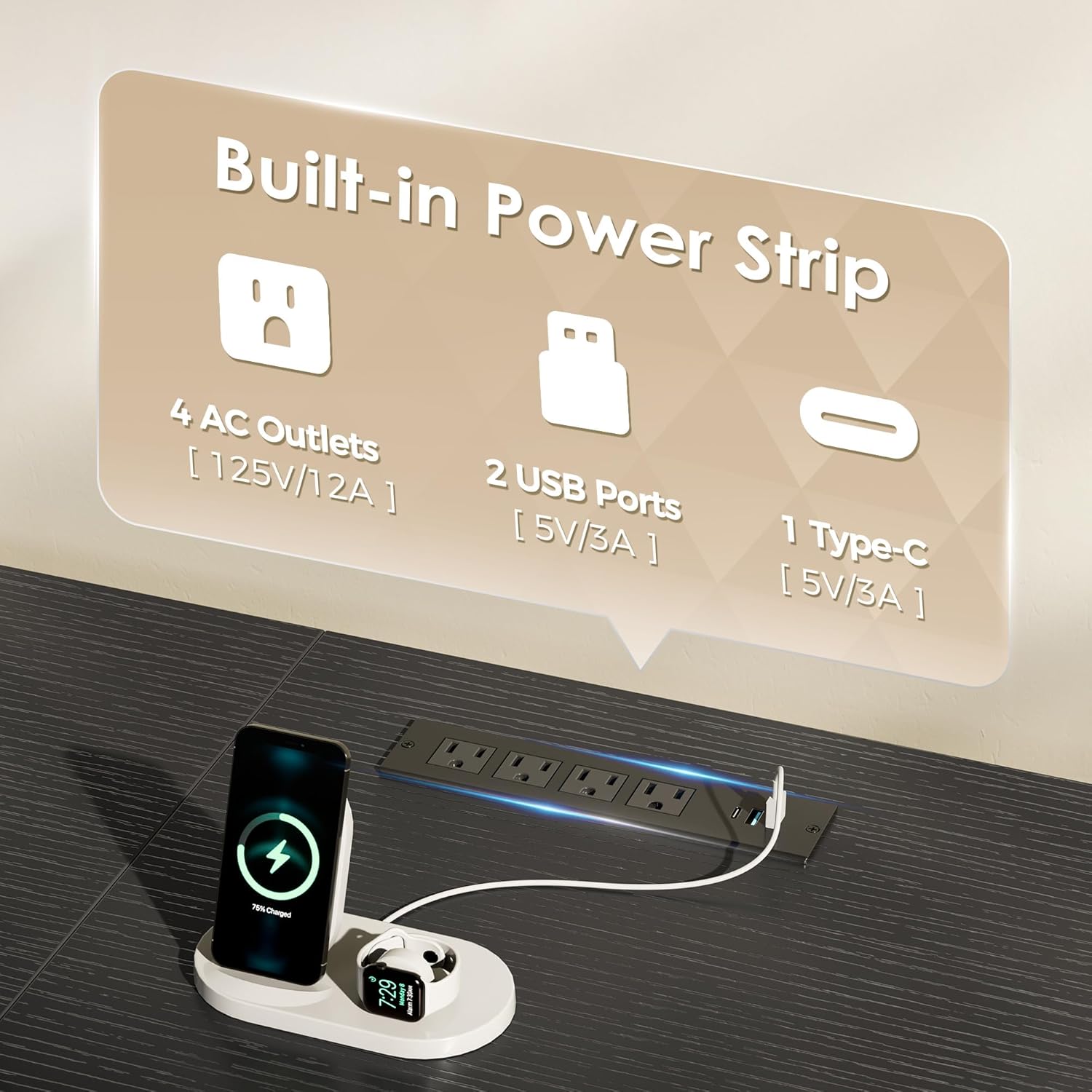
Image: A detailed view of the integrated power strip, illustrating its various ports and their specifications, with a smartphone and smartwatch connected for charging.
LED Lights:
Enhance your viewing experience with the integrated LED lights located in the central open shelf. The lights can be controlled via a smart controller or a dedicated mobile application.
- Smart Controller: Use the provided remote to switch the lights on/off, select from 12 scene modes, and adjust brightness.
- APP Control: Download the compatible app to explore over 60,000 colors, utilize timing mode, mic mode (lights react to sound), and music mode (lights sync with music).
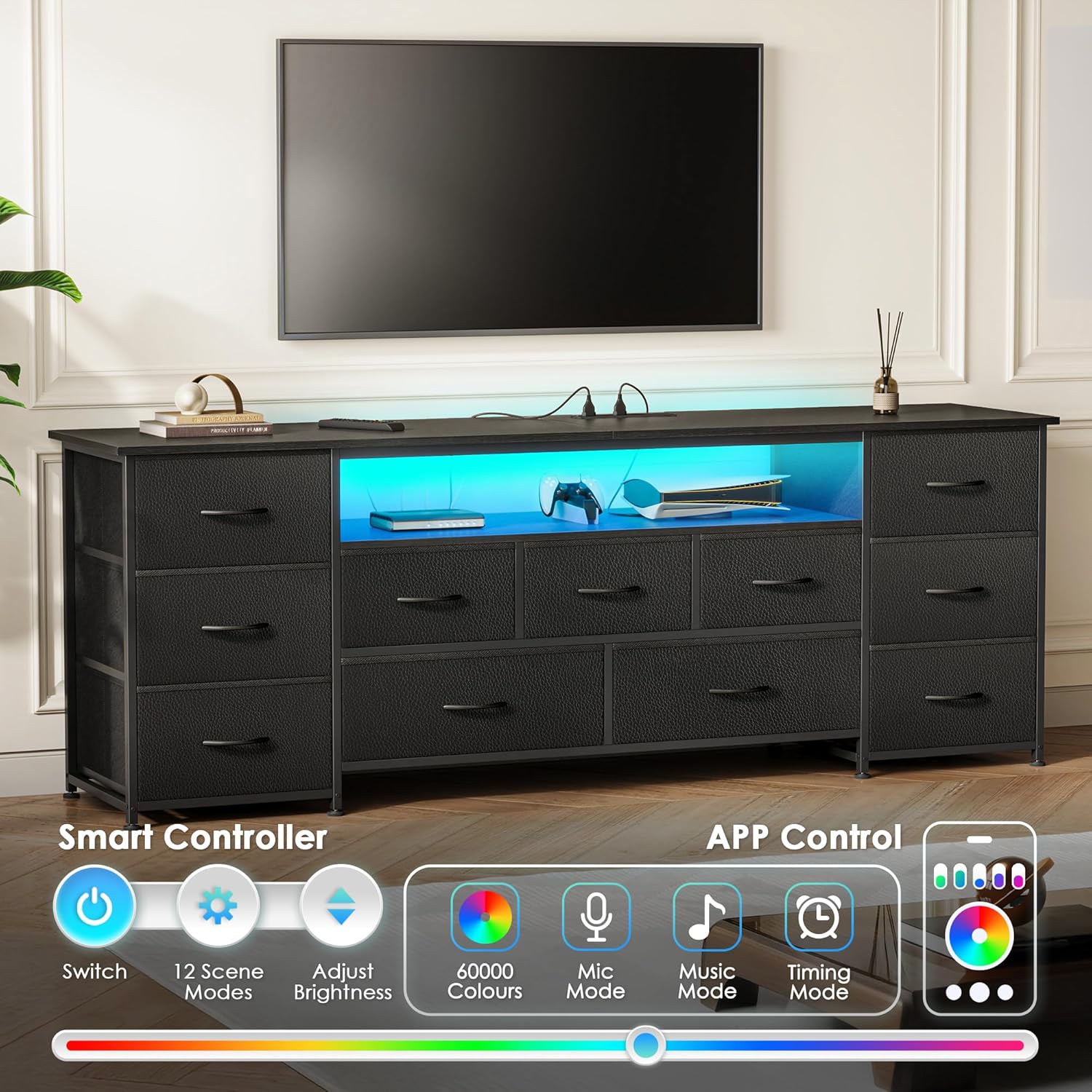
Image: The TV stand with its central compartment glowing with blue LED lights, accompanied by graphics illustrating the functions of the smart controller (power, scene modes, brightness) and the mobile app (60,000 colors, mic mode, music mode, timing mode).
Storage Drawers:
The TV stand features 11 fabric drawers in three different sizes, providing extensive storage for various items.
- Organize media devices, DVDs, gaming consoles, books, and other accessories in the central drawers.
- The larger side drawers are suitable for accommodating clothing, linens, or larger household items.
- Ensure drawers are not overloaded to maintain their shape and functionality. Each drawer has a weight capacity of up to 12 lbs.

Image: A top-down perspective of the TV stand, with multiple fabric drawers open to reveal their contents, including folded garments, books, and small personal items, demonstrating the unit's storage versatility.
Maintenance
Proper care will extend the life and appearance of your TV stand.
- Cleaning: The PU leather surface and fabric drawers are designed for easy cleaning. Wipe surfaces with a soft, damp cloth. Avoid harsh chemicals or abrasive cleaners.
- Dusting: Regularly dust all surfaces with a dry, soft cloth to prevent buildup.
- Drawer Care: If drawers become dirty, spot clean with a mild detergent and water. Allow to air dry completely before reinserting. Do not machine wash.
- Stability Check: Periodically check all screws and fasteners to ensure they remain tight. Re-tighten if necessary. Verify the anti-tip device is securely attached.

Image: An exploded view illustrating the three layers of the drawer material: a PU leather surface, an MDF board core, and a fabric backing, accompanied by icons indicating its wear-resistant, easy-to-clean, and textured properties.
Troubleshooting
Refer to the following common issues and their solutions:
| Problem | Possible Cause | Solution |
|---|---|---|
| TV stand is wobbly or unstable. | Uneven floor; loose fasteners; anti-tip device not installed. | Adjust the leveling feet at the bottom of the stand. Ensure all assembly fasteners are securely tightened. Install the anti-tip device to the wall as per instructions. |
| LED lights are not turning on or functioning correctly. | Power cord not fully plugged in; remote control battery low; app connection issue. | Check that the TV stand's power cord is securely plugged into a working wall outlet. Ensure the LED light power connection is firm. Replace remote control batteries if applicable. Re-pair the app with the LED lights if connection issues persist. |
| Power outlets/USB ports are not working. | TV stand power cord not plugged in; circuit breaker tripped. | Verify the TV stand's main power cord is securely connected to a live electrical outlet. Check your household circuit breaker for any tripped circuits. |
| Drawers are difficult to open/close or sag. | Overloaded drawer; incorrect assembly of drawer frame. | Reduce the weight of items in the drawer, ensuring it does not exceed 12 lbs. Re-check the assembly of the drawer frame and ensure it is correctly inserted into the unit. |
Specifications
| Feature | Detail |
|---|---|
| Brand | Huuger |
| Model Number | B0DQXT7B7P |
| Color | Black |
| Recommended Uses | Dresser, Television Stand |
| Special Features | Adjustable Feet, Wear Resistant, Built-in Power Outlets (4 AC, 2 USB, 1 Type-C), LED Lights |
| Mounting Type | Floor Mount |
| Included Components | Drawers, Anti-tip device |
| Finish Type | PU Leather Surface |
| Overall Dimensions (L x W x H) | 63 x 13 x 26.8 inches |
| Number of Drawers | 11 |
| Frame Material | Metal |
| Top Material Type | Engineered Wood |
| Item Weight | 46 pounds |
| Assembly Required | Yes |
Warranty Information
Specific warranty details for the Huuger 63 Inch TV Stand are typically provided at the time of purchase or included with the product packaging. For comprehensive warranty information, including coverage duration and terms, please refer to the documentation supplied with your product or contact Huuger customer support directly.
Customer Support
Should you require further assistance, have questions regarding assembly, operation, or maintenance, please contact the manufacturer or seller.
- Seller: Huuger Direct
- Huuger Store: Visit the Huuger Store on Amazon