
1. Introduction
Thank you for choosing the Neoteck 8 inch/200mm Digital Angle Finder Ruler. This precision tool combines a stainless steel ruler with a digital angle sensor, providing accurate measurements for various applications. Please read this manual carefully before use to ensure proper operation and to maximize the lifespan of your device.
2. Safety Information
- Keep the device away from water and high humidity to prevent damage to electronic components.
- Avoid dropping the device or subjecting it to strong impacts, which may affect its accuracy.
- Do not attempt to disassemble or modify the device, as this will void the warranty and may cause damage.
- Handle the stainless steel ruler edges with care to prevent injury.
- Store the device in a clean, dry place when not in use.
3. Product Overview
The Neoteck Digital Angle Finder Ruler is designed for precise angle and length measurements. It features a clear LCD display, durable stainless steel construction, and intuitive controls.

Image 3.1: Overview of the Neoteck Digital Angle Finder Ruler, highlighting the clear LCD display, durable stainless steel construction, and the knob for loosening or tightening the ruler arms.
Components:
- Stainless Steel Ruler Arms (8 inch / 200mm scale)
- Digital Display Module with LCD Screen
- ON/OFF/ZERO Button
- HOLD Button
- °/' Button (Degree/Minute Unit Switch)
- Locking Knob
- Battery Compartment (CR2032)
4. Setup
4.1 Battery Installation
The device requires one CR2032 3V battery. Follow these steps to install or replace the battery:
- Locate the battery compartment cover on the digital display module.
- Use a small flat-head screwdriver or a similar tool to gently pry open the battery compartment cover.
- Insert the CR2032 battery with the positive (+) side facing down.
- Close the battery compartment cover securely.
Video 4.1: Demonstration on how to change the CR2032 battery in the digital angle finder ruler using a screwdriver.
4.2 Initial Power On
After installing the battery, short press the ON/OFF/ZERO button to turn on the device. The LCD display will illuminate and show '0.00'.
5. Operating Instructions
5.1 Controls
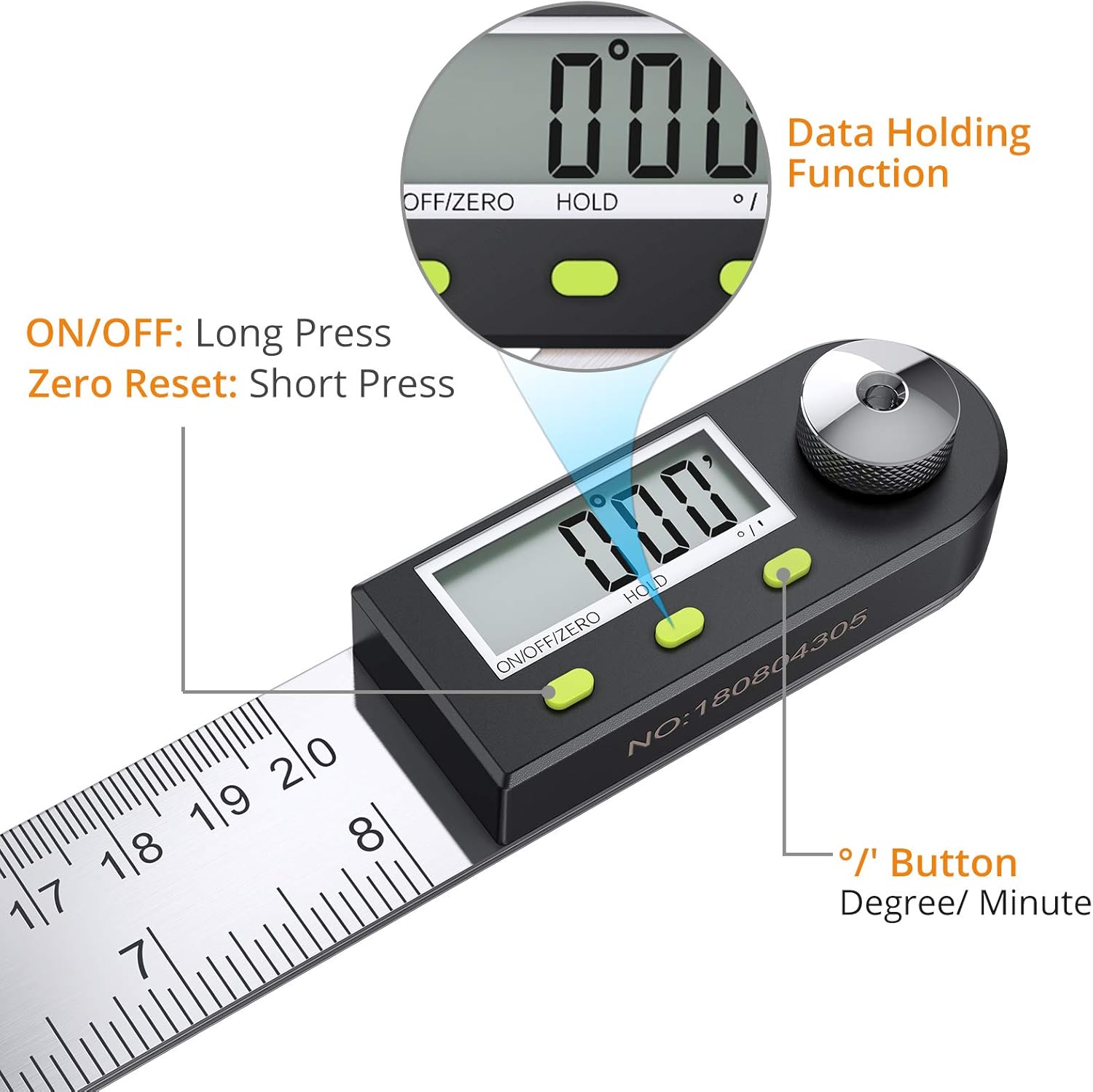
Image 5.1: Close-up view of the digital display module, showing the ON/OFF/ZERO, HOLD, and °/' buttons, along with the data holding function indicator.
- ON/OFF/ZERO Button:
- Short Press: Turns the device ON or performs a zero reset at any angle.
- Long Press: Turns the device OFF.
- HOLD Button: Press this button to freeze the current angle reading on the display. Press again to release.
- °/' Button: Press this button to switch between degrees (°) and degrees/minutes (') display units.
5.2 Angle Measurement
The Neoteck Digital Angle Finder Ruler can measure angles from 0 to 360 degrees. The hinge mechanism allows for full rotation.
- Turn on the device by short pressing the ON/OFF/ZERO button.
- To set a reference point, place the ruler arms flat on a surface or at a desired initial angle, then short press the ON/OFF/ZERO button to zero the display.
- Adjust the ruler arms to the angle you wish to measure. The angle will be displayed on the LCD screen.
- Tighten the locking knob to secure the arms at the measured angle if needed.
- Press the HOLD button to retain the reading on the display.

Image 5.2: Various applications of the digital angle finder ruler, including measuring length, drawing lines and angles, and determining both exterior and internal angles.
Video 5.1: An official demonstration of the Neoteck Digital Angle Finder Protractor Ruler, showcasing its features and basic operation.
5.3 Length Measurement
The ruler arms feature both metric (centimeters/millimeters) and imperial (inches) scales for measuring length.
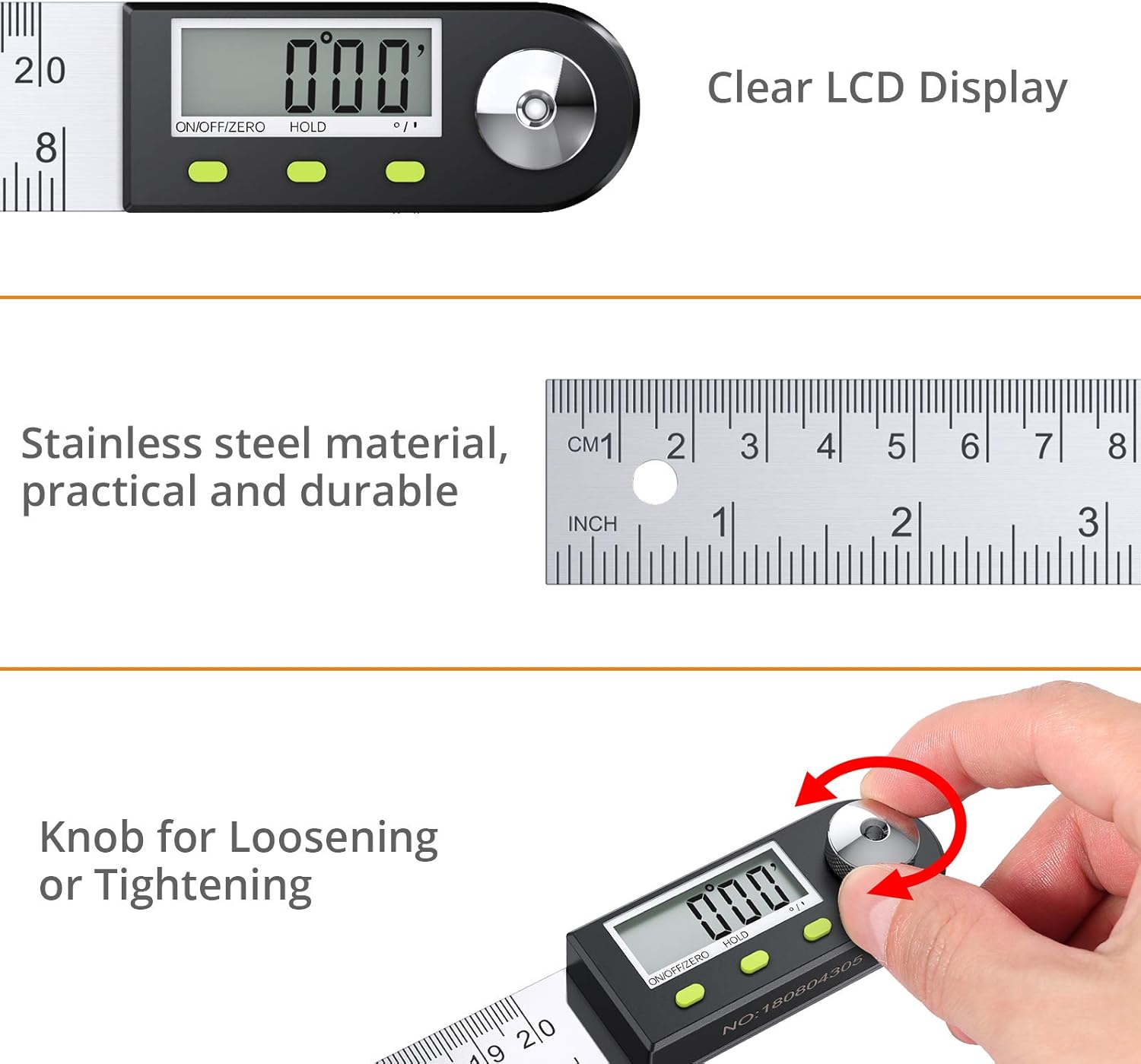
Image 5.3: The ruler arms display both metric (0-200mm) and imperial (0-8 inch) scales, illustrating the full 0-360 degree measuring capability of the device.
Simply use the ruler arms as a standard ruler to measure distances up to 8 inches or 200mm.
6. Maintenance
6.1 Cleaning
Wipe the device with a soft, dry cloth. Do not use abrasive cleaners or solvents, as these can damage the display or the stainless steel finish.
6.2 Battery Replacement
When the display becomes dim or unresponsive, it is time to replace the CR2032 battery. Refer to Section 4.1 for detailed instructions on battery installation.
6.3 Storage
Store the angle finder in its original packaging or a protective case to prevent scratches and damage. Ensure it is stored in a dry environment.
7. Troubleshooting
| Problem | Possible Cause | Solution |
|---|---|---|
| Display is blank or dim | Low or dead battery; Incorrect battery installation | Replace the CR2032 battery (refer to Section 4.1); Ensure battery is inserted with positive (+) side down. |
| Inaccurate angle readings | Device not zeroed; Debris in hinge; Loose locking knob | Perform a zero reset (short press ON/OFF/ZERO button); Clean the hinge area; Ensure locking knob is tightened during measurement. |
| Buttons unresponsive | Low battery; Internal malfunction | Replace battery; If problem persists, contact customer support. |
8. Specifications
| Feature | Detail |
|---|---|
| Material | Stainless Steel |
| Graduation Range | 8 inches / 200mm |
| Angle Measuring Range | 0-360° |
| Accuracy | ±0.3° |
| Resolution | 0.05° |
| Power Supply | 1 x CR2032 3V Battery |
| Automatic Shut-off | After 6 minutes of inactivity |
| Color | Silver |
| Model Number | NTK094-US |
9. Warranty and Support
Neoteck products are designed for reliability and performance. This product comes with a standard manufacturer's warranty against defects in materials and workmanship. For specific warranty details, technical support, or service inquiries, please visit the official Neoteck store or contact our customer service team.
Official Neoteck Store: Neoteck Store on Amazon
