Introduction
This manual provides detailed instructions for the safe and efficient operation of your Generic KW02 Retro Bluetooth Speaker. Please read this manual thoroughly before using the product and retain it for future reference.

Image: Front view of the Generic KW02 Retro Bluetooth Speaker, featuring a green vinyl record design and a red 'KAWOO' tag on the side.
Safety Information
- Do not expose the device to extreme temperatures, direct sunlight, or high humidity.
- Avoid dropping or subjecting the device to strong impacts.
- Do not disassemble or attempt to repair the device yourself. Contact qualified service personnel.
- Keep the device away from water and other liquids.
- Use only the provided charging cable or a certified equivalent.
Package Contents
Verify that all items are present in the package:
- 1 x Generic KW02 Retro Bluetooth Speaker
- 1 x USB Type-C Charging Cable
- 1 x User Manual (this document)
Product Overview and Setup
Familiarize yourself with the speaker's components and prepare it for first use.

Image: The Generic KW02 Retro Bluetooth Speaker positioned on a wooden shelf, highlighting its vintage vinyl record player aesthetic.
Charging the Speaker
- Connect the provided USB Type-C charging cable to the charging port on the speaker.
- Connect the other end of the cable to a USB power adapter (not included) or a computer's USB port.
- The charging indicator light will illuminate during charging and turn off when fully charged.
- A full charge typically takes approximately 2-3 hours.
Operating Instructions
Power On/Off
- To power on, press and hold the power button for a few seconds until the indicator light illuminates.
- To power off, press and hold the power button again for a few seconds until the indicator light turns off.
Bluetooth Pairing

Image: The Generic KW02 Retro Bluetooth Speaker with its central disc glowing with blue RGB light, indicating active operation or Bluetooth mode.
- Ensure the speaker is powered on and in Bluetooth pairing mode (indicator light will flash).
- On your device (smartphone, tablet, etc.), enable Bluetooth and search for available devices.
- Select "KW02" from the list of devices.
- Once paired, the speaker will emit a confirmation sound, and the indicator light will become solid.
Multiple Playback Functions (Bluetooth, TF Card, AUX)

Image: A visual representation of the Generic KW02 Retro Bluetooth Speaker's multiple playback options, including Bluetooth, TF card, AUX input, and white noise.
- Bluetooth Mode: After successful pairing, audio from your connected device will play through the speaker.
- TF Card Playback: Insert a TF (microSD) card with audio files into the designated slot. The speaker will automatically switch to TF card mode and begin playback.
- AUX Input: Connect an audio device using a 3.5mm AUX cable (not included) to the AUX input port. The speaker will switch to AUX mode.
- Use the mode button (if available) to cycle between Bluetooth, TF Card, and AUX input modes.
White Noise Function

Image: The Generic KW02 Retro Bluetooth Speaker generating white noise, with visual cues for various nature sounds like waves, birds, fire, and stream.
The speaker includes pre-loaded white noise sounds to aid relaxation and sleep.
- Press the dedicated white noise button (or cycle through modes) to activate the white noise function.
- Cycle through the available white noise sounds (waves, fire, song of birds, stream) using the appropriate control button.
RGB Lighting Control
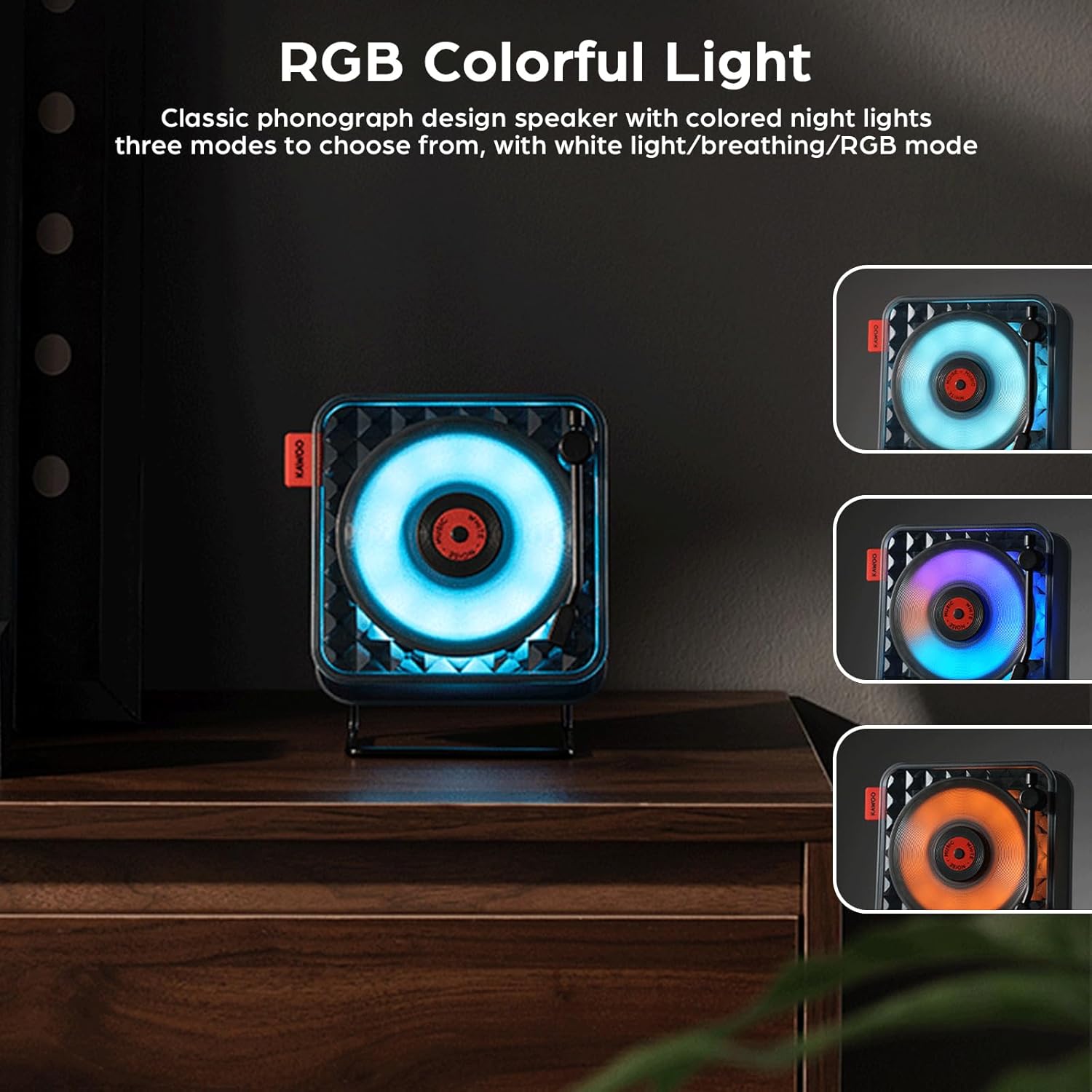
Image: Three views of the Generic KW02 Retro Bluetooth Speaker, each demonstrating a different RGB lighting mode: blue, purple, and orange, highlighting its ambient light capabilities.
The speaker features colorful ambient lighting with multiple modes.
- Press the light mode button to cycle through different lighting effects: white light, breathing mode, and RGB mode.
- Press the button again to change the lighting effect or turn it off.
Volume Control
Adjust the volume using the dedicated volume controls on the speaker or through your connected device.
Multi-angle Adjustment

Image: The Generic KW02 Retro Bluetooth Speaker shown with its stand allowing for multi-angle adjustment, and also being held by hand, illustrating its portability.
The speaker's stand allows for multi-angle adjustment, enabling optimal sound direction. It can also be hung or handheld for portability.
Maintenance
- Cleaning: Use a soft, dry cloth to clean the speaker's exterior. Do not use abrasive cleaners or solvents.
- Storage: When not in use for extended periods, store the speaker in a cool, dry place, away from direct sunlight and extreme temperatures.
- Battery Care: To prolong battery life, avoid fully discharging the battery frequently. Charge the speaker regularly, even if not in active use.
Troubleshooting
| Problem | Possible Solution |
|---|---|
| Speaker does not power on. | Ensure the battery is charged. Connect the speaker to a power source using the charging cable. |
| Cannot pair via Bluetooth. |
|
| No sound. |
|
| White noise not playing. | Ensure the white noise function is activated and the desired sound is selected. |
Specifications
| Feature | Detail |
|---|---|
| Model Name | KW02 |
| Bluetooth Version | VER5.0 |
| Bluetooth Reception Distance | ≤10m (33 feet) |
| Speaker Output | Φ40mm 4Ω 5 Watts |
| Signal-to-Noise Ratio | ≥75dB |
| Frequency Range | 80Hz-20KHz |
| Battery | 3.7V/1500mAh |
| Input Voltage | DC5V/1A |
| Charging Port | Type-C |
| Charge Time | Approx. 2-3 hours |
| Playing Time | ≤6 hours (varies by volume) |
| Material | ABS (Acrylonitrile Butadiene Styrene) |
| Product Dimensions | 150 x 80 x 150mm (5.9 x 3.15 x 5.9 inches) |
| Item Weight | 508g (1.12 pounds) |
| Special Features | AUX Input, Portable, TF Card Playback, White Noise, RGB Night Lights |
Warranty and Support
This product comes with a standard manufacturer's warranty. For specific warranty details, please refer to the documentation provided at the time of purchase or contact your retailer.
For technical support or inquiries, please contact the seller or manufacturer through the platform where the product was purchased.


