
HOMCOM 921-777V00BK
HOMCOM Executive Office Chair User Manual
Model: 921-777V00BK
1. Product Overview
Thank you for choosing the HOMCOM Executive Office Chair. This manual provides essential information for the safe assembly, operation, and maintenance of your new chair. Please read it thoroughly before use and retain it for future reference.

Image 1.1: Front view of the HOMCOM Executive Office Chair in black PU leather.
This executive office chair is designed for comfort and functionality, featuring a high back, padded arms, and thick foam padding. It includes adjustable height, tilt function, and 360-degree swivel for a customizable seating experience.
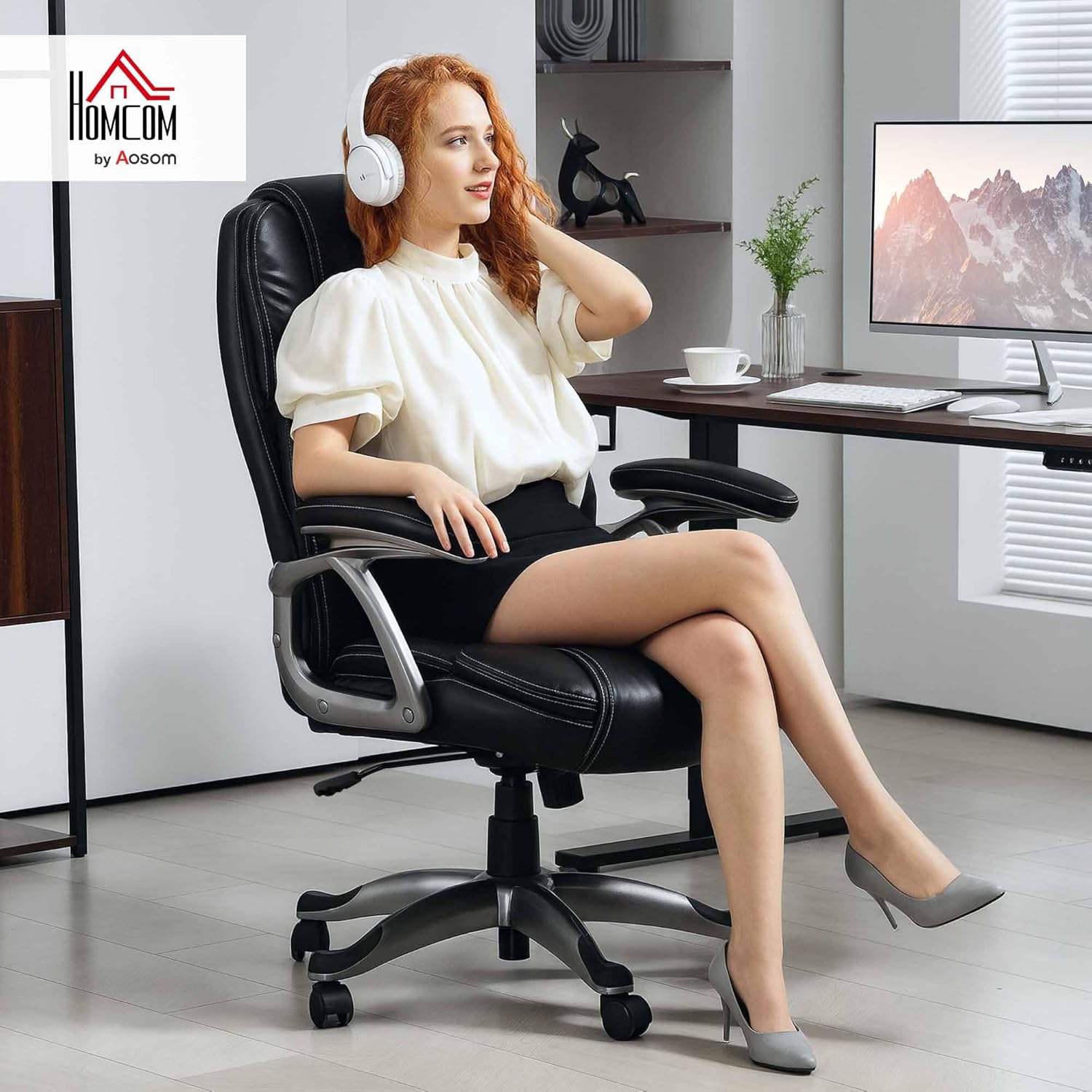
Image 1.2: A person comfortably seated in the HOMCOM Executive Office Chair, demonstrating its use in an office setting.
2. Safety Information
- Assembly is required. Follow all instructions carefully.
- Do not adjust seat height or tilt function while in use to prevent injury.
- The maximum weight capacity for this chair is 264 lbs (120 kg). Do not exceed this limit.
- Keep the chair away from direct heat sources to prevent damage to the faux leather upholstery.
- Ensure all screws and bolts are securely tightened before use and periodically check for tightness.
3. Package Contents
Before beginning assembly, please ensure all parts are present and undamaged. If any parts are missing or damaged, contact HOMCOM customer service.
- Seat Cushion
- Backrest
- Armrests (2)
- Gas Lift Cylinder
- Base (5-star)
- Casters (5)
- Mechanism Plate
- Hardware Pack (screws, washers, Allen wrench)

Image 3.1: Illustration of the product packaging, indicating one package contains all components.
4. Assembly Instructions
Assembly typically requires two people for ease and safety. Follow these general steps:
- Attach Casters to Base: Insert each caster into the holes at the end of each leg of the 5-star base until securely fitted.
- Insert Gas Lift: Place the gas lift cylinder into the center hole of the assembled 5-star base.
- Attach Mechanism Plate to Seat: Align the mechanism plate with the pre-drilled holes on the underside of the seat cushion. Secure it with the provided screws, ensuring the front of the mechanism faces the front of the seat.
- Attach Armrests to Seat and Backrest: Secure the armrests to both the seat cushion and the backrest using the designated screws. Ensure they are firmly attached.
- Connect Seat Assembly to Gas Lift: Carefully place the assembled seat (with mechanism and armrests) onto the gas lift cylinder, ensuring the tapered end of the gas lift fits securely into the mechanism plate.
Once assembled, sit on the chair to ensure all components are properly seated and stable.
5. Operating Instructions
5.1. Adjustable Height
To adjust the seat height, locate the lever on the right side, beneath the seat. While seated, pull the lever up to lower the seat. To raise the seat, stand up slightly and pull the lever up. Release the lever at your desired height to lock it in place. The seat height adjusts from 19.5 inches to 23.2 inches.
5.2. Tilt Function
The chair features a tilt mechanism allowing you to rock back and forth. To engage or disengage the tilt function, push or pull the same lever used for height adjustment (or a separate lever if present, typically on the left side). Pulling the lever outwards unlocks the tilt, allowing the chair to recline. Pushing it inwards locks the chair in an upright position.
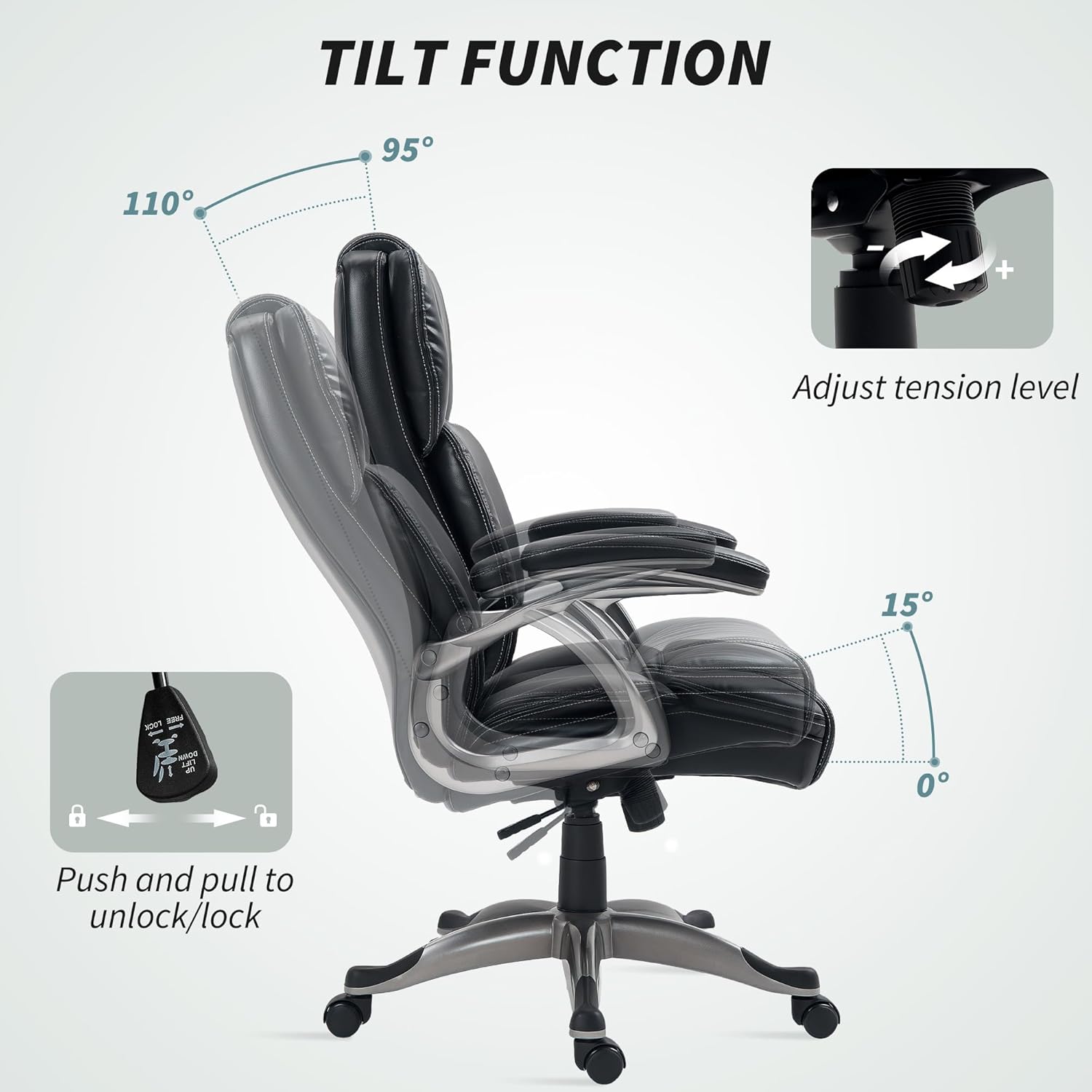
Image 5.1: Illustration of the chair's tilt range (95° to 110°) and the lever for locking/unlocking the tilt, along with a knob for tension adjustment.
5.3. Tilt Tension Adjustment
To adjust the resistance of the tilt function, turn the round knob located at the front, under the seat. Turn clockwise to increase tension (making it harder to recline) and counter-clockwise to decrease tension (making it easier to recline).
5.4. 360° Swivel and Mobility
The chair is equipped with a 360-degree swivel seat and smooth-rolling PU wheels, allowing for effortless movement and rotation around your workspace. The PU wheels are designed to be quiet and suitable for various floor types, including hard floors.
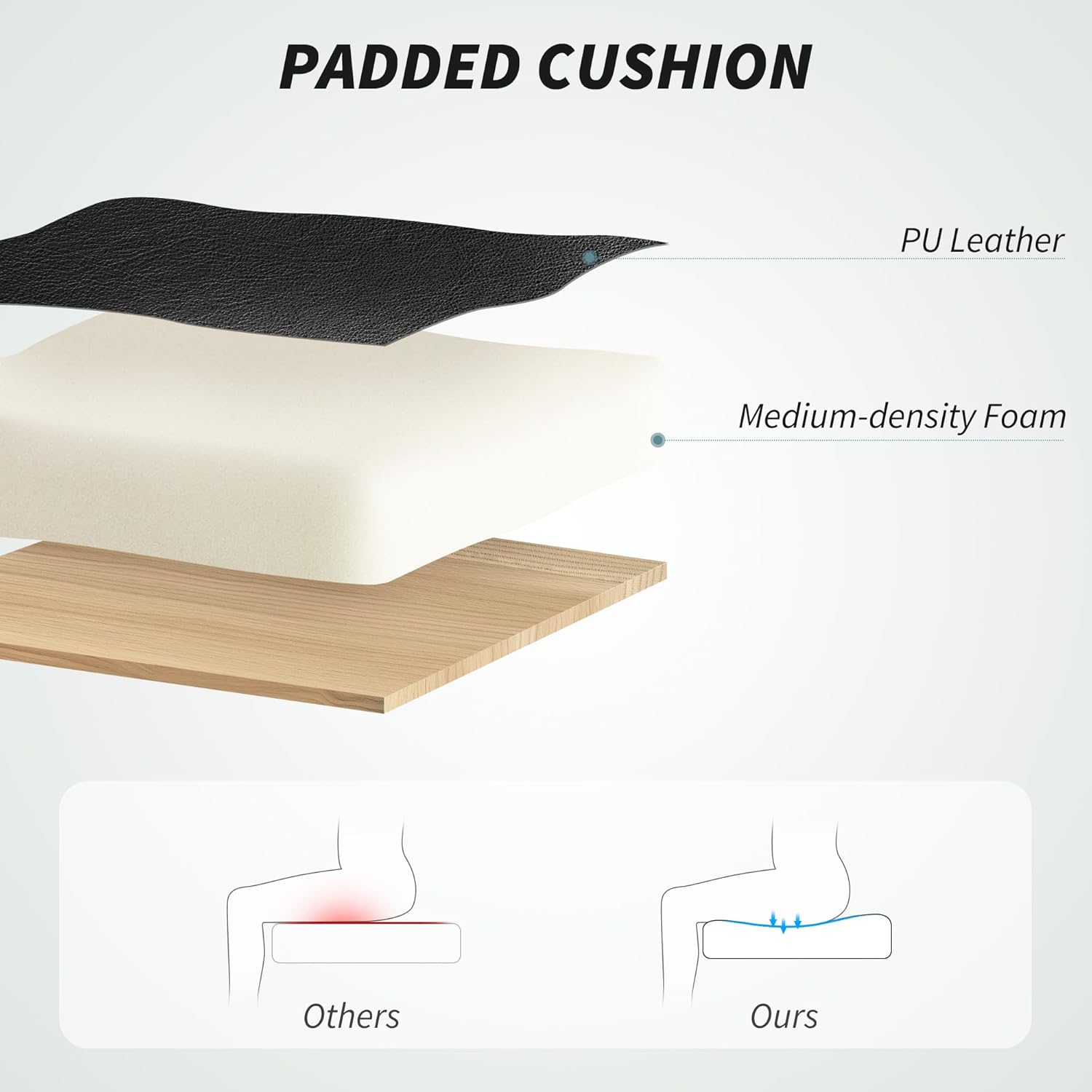
Image 5.2: Visual representation of the chair's adjustable height feature and its ability to swivel 360 degrees.

Image 5.3: Close-up of the PU wheels and an illustration of various floor types (wood, laminate, tile, marble) indicating compatibility.
6. Maintenance
- Cleaning: Wipe clean with a damp cloth. Avoid harsh chemicals or abrasive cleaners that may damage the PU leather.
- Inspection: Periodically check all screws and bolts to ensure they remain tight. Re-tighten if necessary.
- Caster Care: Keep casters free of hair and debris to ensure smooth rolling.
- Storage: Store the chair in a cool, dry place away from direct sunlight and extreme temperatures.
7. Troubleshooting
- Chair Squeaks: Check and tighten all assembly screws. A small amount of silicone lubricant can be applied to moving parts if the squeaking persists.
- Chair Does Not Adjust Height: Ensure the gas lift lever is fully engaged or disengaged. If the gas lift is faulty, it may need replacement.
- Chair Does Not Tilt: Verify the tilt lock lever is disengaged. Adjust the tilt tension knob to a looser setting.
- Casters Not Rolling Smoothly: Remove any hair or debris from the caster wheels. Ensure casters are fully inserted into the base.
8. Specifications
| Brand | HOMCOM |
| Model Name | Office Chair |
| Model Number | 921-777V00BK |
| Color | Black |
| Material | PU Leather, Foam Fill |
| Overall Dimensions | 28.3" W x 29.1" D x 42.3-46.1" H |
| Seat Height (Adjustable) | 19.5" - 23.2" |
| Seat Depth | 21.7" |
| Seat Length | 21.7" |
| Backrest Height | 24.4" |
| Backrest Width | 22" |
| Arm Height (from seat) | 9.4" |
| Weight Capacity | 264 lbs (120 kg) |
| Item Weight | 35 lbs (15.9 kg) |
| Special Features | Adjustable Height, Arm Rest, Back Support, Rolling, Tilt Function, Swivel |
| UPC | 196393141977 |

Image 8.1: Detailed dimensional drawing of the HOMCOM Executive Office Chair.
9. Warranty and Support
For warranty information, product support, or to order replacement parts, please contact HOMCOM customer service. You can typically find contact details on the manufacturer's website or through your point of purchase.
Manufacturer: Aosom LLC
For further assistance, please visit the HOMCOM Store on Amazon.
Ask a question about this manual
Ask about setup, troubleshooting, compatibility, parts, safety, or missing instructions. Manuals+ will review the question and use this page’s manual context to help answer it.