
WOHPNLE WOHPNLE2f8ekqbi1p
WOHPNLE Desk Fan Portable User Manual
Model: WOHPNLE2f8ekqbi1p
1. Introduction
Thank you for choosing the WOHPNLE Portable Bladeless Desk Fan. This user manual provides important information regarding the safe operation, setup, maintenance, and troubleshooting of your new fan. Please read this manual thoroughly before using the product and retain it for future reference.
This bladeless fan is designed to provide a quiet, safe, and efficient cooling experience. Its compact size, touch control, and USB charging capability make it suitable for various indoor environments such as bedrooms, offices, and living rooms. The modern bladeless design ensures safety, especially in households with children and pets, while offering adjustable cooling speeds for optimal comfort.
2. Safety Instructions
To ensure safe operation and prevent damage to the product or injury to yourself and others, please observe the following safety precautions:
- Do not insert fingers or any objects into the fan's air outlet or inlet.
- Keep the fan away from water or other liquids. Do not use it in wet environments.
- Do not block the air inlets or outlets during operation.
- Ensure the power supply voltage matches the fan's requirements (5V/1A).
- Unplug the fan from the power source before cleaning or performing any maintenance.
- Do not attempt to disassemble or repair the fan yourself. Contact qualified service personnel for repairs.
- Keep the fan out of reach of small children and pets to prevent accidental injury.
- Avoid placing the fan on unstable surfaces where it could fall.
- Do not use the fan if the power cord or plug is damaged.
3. Package Contents
Please check the package contents upon opening to ensure all items are present and undamaged:
- 1 x WOHPNLE Bladeless Fan (Battery Included)
- 1 x USB Cable
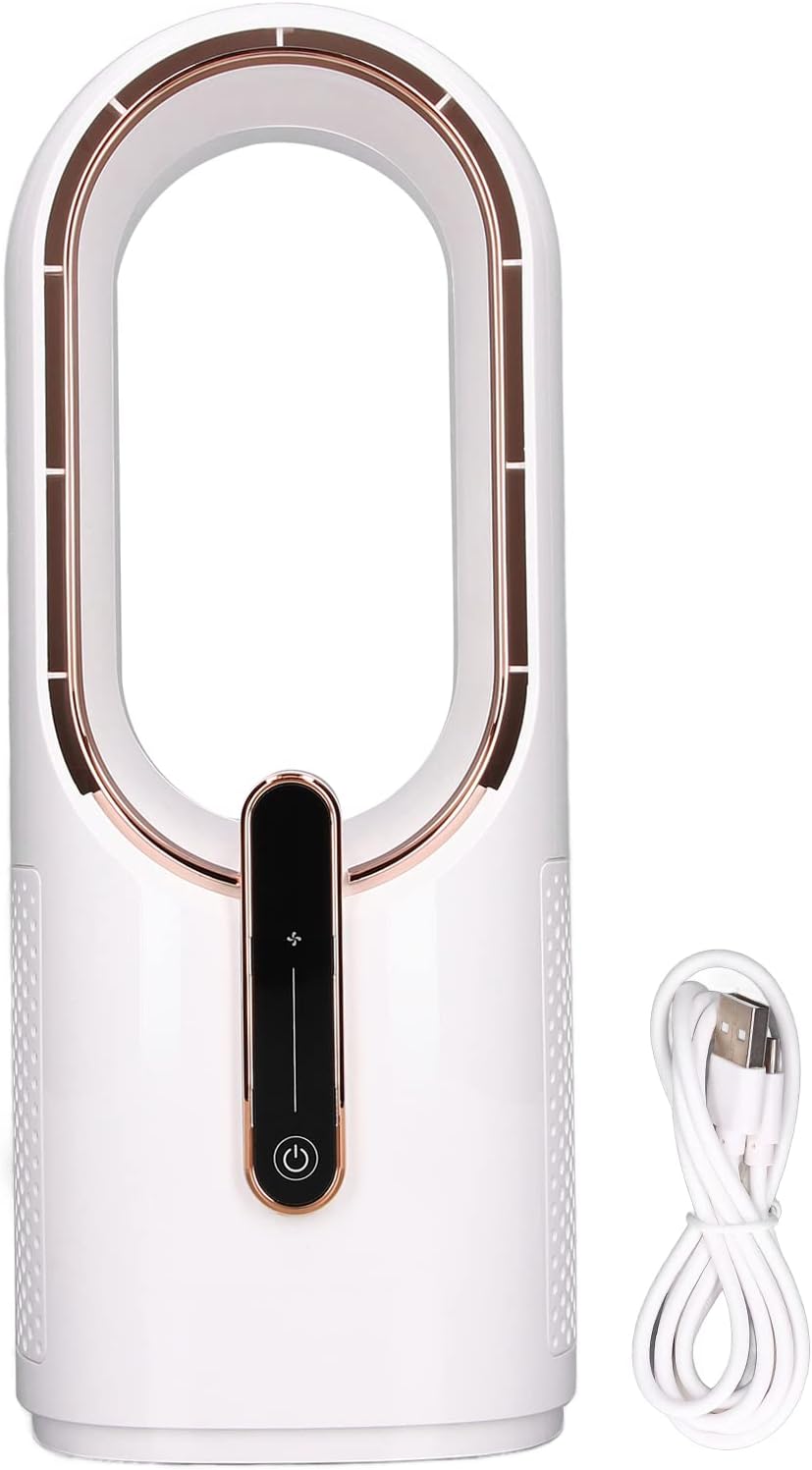
Image: The WOHPNLE bladeless desk fan in white with rose gold accents, shown alongside its white USB charging cable. This image displays the complete package contents.
4. Product Overview & Features
The WOHPNLE Bladeless Desk Fan features a sleek design and intuitive controls. Familiarize yourself with its components and key functionalities:

Image: A close-up of the WOHPNLE bladeless fan, highlighting its control panel and accompanied by icons representing its key features: low noise design, three-speed adjustment, USB interface, built-in battery, and touch sensing controls.
Key Features:
- Bladeless Design: Enhances safety by eliminating traditional rotating blades, making it safe for children and pets.
- Ultra-Quiet Operation: Equipped with advanced ventilation ducts for minimal noise, ideal for quiet environments like bedrooms and offices.
- Touch Control Panel: Intuitive touch-sensitive controls for power and speed adjustment.
- Three Adjustable Cooling Speeds: Offers low, medium, and high-speed settings to suit various cooling needs.
- USB Charging: Conveniently powered via USB, allowing for flexible placement and portability.
- Built-in Battery: Features a 2200mAh polymer lithium battery for cordless operation.
- Durable Materials: Constructed from high-quality PP and ABS materials for longevity and a modern aesthetic.
- Compact and Portable: Its small footprint (approx. 30 x 12 x 12 cm) makes it easy to move and place anywhere.
5. Setup
Follow these steps to set up your WOHPNLE Bladeless Desk Fan for first use:
- Unpack the Fan: Carefully remove the fan and USB cable from the packaging.
- Place the Fan: Position the fan on a stable, flat surface, ensuring there are no obstructions around the air inlets (located on the sides) and outlet (the top loop).
- Charge the Battery: Before initial use, it is recommended to fully charge the fan.
- Connect the small end of the provided USB cable to the USB charging port on the back or bottom of the fan.
- Connect the larger end of the USB cable to a compatible USB power source (e.g., computer USB port, USB wall adapter, power bank) with a 5V/1A output.
- The charging indicator light (if present, refer to product diagram for location) will illuminate during charging and turn off or change color when fully charged.
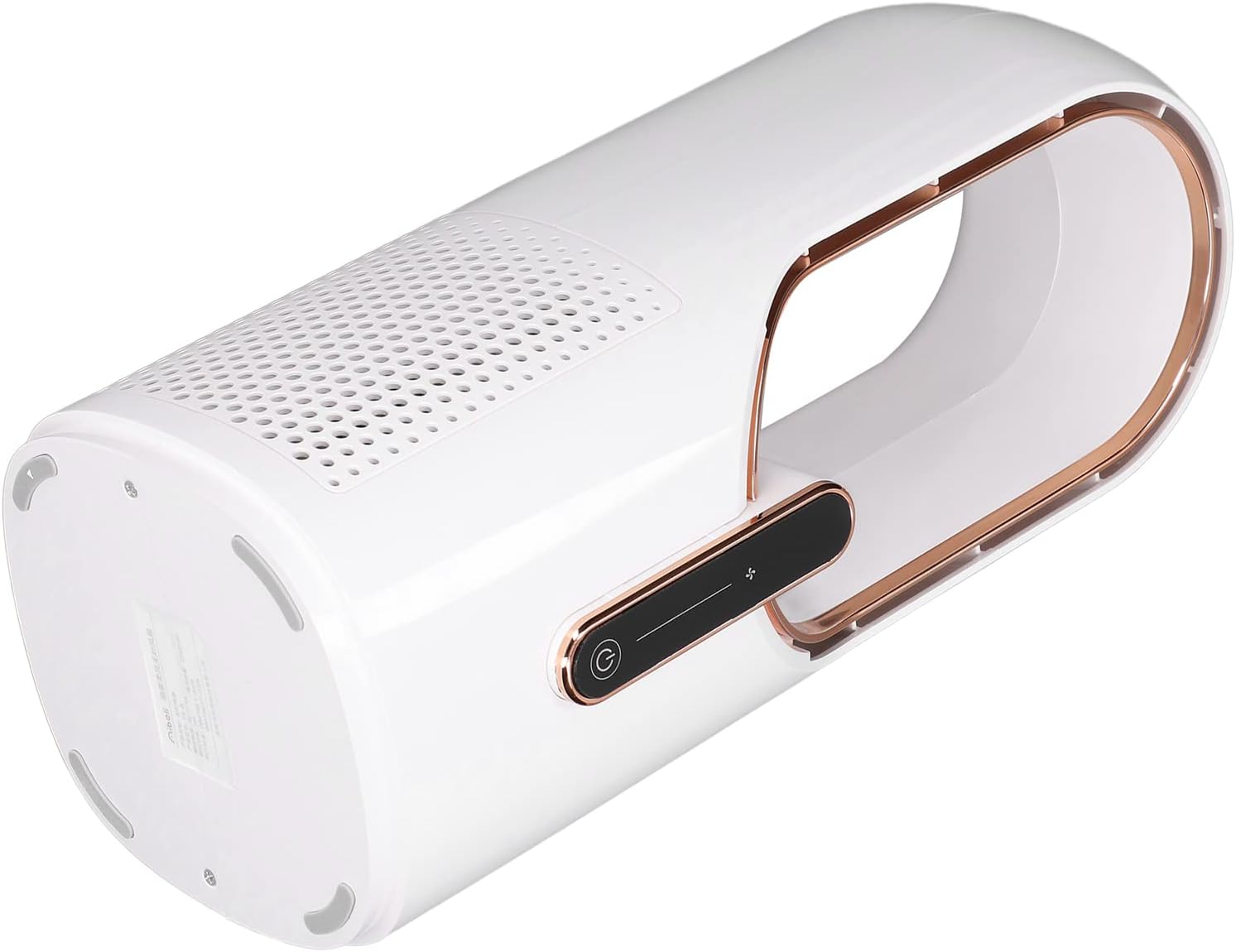
Image: The WOHPNLE bladeless fan viewed from the bottom, illustrating the stable base and the location of the USB charging port, which is typically found on the rear or bottom of the unit.
6. Operating Instructions
The WOHPNLE Bladeless Desk Fan features simple touch controls for ease of use.
Control Panel:
The control panel is located on the front of the fan and consists of touch-sensitive icons:
- Power Button (⏻): Touch to turn the fan On or Off.
- Speed Adjustment Button (🌬️): Touch to cycle through the three wind speed settings (Low, Medium, High).
How to Use:
- Power On: Gently touch the Power button (⏻) on the control panel. The fan will start at the lowest speed setting.
- Adjust Speed: Touch the Speed Adjustment button (🌬️) repeatedly to cycle through the wind speeds:
- First touch: Low speed
- Second touch: Medium speed
- Third touch: High speed
- Fourth touch: Cycles back to Low speed.
- Power Off: To turn off the fan, touch the Power button (⏻) again.

Image: The WOHPNLE bladeless fan positioned on a desk next to an open laptop, demonstrating its suitability for office or study environments. The fan is actively operating, providing airflow.

Image: A split image showing the WOHPNLE bladeless fan on a table with a plate of fruit in a home setting, and a separate view of the fan from a slightly different angle. This illustrates its versatile placement in various home environments.
7. Maintenance
Regular cleaning will help maintain the performance and longevity of your WOHPNLE Bladeless Desk Fan.
- Cleaning the Exterior:
- Before cleaning, ensure the fan is turned off and unplugged from the power source.
- Wipe the exterior surfaces of the fan with a soft, damp cloth. Do not use abrasive cleaners, solvents, or harsh chemicals, as these may damage the finish.
- Ensure no water enters the internal components.
- Cleaning Air Inlets/Outlets:
- Use a soft brush or a vacuum cleaner with a brush attachment to gently remove dust and debris from the air intake vents (usually on the sides) and the air outlet loop.
- Do not force any objects into the vents.
- Storage: When not in use for extended periods, store the fan in a cool, dry place, away from direct sunlight and extreme temperatures.
8. Troubleshooting
If you encounter issues with your WOHPNLE Bladeless Desk Fan, please refer to the following common problems and solutions:
| Problem | Possible Cause | Solution |
|---|---|---|
| Fan does not turn on. | No power, low battery, or power button not pressed correctly. | Ensure the USB cable is securely connected and the power source is active. Charge the fan fully. Press the power button firmly. |
| Weak airflow. | Air inlets/outlets blocked, or fan is on low speed. | Check for obstructions around the air inlets and outlets and clear them. Increase the fan speed using the speed adjustment button. |
| Fan makes unusual noise. | Dust accumulation, or fan not on a stable surface. | Clean the air inlets and outlets. Ensure the fan is placed on a flat, stable surface. If the noise persists, contact customer support. |
| Battery not charging. | Faulty USB cable/adapter, or charging port issue. | Try a different USB cable and power adapter. Ensure the charging port on the fan is clean and undamaged. |
If the problem persists after trying these solutions, please contact WOHPNLE customer support for further assistance.
9. Specifications
Detailed technical specifications for the WOHPNLE Bladeless Desk Fan:
| Attribute | Detail |
|---|---|
| Item Type | Bladeless Fan |
| Model Name | WOHPNLE2f8ekqbi1p |
| Material | PP+ABS |
| Rated Power Supply | 5V / 1A |
| Rated Power | 5W |
| Product Size (Approx.) | 30 x 12 x 12 cm / 11.8 x 4.7 x 4.7 inches |
| Battery Capacity | Polymer lithium battery 2200mAh (Included) |
| Gear Adjustment | 3 speed wind speed adjustment |
| Item Weight (Approx.) | 1000g / 35.3oz (2.22 pounds) |
| Color | White |

Image: The WOHPNLE bladeless fan with its approximate dimensions clearly marked: 12cm / 4.7 inches in width and 30cm / 11.8 inches in height, providing a visual reference for its compact size.
10. Warranty & Support
WOHPNLE is committed to providing high-quality products and customer satisfaction.
Return Policy:
This product is typically eligible for a 30-day return policy for refund or replacement, as per standard retail terms. Please refer to your purchase receipt or the retailer's return policy for specific details.
Protection Plans:
Extended protection plans may be available for purchase separately to cover your product beyond the standard return period. These plans offer additional coverage for a specified duration.
- 3-Year Protection Plan: Provides coverage for 36 months.
- 4-Year Protection Plan: Provides coverage for 48 months.
- Complete Protect: A monthly plan covering eligible past and future purchases.
For details on purchasing or activating these plans, please consult the retailer where you purchased the product or refer to the protection plan documentation.
Customer Support:
For any questions, technical support, or warranty claims, please contact WOHPNLE customer service through the retailer's platform or the official WOHPNLE store page. When contacting support, please have your product model number (WOHPNLE2f8ekqbi1p) and purchase information ready.
Visit the official WOHPNLE Store for more information and support: WOHPNLE Store
Ask a question about this manual
Ask about setup, troubleshooting, compatibility, parts, safety, or missing instructions. Manuals+ will review the question and use this page’s manual context to help answer it.