
Euko Arko DCL52301BK
Euko Arko 52 Inch Black Ceiling Fan User Manual
Model: DCL52301BK
Introduction
Thank you for choosing the Euko Arko 52 Inch Black Ceiling Fan. This manual provides essential information for the safe installation, operation, and maintenance of your new ceiling fan. Please read these instructions thoroughly before beginning installation and retain them for future reference.

Image: The Euko Arko 52 Inch Black Ceiling Fan with light, installed in a contemporary living space. The fan features three sleek black blades and an integrated LED light.
Safety Instructions
To reduce the risk of electric shock, fire, or personal injury, always follow these basic safety precautions:
- Read all instructions and safety information before installing your fan and save these instructions.
- Ensure the installation site is suitable for the fan's weight and size. The support structure must be capable of supporting a minimum of 35 lbs (15.9 kg).
- All wiring must be in accordance with national and local electrical codes. If you are unfamiliar with wiring, consult a qualified electrician.
- Before installation or servicing, disconnect power by turning off the circuit breaker at the main fuse box.
- Do not operate the fan with damaged blades or any visible defects.
- Keep hands, clothing, and other objects clear of the fan blades when the fan is operating.
- This fan is damp-rated, suitable for indoor and covered outdoor use. Do not expose directly to rain or water.
Package Contents
Verify that all components listed below are included in your package:
- 3 x Solid wood fan blades
- 3 x Down rods (5", 10", 24")
- 1 x Matte black DC motor assembly
- 1 x Set of remote control and receiver
- 1 x English user manual
- 1 x Canopy
- Hardware pack (screws, washers, wire nuts, etc.)
Setup and Installation
Follow these steps for proper installation of your ceiling fan. It is recommended to have two people for installation.
1. Prepare for Installation
- Turn off power at the circuit breaker.
- Clear the work area and gather necessary tools (screwdriver, wire strippers, ladder, etc.).
2. Mount the Hanging Bracket
- Secure the mounting bracket to the ceiling junction box. Ensure the junction box is securely fastened to the building structure and can support the fan's weight.
3. Assemble the Fan
- Attach the chosen downrod (5", 10", or 24") to the motor housing. Select the downrod length appropriate for your ceiling height.
- Feed the electrical wires from the fan motor through the downrod.
- Carefully attach the fan blades to the motor assembly according to the instructions provided in the included manual.

Image: A diagram illustrating the 52-inch fan's dimensions and the three available downrod lengths (5, 10, and 24 inches) for various ceiling heights.

Image: Visual guide demonstrating how the fan can be mounted on both flat and sloped ceilings, showing the canopy adjustment.
4. Wiring the Fan
- Hang the fan assembly onto the mounting bracket.
- Connect the fan's electrical wires to the house wiring using the provided wire nuts. Ensure correct polarity (live to live, neutral to neutral, ground to ground).
- Install the remote receiver into the canopy, ensuring all wires are tucked neatly.
5. Secure the Canopy and Light Kit
- Secure the canopy to the mounting bracket.
- Connect the light kit wires and attach the light kit to the fan motor housing.
- Install the light cover.
Refer to the detailed installation video QR code included in your physical user manual for visual guidance.
Operating Instructions
Your Euko Arko ceiling fan is controlled by the included multi-function remote control.
Remote Control Functions

Image: A detailed view of the remote control, highlighting buttons for fan speed, light control, timer, and reversible motor function.
- Fan ON/OFF: Press to turn the fan on or off.
- Fan Speed: Use the '+' and '-' buttons to cycle through 6 fan speeds.
- Light ON/OFF: Press to turn the LED light on or off.
- Color Temperature: Press the light button repeatedly to cycle through 3 color temperatures (3000K Warm White, 4000K Natural White, 5000K Cool White). The fan has a memory function for the last used color temperature.
- Dimming: Hold the light button to adjust brightness from 10% to 100%.
- Timer: Set the fan to turn off automatically after 1, 4, or 8 hours.
- Reversible Motor (Summer/Winter Mode): Press the reverse button to change the direction of the fan blades.
Fan Speed Settings
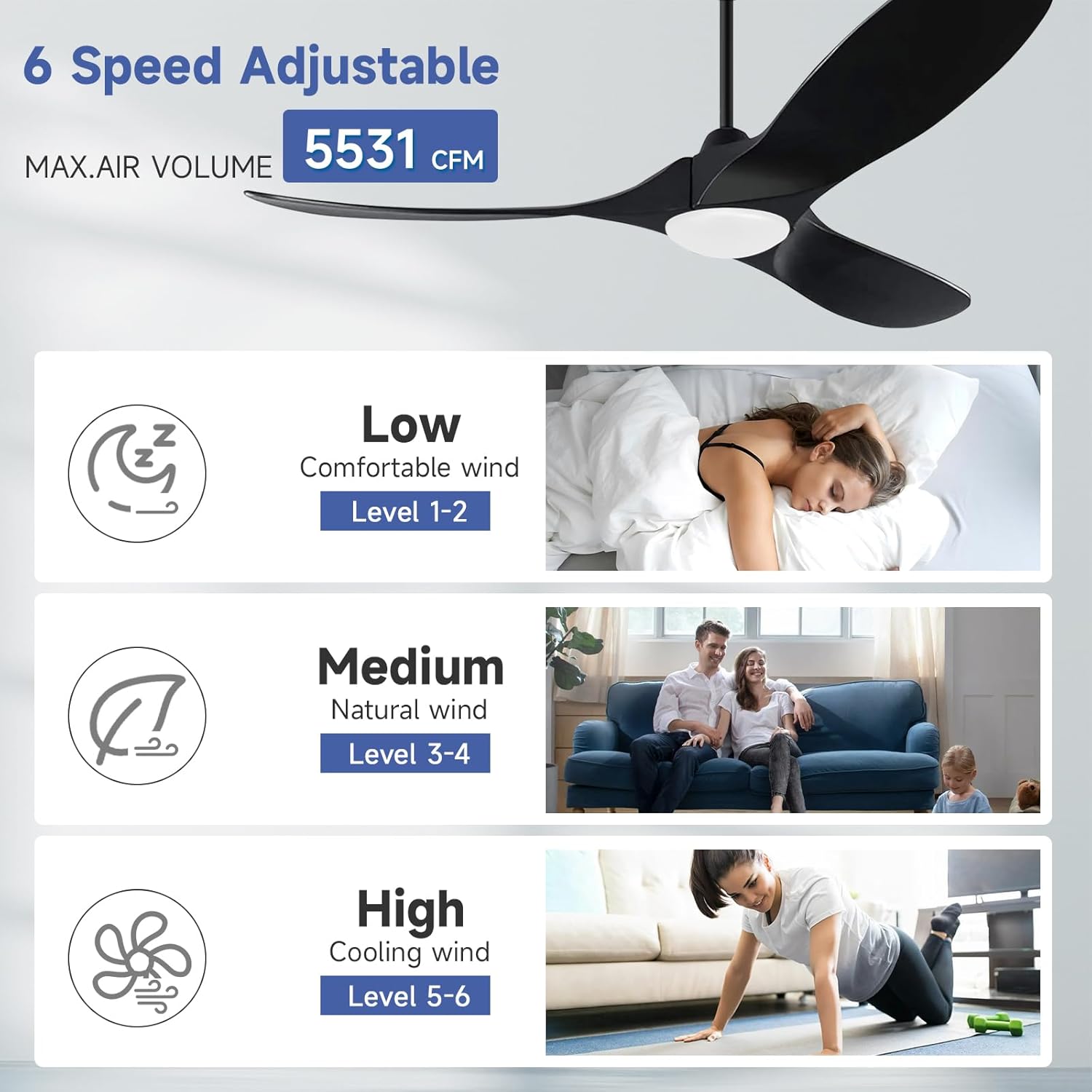
Image: A visual representation of the fan's 6-speed settings, categorized into Low (Levels 1-2 for comfortable wind), Medium (Levels 3-4 for natural wind), and High (Levels 5-6 for cooling wind), with a maximum airflow of 5531 CFM.
- Levels 1-2 (Low): Gentle airflow, ideal for sleeping or quiet environments.
- Levels 3-4 (Medium): Natural wind, suitable for general comfort.
- Levels 5-6 (High): Strong cooling wind, effective for warmer conditions.
Reversible DC Motor Function

Image: A split image demonstrating the fan's reversible function. The top half shows downward airflow for Summer Mode (cooling), and the bottom half shows upward airflow for Winter Mode (enhancing air circulation).
The reversible DC motor allows for year-round use:
- Summer Mode (Downward Airflow): Creates a cooling breeze.
- Winter Mode (Upward Airflow): Circulates warm air trapped near the ceiling, improving heat distribution.
Maintenance
Regular maintenance ensures optimal performance and longevity of your fan.
- Cleaning: Use a soft, damp cloth to clean the fan blades and motor housing. Do not use abrasive cleaners or solvents.
- Blade Inspection: Periodically check that all blade screws are tight.
- Light Cover: Clean the light cover with a soft, dry cloth.
- No Lubrication Needed: The DC motor is permanently lubricated and does not require oiling.
Troubleshooting
If you encounter issues, refer to the following common problems and solutions:
| Problem | Possible Cause | Solution |
|---|---|---|
| Fan does not start | No power to the fan; Loose wire connections; Remote control battery low or not paired. | Check circuit breaker; Verify all wire connections; Replace remote battery or re-pair remote. |
| Fan makes noise | Loose screws on fan blades or motor housing; Fan not properly balanced. | Tighten all screws; Use a balancing kit (not included) if necessary. |
| Light does not work | Loose wire connection to light kit; LED driver issue. | Check light kit wiring; Contact customer support if LED driver is suspected. |
| Remote control not working | Battery low or incorrect; Remote not paired with receiver. | Replace battery (CR2032); Follow pairing instructions in the full manual. |
Specifications
Technical details for the Euko Arko 52 Inch Black Ceiling Fan:
| Feature | Detail |
|---|---|
| Model Name | 52 Inch Black Ceiling Fan |
| Model Number | DCL52301BK |
| Product Dimensions | 52"D x 52"W x 11.8"H |
| Item Weight | 15.4 pounds |
| Number of Blades | 3 |
| Power Source | DC Motor |
| Wattage | 40 watts (Fan), 24 watts (LED Light) |
| Voltage | 120 Volts |
| Control Method | Remote Control |
| Fan Speeds | 6 |
| Light Color Temperature | 3000K, 4000K, 5000K (Dimmable) |
| Noise Level | 30 Decibels |
| Indoor/Outdoor Usage | Indoor, Outdoor (Damp Rated, not for direct rain exposure) |
| Certifications | FCC, ETL |
Warranty and Support
This Euko Arko ceiling fan has passed international certifications such as FCC and ETL, ensuring quality and safety.
For any installation questions, operational issues, or after-sales support, please contact our professional customer service team. We are committed to resolving your concerns within 24 hours.
Please refer to your purchase documentation or the Euko Arko brand store for specific warranty details and contact information.
Visit the Euko Arko Store for more information.
Important Note on Videos
Based on the provided product data, there are no official product videos from the seller available for embedding in this manual. Please refer to the included physical manual or the manufacturer's website for any video resources.
Ask a question about this manual
Ask about setup, troubleshooting, compatibility, parts, safety, or missing instructions. Manuals+ will review the question and use this page’s manual context to help answer it.