
MONOZEL VC026
MONOZEL Cordless Handheld Vacuum Cleaner & Air Duster User Manual
Brand: MONOZEL | Model: VC026
1. Introduction
Thank you for choosing the MONOZEL Cordless Handheld Vacuum Cleaner & Air Duster. This versatile 2-in-1 device is designed for efficient cleaning in various environments, including your car, home, and office. Featuring a powerful 130W brushless motor, it offers both strong suction (up to 18000Pa) and effective blowing capabilities. This manual provides essential information for safe operation, optimal performance, and proper maintenance of your device.

Figure 1.1: The MONOZEL 2-in-1 Cordless Handheld Vacuum Cleaner and its included accessories.
2. Package Contents
Please verify that all items listed below are included in your package. If any items are missing or damaged, please contact customer support.
- Main Vacuum/Duster Unit
- Flat Nozzle (for narrow gaps and edges)
- Brush Nozzle (for upholstery, pet hair, and delicate surfaces)
- Floor Nozzle (for larger floor areas and car carpets)
- Extension Tube (for hard-to-reach areas)
- Corrugated Hose
- Small Inflatable Nozzle
- Medium Inflatable Nozzle
- Large Inflatable Nozzle
- Type-C Charging Cable
- HEPA Filter (pre-installed)
- Metal Filter (pre-installed)

Figure 2.1: A comprehensive view of all components and accessories included in the product package.
3. Setup and First Use
3.1 Initial Charging
Before first use, fully charge the vacuum cleaner. Connect the provided Type-C charging cable to the charging port on the device and plug the other end into a compatible USB power source (e.g., car charger, power adapter, power bank). The charging indicator light will provide status. A full charge typically takes 2.5 to 3 hours.

Figure 3.1: The vacuum cleaner connected via Type-C for charging, illustrating compatible power sources.
3.2 Attaching Accessories
Ensure the vacuum cleaner is turned off before attaching or detaching any accessories. Select the appropriate nozzle or hose for your cleaning task and firmly attach it to the suction/blowing port until it clicks into place. The corrugated hose can be twisted to reach various angles.

Figure 3.2: Visual guide for attaching various accessories for both vacuum and blowing functions.
4. Operating Instructions
4.1 Powering On/Off and Mode Selection
Press the power button to turn the device on. It will start in Eco Mode (9000Pa suction). Press the power button again to switch to Max Mode (18000Pa suction) for more powerful cleaning. Press a third time to turn the device off. The integrated LED light will illuminate when the device is on, assisting in low-light conditions.
4.2 Vacuum Function
Attach the desired vacuum nozzle to the front port. For general debris, pet hair, and crumbs, use the brush or floor nozzle. The flat nozzle is ideal for narrow crevices and edges. The extension tube and corrugated hose provide flexibility for hard-to-reach areas like under seats or in tight corners.

Figure 4.1: Examples of how different nozzles are used for various vacuuming tasks, including flat, brush, floor, and extended hose applications.

Figure 4.2: The vacuum's suction capability demonstrated on various types of debris, such as dust, pet hair, and food residue.
4.3 Air Duster Function
To use as an air duster, attach one of the inflatable nozzles to the rear air outlet. This function is suitable for blowing away dust from keyboards, car vents, or inflating small items like balloons and swimming rings. Ensure the correct nozzle size is selected for the inflation task.

Figure 4.3: Various uses of the air duster function, from cleaning electronics to inflating small objects.
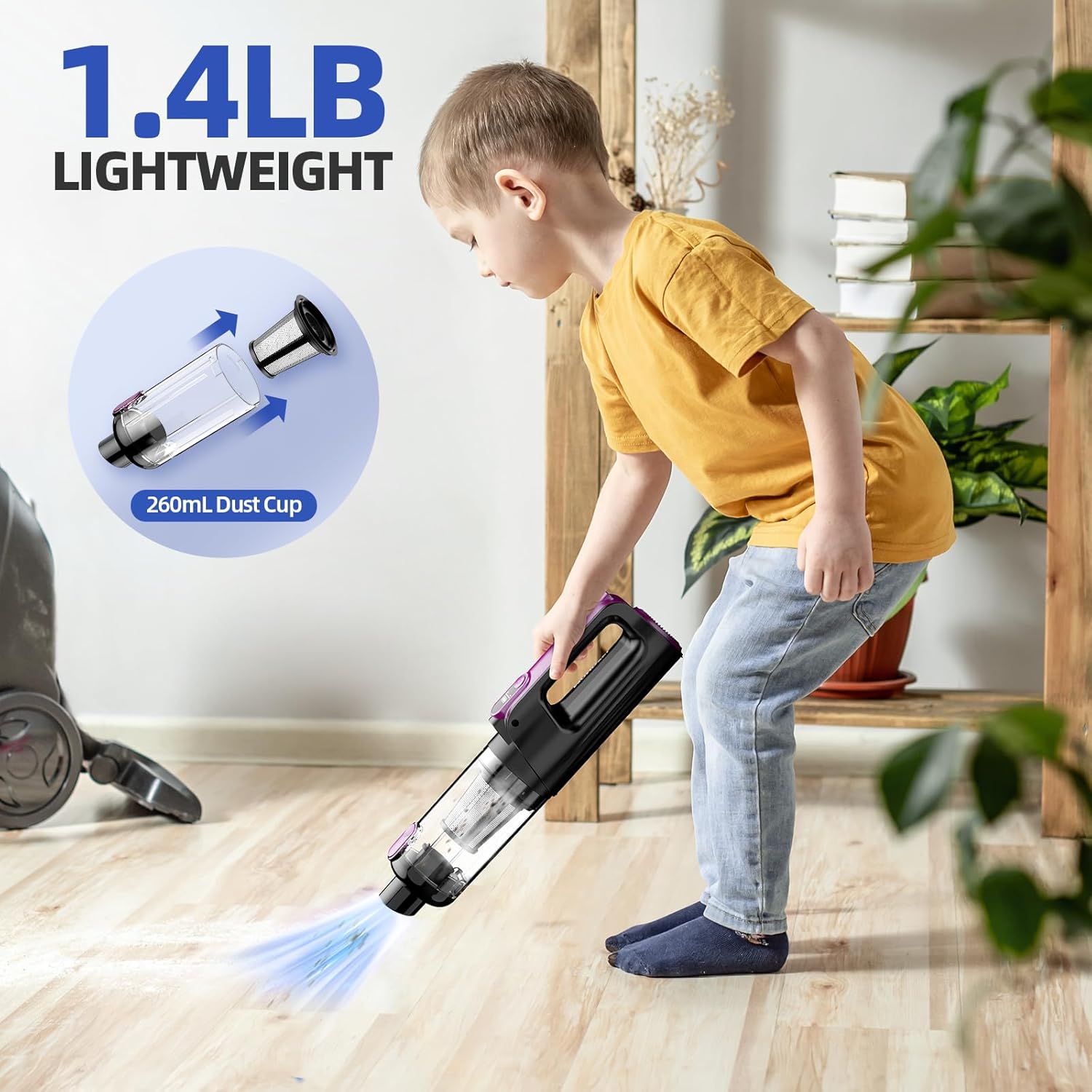
Figure 4.4: Illustration of the device's dual functionality as both a vacuum cleaner and an air duster.
5. Maintenance
Regular maintenance ensures optimal performance and extends the lifespan of your vacuum cleaner.
5.1 Emptying the Dust Cup
To empty the dust cup, press the one-click dismantling button to detach it from the main unit. Dispose of the collected debris into a trash bin. It is recommended to empty the dust cup after each use or when it reaches its maximum capacity (0.26L).
5.2 Cleaning the Filters
The device includes a HEPA filter and a metal filter. Both are washable and reusable. After emptying the dust cup, rotate to detach the metal filter, then the HEPA filter. Rinse both filters under running water until clean. Ensure they are completely dry before reassembling them into the dust cup and reattaching to the main unit. Do not use the vacuum cleaner with wet filters.

Figure 5.1: Detailed steps for disassembling the dust cup, detaching filters, and washing them for reuse.
6. Troubleshooting
If you encounter issues with your MONOZEL vacuum cleaner, please refer to the following common problems and solutions:
| Problem | Possible Cause | Solution |
|---|---|---|
| Device does not turn on. | Battery is depleted. | Charge the device fully (2.5-3 hours). |
| Low suction power. | Dust cup is full. | Empty the dust cup. |
| Low suction power. | Filters are clogged. | Clean and dry the HEPA and metal filters. |
| Low suction power. | Nozzle or hose is blocked. | Remove any obstructions from the nozzle or hose. |
| Device not charging. | Charging cable or adapter issue. | Ensure the Type-C cable is securely connected and try a different USB power source. |
| Unusual noise during operation. | Obstruction in the motor or fan. | Turn off the device immediately. Check for and remove any foreign objects. If the noise persists, contact customer support. |
If the problem persists after attempting these solutions, please contact MONOZEL customer support for further assistance.
7. Specifications
| Feature | Detail |
|---|---|
| Brand | MONOZEL |
| Model Name | VC026 |
| Motor Type | Brushless Motor |
| Motor Power | 130W |
| Max Suction Power | 18000Pa (Max Mode) |
| Eco Suction Power | 9000Pa (Eco Mode) |
| Battery Capacity | 7800mAh |
| Charging Time | 2.5 - 3 hours (Type-C) |
| Runtime | Up to 32 mins (Eco Mode) / 18 mins (Max Mode) |
| Filter Type | HEPA Filter (Washable) |
| Dust Cup Capacity | 0.26 Liters |
| Item Weight | 1.43 pounds (approx. 0.65 kg) |
| Product Dimensions | 13.94"L x 3.1"W x 3.8"H |
| Special Features | Cordless, 2-in-1 Vacuum & Air Duster, LED Light |

Figure 7.1: Internal components of the vacuum cleaner, including the brushless motor, filters, and dust bin.
8. Warranty and Support
MONOZEL products are manufactured to high-quality standards. For specific warranty details, please refer to the warranty card included with your product packaging or visit the official MONOZEL website. If you have any questions, require technical assistance, or need to report an issue, please contact MONOZEL customer support through the contact information provided on the product packaging or the official website.
Please retain your purchase receipt as proof of purchase for warranty claims.
Ask a question about this manual
Ask about setup, troubleshooting, compatibility, parts, safety, or missing instructions. Manuals+ will review the question and use this page’s manual context to help answer it.