
1. Product Overview
This manual provides instructions for the assembly, operation, and maintenance of your LOUVIXA Nightstand with Charging Station. This product is designed to offer convenient storage and charging capabilities for your bedroom or living space.
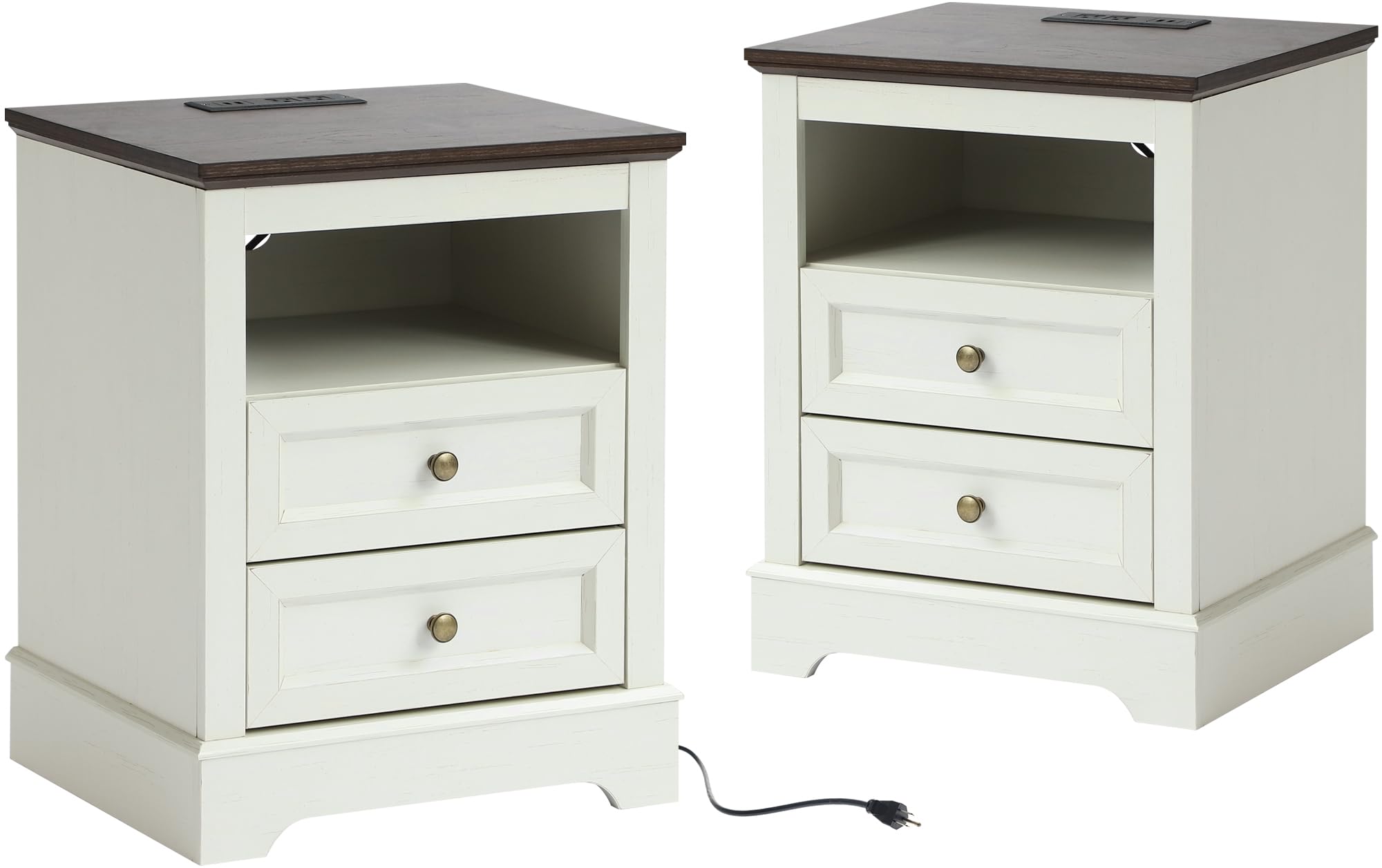
Image 1.1: LOUVIXA Nightstand with Charging Station.
2. Important Safety Information
Please read all safety warnings and instructions carefully before assembly and use. Failure to follow these instructions may result in injury or product damage.
- Assembly may require tools and careful handling. Ensure all parts are correctly aligned and securely fastened.
- Do not exceed the maximum weight recommendation of 44 pounds (20 kg) for the drawers and shelves to ensure stability and prevent tipping or damage. The tabletop has a maximum weight capacity of 220 pounds (100 kg).
- Keep small parts and packaging materials away from children to prevent choking hazards.
- Place the nightstand on a flat, stable surface.
- Ensure the charging station's power cord is not pinched or damaged during assembly or placement.
- Only use the charging station with compatible devices and within its specified electrical ratings.
3. Package Contents
Before beginning assembly, verify that all components listed below are present and undamaged. If any parts are missing or damaged, please contact customer support.
- Nightstand Panels (Top, Side, Bottom, Back)
- Drawer Components (Front, Back, Sides, Bottom)
- Drawer Slides
- Charging Station Unit (with power cord, 2 AC outlets, 2 USB ports)
- Hardware Pack (screws, dowels, cam locks, handles)
- Assembly Guide (this document)
4. Assembly Instructions
Assembly typically requires a Phillips head screwdriver and a hammer (not included). Follow the steps below carefully. It is recommended to assemble the unit on a soft, clean surface to prevent scratches.
Step 4.1: Identify Components
Unpack all components and lay them out. Refer to the included parts diagram (if available) to identify each piece.
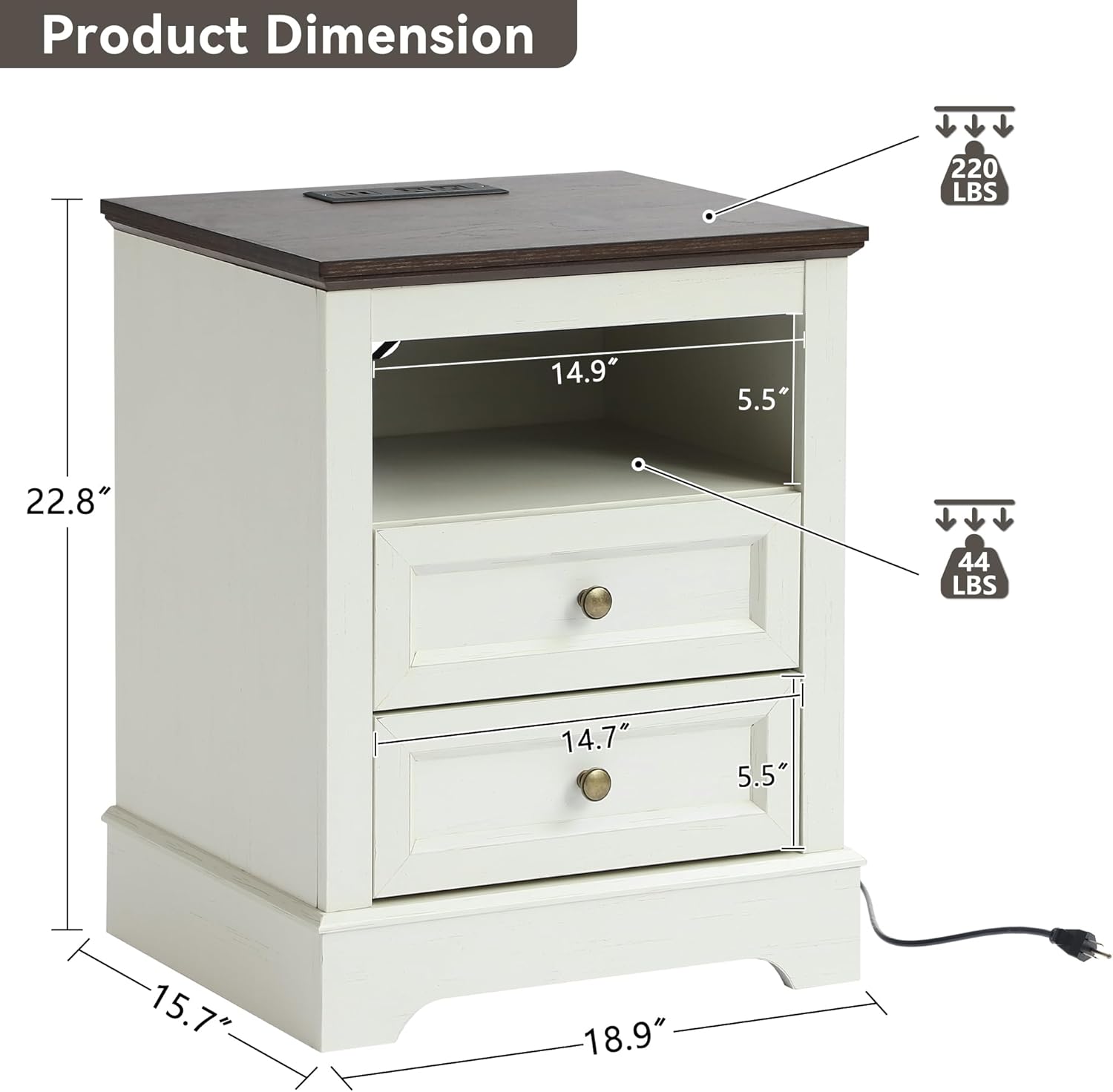
Image 4.1: Product dimensions and weight capacities. Top capacity: 220 lbs, Drawer capacity: 44 lbs.
Step 4.2: Assemble the Frame
- Attach the side panels to the bottom panel using the provided hardware.
- Secure the back panel to the assembled sides and bottom.
- Attach the top panel to complete the main frame.
Step 4.3: Install Drawer Slides
Mount the drawer slides to the inner side panels of the nightstand frame according to the pre-drilled holes.
Step 4.4: Assemble Drawers
- Connect the drawer sides, back, and front panels.
- Slide the drawer bottom into the grooves.
- Attach the drawer handles to the drawer fronts.
- Install the remaining parts of the drawer slides onto the assembled drawers.
Step 4.5: Install Charging Station
Insert the charging station unit into the designated cutout on the top panel. Ensure it sits flush and is securely fastened if screws are provided.
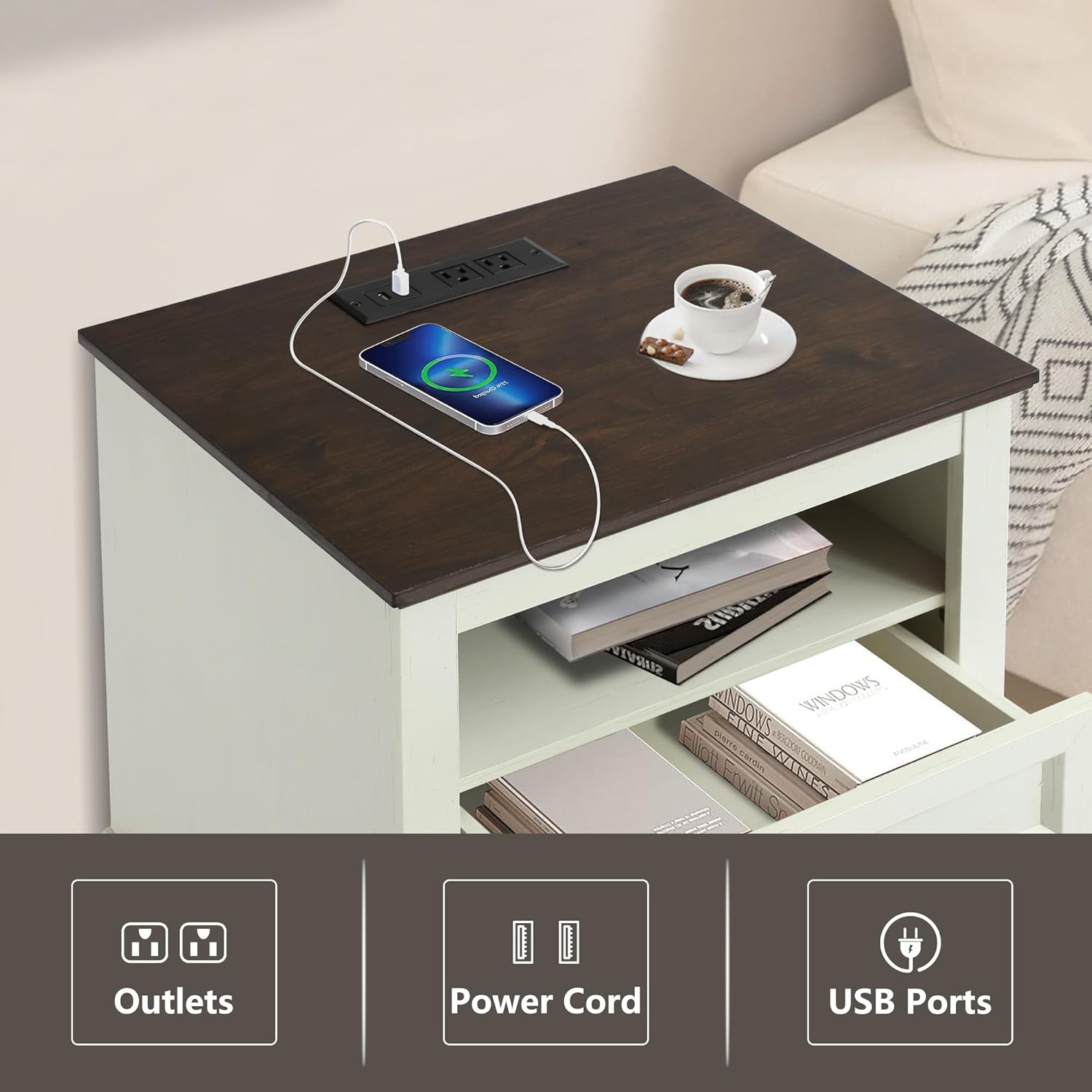
Image 4.2: Integrated charging station with two AC outlets and two USB ports.
Step 4.6: Insert Drawers
Carefully slide the assembled drawers into the installed drawer slides on the nightstand frame.
Assembly Video Reference
For a visual guide on assembly, please refer to the following video:
Video 4.1: Detailed assembly instructions for the nightstand. (Note: Creator type information for this video was not available in the provided data.)
5. Operating Instructions
5.1 Using the Charging Station
- Plug the nightstand's power cord into a standard wall outlet.
- The integrated charging station features two AC outlets and two USB ports.
- Connect your electronic devices (e.g., smartphones, tablets, lamps) to the appropriate outlets or USB ports.
- Ensure devices are compatible with the charging station's power output.
5.2 Drawer Usage
The nightstand includes two smooth-gliding drawers for storage. Pull the handles gently to open and push to close. Do not overload drawers beyond the recommended weight capacity of 44 pounds (20 kg).

Image 5.1: Drawers providing ample storage space.
6. Care and Maintenance
6.1 Cleaning
- Wipe the nightstand surfaces with a dry, soft cloth.
- Avoid using harsh chemicals, abrasive cleaners, or polishes that may damage the finish.
- For spills, wipe immediately with a slightly damp cloth and then dry thoroughly.
6.2 General Care
- Periodically check all hardware connections and tighten if necessary to maintain stability.
- Avoid placing hot items directly on the tabletop; use coasters or protective pads.
- Keep the nightstand away from direct sunlight and excessive moisture to prevent warping or discoloration.

Image 6.1: Details of the nightstand's construction, including tabletop, handles, drawer slides, and legs.
7. Troubleshooting
| Problem | Possible Cause | Solution |
|---|---|---|
| Charging station not working | Power cord unplugged; Wall outlet not functioning; Device not compatible; Charging station damaged. | Ensure power cord is fully plugged into a working outlet. Test the outlet with another device. Verify device compatibility. If issues persist, contact customer support. |
| Drawers stick or do not slide smoothly | Drawer slides misaligned; Obstruction in the slide mechanism; Overloaded drawer. | Remove the drawer and check for obstructions. Realign drawer slides if necessary. Ensure drawers are not overloaded. |
| Nightstand feels wobbly | Loose hardware; Uneven floor. | Check and tighten all screws and fasteners. Place shims under legs if the floor is uneven. |
8. Product Specifications
- Brand: LOUVIXA
- Model Name: Nightstand
- Model Number: 17-CTG-241225
- Product Dimensions (D x W x H): 15.7" x 18.9" x 22.8" (39.9 cm x 48 cm x 57.9 cm)
- Item Weight: 32.5 Pounds (14.7 kg)
- Maximum Tabletop Weight Recommendation: 220 Pounds (100 kg)
- Maximum Drawer Weight Recommendation: 44 Pounds (20 kg)
- Frame Material: Wood, Engineered Wood
- Color: White
- Number of Drawers: 2
- Included Components: Assembly Guide, Charging Station (2 AC outlets, 2 USB ports)
- Indoor/Outdoor Usage: Indoor
- Product Care Instructions: Wipe with Dry Cloth
9. Warranty and Support
9.1 Warranty Information
LOUVIXA products are manufactured to high-quality standards. For specific warranty details regarding your nightstand, please refer to the warranty card included in your packaging or visit the official LOUVIXA website. Typically, warranties cover manufacturing defects under normal use.
9.2 Customer Support
If you have any questions, require assistance with assembly, or need to report missing/damaged parts, please contact LOUVIXA customer support. Contact information can usually be found on the product packaging, the official LOUVIXA website, or through your retailer.
When contacting support, please have your model number (17-CTG-241225) and purchase date ready.


