
Introduction
This manual provides essential information for the proper use and maintenance of your PHILIPS ADD583 RO Water Filter. This filter is designed as a replacement for PHILIPS ADD6928DG/ADD6926WH Countertop Water Dispensers, ensuring continued access to pure, great-tasting water. Please read these instructions carefully before installation and retain them for future reference.
Product Overview
The PHILIPS ADD583 RO Water Filter is a 6-in-1 reverse osmosis filter engineered to provide high-quality filtered water. It is CSA certified against NSF/ANSI/CAN 372 for lead-free standards and tested by SGS for assurance.
Key Features and Benefits:
- Pure-Tasting Water: Effectively reduces harmful substances such as TDS, Fluoride, Lead, and Chlorine down to 0.0001 micron.
- Aquaporin Inside Reverse Osmosis: Utilizes biomimetic RO membrane with aquaporin proteins for efficient and rapid water filtration, developed in collaboration with NASA and ESA.
- Alkaline Remineralizer: Enriches filtered water with beneficial minerals (Ca2+, Mg2+, K+, Na+) to achieve an alkaline pH level. This remineralization is effective for at least 1000 liters of water filtration.
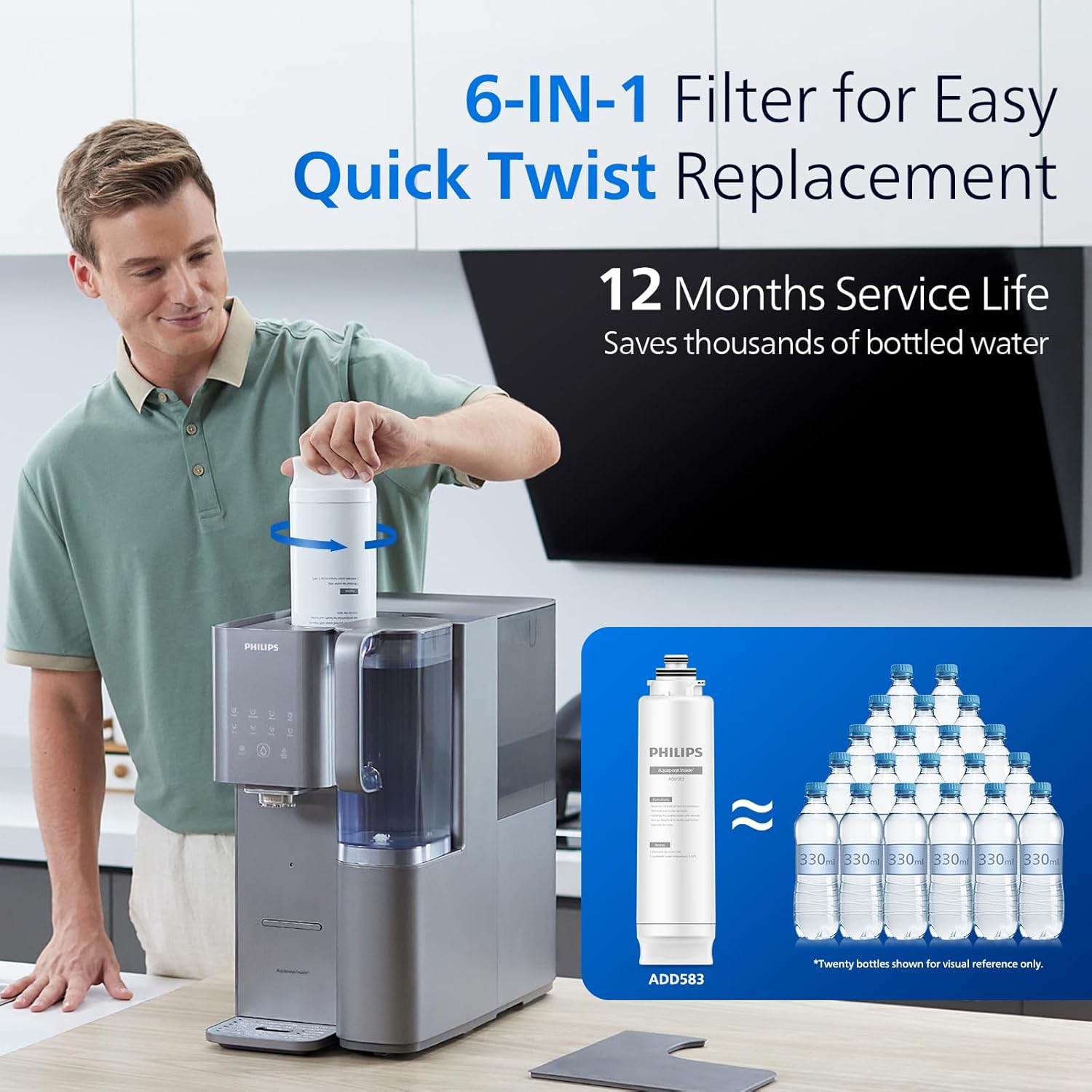
- 12 Months Service Life: The 6-layer filter cartridge is designed to provide high-performance water filtration for up to one year. A filter lifetime indicator on compatible systems will signal when replacement is due.
- Excellent Filtration Efficiency: Achieves a 3:1 pure to drain ratio, significantly reducing water waste compared to traditional RO systems.


Installation (Filter Replacement)
The ADD583 filter is designed for easy, quick-twist replacement in compatible PHILIPS countertop water dispensers (e.g., ADD6928DG, ADD6926WH).
Steps for Filter Replacement:
- Ensure the water dispenser is turned off and unplugged from the power outlet.
- Locate the filter compartment on your PHILIPS countertop water dispenser.
- Twist the old filter counter-clockwise to unlock and remove it.
- Remove the new ADD583 filter from its packaging.
- Insert the new filter into the compartment and twist it clockwise until it locks securely into place.
- Plug in and turn on the water dispenser. Follow the dispenser's instructions for flushing the new filter before first use.

Operating Instructions
Once the ADD583 filter is correctly installed in your compatible PHILIPS countertop water dispenser, the system will continuously filter water as needed. Refer to your specific dispenser's manual for detailed operating instructions, including water dispensing, temperature settings, and other functions.
Maintenance
Regular filter replacement is crucial for maintaining optimal water quality and system performance.
Filter Lifetime:
The PHILIPS ADD583 RO Water Filter has a service life of approximately 12 months. The compatible water dispenser system will typically feature a filter lifetime indicator to remind you when the cartridge is nearing the end of its operational life and requires replacement.
Replacement Schedule:
Replace the filter every 12 months, or sooner if the filter lifetime indicator on your dispenser suggests it, or if you notice a decrease in water quality or flow rate.

Troubleshooting
If you experience issues with water quality or dispenser performance after installing the ADD583 filter, consider the following:
- Reduced Flow Rate: Ensure the filter is correctly seated and locked. If the filter is old, it may be clogged and require replacement.
- Unusual Taste/Odor: Ensure the filter was properly flushed after installation. If the issue persists, the filter may be exhausted and require replacement.
- Filter Indicator Light: If the indicator light suggests replacement, proceed with replacing the filter even if it hasn't been 12 months, as water usage can vary.
For any other issues or persistent problems, please refer to the instruction manual of your specific PHILIPS countertop water dispenser or contact PHILIPS customer support.
Specifications
| Attribute | Detail |
|---|---|
| Brand | PHILIPS |
| Model Number | ADD583/37 |
| Material | Polypropylene (PP) |
| Product Dimensions | 3.5"D x 3.5"W x 13.9"H |
| Item Weight | 2.2 Pounds |
| External Testing Certification | NSF |
| Product Benefits | Increases pH Level, Reduces Chlorine, Reduces TDS, Removes Lead |
| Unit Count | 1.0 Count |
| Service Life | Up to 12 months |
| Compatible Dispensers | PHILIPS ADD6928DG, ADD6926WH Countertop Water Dispensers |
Warranty and Support
For warranty information regarding your PHILIPS ADD583 RO Water Filter or compatible water dispenser, please refer to the documentation provided with your original product purchase. For technical support, replacement parts, or further assistance, please contact PHILIPS customer service or visit the official PHILIPS Water Solutions website.
You can find more information and support by visiting the PHILIPS Water Solutions Store on Amazon.


