
1. Product Overview
The TESSAN Universal Travel Adapter is a versatile power solution designed for global travelers. It integrates multiple plug types, AC outlets, and USB charging ports into a single compact device, ensuring your electronic devices remain powered across various international destinations. This adapter is engineered for convenience and safety, providing a reliable charging experience wherever your journey takes you.

Image: The TESSAN Universal Travel Adapter, a compact white cube with multiple outlets and USB ports visible on its sides, designed for international use.
2. Key Features
- Universal Compatibility: Supports plug types for over 150 countries, including Type C (most of Europe), Type G (UK, Ireland), Type I (Australia, China), and Type A (Japan, USA, Mexico).
- 7-in-1 Charging Solution: Features 2 AC outlets and 5 USB ports (3 USB-C, 2 USB-A) to charge up to 7 devices simultaneously.
- High-Speed USB Charging: USB-C ports (C1, C2, C3) deliver up to 15W MAX per port, while USB-A ports (A1, A2) provide up to 12W MAX per port.
- Compact and Portable Design: With dimensions of 2.44 × 2.17 × 2.09 inches and a weight of 5.53 oz, it is designed for minimal space consumption in luggage.
- Enhanced Safety: Equipped with double 10A fuse protection to safeguard your connected devices.
- Wide Voltage Input: Operates on a wide voltage range from 100V to 250V, suitable for most international power standards.
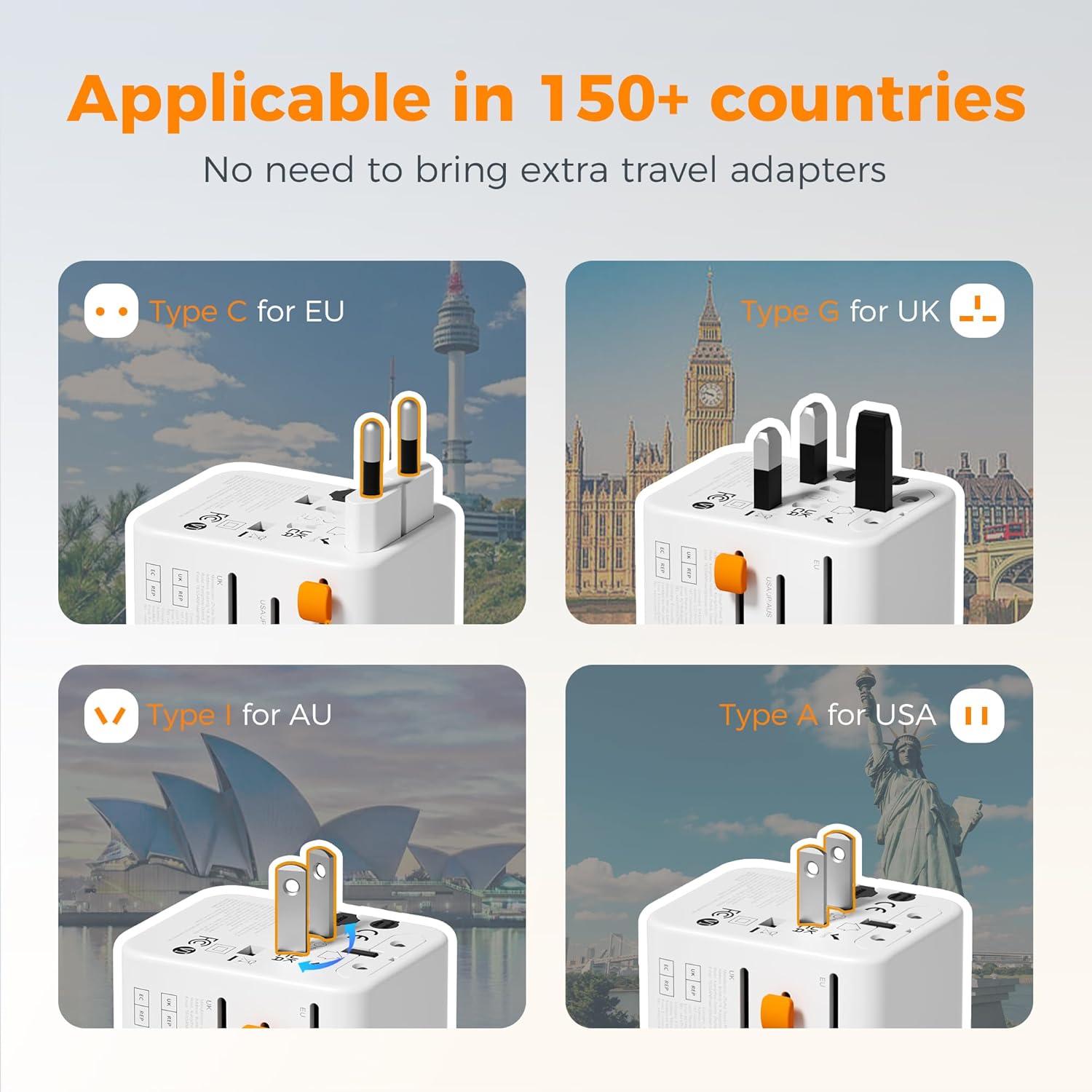
Image: Visual representation of the adapter's compatibility with various international plug types, including Type C for EU, Type G for UK, Type I for AU, and Type A for USA, highlighting its universal design.

Image: The TESSAN adapter plugged into a wall outlet, simultaneously charging a laptop, smartphone, and earbuds, demonstrating its 7-in-1 capability.
3. Setup and Operation
3.1 Selecting the Correct Plug Type
The TESSAN Universal Travel Adapter features retractable pins for different regions. To deploy the correct plug type:
- Identify the required plug type for your destination (e.g., Type C for Europe, Type G for UK, Type A for USA/Japan, Type I for Australia/China).
- Locate the corresponding slider on the side of the adapter.
- Slide the tab forward until the pins fully extend and lock into place. Ensure only one set of pins is extended at a time.
- To retract, press the release button (if present) or slide the tab back.

Image: A comprehensive guide illustrating the universal AC outlet and various plug types it accepts, including Type C, G, E, F, I, A, B, D, R, J, and L, with their respective regions.
3.2 Charging Devices
Once the appropriate plug is extended and inserted into the wall outlet, you can connect your devices:
- Plug your AC-powered devices into the universal AC outlet on the front or the 2-prong AC outlet on the side.
- Connect your USB-powered devices to the USB-A (A1, A2) or USB-C (C1, C2, C3) ports.
- The adapter allows simultaneous charging of multiple devices up to its maximum rated power output.

Image: A detailed view of the adapter's USB charging capabilities, showing cables connected to the USB-A and USB-C ports, with labels indicating their maximum wattage output.
4. Safety Information and Important Notes
- Not a Voltage Converter: This travel adapter is designed to adapt plug shapes, not to convert voltage. Ensure your devices are dual voltage (100V-250V) compatible before plugging them in. Using non-dual voltage devices with this adapter in a country with different voltage may cause damage to the device or the adapter.
- Fuse Protection: The adapter is equipped with double 10A fuses for overcurrent protection. If the fuse blows, it can be replaced with a spare fuse (not included).
- Avoid plugging in high-power appliances such as hair dryers, straighteners, or curling irons unless they explicitly support the local voltage (100V-250V).
- Do not expose the adapter to moisture or extreme temperatures.
- Keep out of reach of children.

Image: A visual guide to the adapter's safety features, showing the location of the 10A fuses and clear warnings against using it as a voltage converter or with high-power appliances that are not dual voltage.
5. Specifications
| Brand | TESSAN |
| Model Number | TS-WTA08 |
| Product Dimensions | 2.5 x 2.2 x 2.1 inches |
| Item Weight | 7 ounces |
| Total Power Outlets | 7 (2 AC Outlets, 5 USB Ports) |
| USB-C Output | 15W MAX per port (C1, C2, C3) |
| USB-A Output | 12W MAX per port (A1, A2) |
| Input Voltage | 100V-250V |
| Fuse Rating | Double 10A Fuses |
| Color | grey&white |
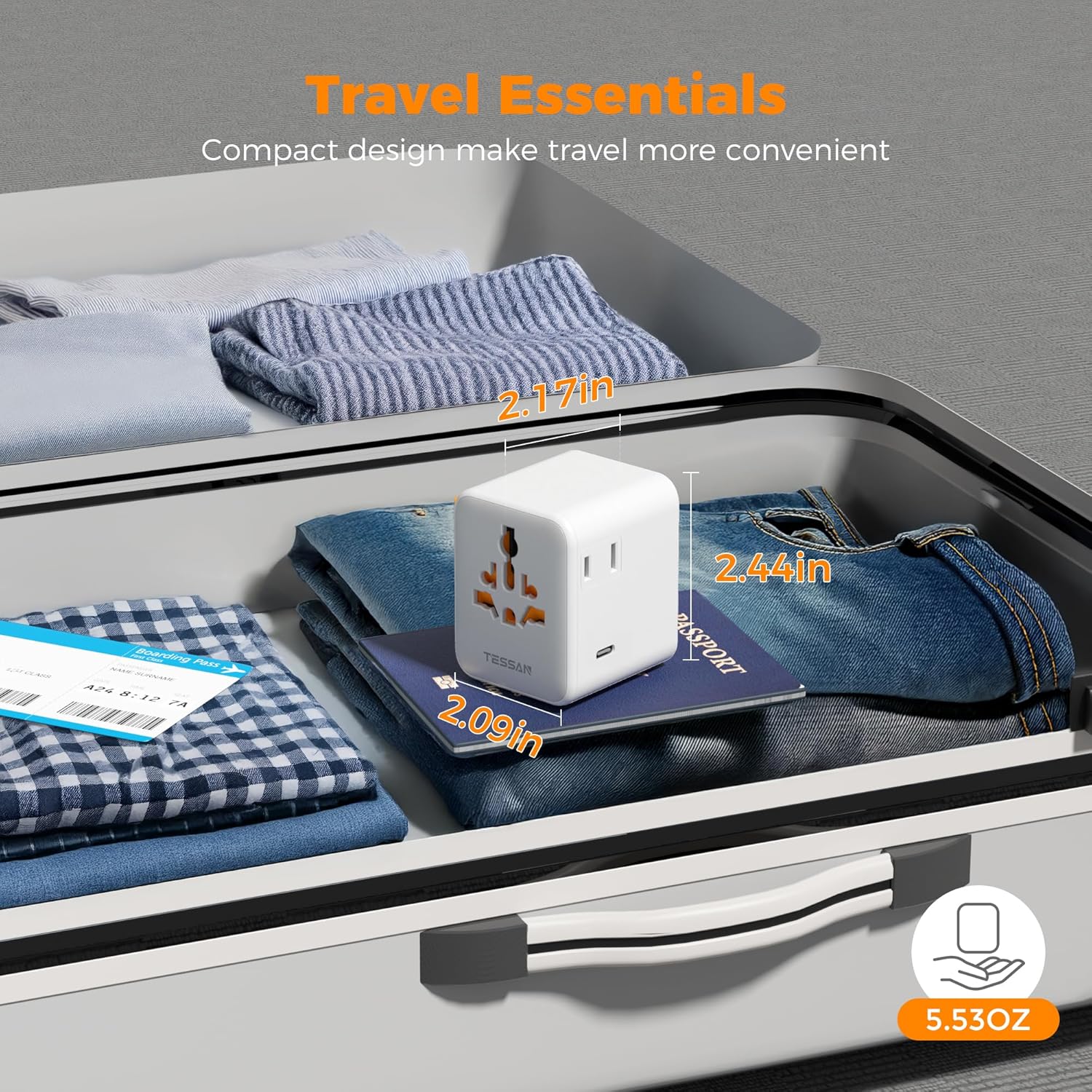
Image: The compact TESSAN adapter shown inside a suitcase next to a passport, emphasizing its small size and light weight (5.53 oz) for easy travel packing.
6. Troubleshooting
- No Power Output:
- Ensure the adapter is securely plugged into a live wall outlet.
- Check if the correct plug type for the region is fully extended and locked.
- Verify that the device you are trying to power is properly connected to the adapter.
- Check the adapter's fuse. If it's blown, replace it with a new 10A fuse.
- Device Not Charging:
- Confirm that your device's charging cable is functional and correctly inserted into both the device and the adapter's USB port.
- Ensure your device is compatible with the voltage provided by the adapter (100V-250V).
- If charging multiple devices, ensure the total power draw does not exceed the adapter's maximum capacity.
- Adapter Overheating:
- Unplug the adapter immediately.
- Reduce the number of devices connected or ensure that the connected devices' power requirements do not exceed the adapter's specifications.
- Ensure adequate ventilation around the adapter.
7. Maintenance
- Keep the adapter clean by wiping it with a dry, soft cloth.
- Store the adapter in a cool, dry place when not in use.
- Avoid dropping or subjecting the adapter to strong impacts.
8. Warranty and Support
For warranty information or technical support, please refer to the product packaging or contact TESSAN customer service directly through their official website or the retailer where the product was purchased. Please retain your proof of purchase for any warranty claims.
For more information, visit the official TESSAN Store: TESSAN Store on Amazon