
1. Product Overview
The Clouree Wireless Door Window Sensor is a magnetic detector designed to enhance the security of your home or business. This sensor works by detecting the opening and closing of doors and windows, triggering an alarm signal when a breach is detected. It is an essential component for a comprehensive 433MHz home security alarm system.

Image: The Clouree Wireless Door Window Sensor seamlessly integrated into different household environments, demonstrating its versatile application on doors and windows.
Compatibility: This door window sensor is designed to work exclusively with 433MHz, 1527 code-based alarm hosts. It is compatible with various Clouree alarm system models, including PG103, PG105, PG106, PG107, PG108, PG109, and PG500. Please note: This sensor cannot be used as a standalone device and requires a compatible alarm host for functionality.

Image: A compatibility chart illustrating different Clouree alarm system host models that are compatible with the entry sensor, confirming its functionality with specific 433MHz systems.
2. Package Contents
- Wireless Door/Window Sensor (1 unit)
- Battery (pre-installed or included separately)
- Double-sided adhesive stickers for installation
3. Specifications
| Brand | Clouree |
| Model Number | 68-1-kit |
| Connectivity Technology | Wireless (433MHz) |
| Sensor Technology | Contact Sensor (Magnetic) |
| Alert Type | Audio & Motion (via connected alarm host) |
| Emission Distance from Host | Approximately 120m (open space/no obstacles) |
| Power Source | Battery (Nonstandard Battery required) |
| Item Weight | 0.03 Kilograms (approx. 1.13 ounces) |
| Product Dimensions (L x W x H) | 1 x 1 x 1 inches (approximate) |
4. Setup and Pairing
Proper setup involves physical installation and pairing the sensor with your compatible Clouree alarm system. Ensure your alarm host is powered on and accessible for pairing.
4.1 Physical Installation
- Prepare Surface: Clean the surface of the door/window frame and the door/window itself where the sensor will be mounted. Ensure it is dry and free of dust or grease.
- Attach Adhesive: Peel the backing from the double-sided adhesive stickers and apply them to the back of both parts of the door/window sensor.
- Mount Sensor: Attach the larger part of the sensor to the door/window frame and the smaller magnetic part to the door or window itself. Ensure the two parts are aligned and are no more than 1 cm apart when the door/window is closed.
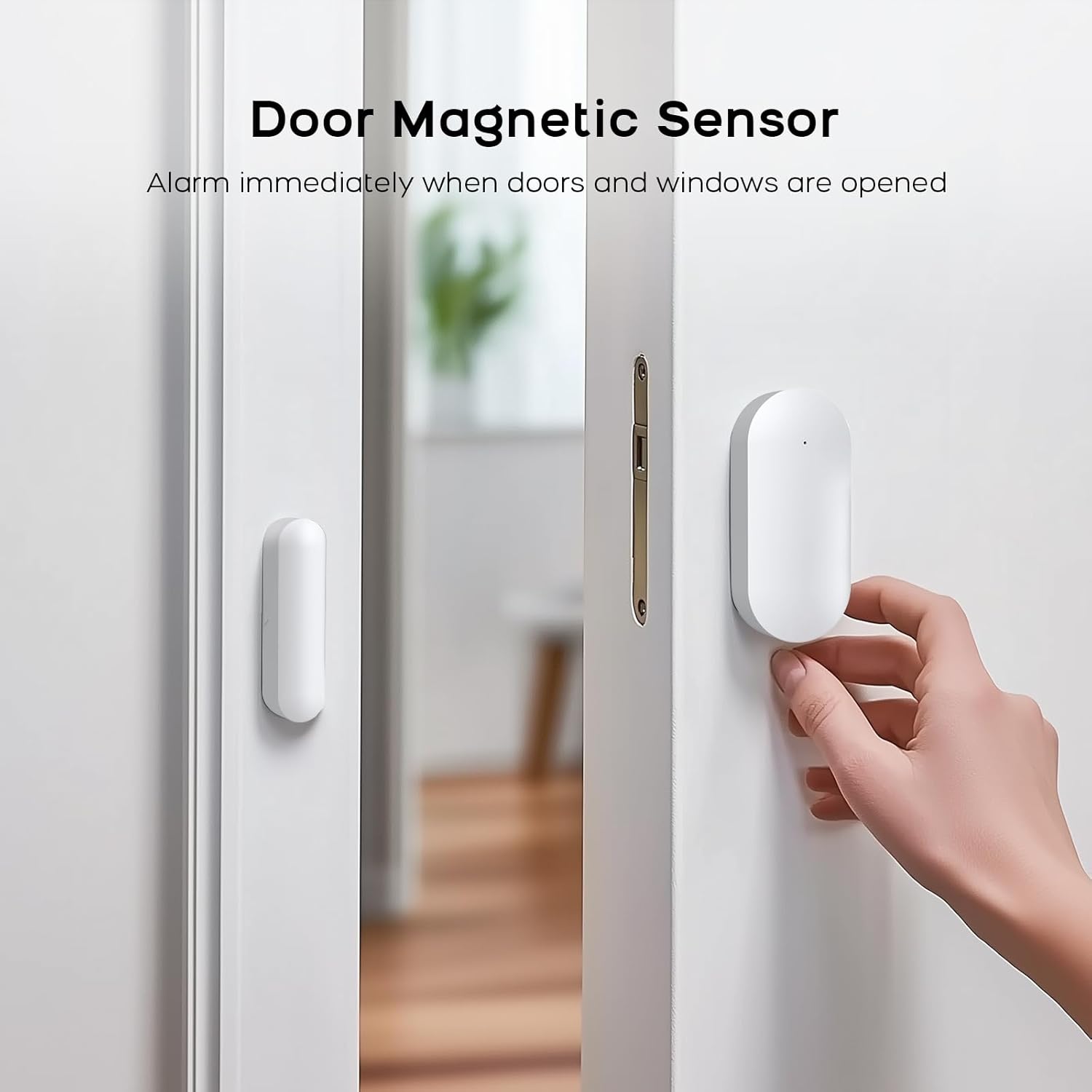
Image: A close-up view of a hand installing the Clouree Wireless Door Window Sensor, demonstrating the correct alignment of the main sensor unit and its magnetic counterpart on a door frame.
4.2 Pairing with Alarm System
The door window sensor must be paired with your Clouree alarm panel. The following steps outline the general pairing process for accessories, including the door magnetic sensor:
- On your alarm panel, navigate to the Main Menu.
- Select Parts (or Sensors, depending on your panel model).
- Tap Detector, then tap +Add.
- Choose Door Alarm as the name for the sensor.
- Align the two parts of the door sensor together, then separate them to activate the sensor. The alarm panel should confirm successful learning/pairing.
For a visual guide on pairing various accessories, including the door magnetic sensor, please refer to the video below:
Video: This video demonstrates the process of connecting various accessories to the Clouree security system, including remote controls, RFID cards, infrared sensors, door magnetic sensors, and smoke alarms. It provides a step-by-step visual guide for pairing these components with the main alarm panel.
5. Operating Instructions
Once paired, the door window sensor operates in conjunction with your Clouree alarm system. When the system is armed, any separation of the sensor's two magnetic parts (indicating an open door or window) will trigger an alarm on your main panel.
- Arming the System: Use your alarm panel, remote control, or RFID card to arm the system. When armed, the door window sensor becomes active.
- Disarming the System: Use your alarm panel, remote control, or RFID card to disarm the system. When disarmed, the door window sensor will not trigger an alarm if opened.
- Real-time Alarm: Upon detection of an open door or window while armed, the sensor sends an immediate signal to the alarm host, initiating the configured alarm response (e.g., siren, notification).
For instructions on setting the keypad lock password and arming/disarming the system using the keypad, refer to the following video:
Video: This video demonstrates how to set the keypad lock password on the security system and how to turn the keyboard lock on or off. It also shows the process of arming and disarming the system using the keypad.
6. Maintenance
To ensure optimal performance and longevity of your Clouree Wireless Door Window Sensor, follow these maintenance guidelines:
- Battery Replacement: The sensor is powered by a nonstandard battery. When the battery level is low, your alarm panel may indicate a low battery warning for the sensor. Replace the battery promptly to maintain continuous protection. Refer to your alarm panel's manual for specific instructions on identifying low battery alerts.
- Cleaning: Periodically wipe the sensor with a soft, dry cloth to remove dust and debris. Avoid using harsh chemicals or abrasive cleaners, as these can damage the sensor's casing or internal components.
- Alignment Check: Regularly check that the two parts of the sensor remain properly aligned and securely attached to the door/window and its frame. Misalignment can prevent proper detection.
7. Troubleshooting
If you encounter issues with your Clouree Wireless Door Window Sensor, consider the following troubleshooting steps:
| Problem | Possible Cause | Solution |
|---|---|---|
| Sensor not triggering alarm | System not armed; sensor not paired; low battery; improper alignment. | Ensure the alarm system is armed. Verify the sensor is correctly paired with the alarm host (refer to Section 4.2). Check and replace the battery if necessary. Re-align the sensor parts to be within 1 cm when closed. |
| False alarms | Loose mounting; sensor parts too far apart; strong vibrations. | Ensure both sensor parts are securely mounted. Check that the gap between the sensor parts is minimal when the door/window is closed. Consider repositioning if vibrations are a frequent issue. |
| Sensor not recognized by alarm panel | Incorrect pairing procedure; incompatible alarm host; sensor out of range. | Repeat the pairing process carefully (Section 4.2). Confirm your alarm host is 433MHz, 1527 code-based and compatible with Clouree sensors. Ensure the sensor is within the effective wireless range of the alarm host (approx. 120m in open space). |
8. Warranty and Support
For information regarding product warranty, returns, or technical support, please refer to the documentation provided with your complete Clouree alarm system or contact Clouree customer service directly. Details can typically be found on the manufacturer's official website or through your point of purchase.