
HEYMIX PROFESSIONAL B0DQSW1ZCR
HEYMIX PROFESSIONAL Dual Monitor Arm - User Manual
Model: B0DQSW1ZCR
1. Introduction
This manual provides detailed instructions for the installation, operation, and maintenance of your HEYMIX PROFESSIONAL Dual Monitor Arm. This adjustable gas spring monitor mount is designed to support two monitors ranging from 13 inches (33cm) to 32 inches (81cm) in size, with individual weights between 2kg and 9kg. It is compatible with VESA 75x75mm or 100x100mm mounting patterns. Proper installation and use will ensure optimal performance and longevity of the product.
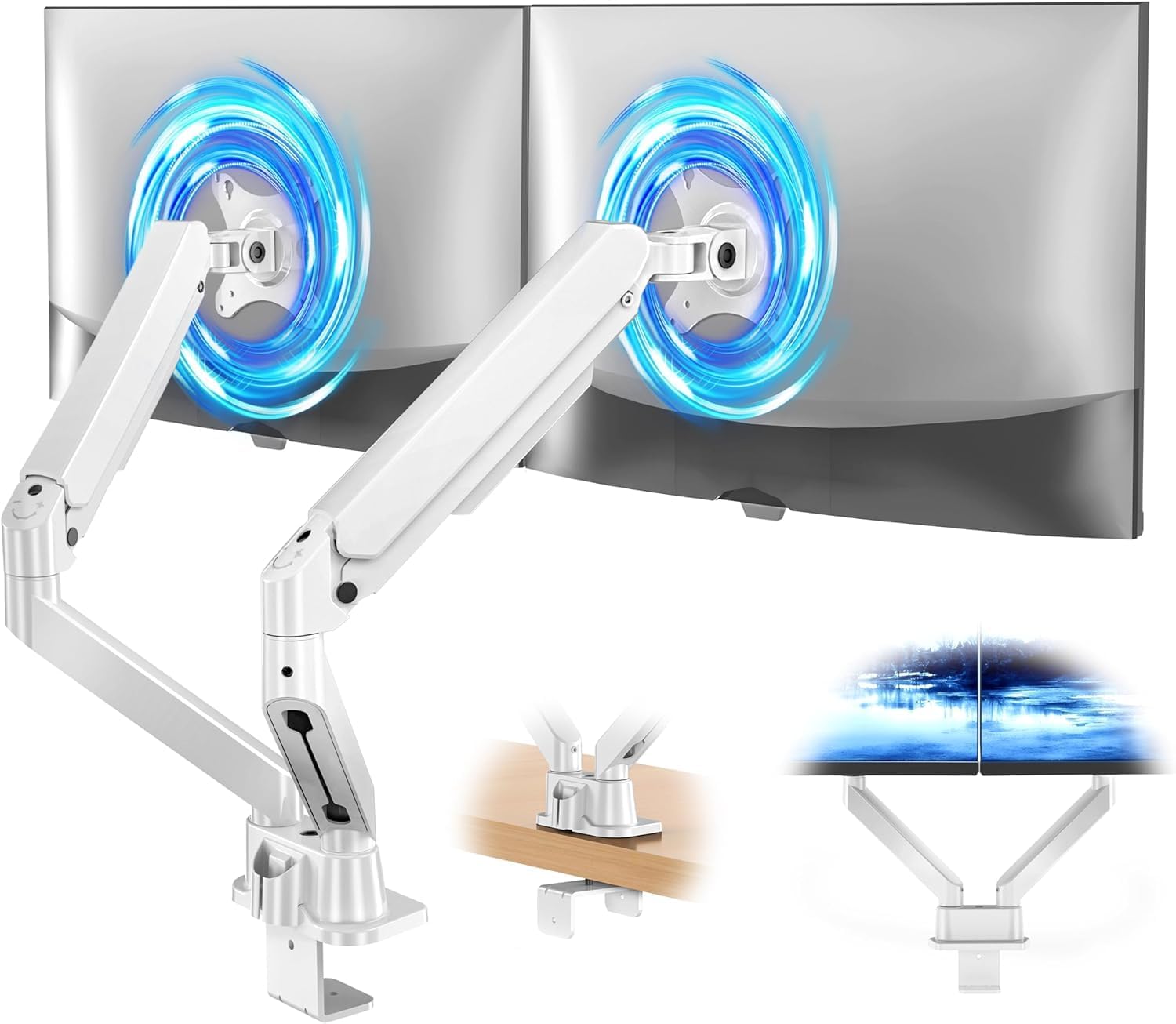
Figure 1: HEYMIX PROFESSIONAL Dual Monitor Arm overview, illustrating its dual-arm design and mounting flexibility.
2. Safety Information
- Read all instructions carefully before installation and use.
- Ensure your desk surface is strong enough to support the combined weight of the monitor arm and two monitors.
- Do not exceed the maximum weight capacity of 9kg (20 lbs) per arm.
- Verify that your monitors have VESA 75x75mm or 100x100mm mounting holes.
- Keep children and pets away during installation.
- Use appropriate tools and follow all steps to prevent injury or damage.
- Adjust gas spring tension only after monitors are mounted to prevent sudden movement.
3. Package Contents
Please check that all components are present and undamaged before proceeding with installation. If any parts are missing or damaged, contact customer support.
- Dual Monitor Arm Assembly (with gas springs)
- C-Clamp Mounting Base
- Grommet Mounting Base
- VESA Plates (2x)
- Hardware Kit (screws, washers, Allen keys)
- Cable Management Clips
- Instruction Manual (this document)
4. Setup and Installation
The HEYMIX PROFESSIONAL Dual Monitor Arm offers two mounting options: C-clamp and grommet base. Choose the method suitable for your desk.
4.1. Choose Mounting Method
- Option A: C-Clamp Installation
Suitable for desk thickness between 10mm and 80mm. This method clamps the arm to the edge of your desk.
- Option B: Grommet Base Installation
Suitable for desk thickness up to 100mm, with a hole diameter between 10mm and 78mm. This method secures the arm through an existing hole in your desk.
4.2. General Installation Steps
- Install the Base: Attach either the C-clamp or grommet base to your desk according to your chosen method. Ensure it is securely tightened.
- Attach the Arm: Insert the main arm assembly onto the installed base.
- Attach VESA Plates to Monitors: Secure the VESA plates to the back of your monitors using the provided screws. Ensure the screws are compatible with your monitor's VESA holes.
- Mount Monitors: Carefully slide the monitors (with VESA plates attached) onto the arms' VESA heads. Ensure they click into place or are secured with the locking mechanism.
- Adjust Gas Spring Tension: Once monitors are mounted, adjust the gas spring tension using the included Allen key. Turn clockwise to decrease tension (for lighter monitors) or counter-clockwise to increase tension (for heavier monitors) until the monitors can be moved freely and hold their position.
- Cable Management: Route monitor cables through the integrated cable management clips on the arms to maintain a tidy workspace.
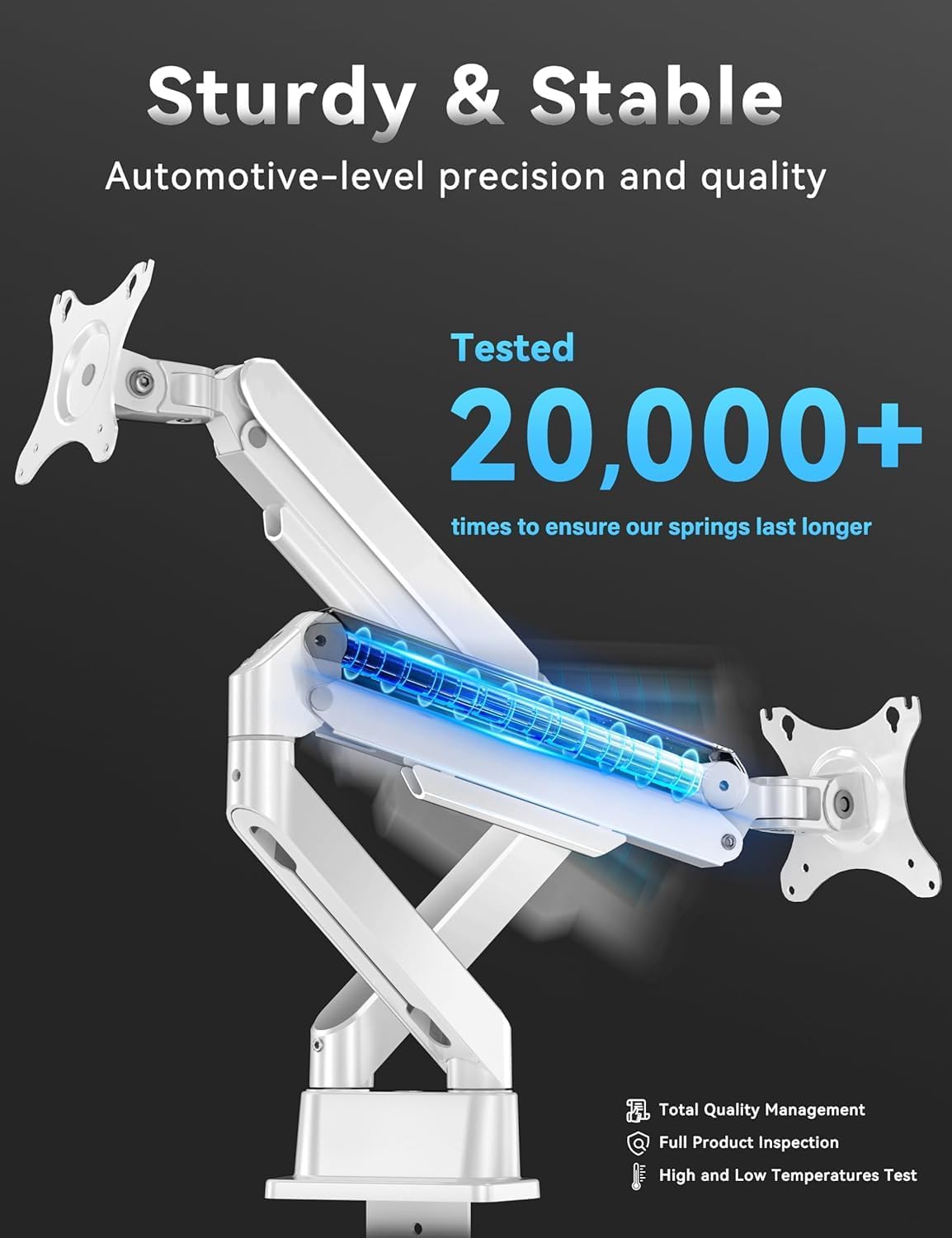
Figure 2: Illustration of the monitor arm's internal gas spring, designed for durability and smooth adjustments.
5. Operating and Adjustments
The HEYMIX PROFESSIONAL Dual Monitor Arm offers extensive adjustability to optimize your viewing experience and ergonomic setup.

Figure 3: The dual monitor arm supports two monitors up to 32 inches, allowing for an expanded and flexible workspace.
- Height Adjustment: The gas spring allows for smooth vertical movement of your monitors, with a height adjustment range from 155mm to 400mm.
- Tilt: Adjust your monitor's vertical angle from +90° (upward) to -45° (downward) to reduce glare and optimize viewing.
- Swivel: Rotate your monitor horizontally from -90° to +90° to share your screen or adjust your viewing angle.
- Rotation: Rotate your monitor 360° to switch between landscape and portrait orientations.
- Arm Extension: The arms can extend up to 525mm, providing flexibility in monitor positioning.

Figure 4: Monitor arm demonstrating tilt (+90°/-45°) and swivel (-90°/+90°) adjustments for ergonomic positioning.

Figure 5: Example of a flexible workspace setup using the dual monitor arm, allowing for collaborative viewing and individual adjustments.
6. Maintenance
- Cleaning: Wipe the monitor arm with a soft, damp cloth. Avoid abrasive cleaners or solvents that could damage the finish.
- Cable Management: Periodically check and re-route cables through the integrated clips to ensure they are not pinched or tangled, maintaining a neat and organized workspace.
- Tension Check: If monitors begin to sag or become difficult to adjust, re-evaluate and adjust the gas spring tension as described in the setup section.
- Fastener Check: Occasionally check all screws and fasteners to ensure they remain tight and secure.
7. Troubleshooting
| Problem | Possible Cause | Solution |
|---|---|---|
| Monitor sags or does not hold position. | Gas spring tension is too low for the monitor's weight. | Increase gas spring tension by turning the adjustment screw counter-clockwise (refer to Section 4.2, Step 5). |
| Monitor is difficult to move or stays too high. | Gas spring tension is too high for the monitor's weight. | Decrease gas spring tension by turning the adjustment screw clockwise (refer to Section 4.2, Step 5). |
| Monitor wobbles or feels unstable. | Mounting base or VESA plate screws are loose. | Ensure the C-clamp or grommet base is securely tightened to the desk. Check and tighten all VESA plate screws. |
| Cables are messy or getting caught. | Improper cable routing. | Re-route cables through the integrated cable management clips on the arm. |
8. Specifications
- Model: B0DQSW1ZCR
- Brand: HEYMIX PROFESSIONAL
- Material: Aluminum, High-strength Steel
- Color: White
- Monitor Size Compatibility: 13" (33cm) to 32" (81cm)
- Weight Capacity: 2kg to 9kg (4.4 lbs to 20 lbs) per arm
- VESA Compatibility: 75x75mm, 100x100mm
- Tilt Angle: +90° / -45°
- Swivel Angle: -90° / +90°
- Rotation: 360°
- Height Adjustment Range: 155mm to 400mm
- Arm Extension: Up to 525mm
- C-Clamp Desk Thickness: 10mm - 80mm
- Grommet Desk Thickness: Up to 100mm (Hole diameter: 10mm - 78mm)
- Product Dimensions: 43 x 28.9 x 11.9 cm (packaged); 3.84 kg (weight)

Figure 6: Technical diagram illustrating the dimensions and range of motion for the monitor arm.
9. Warranty and Support
HEYMIX PROFESSIONAL offers a Limited Lifetime Warranty covering manufacturing defects. If you encounter any issues with your product, please contact our customer service team. We are committed to assisting you within 24 hours.
To initiate a support request, please refer to your purchase platform or contact information provided at the time of purchase. For Amazon purchases, click "GET HELP WITH ORDER" under your order ID.
Related Documents - B0DQSW1ZCR
 |
HEYMIX K100 Monitor Desk Mount Installation Manual Comprehensive installation guide for the HEYMIX K100 Monitor Desk Mount, featuring gas spring adjustability and VESA compatibility. Includes step-by-step instructions, safety precautions, and maintenance tips. |
 |
HEYMIX K200 Monitor Desk Mount Installation Manual Official installation manual for the HEYMIX K200 dual monitor desk mount. Includes setup instructions, parts list, and adjustment guides for VESA compatible monitors up to 32 inches and 9kg. |
 |
ULTRARM MA20P-S Instruction Manual Official instruction manual for the ULTRARM MA20P-S monitor arm. Learn how to assemble, install, and adjust your monitor for optimal ergonomics. Features VESA compatibility (75x75, 100x100), 17-57 inch screen support, and a 2-20kg weight capacity. Includes cable management and dual monitor setup guidance. |
 |
Dellonda DH25 Adjustable Dual Monitor Arm: Installation and Specifications This document provides instructions and specifications for the Dellonda DH25 Adjustable Dual Monitor Arm. It covers product features, safety guidelines, installation procedures for clamp and bolt mounting, monitor attachment, cable management, and technical specifications. Suitable for 10-27 inch screens with VESA 75x75 or 100x100mm, supporting up to 9kg. |
 |
HUANUO HNDS7/HNDS12 Desk Monitor Arm - Dual Monitor Mount Installation Guide Comprehensive installation guide for the HUANUO HNDS7 and HNDS12 dual desk monitor arms. Learn how to assemble, mount, and adjust your VESA-compatible monitor stand for optimal viewing. Includes parts list, safety warnings, and step-by-step instructions. |
 |
MOUNTUP Dual Monitor Stand Installation Guide (MU0005) Comprehensive installation instructions for the MOUNTUP MU0005 dual monitor stand, featuring gas spring adjustment, VESA compatibility, and dual mounting options (clamp/grommet). |
Ask a question about this manual
Ask about setup, troubleshooting, compatibility, parts, safety, or missing instructions. Manuals+ will review the question and use this page’s manual context to help answer it.