
Introduction
Thank you for choosing the Dopinmin 13 Gallon Automatic Sensor Trash Can. This product is designed to provide a hygienic and convenient waste disposal solution for your home or office. This manual provides essential information for the proper setup, operation, and maintenance of your new trash can. Please read these instructions carefully before use and retain them for future reference.
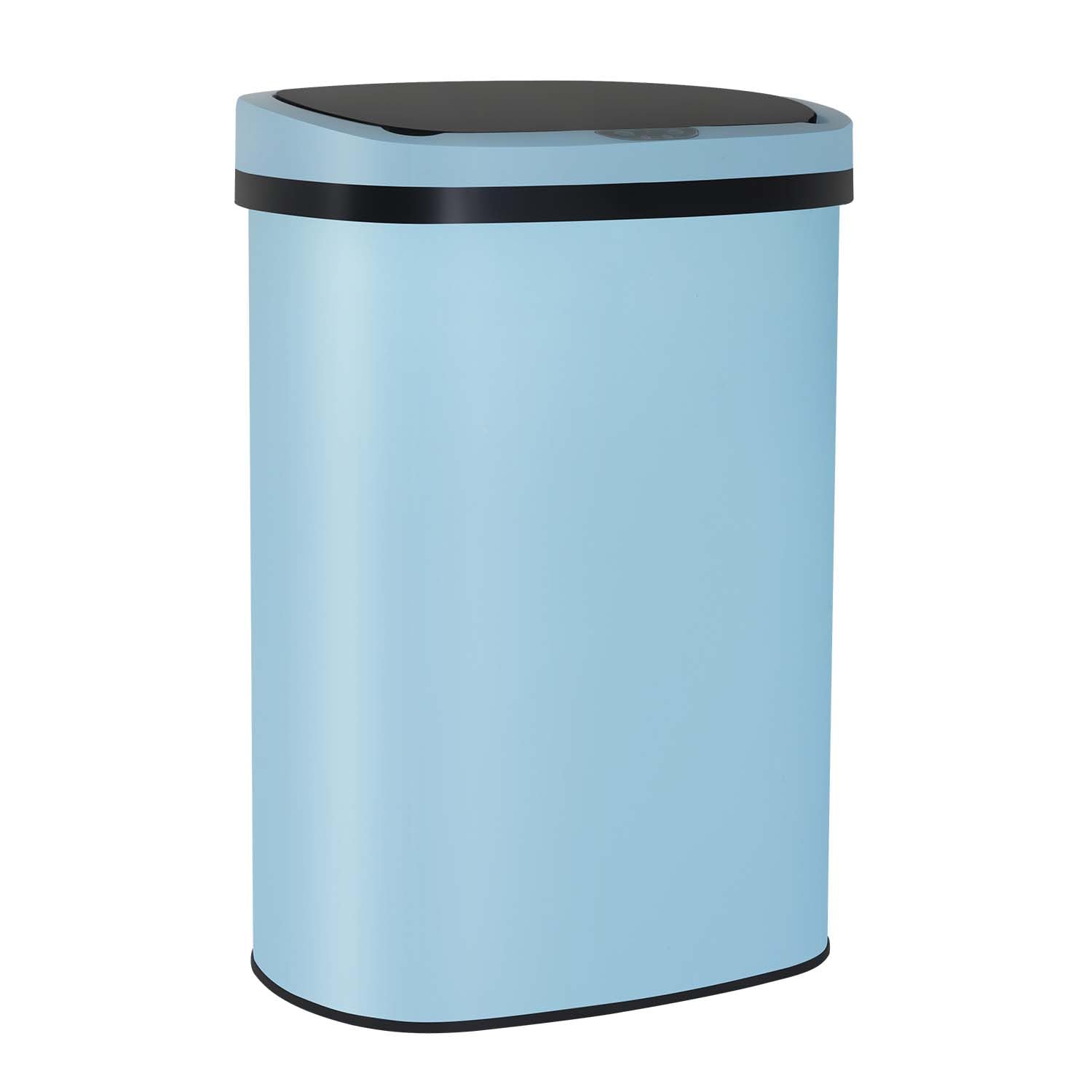
Image: Dopinmin 13 Gallon Automatic Sensor Trash Can.
Product Features
- 13 Gallon (50L) Capacity: Designed to accommodate standard 13-gallon trash bags, suitable for various spaces.
- Touchless Automatic Sensor: Equipped with a motion sensor for hands-free operation, opening the lid automatically with a wave of your hand.
- Delayed Closing: The lid automatically closes after 4-7 seconds of inactivity to maintain hygiene and contain odors.
- Durable Construction: Made from stainless steel with anti-fingerprint, anti-scratch, and anti-oil properties for easy cleaning and lasting appearance.
- Mute Design: Engineered for quiet opening and closing of the lid.
- Water-Resistant: Designed to withstand splashes and moisture in typical indoor environments.

Image: Features of the brushed stainless steel surface, including anti-fingerprint, anti-scratch, and anti-oil properties.
Package Contents
Please check the package contents to ensure all items are present:
- Trash Can Body
- Sensor Lid
- Inner Liner/Ring
- Instruction Manual
Setup Guide
1. Battery Installation
- Locate the battery compartment on the underside of the sensor lid.
- Open the battery compartment cover.
- Insert 4 C-size batteries (not included) according to the polarity markings (+/-).
- Close the battery compartment cover securely.

Image: The power switch and location of the battery compartment on the trash can.
2. Installing the Trash Bag
- Lift the sensor lid from the trash can body.
- Place a standard 13-gallon trash bag into the inner liner.
- Fold the edges of the trash bag over the top rim of the inner liner.
- Insert the inner liner with the trash bag into the trash can body.
- Replace the sensor lid, ensuring it is properly seated.

Image: Proper method for installing a trash bag into the Dopinmin trash can's inner liner.
Operating Instructions
Motion Sensor Operation
- Ensure the power switch (located on the back of the lid) is in the 'ON' position.
- To open the lid, simply wave your hand or an object within 5.9 inches (15 cm) above the sensor area.
- The lid will open automatically and remain open for approximately 4-7 seconds.
- After the delay, the lid will close automatically. If an object remains in the sensor's detection area, the lid will stay open until the object is removed.

Image: Illustration of the smart sensing feature, showing the 5.9-inch sensing distance and 7-second lid opening duration.

Image: Visual representation of the 4-second delay closing feature of the trash can lid.
Manual Operation
If you prefer to operate the lid manually or conserve battery life, you can use the power switch on the back of the lid to turn off the sensor function.

Image: A hand demonstrating the use of the power switch for manual control.
Maintenance
Care and Cleaning
- To clean the exterior, wipe with a soft, damp cloth and mild detergent. Avoid abrasive cleaners or scrubbers that could damage the stainless steel finish.
- The anti-fingerprint design helps reduce smudges, but regular wiping will maintain its appearance.
- For the interior, remove the inner liner and wash it with soap and water. Ensure it is completely dry before placing it back into the trash can.
- Do not immerse the sensor lid in water, as this can damage the electronic components.
Battery Replacement
When the sensor's response becomes slow or the lid stops opening, it is time to replace the batteries. Replace all 4 C-size batteries simultaneously for optimal performance.
Troubleshooting
If you encounter any issues with your Dopinmin Automatic Sensor Trash Can, please refer to the following common problems and solutions:
- Lid not opening or closing:
- Check if the power switch is in the 'ON' position.
- Ensure batteries are correctly installed and not depleted. Replace if necessary.
- Verify that the sensor area is clean and free from obstructions.
- Lid closes too quickly or unexpectedly:
- Ensure no objects are continuously within the sensor's detection range.
- Check for strong light sources directly above the sensor, which can interfere with its operation.
- Unpleasant odors:
- Ensure the lid is properly sealed when closed.
- Replace the trash bag regularly.
- Clean the inner liner and the interior of the trash can thoroughly.
Product Specifications
| Capacity | 13 Gallons (50 Liters) |
| Dimensions (L x W x H) | 43.94 x 33.02 x 57.91 cm (17.3 x 13 x 22.8 inches) |
| Material | Stainless Steel |
| Power Source | 4 x C-size Batteries (not included) |
| Shape | Oval |
| Color | Blue |
| Special Features | Touchless Sensor, Anti-fingerprint, Mute Design, Water-Resistant |

Image: Detailed dimensions of the Dopinmin 13 Gallon trash can.
Important Safety Precautions
- Do not immerse the sensor lid in water or other liquids.
- Do not force the lid open or closed manually when the sensor is active, as this may damage the mechanism.
- Use only the specified C-size batteries. Do not mix old and new batteries or different types of batteries.
- Keep the trash can away from direct sunlight or strong artificial light sources that may interfere with the sensor.
- This product is intended for indoor use only.
- Keep out of reach of children and pets to prevent accidental injury or damage.
Warranty and Customer Support
For warranty information, technical support, or any questions regarding your Dopinmin Automatic Sensor Trash Can, please contact Dopinmin customer service through the retailer where you purchased the product. Please have your model number (CH-QQAZ-TC-1350R-BLUE) available when contacting support.