
1. Product Overview
The GOWENIC 1080P Home Security Camera is designed for indoor and outdoor surveillance, offering high-definition video, advanced detection features, and two-way communication. This manual provides instructions for setup, operation, and maintenance.

Image 1.1: GOWENIC 1080P Home Security Camera highlighting its key features.
Key Features:
- 1080P HD Resolution for clear video.
- Enhanced Night Vision up to 4 meters.
- Built-in AP Hotspot for local recording without network.
- Two-Way Talk with integrated microphone and speaker.
- Motion Detection, Human/Pet/Sound Detection with real-time alerts.
- Supports Micro SD card (up to 32GB, not included) and Cloud Storage.
- Easy installation with adhesive mounting.
2. Package Contents
Verify that all items are present in the package:
- 1 x GOWENIC 1080P Indoor Security Camera
- 1 x Stand
- 1 x Adhesive
- 1 x Pin
- 1 x USB Cable
- 1 x User Manual (this document)
3. Setup and Installation
3.1 Initial Setup Steps
- Power On: Connect the camera to a power source using the provided USB cable.
- Download App: Download the "iWFCam" application from your smartphone's app store.
- Connect Camera: Follow the in-app instructions to connect the camera to your home's 2.4GHz Wi-Fi network. Note: 5GHz Wi-Fi networks are not supported.
- Remote Viewing: Once connected, you can set up remote viewing through the app.

Image 3.1: Visual guide for the initial setup process.
3.2 Mounting Options
The camera offers flexible mounting options to suit various environments:
- Vertical Placement: Use the stand for upright placement on flat surfaces.
- Wall Mount: Secure the camera to a wall using the provided adhesive or appropriate hardware.
- Ceiling Mount: Attach the camera to the ceiling for an overhead view.

Image 3.2: Various mounting configurations for optimal coverage.
4. Operating Instructions
4.1 Live View and Recording
Access the live video feed through the iWFCam app. You can initiate manual recordings or configure continuous recording settings within the app.

Image 4.1: Remote live viewing of the camera feed via the mobile application.
4.2 Night Vision
The camera automatically switches to enhanced night vision mode in low-light conditions, providing clear visibility up to 4 meters (13.12 feet).
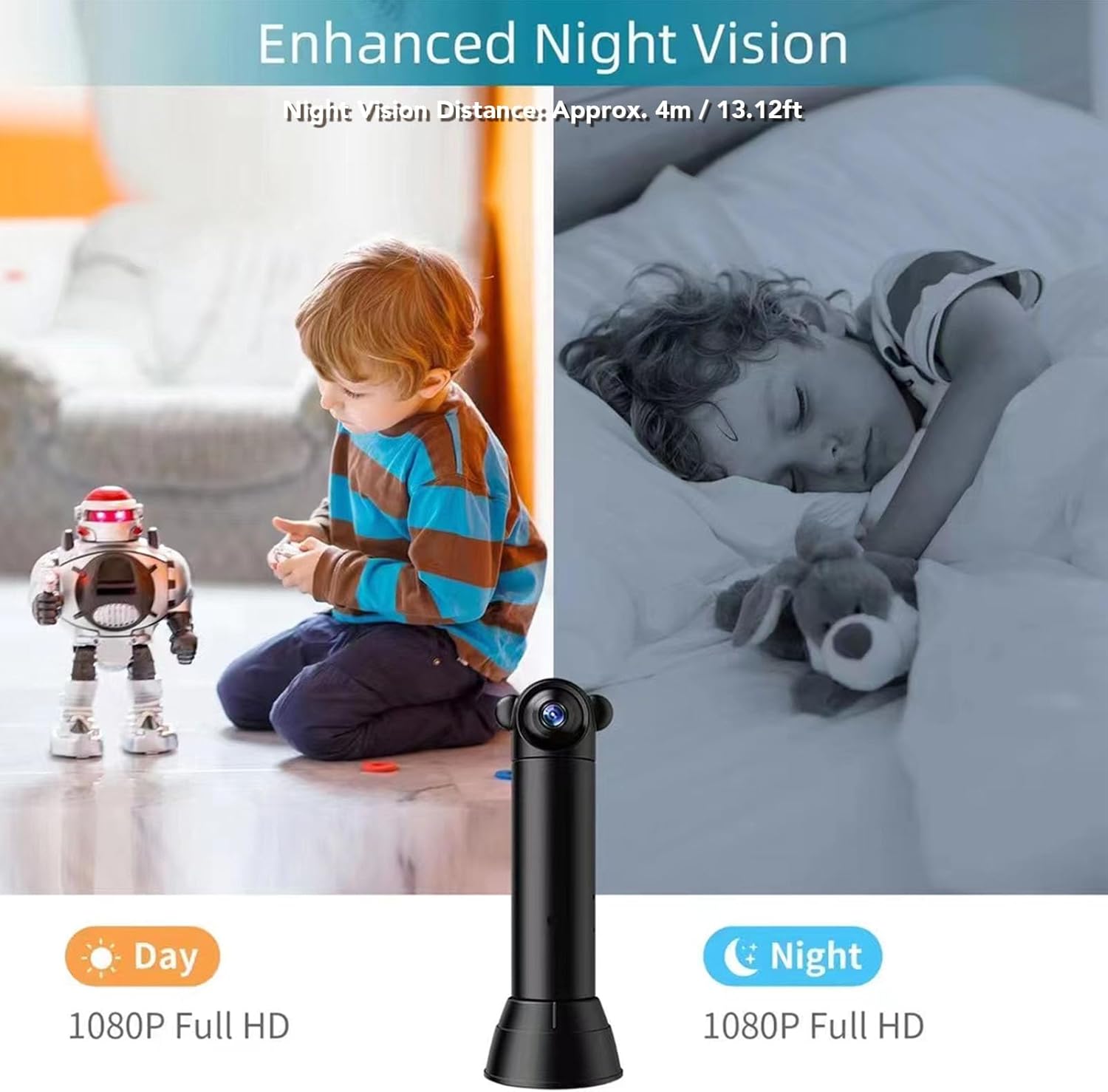
Image 4.2: Comparison of day and night vision capabilities.
4.3 Motion Detection and Alerts
Configure motion detection settings within the iWFCam app. When motion, human, pet, or sound is detected, the camera will send real-time push alerts to your smartphone.

Image 4.3: Motion detection triggering a real-time alert notification on a smartphone.
4.4 Two-Way Talk
Use the two-way talk feature in the app to communicate with individuals near the camera. The built-in microphone and speaker allow for clear audio transmission.
4.5 Storage Options
The camera supports two storage methods:
- Local Storage: Insert a Micro SD card (up to 32GB, not included) into the camera for local recording.
- Cloud Storage: Subscribe to the cloud storage service (encrypted by AWS) for secure, remote storage of your recordings.

Image 4.4: Illustrating local Micro SD card storage and cloud storage options.
5. Maintenance
To ensure optimal performance and longevity of your GOWENIC security camera, follow these maintenance guidelines:
- Cleaning: Gently wipe the camera lens and body with a soft, dry cloth. Avoid using harsh chemicals or abrasive materials.
- Firmware Updates: Regularly check the iWFCam app for available firmware updates to ensure your camera has the latest features and security enhancements.
- Environmental Conditions: While designed for indoor/outdoor use, avoid exposing the camera to extreme temperatures or direct, prolonged water immersion. Ensure proper ventilation if used in enclosed spaces.
- Power Supply: Use only the provided USB cable and a compatible power adapter to prevent damage.
6. Troubleshooting
If you encounter issues with your GOWENIC security camera, refer to the following common troubleshooting steps:
- Camera Not Connecting to Wi-Fi:
- Ensure your Wi-Fi network is 2.4GHz. The camera does not support 5GHz networks.
- Check that the camera is within range of your Wi-Fi router.
- Restart your router and the camera.
- Verify the Wi-Fi password entered in the iWFCam app is correct.
- No Video Feed:
- Confirm the camera is powered on and connected to Wi-Fi.
- Check your internet connection on your smartphone.
- Restart the iWFCam app.
- Motion Detection Not Working:
- Ensure motion detection is enabled in the iWFCam app settings.
- Adjust the motion sensitivity settings.
- Check for obstructions in the camera's field of view.
- Micro SD Card Not Recording:
- Ensure the Micro SD card is correctly inserted.
- Format the Micro SD card through the iWFCam app.
- Verify the card is not full or corrupted. Use a card up to 32GB.
If these steps do not resolve the issue, please contact GOWENIC customer support.
7. Specifications
| Feature | Detail |
|---|---|
| Model Number | GOWENICn295maet4d |
| Resolution | 1080P HD |
| Lens Angle | 100 Degrees |
| Lens Rotation | 180 Degrees |
| Night Vision Distance | Approx. 4m / 13.12ft |
| Connectivity | 2.4GHz Wi-Fi, Built-in AP Hotspot |
| App Compatibility | iWFCam (Android/iOS) |
| Storage | Micro SD Card (up to 32GB, not included), Cloud Storage (AWS encrypted) |
| Power Source | AC/DC |
| Recommended Use | Indoor/Outdoor |
| Color | Black |
| Material | ABS |
8. Warranty and Support
8.1 Warranty Information
GOWENIC products are typically covered by a limited warranty against defects in materials and workmanship. Please refer to the product packaging or the official GOWENIC website for specific warranty terms and duration. Keep your proof of purchase for warranty claims.
8.2 Customer Support
For technical assistance, troubleshooting not covered in this manual, or warranty inquiries, please contact GOWENIC customer support. Contact information can usually be found on the product packaging, the official GOWENIC website, or through your retailer.
When contacting support, please have your product model number (GOWENICn295maet4d) and purchase details ready.