
1. Product Overview
The DFROBOT Voice Prompt Module is an intelligent audio playback solution designed for various applications requiring clear voice prompts and sound effects. This compact module integrates an MP3 music playback chip and a speaker, offering a complete audio output system in a single unit. It is engineered for ease of use, supporting direct operation via power supply, battery, and physical buttons, or through serial communication commands for more complex control.

Figure 1.1: Front view of the Voice Prompt Module, highlighting the integrated speaker grill.
2. Key Features
- Integrated Design: Combines an intelligent MP3 music playback chip and a speaker into a single module, simplifying integration and reducing wiring complexity.
- Flexible Control: Supports direct operation with a power supply, battery, and buttons, or advanced control via serial commands (UART).
- Audio Format Support: Features seamless hardware decoding for MP3, WAV, and WMA audio formats, ensuring high-quality sound playback.
- Ample Storage: Equipped with 16MB of onboard memory, providing sufficient space for a wide range of audio files. Stored files remain secure even during power outages.
- User-Friendly: Designed for straightforward implementation, offering a reliable and efficient audio solution compared to multi-component setups.

Figure 2.1: Comparison illustrating the high integration of the Voice Prompt Module versus traditional separate MP3 module and speaker setups.
3. Applications
This module is suitable for a wide array of applications where automated voice prompts or audio playback are required:
- Car Navigation Systems: Enhances driving experience with clear navigation prompts.
- Public Transport Systems: Provides safety announcements at railway stations, bus stops, and within vehicles.
- Financial Business Halls: Assists customers with service guidance via voice prompts.
- Security and Inspection Systems: Used in security checks and toll stations for clear instructions and alerts.
- Public Safety and Alerts: Essential for public security, fire alarms, and equipment failure notifications.
- Tourist and Transport Vehicles: Ensures safety with driving notices and operational guides.
4. Setup Guide
Before operating the Voice Prompt Module, follow these steps for proper setup:
4.1. Components Overview

Figure 4.1: The Voice Prompt Module and its accompanying USB cable for file transfer.
4.2. Pinout and Dimensions
Familiarize yourself with the module's pinout for correct wiring and its dimensions for integration into your project.

Figure 4.2: Rear view of the module displaying the pinout for power, audio, and serial communication.

Figure 4.3: Detailed diagram showing the module's dimensions and pin assignments.
4.3. Power Connection
Connect the module to a stable 5V DC power supply. Ensure correct polarity when connecting to the 5V and GND pins. The module can also be powered by a compatible battery source.
4.4. Loading Audio Files
The module has 16MB of internal memory. To load MP3, WAV, or WMA audio files:
- Connect the module to a computer using the provided USB cable.
- The module should appear as a removable storage device.
- Drag and drop your audio files into the module's storage. Ensure file names are simple and follow any specific naming conventions if using serial control (e.g., 001.mp3, 002.mp3).
- Safely eject the module from your computer before disconnecting the USB cable.
4.5. Control Connection (Optional)
Depending on your application, you can connect physical buttons or a microcontroller for serial control:
- Button Control: Connect buttons to the designated control pins (e.g., P1) as per your project's requirements.
- Serial Control: Connect the module's TX and RX pins to your microcontroller's RX and TX pins, respectively, for UART communication.
5. Operating Instructions
Once set up, the Voice Prompt Module can be operated in various ways:
5.1. Direct Playback (Button Control)
If configured with physical buttons, pressing a button will trigger the playback of a pre-assigned audio file. Refer to your specific project's wiring and programming for button functionality.
5.2. Serial Command Control
For advanced control, send commands via UART from a microcontroller or computer. Common commands may include:
- Play Specific Track: Send a command to play a file by its index or name (e.g., play 001.mp3).
- Play Next/Previous: Commands to navigate through audio files.
- Volume Control: Adjust the playback volume.
- Pause/Resume: Control playback state.
- Stop: Halt current playback.
Refer to the DFROBOT official documentation or example code for detailed serial communication protocols and command sets specific to the DFR1173 module.
6. Maintenance
To ensure the longevity and optimal performance of your Voice Prompt Module, consider the following maintenance guidelines:
- Keep Dry: Protect the module from moisture and liquids, as these can damage electronic components.
- Avoid Extreme Temperatures: Operate and store the module within its specified temperature range to prevent component degradation.
- Handle with Care: Avoid dropping or subjecting the module to strong impacts.
- Clean Gently: If cleaning is necessary, use a soft, dry cloth. Do not use harsh chemicals or abrasive materials.
- Power Off When Not in Use: Disconnect power when the module is not in active use for extended periods.
7. Troubleshooting
If you encounter issues with your Voice Prompt Module, refer to the following common problems and solutions:
7.1. No Sound Output
- Check Power: Ensure the module is receiving stable 5V power and that connections are secure.
- Volume Level: Verify that the volume is not set to minimum or muted, especially if controlled via serial commands.
- Audio Files: Confirm that audio files are correctly loaded onto the module and are in a supported format (MP3, WAV, WMA). Try playing a different file.
- Speaker Grill: Ensure the speaker grill is not obstructed.
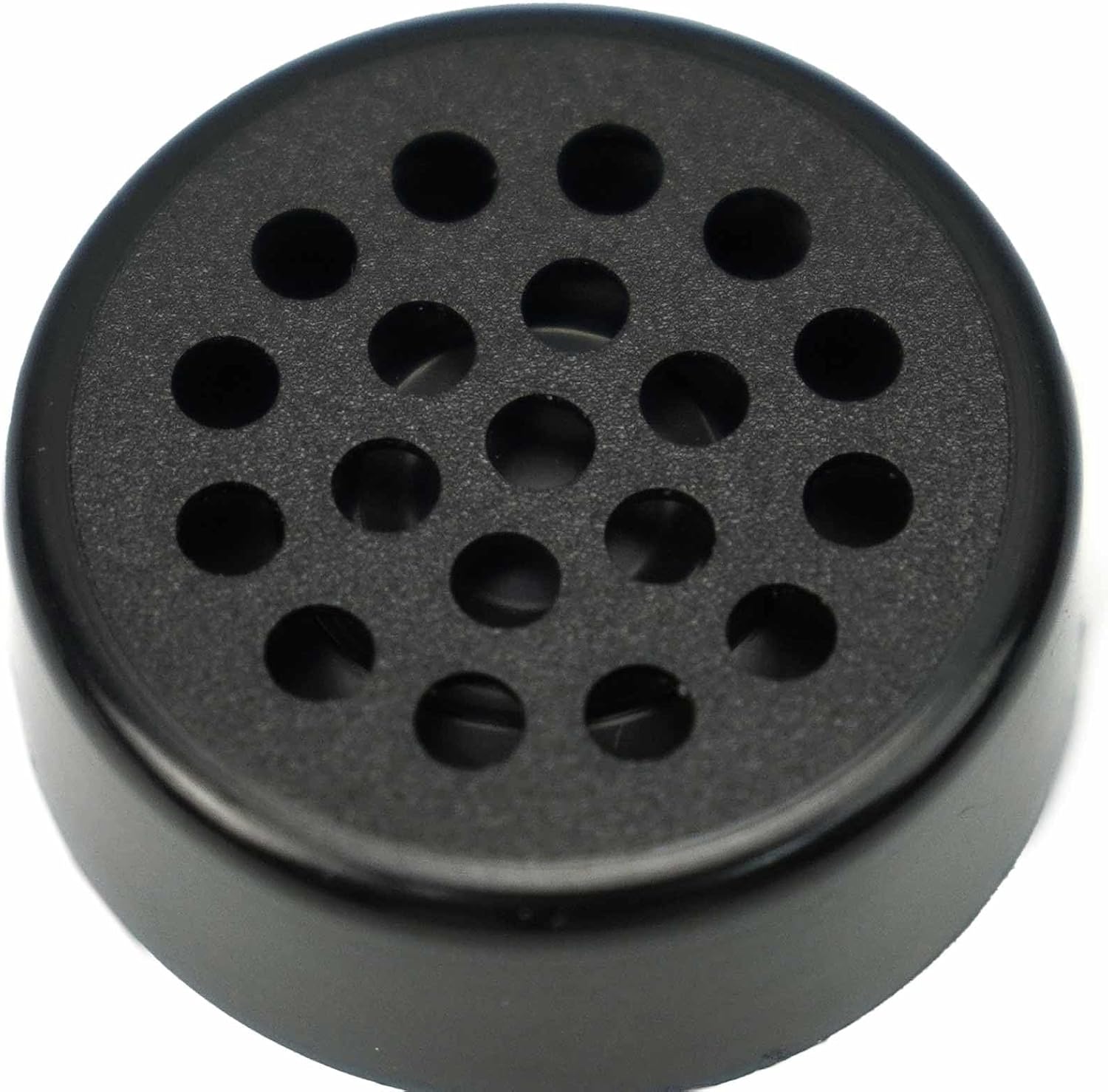
Figure 7.1: Close-up of the module's speaker grill, which should remain unobstructed for clear audio output.
7.2. Module Not Recognized by Computer
- USB Cable: Try a different USB cable.
- USB Port: Connect to a different USB port on your computer.
- Reboot: Restart your computer and try again.
7.3. Serial Control Issues
- Wiring: Double-check TX/RX connections between the module and your microcontroller.
- Baud Rate: Ensure the baud rate configured in your code matches the module's default or configured baud rate.
- Command Syntax: Verify that the serial commands sent are correct according to the module's protocol.
8. Specifications
| Specification | Value |
|---|---|
| Product Dimensions | 1.18 x 1.18 x 0.43 inches (30mm D x 11mm H) |
| Item Weight | 1.13 ounces (0.03 Kilograms) |
| Model Number | DFR1173 |
| Memory Storage Capacity | 16 MB |
| Compatible Devices | MP3, WAV, WMA |
| Microphone Form Factor | Built-In |
| Headphones Jack | NO |
| Manufacturer | DFROBOT |
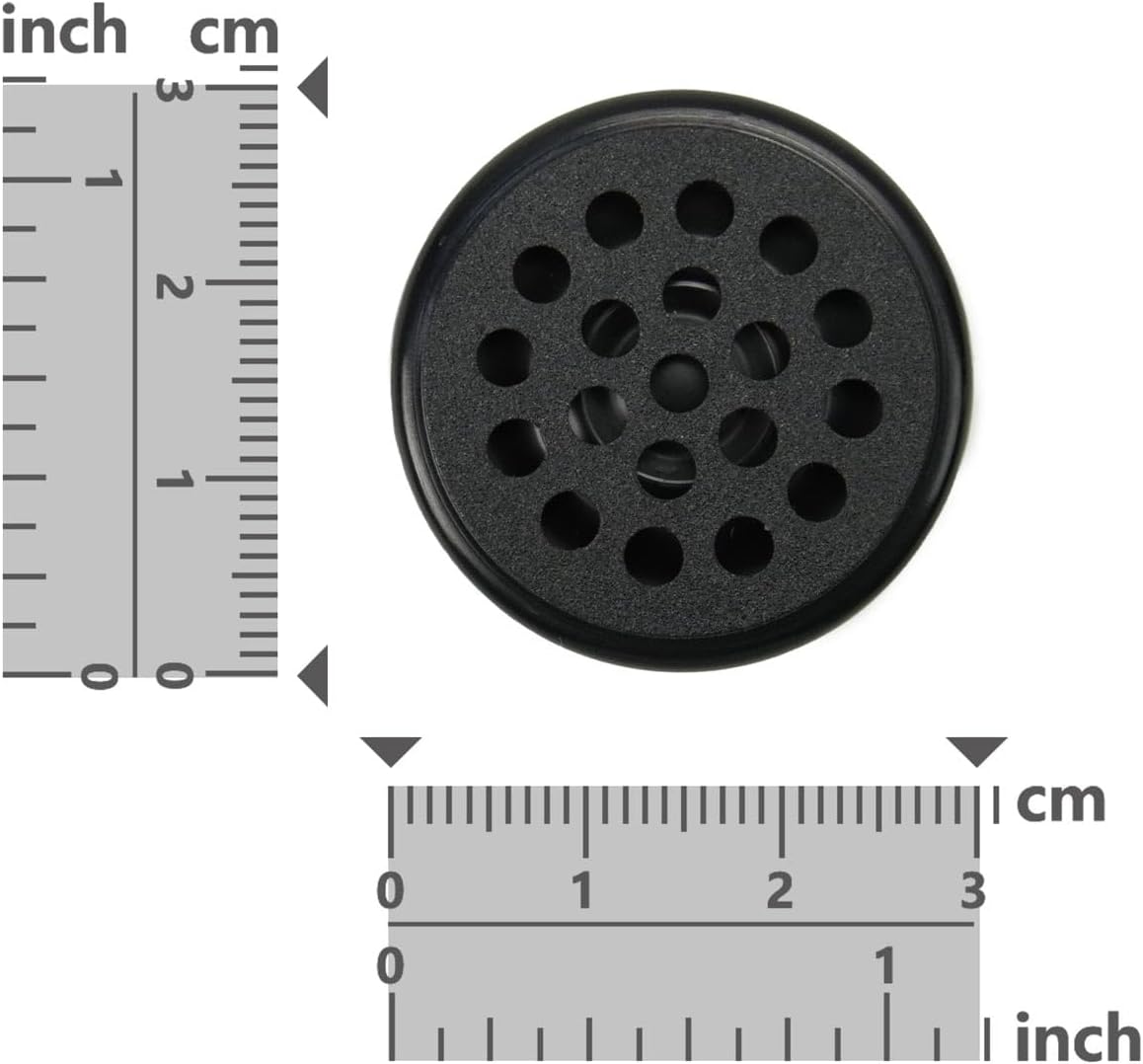
Figure 8.1: Module dimensions illustrated with a ruler for scale.
9. Warranty and Support
Information regarding product warranty and customer support for the DFROBOT Voice Prompt Module (Model DFR1173) was not available in the provided data. For specific warranty terms, technical support, or further inquiries, please refer to the official DFROBOT website or contact their customer service directly.