
1. Introduction
This manual provides essential information for the safe and effective use of your NASTIMA S330 rechargeable lithium-ion battery. Please read these instructions carefully before installation and operation to ensure optimal performance and longevity of the battery.
2. Compatibility
The NASTIMA S330 rechargeable battery is designed for full compatibility with the following eufy devices:
- eufy S330 Video Smart Lock 3-in-1
- eufy S230 Video Smart Lock 3-in-1
- eufy S220 Video Smart Lock
- eufy E330 Video Smart Lock 3-in-1
- eufy Smart Drop devices

Figure 2.1: Compatible eufy Smart Lock and Smart Drop models with the NASTIMA S330 battery.
3. What's in the Box
Your NASTIMA S330 rechargeable battery package includes:
- 1 x NASTIMA S330 10500mAh Li-ion Battery
- 1 x USB Charging Cable (30cm)

Figure 3.1: Contents of the NASTIMA S330 battery package.
4. Specifications
| Parameter | Value |
|---|---|
| Model Number | EF37-LI1050-NA |
| Battery Type | Lithium-ion |
| Voltage | 3.7V |
| Capacity | 10500mAh |
| Energy | 38.85Wh |
| Dimensions (L x W x H) | 77.5 x 59 x 21 mm (2.97 x 2.32 x 0.83 inches) |
| Weight | 170g (0.37 lbs) |
| Charging Input | 5V 2A MAX (via USB cable) |

Figure 4.1: Detailed battery parameters.
5. Safety Features
The NASTIMA S330 battery is equipped with multiple protection mechanisms to ensure safe operation and extend battery life:
- Over-Charge Protection: Prevents the battery from being charged beyond its safe voltage limit.
- Over-Discharge Protection: Stops the battery from discharging below a critical voltage, protecting its integrity.
- Short-Circuit Protection: Automatically cuts off power in case of a short circuit to prevent damage.
- Over-Temperature Protection: Monitors battery temperature and prevents operation if it exceeds safe limits.

Figure 5.1: Built-in safety protections of the NASTIMA S330 battery.
6. Installation and Setup
The NASTIMA S330 battery is designed for direct replacement of the original battery in compatible eufy devices. No special tools are required for installation.
- Power Off Device: Ensure your eufy Smart Lock or Smart Drop device is powered off before attempting battery replacement.
- Remove Old Battery: Carefully open the battery compartment of your eufy device and remove the existing battery. Refer to your eufy device's manual for specific instructions on accessing the battery compartment.
- Insert New Battery: Align the NASTIMA S330 battery with the battery compartment and gently insert it. Ensure it is seated firmly and correctly connected.
- Close Compartment: Securely close the battery compartment.
- Power On Device: Power on your eufy device. It should now operate with the new NASTIMA battery.
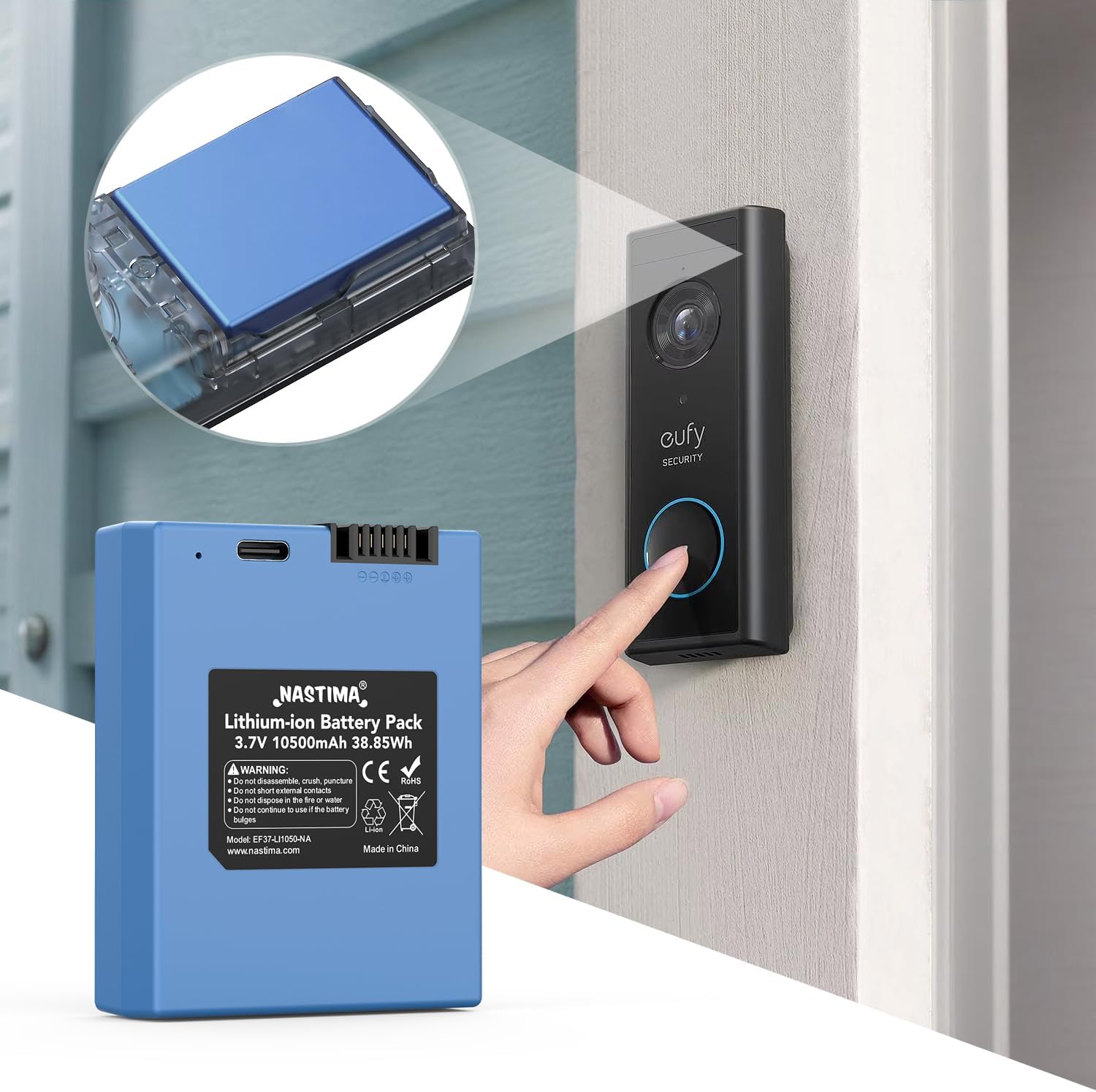
Figure 6.1: Illustrative image of battery insertion into a compatible eufy device.
7. Charging Instructions
To charge your NASTIMA S330 battery, use the provided USB charging cable and a compatible 5V 2A MAX USB power adapter (not included).
- Connect Cable: Plug the smaller end of the USB charging cable into the charging port on the NASTIMA battery.
- Connect to Power: Plug the larger end of the USB charging cable into a 5V 2A MAX USB power adapter, then plug the adapter into a wall outlet.
- Monitor Indicator: Observe the LED indicator on the battery:
- Flashing Green: Indicates the battery is currently charging.
- Solid Green: Indicates the battery is fully charged.
- Disconnect: Once the LED shows a solid green light, the battery is fully charged. Disconnect the charging cable from the battery and the power source.
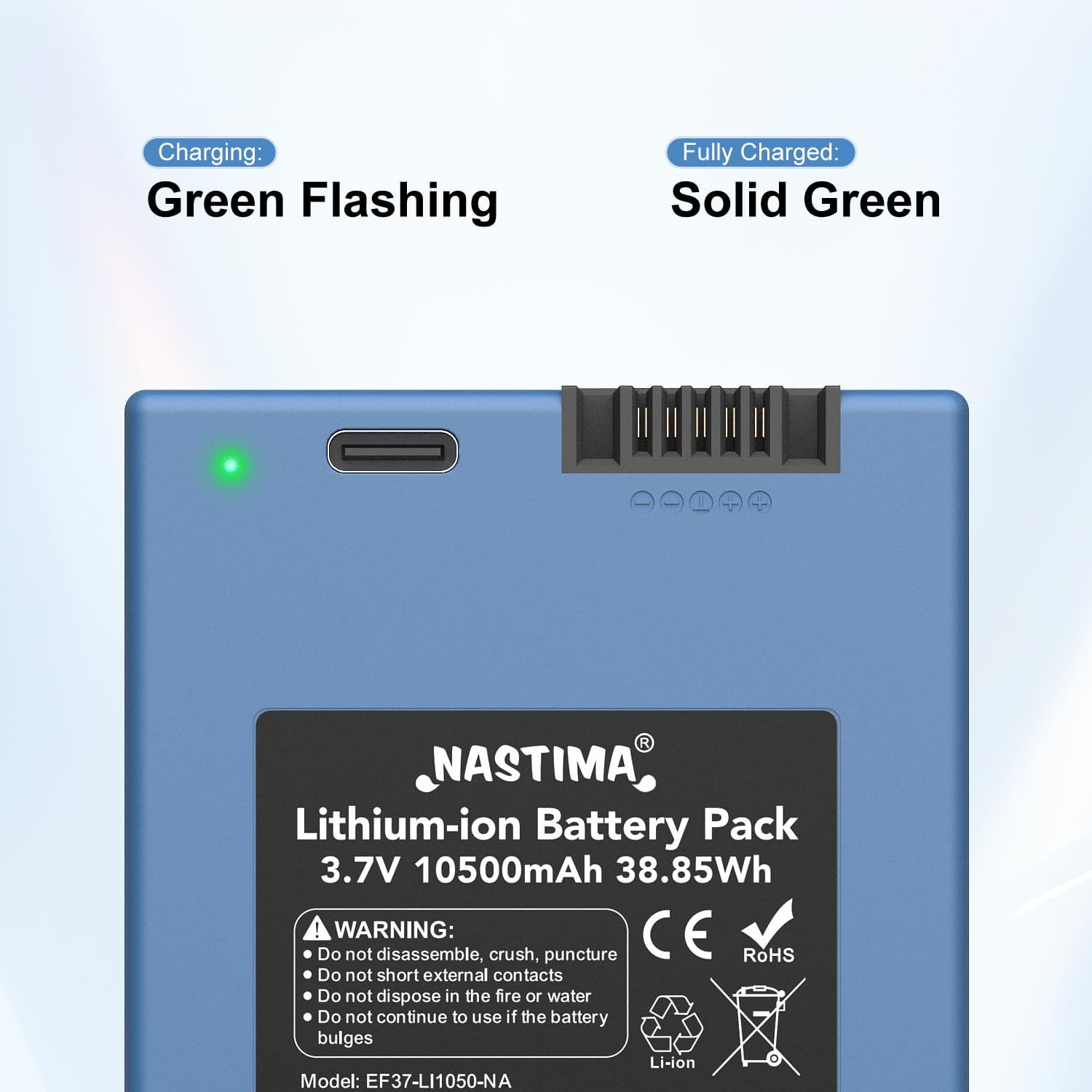
Figure 7.1: Battery charging indicator status.
8. Maintenance
Proper maintenance ensures the longevity and performance of your NASTIMA S330 battery:
- Storage: Store the battery in a cool, dry place away from direct sunlight and extreme temperatures. For long-term storage, it is recommended to charge the battery to approximately 50-60% capacity.
- Cleaning: Use a dry, soft cloth to clean the battery. Avoid using liquids or abrasive cleaners.
- Disposal: Do not dispose of the battery in household waste. Follow local regulations for proper disposal of lithium-ion batteries.
- Avoid Damage: Do not disassemble, crush, puncture, or short-circuit the battery. Keep it away from fire or water. Discontinue use if the battery bulges or shows signs of damage.
9. Troubleshooting
If you encounter issues with your NASTIMA S330 battery, consider the following:
- Battery Not Charging:
- Ensure the USB cable is securely connected to both the battery and the power adapter.
- Verify that the power adapter is functioning correctly and providing 5V 2A MAX output.
- Try a different USB cable or power adapter.
- Device Not Powering On:
- Confirm the battery is fully charged (solid green LED).
- Ensure the battery is correctly inserted into the device's battery compartment.
- Check the device's battery contacts for any obstructions or corrosion.
- Short Battery Life:
- Ensure the battery is fully charged before use.
- Operating conditions (e.g., extreme cold) can affect battery performance.
- If the issue persists after several charge cycles, contact customer support.
10. Warranty and Support
NASTIMA offers a 1-year after-sales service for this product. We are committed to your satisfaction.
- Satisfaction Guarantee: If you are not 100% satisfied, you may be eligible for a refund within 35 days of purchase.
- Customer Support: For any problems or inquiries, please contact us through Amazon. Our support team is available 24 hours to assist you.
Please retain your proof of purchase for warranty claims.