
1. Introduction
Thank you for choosing the QANYEGN ST8904 4-in-1 Gas Detector. This device is designed for accurate and reliable detection of four common gases: Hydrogen Sulfide (H2S), Oxygen (O2), Carbon Monoxide (CO), and Combustible Gas (LEL). It features a high-sensitivity sensor, multiple alarm modes, a clear backlit display, and a rechargeable battery, making it suitable for various industrial and professional applications.
This manual provides essential information for the safe and effective use of your gas detector. Please read it thoroughly before operation and retain it for future reference.
2. Safety Information
WARNING: Failure to follow these safety instructions may result in serious injury or death.
- Always operate the device in accordance with this instruction manual.
- The gas detector is a safety device. Do not tamper with its internal components.
- Ensure the device is regularly calibrated and maintained to guarantee accurate readings. Refer to the maintenance section for guidance.
- Do not expose the device to extreme temperatures, humidity, or corrosive environments.
- Before use in hazardous environments, verify the device is fully charged and functioning correctly.
- This device is intended to assist in gas detection and should not replace proper safety protocols and personal protective equipment.
- If the device indicates a dangerous gas level, evacuate the area immediately and follow your organization's safety procedures.
3. Package Contents
Upon unpacking, please verify that all items listed below are present and in good condition:
- 1 x QANYEGN ST8904 4-in-1 Gas Monitor
- 4 x Accessories (e.g., protective cover, calibration cap, etc.)
- 1 x USB Charging Cable
- 1 x User Manual (this document)
- 1 x Storage Bag

Image 3.1: The QANYEGN ST8904 4-in-1 Gas Detector shown with its protective storage bag, USB charging cable, and other accessories.
4. Device Overview
4.1 Components and Controls
Familiarize yourself with the various parts of your ST8904 Gas Detector:

Image 4.1: Front view of the ST8904 Gas Detector with key components labeled.
- LCD Display Screen: Shows gas concentrations, battery status, and other operational information.
- Light Alarm: Visual indicator for gas alarms.
- Audible Alarm: Sound emitter for gas alarms.
- Selection Keys (Up/Down): Used for navigating menus and adjusting settings.
- Confirm Key: Used to confirm selections or enter menus.
- Power Button: Turns the device on/off.
- Charging Interface: USB port for recharging the internal battery.
- Air Pump Connection Port: For connecting an external air pump (if applicable for specific models/accessories).
- Sensor Window: Area where gas sensors are located. Keep clear of obstructions.
4.2 Display Information
The backlit LCD provides real-time data:
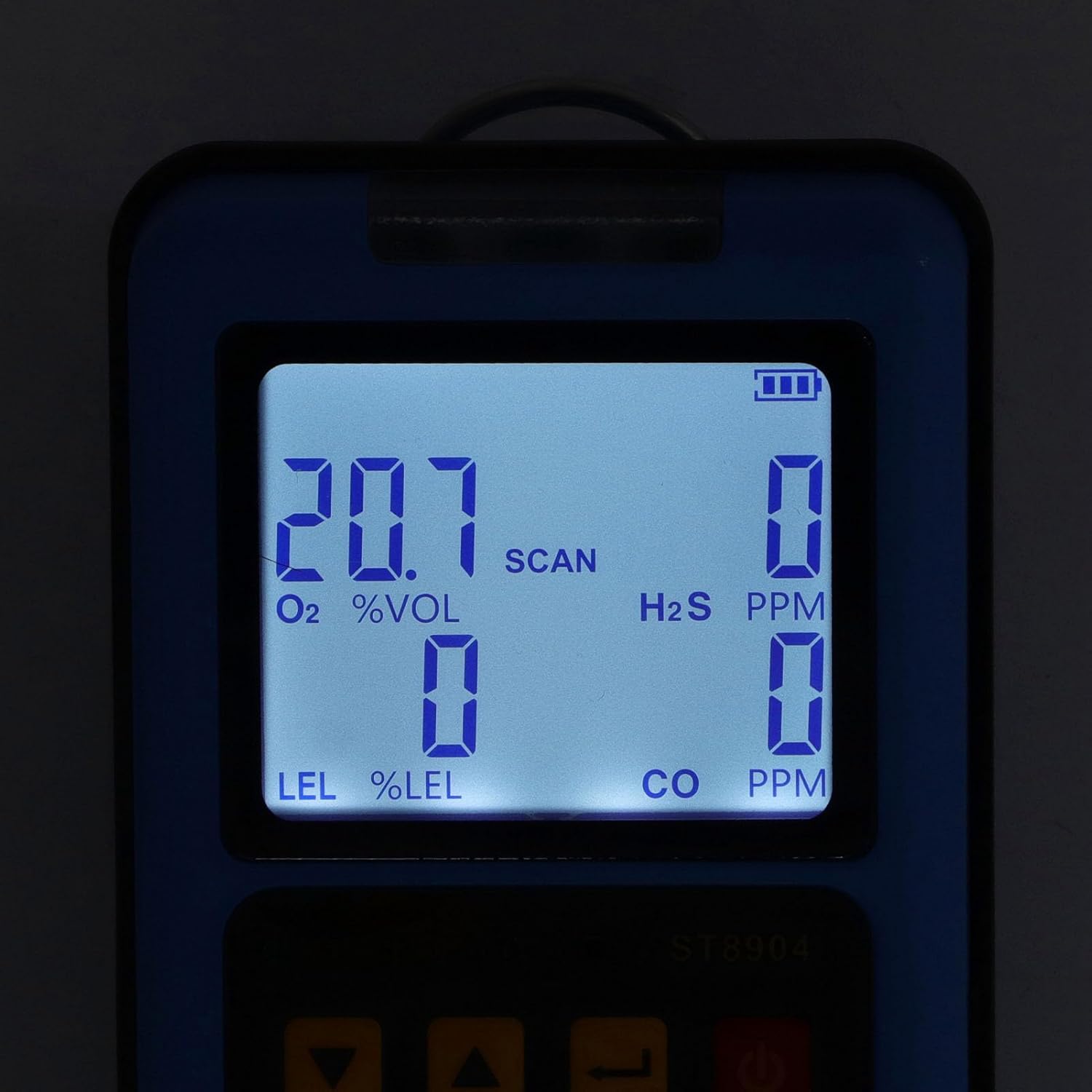
Image 4.2: The ST8904's backlit display showing gas concentration readings for O2, H2S, LEL, and CO.
- O2 %VOL: Oxygen concentration in percentage by volume.
- H2S PPM: Hydrogen Sulfide concentration in parts per million.
- LEL %LEL: Combustible gas concentration as a percentage of the Lower Explosive Limit.
- CO PPM: Carbon Monoxide concentration in parts per million.
- Battery Indicator: Shows current battery charge level.
- SCAN: Indicates scanning mode.
5. Setup
5.1 Initial Charging
Before first use, fully charge the device. Connect the provided USB cable to the charging interface on the detector and plug the other end into a compatible USB power source (e.g., computer, power bank, USB wall adapter). The battery indicator on the display will show charging status.
5.2 Powering On/Off
- To Power On: Press and hold the Power Button for approximately 3 seconds until the display illuminates and the device performs a self-test.
- To Power Off: Press and hold the Power Button for approximately 3 seconds. The device will prompt for confirmation before shutting down.
6. Operation
6.1 Gas Detection
Once powered on, the ST8904 will automatically begin detecting gases. The real-time concentrations for H2S, O2, CO, and LEL will be displayed on the LCD screen. Ensure the sensor window is unobstructed for accurate readings.

Image 6.1: The ST8904 Gas Detector being used in an environment where gas monitoring is critical.
6.2 Alarm Modes
The device is equipped with three distinct alarm modes to alert users to dangerous gas levels:

Image 6.2: Visual representation of the triple alarm system: vibration, audible beep, and flashing light.
- Audible Alarm: A loud beeping sound.
- Visual Alarm: The light alarm will flash brightly.
- Vibration Alarm: The device will vibrate.
These alarms activate simultaneously when detected gas concentrations exceed the preset high or low alarm thresholds. Users can typically adjust these thresholds through the device's menu settings using the Selection and Confirm keys. Refer to the on-screen menu for specific navigation.
6.3 Belt Clip Usage
The integrated belt clip allows for convenient and secure carrying of the device during use.
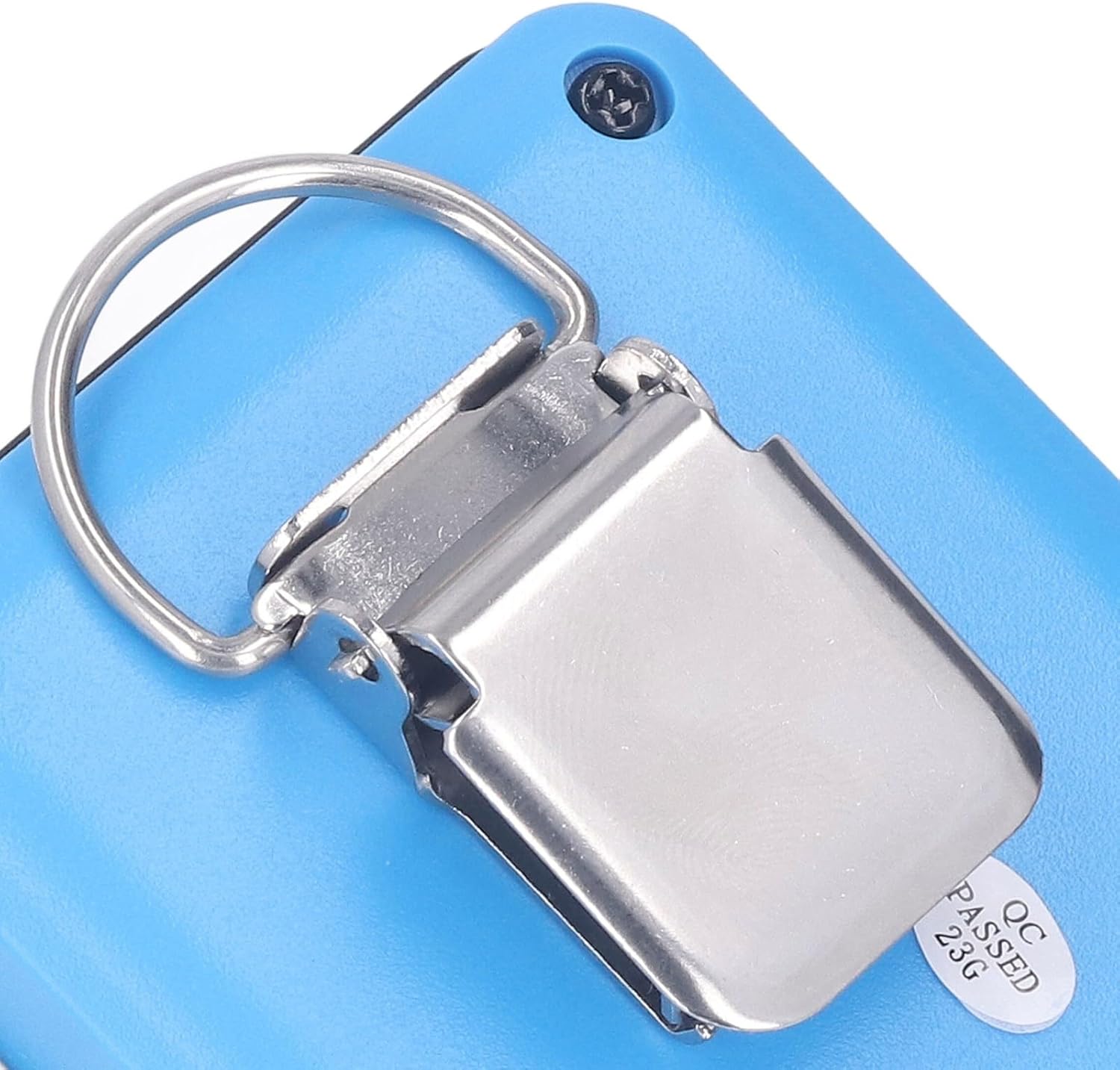
Image 6.3: The durable metal clip on the rear of the ST8904 for attaching to clothing or equipment.
7. Maintenance
7.1 Cleaning
Regularly clean the exterior of the device with a soft, damp cloth. Do not use abrasive cleaners, solvents, or immerse the device in water. Ensure the sensor window remains clear of dust and debris.
7.2 Battery Care
- Recharge the device when the battery indicator shows low power.
- Avoid completely draining the battery frequently to prolong its lifespan.
- If storing the device for an extended period, charge it to approximately 50% and recharge every few months.
7.3 Sensor Calibration
Gas detectors require periodic calibration to maintain accuracy. The frequency of calibration depends on usage, environmental conditions, and regulatory requirements. Consult with a qualified technician or refer to specific calibration instructions provided by QANYEGN for your model. Do not attempt to calibrate the sensors without proper equipment and training.
8. Troubleshooting
If you encounter issues with your ST8904 Gas Detector, refer to the following common problems and solutions:
| Problem | Possible Cause | Solution |
|---|---|---|
| Device does not power on. | Low or depleted battery. | Charge the device using the USB cable. |
| Inaccurate or fluctuating readings. | Sensor window obstructed; device needs calibration; sensor damage. | Clean sensor window; perform calibration; contact support if issue persists. |
| Alarm not activating at expected levels. | Alarm thresholds set incorrectly; alarm components faulty. | Check and adjust alarm settings; contact support. |
| Display is dim or unreadable. | Low battery; display settings. | Charge the device; adjust display brightness in settings if available. |
If the problem persists after attempting these solutions, please contact QANYEGN customer support for further assistance.
9. Specifications
The following are the technical specifications for the QANYEGN ST8904 4-in-1 Gas Detector:
| Parameter | Value |
|---|---|
| Model | ST8904 |
| Material | ABS |
| Battery | Lithium battery 3.7V 1800mAh (built-in) |
| CO Detection Range | 0-999 ppm |
| H2S Detection Range | 0-500 ppm |
| O2 Detection Range | 0.0-30.0% VOL |
| LEL Detection Range | 0-100% LEL |
| Alarm Modes | Sound, Light, Vibration |
| Display | Backlit LCD |
| Item Weight | 15.1 ounces (approx. 428g) |
| Package Dimensions | 9.45 x 3.94 x 2.76 inches (approx. 24 x 10 x 7 cm) |
| Device Dimensions (approx.) | 138mm x 70.9mm x 48mm (5.43 x 2.79 x 1.89 inches) |

Image 9.1: Detailed dimensions of the ST8904 Gas Detector.
10. Warranty & Support
10.1 Warranty Information
QANYEGN products are manufactured to high-quality standards. This product comes with a standard manufacturer's warranty against defects in materials and workmanship. Please retain your proof of purchase for warranty claims. Specific warranty terms and duration may vary by region and retailer. For detailed warranty information, please refer to the documentation included with your purchase or contact QANYEGN customer support.
10.2 Customer Support
For technical assistance, troubleshooting beyond this manual, or warranty inquiries, please contact QANYEGN customer support. Contact details can typically be found on the product packaging, the official QANYEGN website, or through your point of purchase.


