
1. Product Overview
This document provides instructions for the PZL Replacement Remote Control, designed to operate various vibration plate exercise machines. This remote control is a direct replacement and requires no programming for compatible models.
Compatible Models:
- MERACH Vibration Plate Exercise Machine MR-2398
- MERACH Vibration Plate Exercise Machine MR-2398P
- YESOUL YS-VM60 Vibration Plate
- ZENACTIVE Vibration Plate

Figure 1: The PZL Replacement Remote Control. This image displays the front view of the white remote control, highlighting its ergonomic design and button layout.

Figure 2: The remote control shown alongside a compatible vibration plate exercise machine. This illustrates the product's intended use and compatibility with various vibration plate models.
2. Setup and Installation
The PZL Replacement Remote Control is designed for immediate use without complex setup procedures. Batteries are not included and must be installed prior to first use.
2.1 Battery Installation
- Locate the battery compartment on the back of the remote control.
- Slide open the battery compartment cover.
- Insert two AAA batteries (not supplied), ensuring correct polarity (+/-) as indicated inside the compartment.
- Close the battery compartment cover securely.
2.2 Initial Use
Once batteries are installed, the remote control is ready for use. No programming or pairing is required. Simply point the remote control towards your compatible vibration plate exercise machine.

Figure 3: A user demonstrating direct operation of the remote control with a vibration plate. The image highlights the 'No Programming' and 'Easy To Use' features, showing the remote sending a signal to the machine.
3. Operating Instructions
The remote control features an intuitive button layout for easy operation of your vibration plate.

Figure 4: Diagram illustrating the sensitive buttons and durable ABS material of the remote control. It emphasizes the comfortable grip and quality assurance.
3.1 Button Functions
- Power Button (⏻): Turns the vibration plate ON or OFF.
- Mode/Program Button (A): Cycles through different exercise modes or programs available on your vibration plate.
- Increase Button (+): Increases the intensity, speed, or time setting of the vibration plate.
- Decrease Button (-): Decreases the intensity, speed, or time setting of the vibration plate.
For optimal performance, ensure a clear line of sight between the remote control and the vibration plate's infrared receiver. The remote offers a control distance of over 26 feet and a multi-angle control of more than 120 degrees.

Figure 5: Visual representation of the remote control's operational range, indicating a 26-foot long-range control and 120-degree multi-angle control for flexible use.
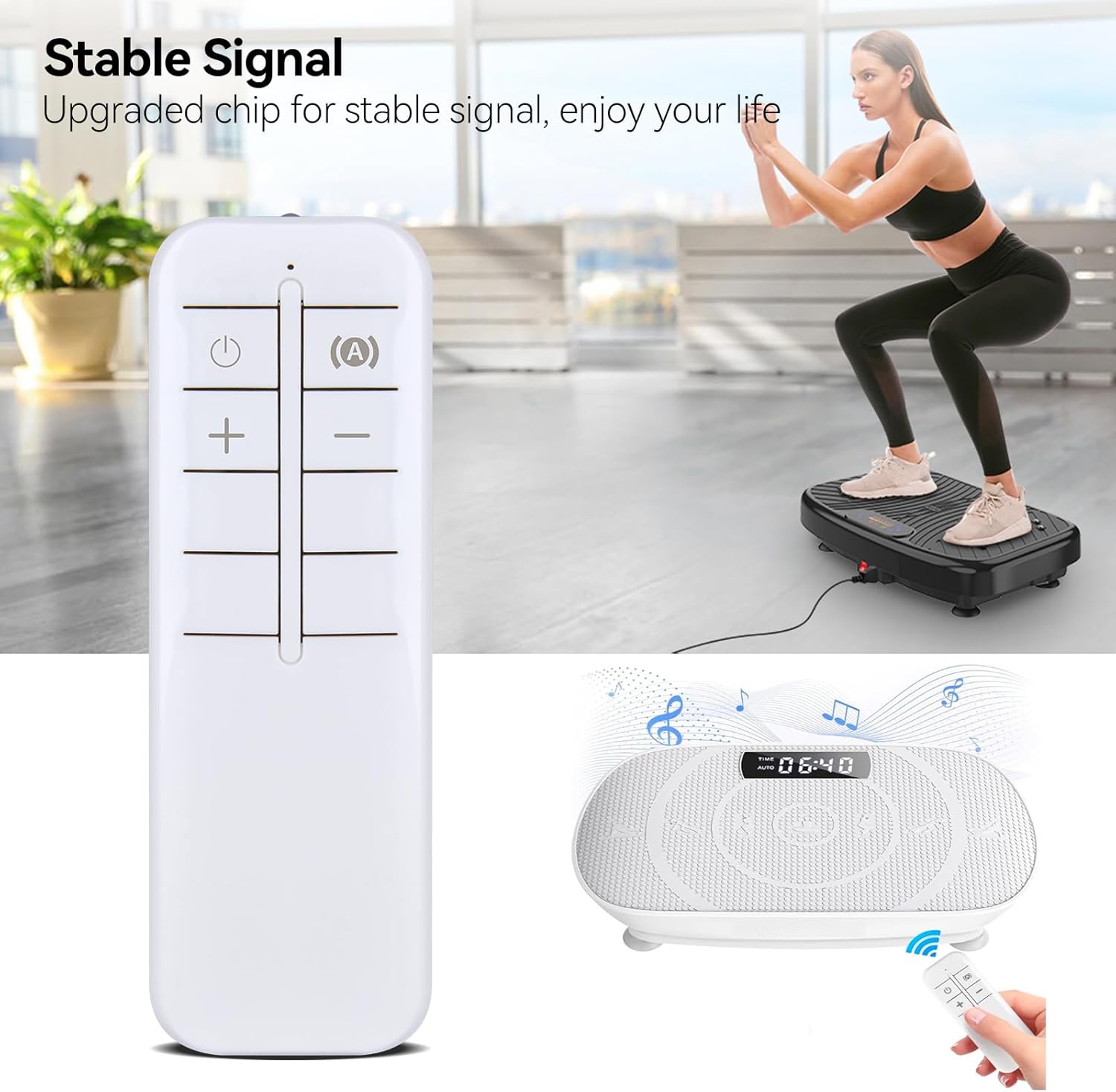
Figure 6: An illustration of the remote control providing a stable signal to the vibration plate during an exercise session. This highlights the upgraded chip for reliable performance.
4. Maintenance
Proper care and maintenance will ensure the longevity and reliable operation of your remote control.
- Cleaning: Wipe the remote control with a soft, dry cloth. Do not use liquid cleaners or abrasive materials.
- Battery Replacement: Replace batteries when the remote's response becomes sluggish or it ceases to function. Always replace both batteries simultaneously with new ones of the same type.
- Storage: Store the remote control in a cool, dry place away from direct sunlight and extreme temperatures. If storing for an extended period, remove the batteries to prevent leakage.
5. Troubleshooting
If you encounter issues with your remote control, refer to the following common problems and solutions:
| Problem | Possible Cause | Solution |
|---|---|---|
| Remote control not responding. | Dead or incorrectly installed batteries. | Check battery polarity. Replace batteries with new ones. |
| Short operating range or intermittent response. | Obstruction between remote and vibration plate; low battery power. | Ensure a clear line of sight. Replace batteries. |
| Remote control buttons are unresponsive. | Internal malfunction or dirt under buttons. | Clean the remote exterior. If problem persists, contact customer support. |
6. Specifications
| Feature | Detail |
|---|---|
| Brand | PZL |
| Model Number (ASIN) | B0DQPGYP4S |
| Compatible Devices | Vibration Plate (MERACH MR-2398, MR-2398P, YESOUL YS-VM60, ZENACTIVE) |
| Special Feature | No Programming Required |
| Color | White |
| Max Number of Supported Devices | 1 |
| Package Dimensions | 4.69 x 1.46 x 0.55 inches |
| Item Weight | 0.634 ounces |
| Manufacturer | PZL |
7. Warranty and Support
PZL is committed to providing high-quality products and professional after-sales service. While specific warranty details are not provided in this manual, we offer dedicated support for our products.
If you have any questions regarding your order, product compatibility, or require assistance with your PZL Replacement Remote Control, please contact our customer service team directly. We aim to respond to all inquiries within 12 hours on weekdays.
For further assistance, please refer to the contact information provided with your purchase or visit the official PZL store on Amazon: PZL Store


