
1. Introduction
This manual provides essential information for the safe and efficient operation, maintenance, and troubleshooting of your highsam Cordless Pressure Washer JH-003. Please read this manual thoroughly before first use and keep it for future reference.
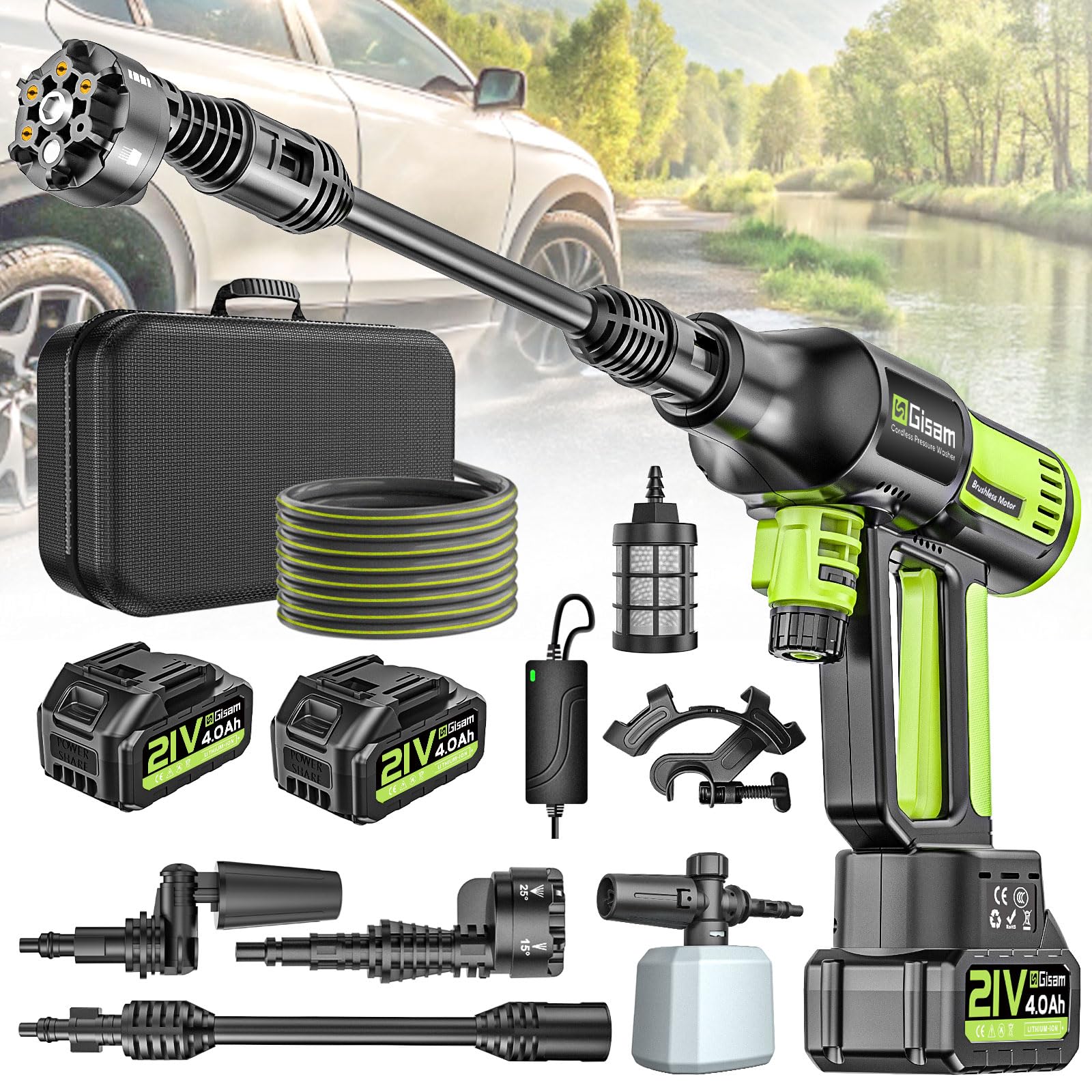
Image: The highsam Cordless Pressure Washer JH-003, showcasing its compact design and included accessories.
2. Safety Information
Important Safety Instructions:
- Always wear appropriate personal protective equipment, such as safety glasses, during operation.
- Ensure the trigger is released and the unit is off before performing any adjustments, maintenance, or changing accessories.
- Do not direct the water jet at people, animals, electrical equipment, or the unit itself.
- Keep children and pets away from the operating area.
- Do not use seawater with the pressure washer, as it can corrode internal components.
- Only use the provided charger and batteries.
- Store the unit in a dry, secure place when not in use.
3. Package Contents
Verify that all items listed below are included in your package:
- 1 x highsam Cordless Pressure Washer Unit
- 1 x 6-in-1 Nozzle
- 1 x 180° Rotating Nozzle
- 1 x Foam Sprayer
- 1 x Extension Rod
- 1 x Hose Connector
- 1 x Water Filter
- 1 x 5-meter Water Hose
- 1 x Hose Clamp
- 2 x 4.0 Ah Lithium-ion Batteries
- 1 x Battery Charger (European plug)
- 1 x User Manual
- 1 x Carry Bag
4. Product Overview
The highsam Cordless Pressure Washer features a powerful brushless motor and multiple pressure settings for versatile cleaning tasks.
4.1 Brushless Motor Technology
Equipped with an upgraded brushless motor, this pressure washer offers enhanced safety, stability, and efficiency compared to traditional motors. It delivers up to 120 bar pressure and a flow rate of 600 liters per hour.

Image: Internal view highlighting the brushless motor for powerful and stable operation.
4.2 Battery System
The unit operates on two 4000mAh Lithium-ion batteries, providing 30-40 minutes of working time on a full charge. Charging takes approximately 2-3 hours. The integrated display shows the battery level.

Image: Visual representation of the two 4000mAh rechargeable batteries and their charging/working times.
5. Setup
5.1 Battery Charging and Installation
- Connect the charger to a power outlet and then to the battery.
- Allow 2-3 hours for a full charge. The charger indicator will show charging status.
- Once charged, slide the batteries into the designated slots on the pressure washer handle until they click into place.
5.2 Water Hose and Filter Connection
- Attach the water filter to one end of the 5-meter hose.
- Connect the other end of the hose to the hose connector on the pressure washer unit. Ensure a secure fit.
- Place the filtered end of the hose into your water source (e.g., bucket, pool, river). Ensure the water source is within 1.5 meters height difference from the unit for optimal suction.
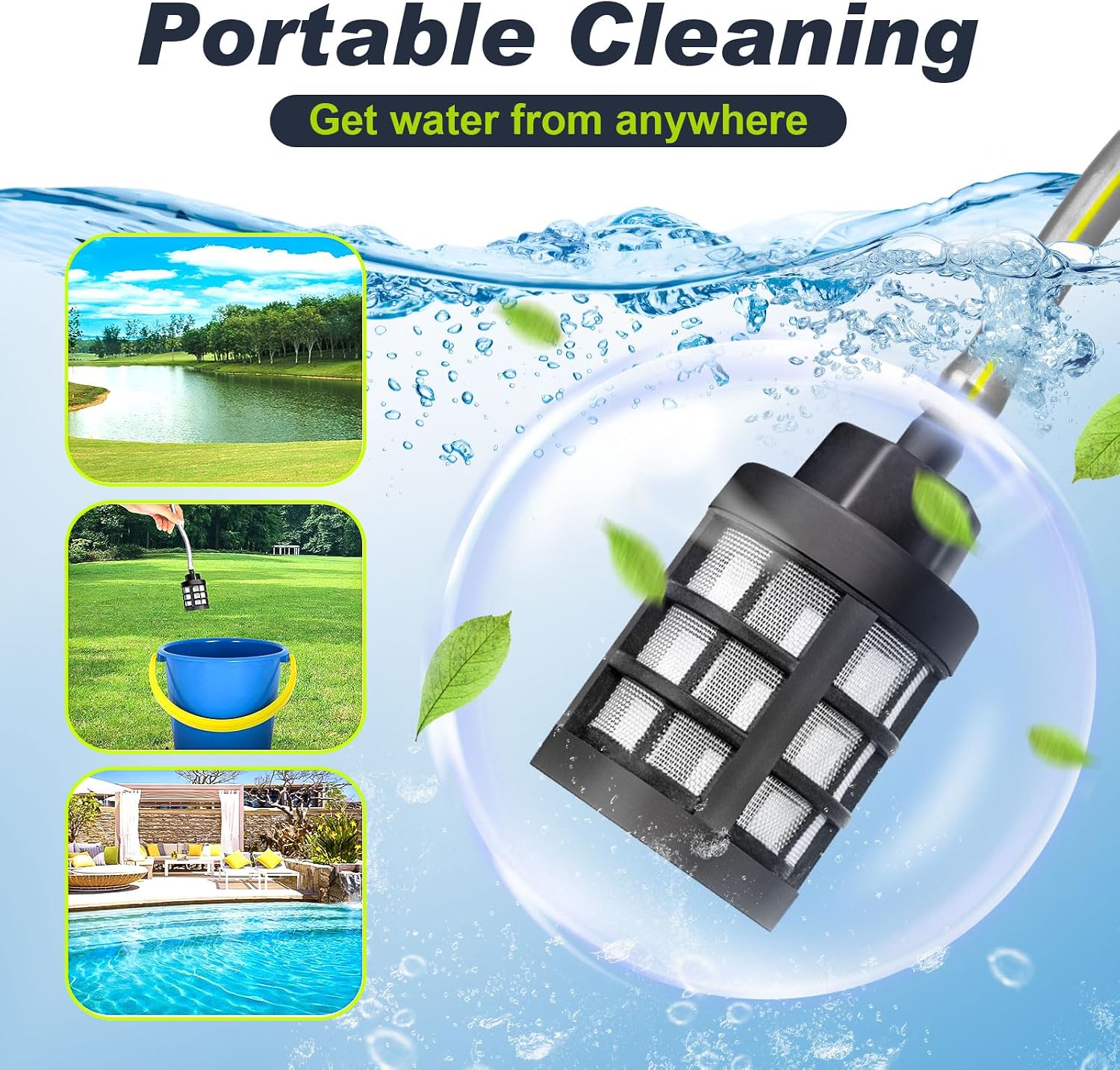
Image: Illustration of the portable cleaning setup, demonstrating how to draw water from a lake, bucket, or pool using the filter and hose.
5.3 Nozzle Installation
The pressure washer comes with two types of nozzles: a 6-in-1 multi-function nozzle and a 180° rotating nozzle.
5.3.1 6-in-1 Nozzle Installation
- Align the card slot on the nozzle with the extension rod.
- Rotate to fix the nozzle securely.
- Connect the extension rod assembly to the main pressure washer unit by aligning and tightening the bayonet fitting.

Image: The 6-in-1 nozzle, illustrating its various spray patterns for different cleaning needs.
5.3.2 180° Rotating Nozzle Installation
- Align the card slot on the rotating nozzle with the extension rod.
- Rotate to fix the nozzle securely.
- Connect the extension rod assembly to the main pressure washer unit by aligning and tightening the bayonet fitting.
Note: Always turn off the pressure washer before adjusting or changing nozzles.

Image: The 180° rotating nozzle, demonstrating its flexibility for cleaning hard-to-reach areas like car corners and high surfaces.

Image: Step-by-step visual guide for installing both the 6-in-1 nozzle and the 180° rotating head onto the pressure washer.
6. Operating Instructions
6.1 Powering On and Pressure Selection
- Ensure batteries are installed and the water hose is connected to a water source.
- Press the power button on the unit to activate the display.
- Pull the trigger to start the water flow.
- While the unit is running, touch the display to cycle through the 4 pressure modes:
- Gear 3 (120 Bar High Pressure): For stubborn stains.
- Gear 2 (90 Bar Medium Pressure): For general cleaning.
- Gear 1 (65 Bar Low Pressure): For mild cleaning.
- Gear -1 (35 Bar Weak Pressure): For garden watering.
- The display will show the currently selected gear and battery level.

Image: The control panel illustrating the 4 pressure modes (35, 65, 90, 120 Bar) and the power display, with examples of their uses.
6.2 Using the Nozzles
Select the appropriate nozzle and spray pattern for your cleaning task:
- 6-in-1 Nozzle: Rotate the nozzle head to select spray patterns from 0° (pencil jet) to 40° (wide fan), foam spray, or shower mode.
- 180° Rotating Nozzle: Ideal for reaching difficult angles, such as undercarriage cleaning or high surfaces.

Image: Examples of the pressure washer's versatility, showing it cleaning stone steps, yard spaces, and car crevices.
6.3 Using the Foam Sprayer
- Fill the foam sprayer bottle with appropriate detergent.
- Attach the foam sprayer to the pressure washer unit.
- Activate the unit to apply foam. For best results, use a lower pressure setting.
- After applying foam, switch to a rinsing nozzle and higher pressure setting to clean.
Note: For removing stubborn stains, using a suitable detergent with the foam sprayer is recommended.
7. Maintenance
7.1 Cleaning the Water Filter
Regularly inspect and clean the water filter to prevent blockages and ensure optimal performance. Remove any accumulated debris such as leaves or particles.
7.2 Battery Care
- Always fully charge batteries before storage.
- Store batteries in a cool, dry place away from direct sunlight and extreme temperatures.
- Do not expose batteries to water or moisture.
7.3 Storage
After each use, drain any remaining water from the unit and hose. Store the pressure washer and its accessories in the provided carry bag in a dry, protected area.
8. Troubleshooting
| Problem | Possible Cause | Solution |
|---|---|---|
| No water flow or low pressure |
|
|
| Unit does not turn on |
|
|
| Water leakage |
|
|
9. Specifications
| Feature | Specification |
|---|---|
| Model Number | JH-003 |
| Brand | highsam |
| Power Source | Battery Powered (2 x Lithium-ion) |
| Battery Capacity | 2 x 4.0 Ah |
| Charging Time | 2-3 hours |
| Working Time | 30-40 minutes (per charge) |
| Maximum Pressure | 120 Bars |
| Maximum Flow Rate | 600 Liters per hour (10 L/min) |
| Hose Length | 5 Meters |
| Product Dimensions (L x W x H) | 43 x 32 x 14.5 cm |
| Item Weight | 907.18 grams (approx. 2 lbs) |
| Color | Black and Green |
10. Warranty and Support
highsam is committed to providing quality products. If you encounter any issues with your highsam Cordless Pressure Washer, please contact the seller or highsam customer support for assistance. We aim to provide a satisfactory solution for any product-related concerns.
For further support, please refer to the contact information provided with your purchase or on the official highsam website.


