
Introduction
Thank you for purchasing the Kviflon 36-inch 3-Blade White Ceiling Fan with Lights, Model 8922. This manual provides detailed instructions for safe installation, operation, and maintenance of your new ceiling fan. Please read all instructions carefully before beginning installation and retain this manual for future reference.
This ceiling fan features a modern design with three durable plastic blades and an integrated dimmable LED light. It offers reversible quiet performance for year-round comfort, smart control via remote or mobile app, and adjustable color temperature lighting.
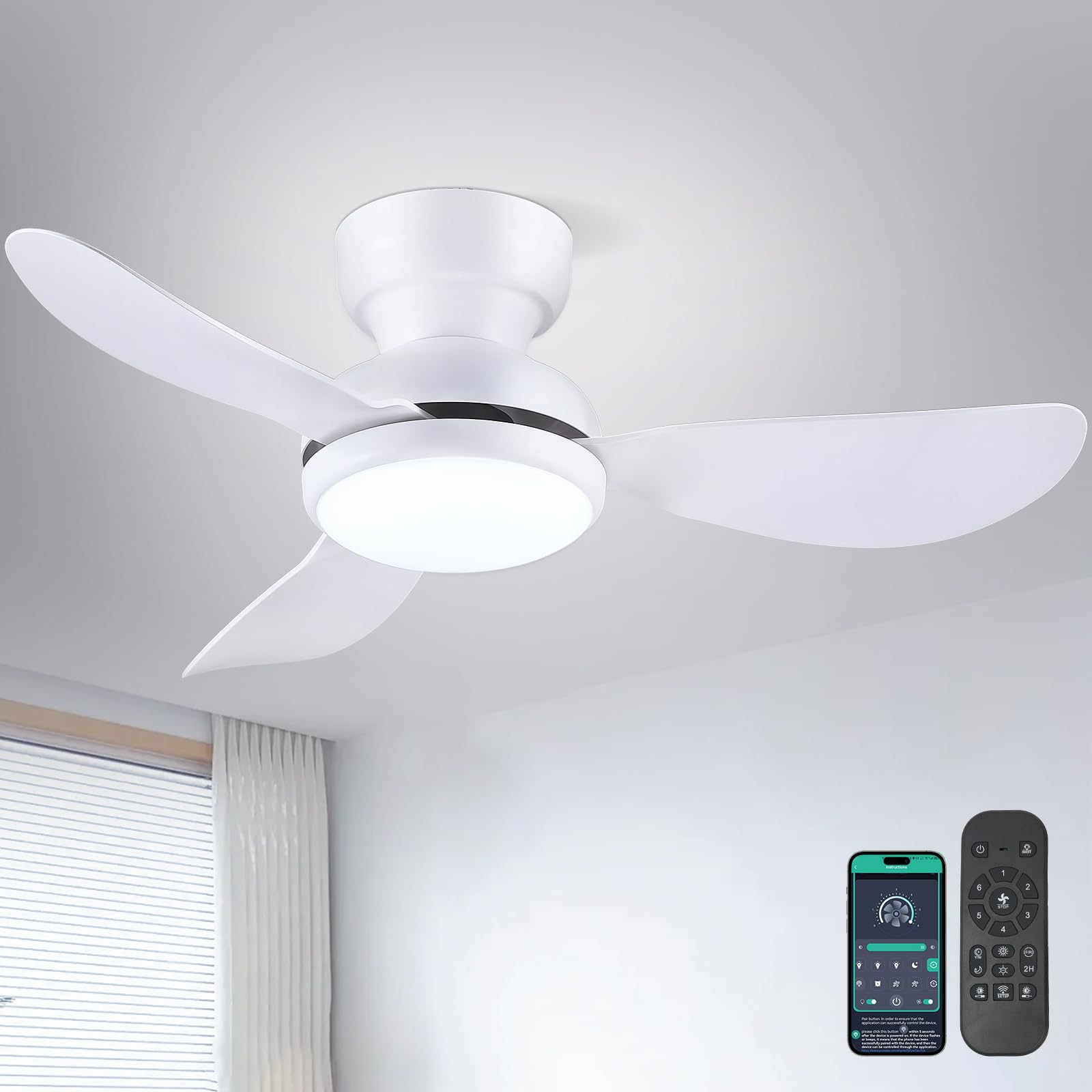
Image: The Kviflon 36-inch 3-blade white ceiling fan with integrated light, showcasing its modern design and flush mount installation.
Safety Information
WARNING: To reduce the risk of fire, electric shock, or personal injury, always turn off power at the main circuit breaker or fuse box before beginning installation.
- Read all instructions and safety information before installing your new fan. Review the accompanying diagrams thoroughly.
- All electrical wiring must be performed by a qualified electrician in accordance with national and local electrical codes.
- Ensure the installation site is structurally sound and capable of supporting the fan's weight.
- Do not connect the fan to a dimmer switch or a fan gear switch. Use only a conventional wall switch for light on/off control if not using the remote or app.
- Keep hands, clothing, and other objects clear of the fan blades when the fan is in operation.
- Do not attempt to repair or modify the fan yourself. Contact qualified service personnel for repairs.
Package Contents
Verify that all components listed below are included in your package:

Image: Overview of all components included in the Kviflon 36-inch ceiling fan package, including the fan motor assembly, blades, lampshade, remote control, receiver, screw bag, instructions, and ceiling plate.
- Fan Motor Assembly
- Screw Bag (containing mounting hardware)
- Fan Blades (3 pieces)
- Lampshade
- Receiver
- Remote Control
- Instruction Manual
- Ceiling Plate
Note: The screws for the blades are pre-installed on the motor for convenience.
Specifications
| Feature | Detail |
|---|---|
| Brand | Kviflon |
| Model Name | 8922 |
| Size | 36 inches (Diameter) |
| Number of Blades | 3 |
| Blade Material | Plastic |
| Light Type | LED |
| Light Power | 24W |
| Color Temperature | 3000K (Warm), 4500K (Natural), 6000K (White) - Dimmable |
| Voltage | 110-265V |
| Motor Type | Brushless DC Motor |
| Number of Speeds | 6 |
| Noise Level | 30 dB |
| Control Method | Remote Control, App Control, Wall Switch (not included) |
| Timer Function | 2 hours |
| Reversible Airflow | Yes (Summer/Winter modes) |
| Mounting Type | Flush Mount |
| Product Dimensions (D x W x H) | 36"D x 36"W x 9.45"H |

Image: Detailed product parameters and dimensions for the Kviflon 36-inch ceiling fan, including blade quantity, light power, color temperature, voltage, timer, speeds, material, and control methods.
Installation
Before installation, ensure the power is turned off at the circuit breaker. It is recommended to install the fan blades and light fixtures first, then install the fan to the ceiling.
Video: Official Kviflon installation guide for the 8922 3-blade ceiling fan light. This video demonstrates the step-by-step process of assembling and mounting the fan.
Mounting Options
This fan is designed for flush mount installation. Ensure your ceiling can accommodate this type of mounting.
Image: Illustration of correct flush mount installation versus incorrect angle mount for the ceiling fan.
General Installation Steps (Refer to the included manual for detailed diagrams):
- Prepare the Mounting Location: Turn off power at the circuit breaker. Securely attach the ceiling plate to a junction box capable of supporting the fan's weight.
- Assemble Fan Blades: Attach the three fan blades to the motor assembly. The screws for the blades are pre-installed on the motor.
- Wire the Fan: Connect the electrical wires from the ceiling to the fan's receiver and motor assembly according to the wiring diagram in the instruction manual. Ensure all connections are secure.
- Mount the Fan: Carefully lift the fan assembly and secure it to the ceiling plate.
- Install the Lampshade: Attach the lampshade to the bottom of the fan assembly.
Operating Instructions
Your Kviflon ceiling fan can be controlled using the included remote control or a mobile application.
Video: Official Kviflon scene display video demonstrating the features and operation of the 8922 36-inch 3-blade white fan with lights, including light and fan speed adjustments.
Remote Control Operation
The remote control allows you to adjust fan speed, light settings, and fan direction.

Image: Layout of the remote control for the Kviflon ceiling fan, detailing each button's function for fan speed, light control, and directional settings.
- Power On/Off: Use the "All off" button to turn off both fan and light, or "Light on/off" for light only.
- Fan Speed: Select from 6 speed settings (1-6) to adjust airflow. "1-2 gear" is suitable for sleep, "3-4 gear" for leisure, and "5-6 gear" for fitness/strong wind.
- Fan Off: Press the "Fan off" button to stop the fan.
- Light Control:
- Color Temperature: Use "Color temperature +" and "Color temperature -" to cycle through 3000K (Warm), 4500K (Natural), and 6000K (White) light.
- Brightness: Use "Brightness +" and "Brightness -" for stepless dimming from 20% to 100%.
- Night Light: Activate a low-brightness setting for nighttime use.
- Forward/Reverse: Change the fan's rotation direction for summer (downward airflow) or winter (upward airflow for heat circulation).
- 2H Timer: Set the fan to turn off automatically after 2 hours.
- Code Matching: If the remote does not pair, refer to the "Code Matching" section in the full manual.

Image: Visual guide to the 6-speed fan settings, recommending speeds for different activities like sleeping, leisure, and fitness.

Image: Demonstration of the 3 color temperature options (Warm, Natural, White) and stepless dimming feature of the integrated LED light.

Image: Illustration of the reversible airflow feature, showing how the fan provides cooling in summer and circulates warm air in winter.
Mobile App Control
Control your fan and light settings conveniently from your smartphone.

Image: Step-by-step guide for connecting and controlling the fan via the FanLamp Pro mobile application, including QR code for download.
- Download App: Scan the QR code in the image above or visit http://www.jasonghost.com/fanlamppro/ to download the "FanLamp Pro" application.
- Enable Bluetooth: Ensure Bluetooth is enabled on your mobile device.
- Open App: Launch the "FanLamp Pro" application and enter the main page.
- Add Device: Press "+" to add a new fan lamp.
- Pairing: Click the pair button several times within 5 seconds after the fan is powered on. If the fan light flashes or beeps, it indicates successful pairing.
Wall Control (Not Included)
The fan is compatible with conventional wall switches for basic light on/off functionality. It is NOT compatible with dimmer switches or fan gear switches.

Image: Guide on compatible wall control types, indicating that conventional switches are suitable for light on/off, but dimmer or fan gear switches are not.
Maintenance
Regular maintenance ensures optimal performance and extends the lifespan of your ceiling fan.
- Cleaning: To clean the fan, wipe with a soft, damp cloth. Do not use abrasive cleaners or solvents that may damage the finish or blades. Ensure power is off before cleaning.
- Blade Inspection: Periodically check the fan blades for any signs of damage or looseness. Tighten screws if necessary.
- Light Source: The LED light source is integrated. If it malfunctions, contact customer support for assistance. Do not attempt to replace the LED module yourself.
Troubleshooting
If you encounter issues with your Kviflon ceiling fan, refer to the following common problems and solutions:
| Problem | Possible Cause | Solution |
|---|---|---|
| Fan does not start | No power, loose wiring, remote not paired. | Check circuit breaker. Ensure all wiring connections are secure. Re-pair the remote control (refer to "Code Matching" in Operating Instructions). |
| Light does not turn on | No power, loose wiring, remote not paired, LED malfunction. | Check power supply. Verify wiring. Re-pair remote. If LED is faulty, contact customer support. |
| Fan is noisy or wobbles | Loose blades, improper mounting, motor issue. | Ensure all blade screws are tight. Verify the fan is securely mounted to the ceiling plate. If noise persists, contact customer support. |
| Remote control not working | Dead batteries, remote not paired, obstruction. | Replace remote batteries. Re-pair the remote control. Ensure no obstructions between remote and fan receiver. |
| App control not connecting | Bluetooth off, app not paired, incorrect app. | Ensure Bluetooth is enabled on your device. Follow app pairing instructions carefully. Confirm you are using the "FanLamp Pro" app. |
Warranty and Support
Kviflon products are designed for durability and performance. For warranty information or technical support, please refer to the contact details provided with your purchase documentation or visit the official Kviflon website.
If you have any questions or require assistance with installation, operation, or troubleshooting, please do not hesitate to contact Kviflon customer service.


