
1. Introduction
The NAGFAK XF23 AI Language Translator Earbuds are designed to break down language barriers with advanced AI technology, offering real-time two-way translation in 135 languages. These earbuds feature a smart touchscreen charging case, high-definition sound quality, and a comfortable open-ear design, making them ideal for travel, business, and learning.
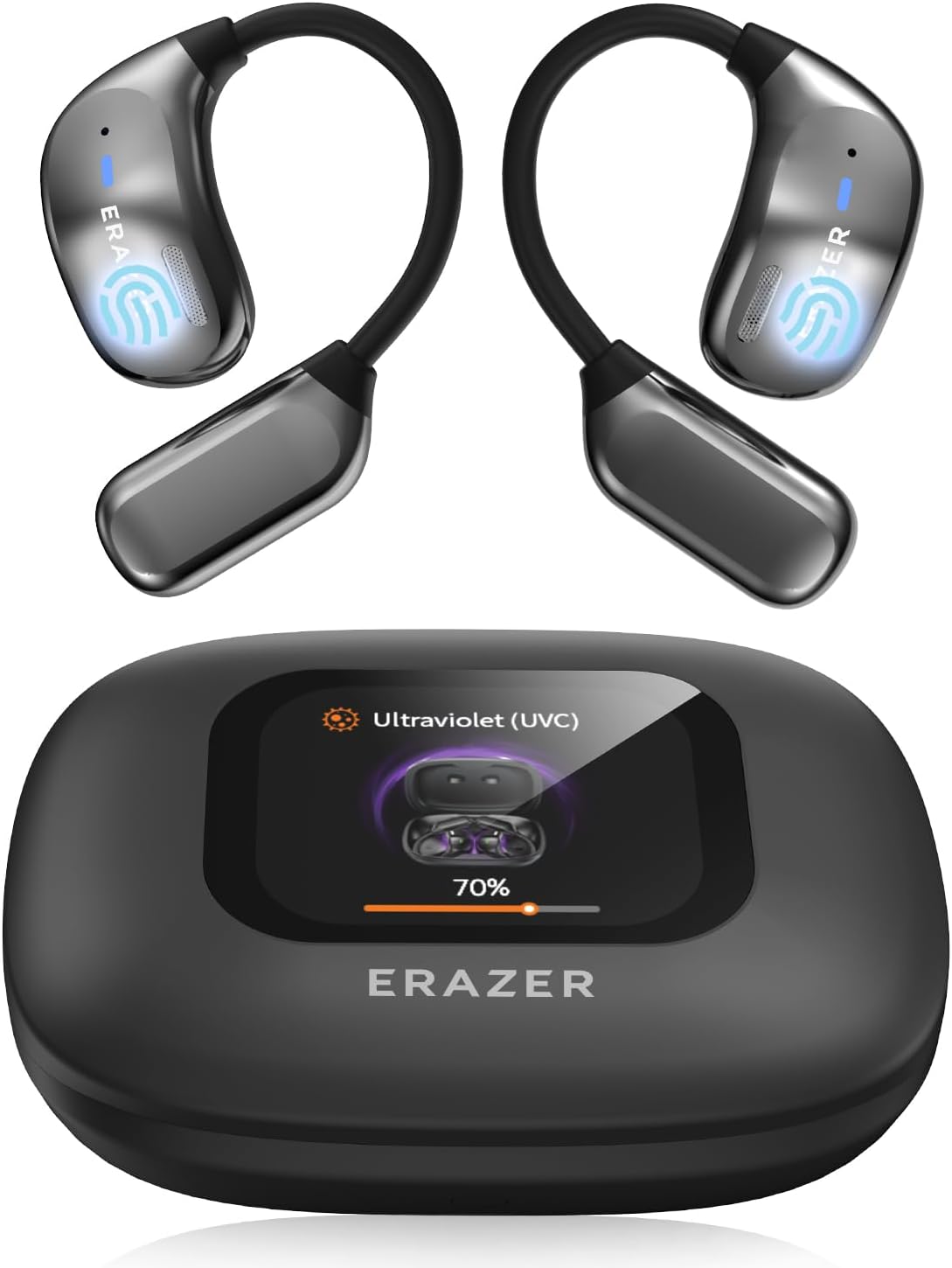
Image: The NAGFAK XF23 AI Language Translator Earbuds and their smart charging case.
2. What's in the Box
Upon opening your NAGFAK XF23 package, you should find the following items:
- 1 Pair x Language Translator Earbuds
- 1 x Charging Case with Touchscreen
- 1 x Type-C Charging Cable
- 1 x User Manual (this document)

Image: Visual representation of the items included in the product packaging.
3. Key Features
The XF23 AI Language Translator Earbuds are equipped with several advanced features:
- Multi-language Translation: Supports real-time two-way translation in 135 languages using 2025's latest AI technology.
- Intelligent Charging Case with Touchscreen: Offers easy control of earbuds and phone functions, including displaying lyrics, camera control, social app likes, earphone finding, and customizable wallpapers.
- High-definition Sound Quality: Features composite diaphragms and titanium-coated domes for clear and pure audio during music playback, calls, or translation.
- Super Long Battery Life: Provides up to 8 hours of listening per earbud on a single charge, with a total of 60 hours using the charging case.
- Comfortable Fit: Designed with a lightweight ear-hanging structure for extended wear without discomfort.
- Bluetooth 5.4: Ensures stable and efficient wireless connectivity.
- Deep UV Sterilization: The charging case includes a UV-C light to eliminate bacteria on the earbuds, promoting hygiene.

Image: Overview of the XF23's core features, highlighting Bluetooth 5.4, sound quality, and comfort.
4. Setup Guide
4.1 App Installation
The AI translation function requires the dedicated mobile application. Follow these steps to download and install the app:
- Scan the QR code provided in the user manual or on the product packaging to download the official app. The app is compatible with both iOS and Android devices.
- Once downloaded, open the app and complete the email login process.

Image: Step-by-step guide for app download and login.
4.2 Initial Pairing
To connect your earbuds to your mobile phone via Bluetooth:
- Ensure your phone's Bluetooth is enabled.
- Take both earbuds out of the charging case. They will automatically enter pairing mode.
- Open the app and navigate to the Bluetooth connection section. Select 'XF23' from the list of available devices to connect.

Image: Visual guide for connecting the earbuds to your smartphone.
5. Operating Instructions
5.1 Translation Modes
The XF23 earbuds offer multiple translation modes to suit various scenarios:
- Real-time Two-Way Translation: Facilitates instant communication by translating spoken language between two parties. The earbuds support 135 languages with high accuracy.
- AI Dialogue Mode: Engage in real-time conversations with AI, useful for finding information, inspiration, and answers.
- Face-to-Face Translation: Designed for direct conversations, allowing seamless two-way voice translation for global negotiations and travel.
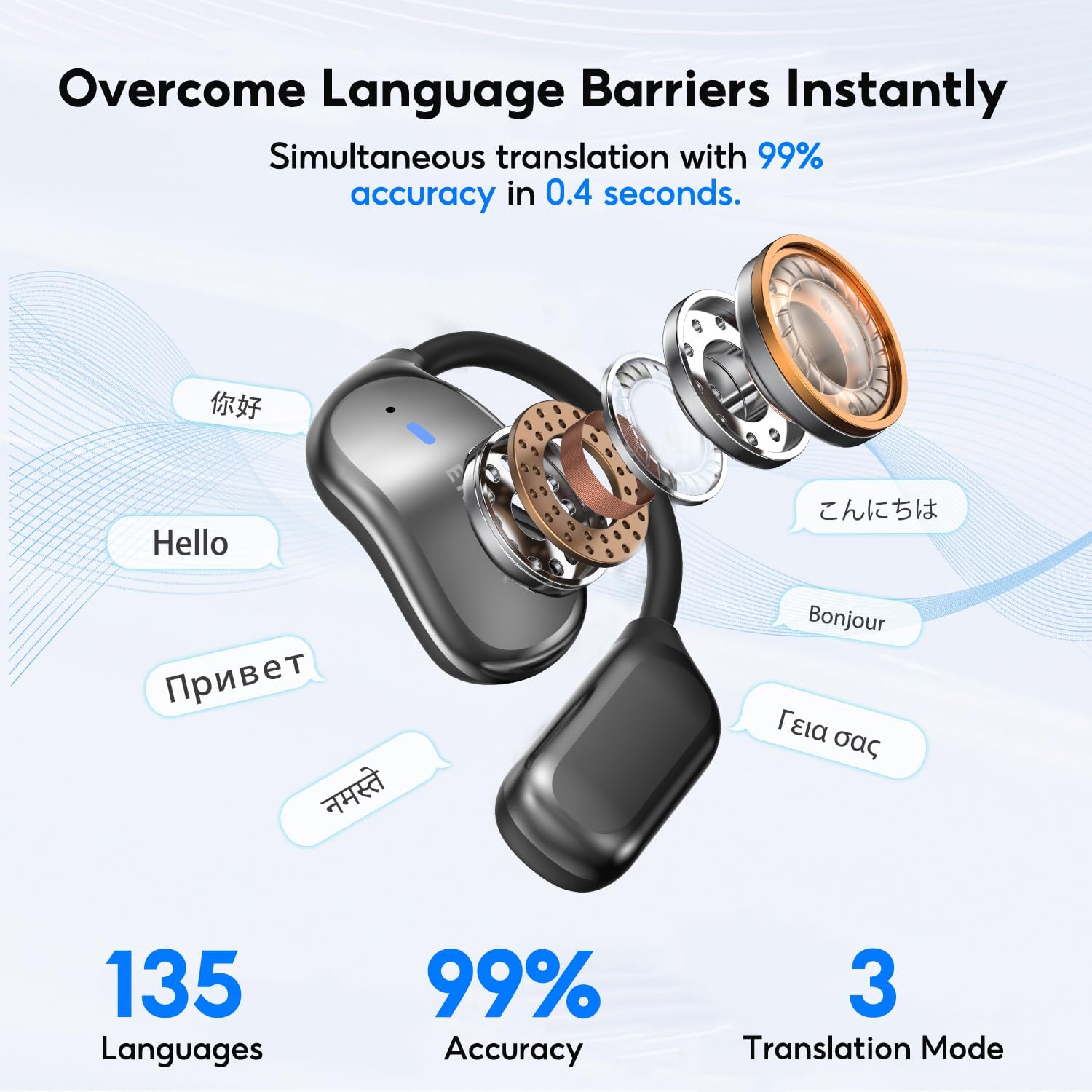
Image: Illustration of the earbuds' capability for simultaneous translation across many languages.

Image: The AI Dialogue Mode interface, showing interaction with AI through the earbuds.

Image: The Face-to-Face Real-time Translation feature in use during a business discussion.
5.2 Touchscreen Controls
The intelligent charging case features a full-color smart touchscreen with various one-touch control functions:
- Language selection (English, Chinese, Traditional Chinese)
- Voice assistant activation
- Volume control
- Find my earphones function
- Screen lock
- Music control (play/pause, skip tracks, song title display)
- Like function for social apps
- Chronograph and timer
- Alarm clock
- Equalizer settings
- Spatial sound adjustment
- Flashlight activation
- Take pictures (remote camera control)

Image: The touchscreen interface displaying various control options and settings.
5.3 Audio Functions
The XF23 earbuds provide a rich audio experience:
- High-Definition Sound: Enjoy clear and pure sound for all audio content.
- APP Adjustable Sound: Customize your audio experience with various EQ modes (Default, Rock, Popular, Classic, Jazz, Blues, Rural) or create custom adjustments via the app.
5.4 Anti-Loss Function
If you misplace your earbuds, the anti-loss function can help you locate them. The Bluetooth earphones can emit a sound prompt, and you can then follow the positioning navigation within the app to find them.

Image: The anti-loss feature displaying the earbuds' location on a map within the companion app.
6. Maintenance
6.1 Charging
To ensure optimal performance and battery longevity:
- Place the earbuds back into the charging case when not in use.
- Connect the charging case to a power source using the provided Type-C cable.
- A full charge provides up to 8 hours of listening for a single earbud and a total of 60 hours with the charging case.
6.2 Deep UV Sterilization
The charging case is equipped with a UV-C sterilization feature to maintain hygiene:
- After placing the earbuds in the case and closing the lid, the sterilization process will automatically begin.
- The sterilization time is approximately 10 seconds.
- It is normal for the earphones to warm up slightly during UV disinfection.

Image: The UV sterilization process in action within the charging case, showing the earbuds being disinfected.
7. Troubleshooting
If you encounter issues with your NAGFAK XF23 earbuds, please refer to the following common problems and solutions:
| Problem | Possible Cause | Solution |
|---|---|---|
| Earbuds not charging | Poor contact with charging pins; dirty charging contacts; faulty cable/charger. | Ensure earbuds are correctly seated in the case. Clean charging contacts on earbuds and case with a dry cotton swab. Try a different Type-C cable and power adapter. |
| Cannot connect to Bluetooth | Bluetooth not enabled; earbuds not in pairing mode; interference. | Ensure phone Bluetooth is on. Take earbuds out of case to enter pairing mode. Restart phone and earbuds. Move away from other wireless devices. |
| Translation not working/inaccurate | App not running; poor internet connection; incorrect language settings; background noise. | Ensure the app is open and connected. Check your internet connection. Verify language settings in the app. Speak clearly and reduce background noise. |
| Sound quality is poor | Earbuds not properly seated; low battery; app EQ settings. | Adjust earbud position for a secure fit. Charge the earbuds fully. Check and adjust EQ settings in the app. |
If the problem persists after trying these solutions, please contact NAGFAK customer support for further assistance.
8. Specifications
Detailed technical specifications for the NAGFAK XF23 AI Language Translator Earbuds:
- Model Number: XF23
- Product Dimensions: 1.97 x 1.81 x 0.98 inches
- Item Weight: 6.7 ounces
- Connectivity: Bluetooth 5.4
- Translation Languages: 135 (real-time two-way)
- Earbud Battery Life: Up to 8 hours (single charge)
- Total Battery Life (with case): Up to 60 hours
- Charging Port: Type-C
- Special Features: AI Dialogue Mode, Touchscreen Charging Case, Deep UV Sterilization, Anti-loss Function, APP Adjustable Sound
- Manufacturer: NAGFAK
- First Available: December 16, 2024
9. Warranty and Support
NAGFAK is committed to providing high-quality products and excellent user experience. For specific warranty details, please refer to the warranty card or documentation included with your purchase. For technical support, troubleshooting assistance beyond this manual, or warranty claims, please contact NAGFAK customer service through the contact information provided on the official NAGFAK website or within the companion mobile application.