
1. Introduction
The SwanScout 505A is a versatile charging stand designed for Apple Watch Series and compatible AirPods models. It features fast charging capabilities, a heat-reducing coil design, and a stable, adjustable stand for optimal user experience. This manual provides essential information for the proper setup, operation, and maintenance of your charging stand.
2. What's in the Box
- 1 x SwanScout 505A Watch Charger Stand
- 1 x USB-C Charging Cable
- 1 x User Manual
3. Product Features
- Innovative and Elegant Design: A vertical stand with a minimalist aesthetic, suitable for various environments.
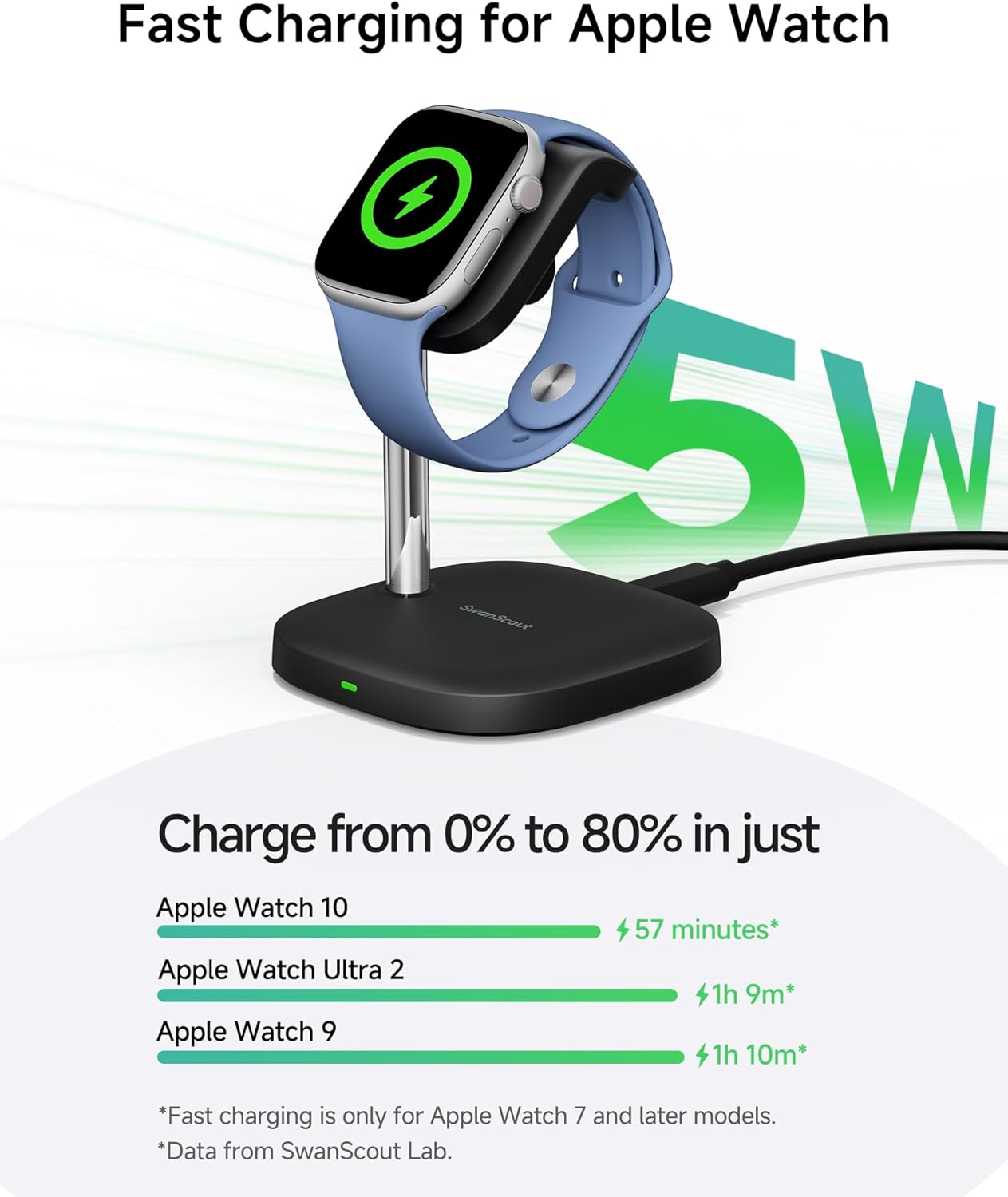
- Fast Charging for Apple Watch: Delivers 5W of power, capable of charging Apple Watch Series 10 from 0% to 80% in approximately 60 minutes.
- Separated Coil Design: The charging coil is separated from the main circuit board to effectively reduce heat generation during charging, thereby extending the watch's battery lifespan.
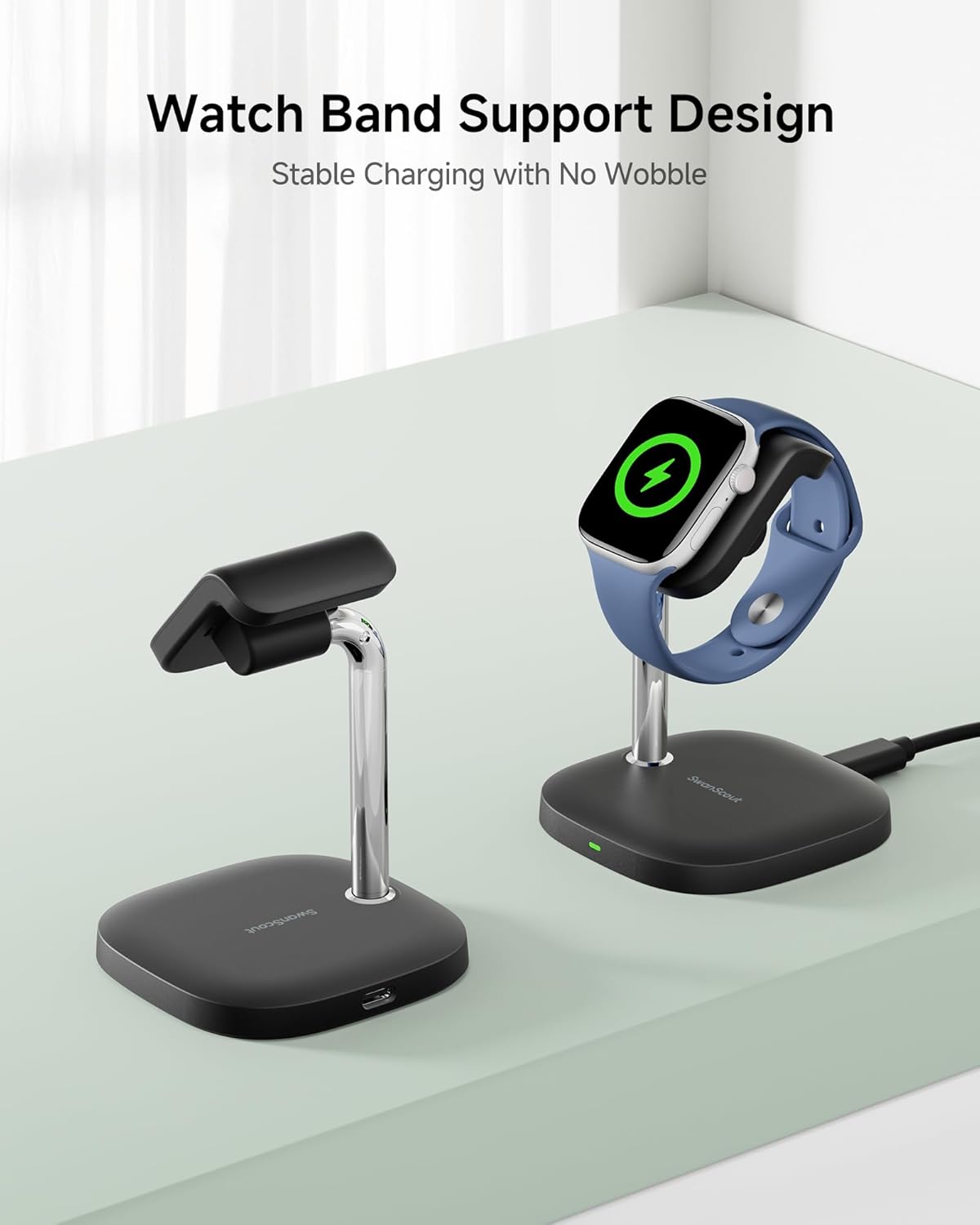
- Stable Charging: Features a unique watch band support design to prevent wobbling and ensure secure positioning of your device.
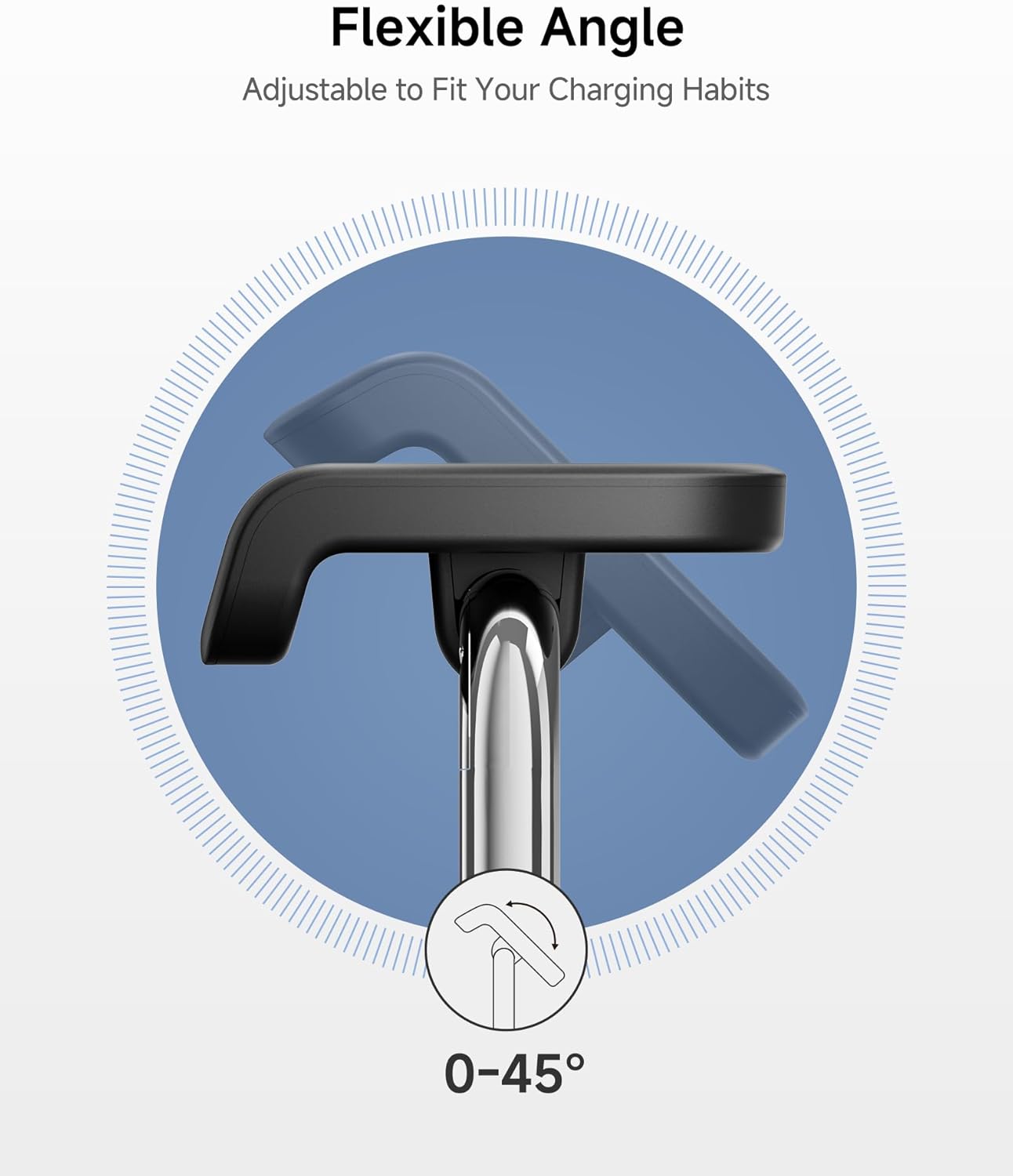
- Adjustable Charging Angle: The watch band support can rotate from 0° to 45°, allowing for a customizable viewing angle while charging.
- Anti-Tipping Weighted Base: The stand's base is weighted to provide exceptional stability and prevent accidental tipping.
4. Setup Instructions
- Unpack the Charger: Carefully remove the SwanScout 505A Watch Charger Stand and its components from the packaging.
- Connect Power: Insert the provided USB-C charging cable into the USB-C port on the back of the charging stand. Connect the other end of the cable to a compatible USB power adapter (not included). A green indicator light on the base will illuminate when power is connected.
- Placement: Place the charging stand on a stable, flat surface away from direct sunlight or heat sources.
Note: For optimal fast charging performance, use a power adapter with sufficient wattage (e.g., a PD 20W or 25W adapter).
5. Operating Instructions
5.1 Charging Your Apple Watch
- Position the Watch: Place your Apple Watch onto the magnetic charging module of the stand. The watch will automatically align and secure itself.
- Verify Charging: The watch screen will display a charging indicator (a green lightning bolt) to confirm that charging has begun. The indicator light on the stand's base will also be active.
- Adjust Angle: Gently rotate the watch band support to adjust the viewing angle between 0° and 45° for comfort.
- Remove Watch: Once charging is complete, simply lift your Apple Watch from the stand.
5.2 Charging Your AirPods
The SwanScout 505A is compatible with AirPods 4 and AirPods Pro 2. To charge your AirPods:
- Place AirPods: Place your AirPods charging case (compatible models only) onto the designated charging area on the base of the stand.
- Verify Charging: The indicator light on your AirPods case will show its charging status.
6. Maintenance
- Cleaning: Disconnect the power cable before cleaning. Use a soft, dry cloth to wipe the surface of the charging stand. Do not use abrasive cleaners or solvents.
- Storage: When not in use, store the charger in a cool, dry place away from extreme temperatures.
- Cable Care: Avoid bending or crimping the charging cable excessively to prevent damage.
7. Troubleshooting
- Device Not Charging:
- Ensure the USB-C cable is securely connected to both the stand and the power adapter.
- Verify the power adapter is functioning and plugged into a live outlet.
- Check if your device (Apple Watch or AirPods) is correctly positioned on the charging area.
- Confirm your device is compatible with the SwanScout 505A.
- Slow Charging:
- Ensure you are using a power adapter that supports fast charging (e.g., PD 20W or 25W).
- Remove any thick cases from your Apple Watch that might interfere with charging efficiency.
- Overheating:
- While the SwanScout 505A has a separated coil design to reduce heat, some warmth during charging is normal. If the device or charger becomes excessively hot, discontinue use and contact support.
- Ensure adequate ventilation around the charger.
- Indicator Light Not On:
- Check all cable connections and the power source.
- Try a different USB-C cable or power adapter.
8. Specifications
| Model Number | 505A (S10034) |
| Product Dimensions | 3.07 x 3.07 x 3.78 inches |
| Item Weight | 2.96 ounces |
| Brand | SwanScout |
| Connector Type | USB Type C |
| Input Voltage | 5 Volts |
| Wattage | 5 watts |
| Special Features | Fast Charging, Lightweight Design, Magnetic, Short Circuit Protection, Wireless Charging |
9. Compatibility
The SwanScout 505A Watch Charger Stand is compatible with the following devices:
- Apple Watch: Ultra 3, Ultra 2, Ultra, SE 3, SE 2, SE, Series 11, 10, 9, 8, 7, 6, 5, 4, 3, 2.
- AirPods: AirPods 4 (with Active Noise Cancellation), AirPods Pro 2.
Note: Not compatible with Apple Watch Series 1 or other AirPods models.
10. Safety Information
- Do not expose the device to water, moisture, or extreme temperatures.
- Avoid dropping or subjecting the device to strong impacts.
- Do not attempt to disassemble, repair, or modify the charger.
- Keep out of reach of children and pets.
- Ensure proper ventilation during use to prevent overheating.
- This product includes multiple protection features: Overvoltage Protection, Overcurrent Protection, Overtemperature Protection, Overcharge Protection, ESD Protection, Short Circuit Protection, and Foreign Object Protection.
11. Visual Guide
Product Images




Product Videos
12. Warranty and Support
This SwanScout product comes with a standard manufacturer's warranty. For detailed warranty information, product support, or to report any issues, please refer to the warranty card included in your package or visit the official SwanScout website. You may also contact the seller directly through your purchase platform for assistance.