
Quantron QWS-1205
Quantron Computer Speaker QWS-1205 User Manual
Model: QWS-1205
Introduction
This manual provides essential information for the proper setup, operation, and maintenance of your Quantron Computer Speaker QWS-1205. Please read this manual thoroughly before using the product to ensure optimal performance and longevity.

Image: Quantron QWS-1205 Computer Speakers, front view.
Product Features
- Powerful Audio: Delivers heavy bass with stereo sound and 3 x 2 watts output (total 6 watts).
- Dual Connectivity: Features both USB 2.0 for power and 3.5mm audio jack for seamless connection with various devices.
- Compact Design: Sleek and compact build allows for easy placement on desks or shelves.
- Compatibility: Compatible with computers, laptops, smartphones, tablets, and other audio devices.
- Plug-and-Play: Simply connect the speaker to your device for instant audio.

Image: Diagram illustrating key features: Heavy Bass, Stereo Sound, USB 2.0, 3.5mm Audio Jack, 2x3 Watt output, and 4 Ohm Impedance.
Package Contents
Ensure all items are present in the package:
- Quantron Computer Speaker (2 units)
Setup Instructions
- Placement: Place the two speaker units on a stable, flat surface, ensuring they are positioned to provide optimal stereo sound for your listening area.
- Connect USB Power: Insert the USB 2.0 connector into an available USB port on your computer, laptop, or a compatible USB power adapter (not included). This provides power to the speakers.
- Connect Audio Jack: Insert the 3.5mm audio jack into the audio output port (headphone jack) of your computer, laptop, smartphone, or other audio device.
- Verify Connection: Ensure both the USB and 3.5mm audio connections are securely seated.
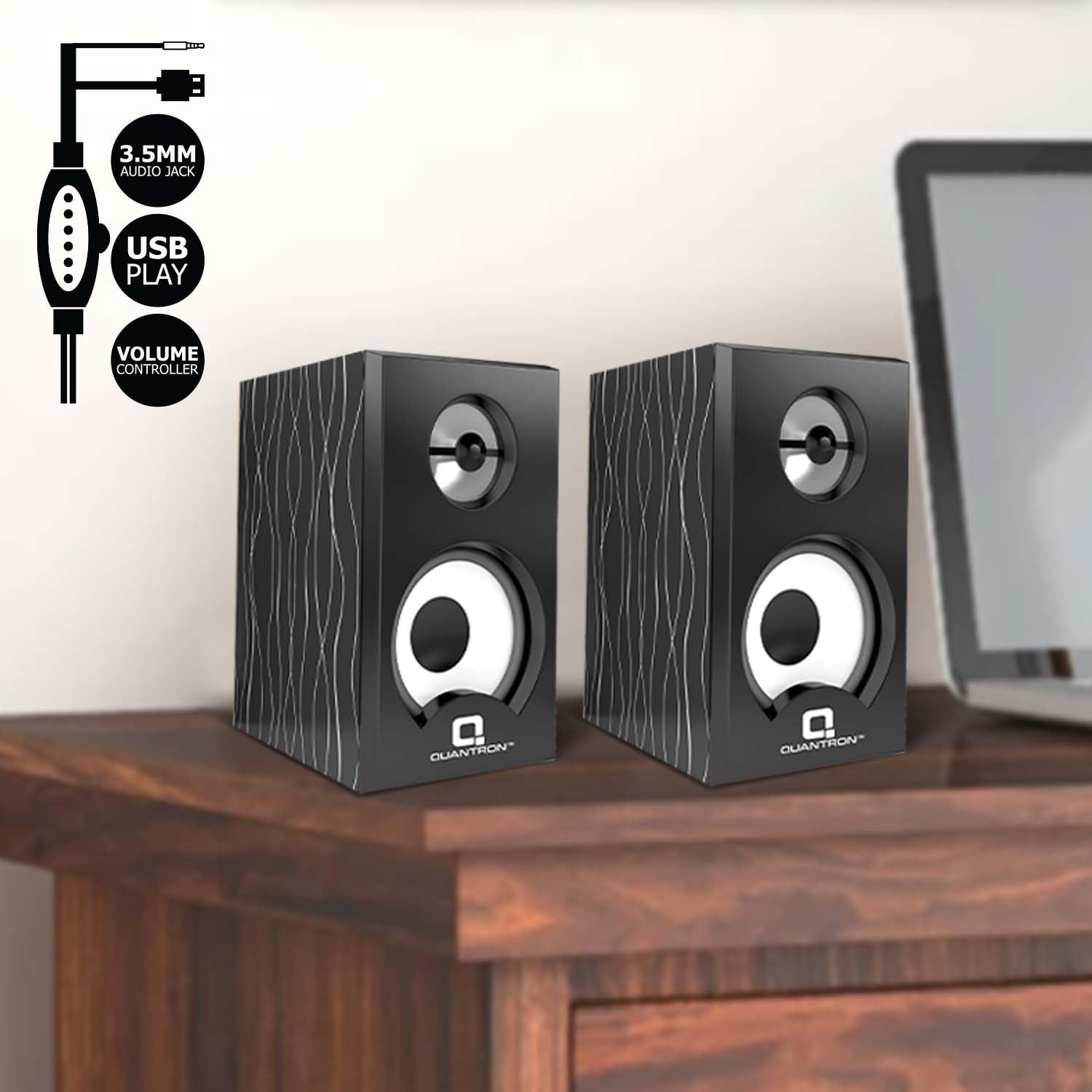
Image: Diagram showing the 3.5mm audio jack, USB connector, and inline volume controller for the speakers.
Operating Instructions
- Power On: Once connected to a USB power source, the speakers are typically powered on automatically. There is no separate power button.
- Volume Control: Adjust the volume using the inline volume controller located on the speaker cable. Rotate the dial to increase or decrease the audio output.
- Audio Playback: Play audio from your connected device. The sound will be routed through the Quantron QWS-1205 speakers.
- Power Off: To turn off the speakers, simply disconnect the USB power cable from its source.
Maintenance
- Cleaning: Use a soft, dry cloth to clean the speaker surfaces. Do not use liquid cleaners or abrasive materials.
- Storage: When not in use for extended periods, store the speakers in a cool, dry place away from direct sunlight and extreme temperatures.
- Handling: Avoid dropping the speakers or subjecting them to strong impacts.
Troubleshooting
| Problem | Possible Solution |
|---|---|
| No sound from speakers. |
|
| Sound is distorted or unclear. |
|
| Only one speaker is working. |
|
Specifications
| Model Name | QWS-1205 |
| Speaker Type | Computer Speaker |
| Connectivity Technology | USB 2.0 (for power), 3.5mm Audio Jack (for audio) |
| Audio Output Mode | Stereo |
| Speaker Maximum Output Power | 6 Watts (3W x 2) |
| Frequency Response | 20 Hz (lower bound, typical for speakers) |
| Compatible Devices | Laptop, Computer, Smartphones, Tablets |
| Colour | Black |
| Product Dimensions | 10D x 9W x 16H Centimeters (approximate per speaker) |
| Item Weight | 1 Kilogram (total) |
Warranty and Support
The Quantron Computer Speaker QWS-1205 typically comes with a 1 Year Warranty from the date of purchase. Please retain your purchase receipt as proof of purchase for warranty claims.
For technical support, warranty claims, or any product-related inquiries, please contact Quantron customer service through their official website or the retailer from whom you purchased the product. Refer to your purchase documentation for specific contact details.
Ask a question about this manual
Ask about setup, troubleshooting, compatibility, parts, safety, or missing instructions. Manuals+ will review the question and use this page’s manual context to help answer it.