
Z Z-EDGE U28I4K
Z-Edge U28I4K 4K 144Hz IPS Monitor User Manual
Model: U28I4K
Introduction
Thank you for choosing the Z-Edge U28I4K 4K 144Hz IPS Monitor. This manual provides essential information for setting up, operating, maintaining, and troubleshooting your new monitor. Please read it thoroughly to ensure optimal performance and longevity of your device.
The Z-Edge U28I4K is a 28-inch IPS monitor designed for exceptional visual clarity and smooth performance. Key features include:
- Ultimately Clear 4K UHD Display: Experience stunning 3840x2160 resolution with enhanced color accuracy and contrast for vibrant, realistic visuals.
- Smooth 144Hz Refresh Rate & 1ms MPRT: Enjoy fluid motion and minimal blur, ideal for fast-paced gaming and video streaming.
- Advanced IPS Panel: Provides a wide 178° panoramic viewing angle, ensuring consistent and accurate colors from all perspectives.
- Versatile Connectivity: Equipped with two HDMI inputs and two DisplayPort (DP) ports, supporting 4K UHD resolution at 144Hz across all ports.
- Ergonomic and Future-Proof Design: Features a 100x100mm VESA mount compatibility for flexible installation and an ultra-thin bezel for an immersive viewing experience.
Setup Guide
1. Unpacking and Assembly
Carefully remove all components from the packaging. Ensure all parts are present before proceeding with assembly.
Attach the monitor stand to the display panel. Refer to the quick start guide included in the box for detailed assembly instructions. The monitor also supports VESA 100x100mm mounting for wall or arm installation.
2. Connecting Your Monitor
The Z-Edge U28I4K monitor offers multiple input options for connecting to your devices. Ensure your device is powered off before making connections.
- HDMI: Connect an HDMI cable from your computer or other device to one of the two HDMI 2.1 ports on the monitor. These ports support 4K UHD at up to 144Hz.
- DisplayPort (DP): Connect a DisplayPort cable from your computer to one of the two DP 1.4 ports on the monitor. These ports also support 4K UHD at up to 144Hz.
- Power: Connect the power adapter to the DC 12V input on the monitor, then plug the adapter into a power outlet.
- Audio Out: Use the 3.5mm audio jack to connect external speakers or headphones.

Figure 1: Rear view of the monitor with available ports (DC 12V, HDMI 2.1, DP 1.4, Audio Out).

Figure 2: Front view of the Z-Edge U28I4K monitor, showcasing its ultra-thin bezel design.
Video 1: An overview of the Z-Edge U28I4K 4K 144Hz IPS Monitor, demonstrating its features and design.
Operating Your Monitor
1. Power On/Off
Press the power button, usually located on the bottom right side of the bezel, to turn the monitor on or off. The power indicator light will illuminate when the monitor is active.
2. On-Screen Display (OSD) Menu
The OSD menu allows you to adjust various monitor settings. Use the navigation buttons (typically located near the power button) to access and navigate the menu.
- Brightness/Contrast: Adjust the display's luminance and contrast levels.
- Color Settings: Modify color temperature, gamma, and individual RGB levels.
- Input Select: Manually switch between HDMI and DisplayPort inputs.
- Picture Mode: Select from preset display modes optimized for different content (e.g., Standard, Game, Movie).
- Refresh Rate: Verify or set the refresh rate. For optimal performance, ensure your graphics card settings match the monitor's 144Hz capability.
- Response Time: Adjust the response time setting (MPRT).
- FreeSync: Enable or disable FreeSync for smoother gaming experiences with compatible graphics cards.
3. Display Features
The Z-Edge U28I4K monitor incorporates advanced display technologies for a superior viewing experience.

Figure 3: Visual comparison demonstrating the clarity of 4K UHD (3840x2160) resolution on the Z-Edge monitor compared to QHD and FHD.
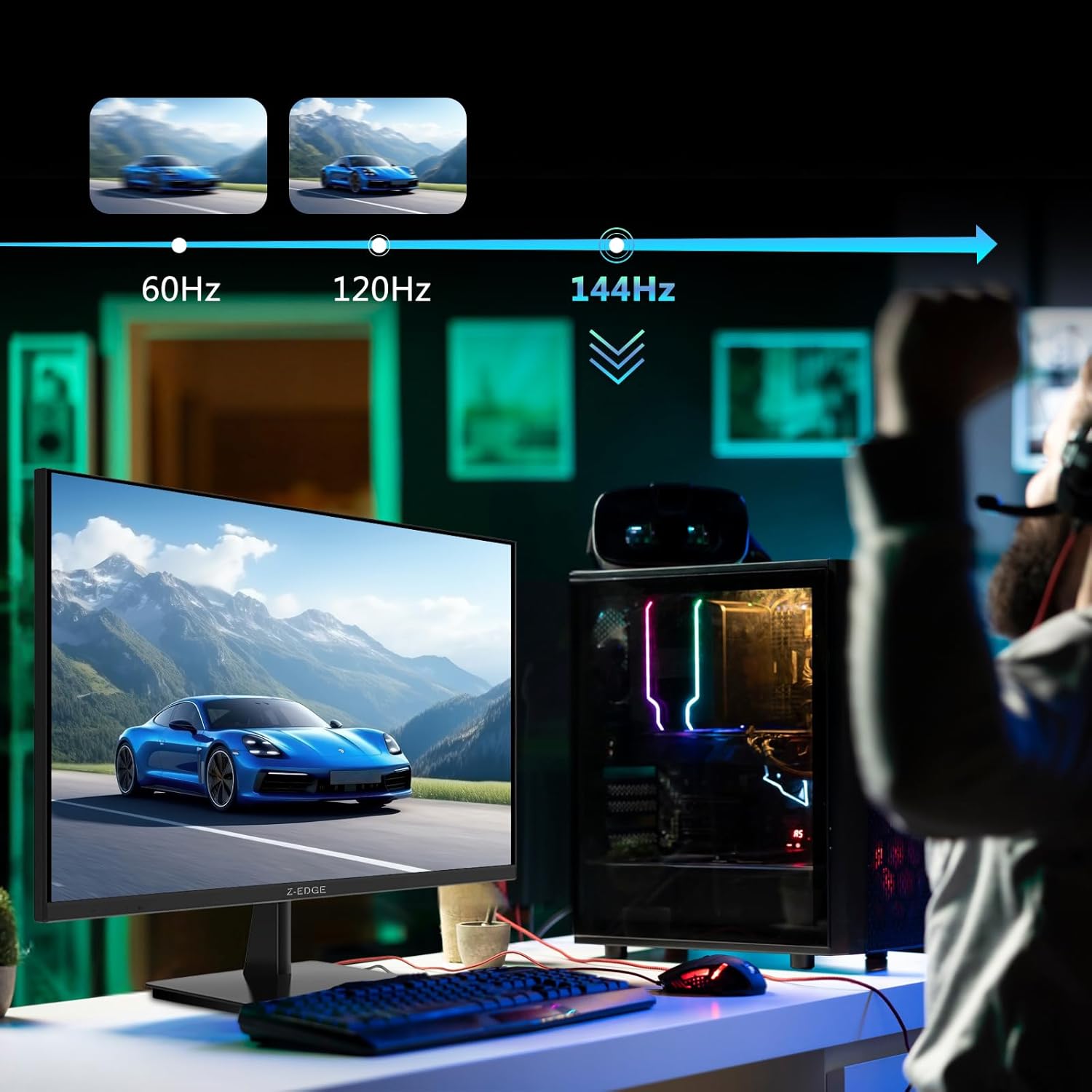
Figure 4: The monitor's 144Hz refresh rate provides smoother motion, as shown in a gaming scenario.

Figure 5: The 1ms MPRT response time significantly reduces motion blur, delivering sharper images and exceptional motion performance.

Figure 6: Rich, photorealistic visuals with intricate detail and accurate color rendition are achieved through a 1000:1 contrast ratio, 16.7 million colors, and 300 cd/m² brightness.

Figure 7: IPS technology combined with a frameless design ensures true-to-life colors, wide viewing angles, and a sleek, borderless aesthetic, ideal for multi-monitor setups.

Figure 8: The versatile design of the monitor makes it perfect for various scenarios, including office work, home entertainment, and gaming applications.

Figure 9: Enhanced eye fatigue relief is provided through cutting-edge filtration, ensuring crisp visuals without eye strain, thanks to anti-blue light, flicker-free, and anti-glare technologies.
Maintenance
Proper maintenance ensures the longevity and optimal performance of your Z-Edge U28I4K monitor.
- Cleaning the Screen: Gently wipe the screen with a soft, lint-free cloth. For stubborn marks, lightly dampen the cloth with water or a non-ammonia, non-alcohol based screen cleaner. Never spray liquid directly onto the screen.
- Cleaning the Casing: Use a soft, dry cloth to clean the monitor's casing. Avoid abrasive cleaners or solvents.
- Ventilation: Ensure the ventilation openings on the monitor are not blocked. Proper airflow prevents overheating.
- Storage: If storing the monitor for an extended period, disconnect it from power and store it in a cool, dry place, preferably in its original packaging.
Troubleshooting
If you encounter issues with your monitor, refer to the following common troubleshooting steps:
| Problem | Possible Cause / Solution |
|---|---|
| No image on screen |
|
| Image is blurry or distorted |
|
| No sound from external speakers/headphones |
|
| Cannot achieve 144Hz refresh rate |
|
Specifications
| Feature | Detail |
|---|---|
| Model Number | U28I4K |
| Screen Size | 28 Inches |
| Panel Type | IPS |
| Resolution | 3840x2160 (4K UHD) |
| Refresh Rate | 144Hz |
| Response Time | 1ms MPRT |
| Brightness | 300 cd/m² |
| Aspect Ratio | 16:9 |
| Connectivity | 2x HDMI 2.1, 2x DisplayPort 1.4, Audio Out (3.5mm) |
| VESA Mount Compatibility | 100x100mm |
| Screen Surface | Anti-glare |
| Product Dimensions (with stand) | 25.1 x 7.5 x 18.1 inches |
| Item Weight | 13.17 pounds |
| Manufacturer | Z Z-Edge |
Warranty and Support
Z-Edge products are designed for reliability and performance. For specific warranty details, please refer to the warranty card included with your product or visit the official Z-Edge website. Keep your purchase receipt as proof of purchase for warranty claims.
For technical support, troubleshooting assistance, or any inquiries regarding your Z-Edge U28I4K monitor, please contact Z-Edge customer service. You can typically find contact information on the Z-Edge website or in your product's packaging.
Online Resources:
- Official Z-Edge Website: Visit Z Z-EDGE Store on Amazon
Related documentsU28I4K


Ask a question about this manual
Ask about setup, troubleshooting, compatibility, parts, safety, or missing instructions. Manuals+ will review the question and use this page’s manual context to help answer it.