
1. Introduction
This manual provides detailed instructions for the installation, operation, and maintenance of your MOUDOAUER TV-TX200 RF Modulator. Please read this manual thoroughly before using the device to ensure proper functionality and to prevent damage.
2. Safety Information
- Ensure the device is connected to a power source with the correct voltage.
- Do not expose the device to moisture, rain, or extreme temperatures.
- Avoid disassembling the device. Refer all servicing to qualified personnel.
- Place the device on a stable, flat surface to prevent accidental falls.
3. Package Contents
- 1 x MOUDOAUER TV-TX200 Analog TV Transmitter
- 1 x Telescopic Antenna
- 1 x Power Adapter

Image: The TV-TX200 RF Modulator, its power adapter, and the included telescopic antenna.
4. Product Overview
The MOUDOAUER TV-TX200 is designed to convert HDMI 1080P and analog CVBS signals into VHF/UHF analog TV signals, making it compatible with older televisions. It features flexible channel and sound settings for optimal performance.
4.1. Device Dimensions
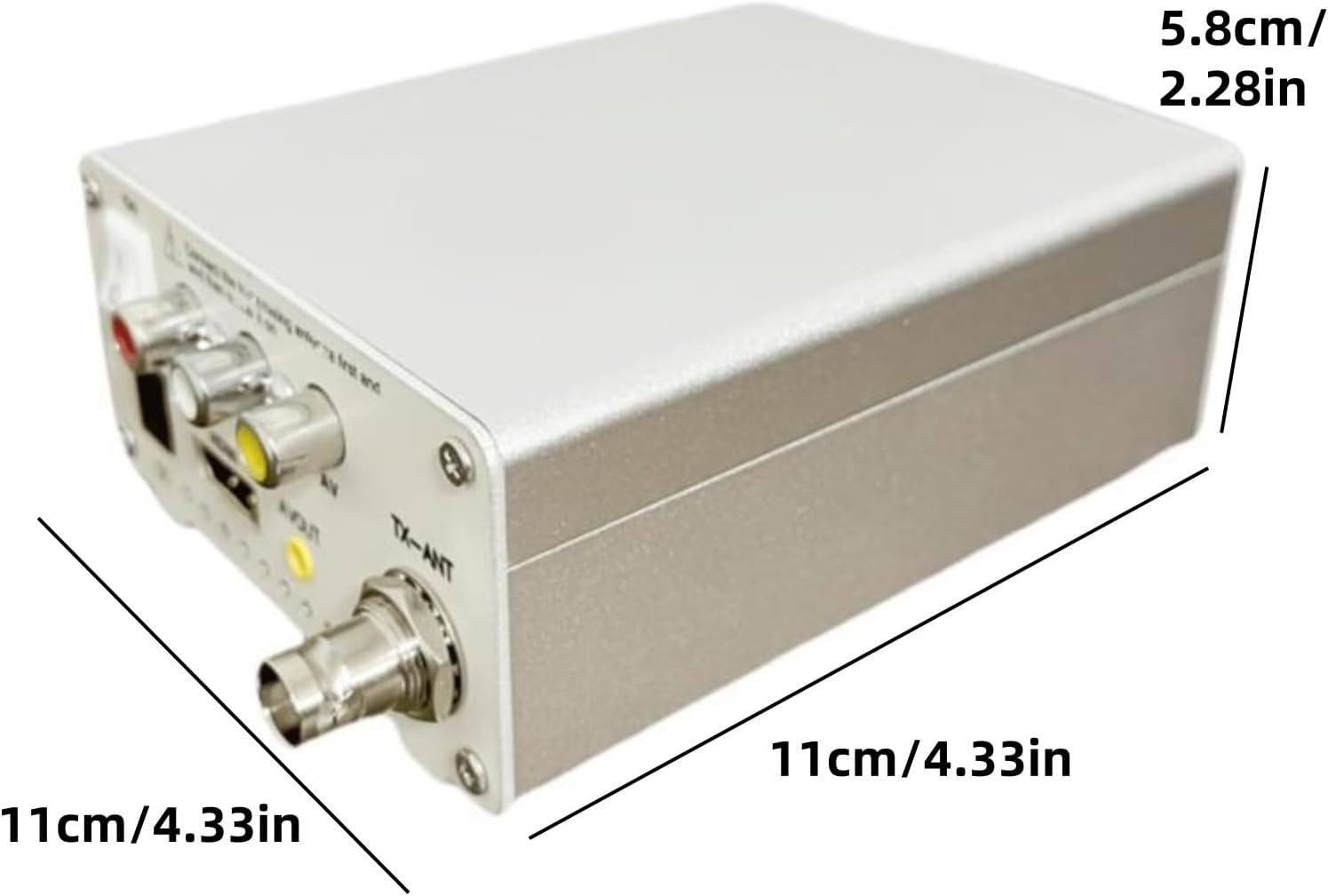
Image: The device measures approximately 11cm (4.33in) in length and width, and 5.8cm (2.28in) in height.
4.2. Rear Panel Connections

Image: The rear panel includes an ON/OFF switch, DC power input, HDMI input, AV OUT, and TX-ANT (RF output) port.
4.3. Antenna Connection

Image: The telescopic antenna connected to the TX-ANT port on the rear of the device.
5. Setup
- Connect the Antenna: Screw the provided telescopic antenna into the 'TX-ANT' port on the rear of the modulator.
- Connect Input Source:
- For HDMI devices (e.g., streaming boxes, game consoles, PCs), connect an HDMI cable from your source to the 'HDMI' input port on the modulator.
- For analog AV devices (e.g., DVD players, older game consoles), connect RCA cables (yellow for video, white/red for audio) to the 'AV IN' ports on the modulator.
- Connect to TV: Connect the RF output from the modulator (via the 'TX-ANT' port) to the antenna/coaxial input of your analog television.
- Power On: Connect the power adapter to the 'DC' input port on the modulator and then plug it into a power outlet. Turn the 'ON/OFF' switch to the 'ON' position.

Image: Diagram illustrating how to connect various devices (laptop, camera, phone, media player) via HDMI or AV to the RF-TX modulator, which then transmits to an RF-RX (analog TV).
6. Operating Instructions
6.1. Channel Selection
The modulator allows you to select between VHF (channels 5-12) or UHF (channels 13-68) bands. Use the channel selection buttons on the device to choose the desired output channel. The selected channel will be displayed on the LED screen.
6.2. Sound Frequency Adjustment
The product supports sound frequency settings within a range of 4.5-6.5. Adjust the sound frequency as needed to achieve optimal audio quality on your television.
6.3. Input Switching
If your model supports both HDMI and AV inputs, use the input switch (often a small toggle or button) to select between the HDMI and composite video inputs.
6.4. Aspect Ratio Adjustment for PC Input (General Guidance)
When connecting a PC via HDMI to an RF modulator for display on a 4:3 CRT TV, you may encounter aspect ratio issues (e.g., widescreen content being squished or 4:3 content having black bars). To optimize the display, you can adjust the PC's output resolution to a 4:3 aspect ratio. This general method applies to many HDMI to RF modulators.
- Connect the Modulator: Connect the RF modulator to your PC's HDMI output.
- Access Display Settings: Right-click on your desktop and select 'Display settings'.
- Advanced Display Settings: Scroll down and click on 'Advanced display'.
- Select Adapter: From the dropdown menu, ensure the RF modulator (or the corresponding display adapter) is selected.
- Display Adapter Properties: Click on 'Display adapter properties for [Display Name]'.
- List All Modes: In the adapter properties window, click 'List All Modes'.
- Choose 4:3 Resolution: Select a resolution with a 4:3 aspect ratio. Common 4:3 resolutions include:
- 1440 x 1080 (4:3 1080p)
- 1280 x 960 (SXGA)
- 1152 x 864 (XGA+)
- 1024 x 768 (XGA)
- 800 x 600 (SVGA)
- 640 x 480 (VGA)
- Apply Settings: Click 'OK' and then 'Apply'. Confirm that the 'Active signal mode' matches the 'Desktop mode' in the Advanced Display window. If not, try another 4:3 resolution until they match.
- Full Screen Content: Once the resolution is set, open your streaming service or game, drag the window to the CRT display, and use F11 (or your application's full-screen option) to maximize the content.
Video: This video demonstrates aspect ratio adjustment and lag testing with a similar HDMI to RF modulator (HDM79). The principles for adjusting PC output to a 4:3 aspect ratio are generally applicable to the TV-TX200.
7. Maintenance
- Keep the device clean by wiping it with a soft, dry cloth.
- Ensure proper ventilation to prevent overheating.
- Store the device in a cool, dry place when not in use.
8. Troubleshooting
- No Signal on TV:
- Check all cable connections (power, input, RF output).
- Ensure the modulator is powered on.
- Verify your TV is tuned to the correct analog channel (VHF/UHF) that the modulator is transmitting on.
- Confirm the input source (HDMI/AV) is correctly selected on the modulator.
- Poor Picture Quality (Snowy/Fuzzy):
- Adjust the telescopic antenna for better reception.
- Try different output channels on the modulator to find one with less interference.
- Ensure all cables are securely connected and not damaged.
- If using a long coaxial cable, signal degradation may occur. Consider a shorter cable or a signal amplifier if available.
- No Sound:
- Check audio cable connections for AV input.
- Adjust the sound frequency settings on the modulator.
- Ensure the TV's volume is up and not muted.
9. Specifications
| Feature | Detail |
|---|---|
| Model | TV-TX200 |
| Input | HDMI 1080P, Analog CVBS |
| Output | VHF/UHF Analog TV (NTSC/PAL compatible) |
| Channel Range | VHF: 5-12, UHF: 13-68 |
| Sound Frequency | Adjustable 4.5-6.5 MHz |
| Dimensions | 4.33 x 4.33 x 2.28 inches |
| Item Weight | 1.1 pounds |
| Manufacturer | MOUDOAUER |
10. Warranty and Support
MOUDOAUER products are designed for reliability and performance. For warranty information or technical support, please refer to the contact details provided with your purchase or visit the official MOUDOAUER website. Keep your purchase receipt for warranty claims.