
1. Product Overview
The NAGFAK ERAZER XP7 are advanced 3-in-1 earbuds designed for real-time language translation, audio playback, and phone calls. Featuring an open-ear design, Bluetooth 5.4 connectivity, and a smart touch screen charging case, these earbuds facilitate seamless communication and entertainment.
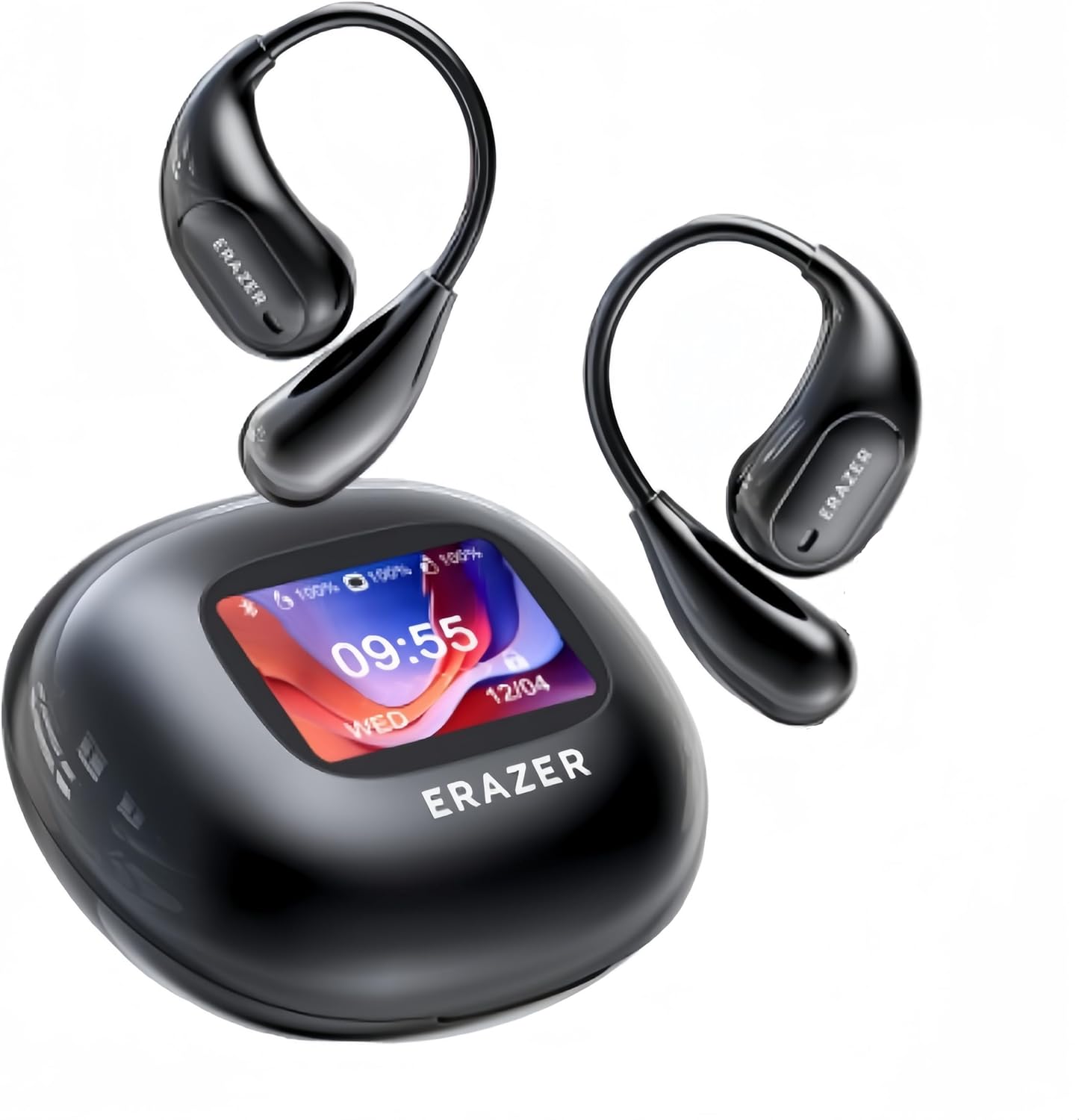
Image 1.1: The ERAZER XP7 earbuds and their charging case with a smart display.
2. What's in the Box
- 1 x Charging Case
- 1 x Charging Cable (USB-C)
- 1 Pair x Headphones (Left & Right)
- 1 x User Manual

Image 2.1: Packaging contents including earbuds, charging case, USB-C cable, and user manual.
3. Setup Guide
3.1 Charging the Device
Before first use, fully charge the earbuds and the charging case. Connect the provided USB-C cable to the charging case and a power source. The smart screen on the case will indicate the charging status.
- A full charge provides approximately 6 hours of use for the earbuds.
- The charging case extends total battery life up to 50 hours.
- Fast charging allows for a full charge in approximately 1.5 hours.
3.2 App Installation and Connection
The AI translation function requires the dedicated mobile application. Follow these steps to install the app and connect your earbuds:
- Scan the QR code provided in the user manual or on the product packaging to download the application. The app is compatible with both iOS and Android devices.
- Log in or create an account within the application.
- Take the earbuds out of the charging case. They will automatically enter pairing mode.
- Open the app and follow the on-screen instructions to connect the earbuds via Bluetooth 5.4. Ensure Bluetooth is enabled on your mobile phone.

Image 3.2.1: Visual guide for app download and Bluetooth connection process.
4. Operating Instructions
4.1 3-in-1 Functionality
The ERAZER XP7 earbuds offer versatile functionality:
- Translation: Real-time two-way translation in 135 languages.
- Audio Playing: High-definition sound for music and other audio content.
- Phone Calls: Clear communication for hands-free calls.

Image 4.1.1: Overview of the earbuds' multi-functional capabilities.
4.2 Translation Modes
The earbuds support various translation modes to suit different communication scenarios:
- AI Dialogue Mode: Engage in real-time conversations with AI for information or assistance.
- Free Talk Mode: For natural, continuous conversation between two or more people.
- Touch Mode (Dual Ear Click Mode): Tap the earbuds to initiate translation, ideal for quick exchanges.
- Speaker Mode (Headphones + Phone Mode): One person speaks into the phone, and the translation is heard through the earbuds, while the other person hears the translation from the phone's speaker.

Image 4.2.1: Demonstrating face-to-face real-time translation using the earbuds and a smartphone app.

Image 4.2.2: The AI Dialogue Mode interface within the companion application.

Image 4.2.3: Illustration of various translation modes available with the ERAZER XP7.
4.3 Smart Touch Controls
The earbuds feature intuitive touch controls for managing various functions without needing to access your phone:
- Adjust volume.
- Switch between songs.
- Answer or end phone calls.
- Remotely take photos.
- Interact with social media (e.g., liking videos).

Image 4.3.1: The LCD full-color smart screen on the charging case showing multiple touch control options.

Image 4.3.2: A comprehensive display of functions accessible via the smart screen, including language, photography, brightness, volume, and equalizer settings.
4.4 Audio Quality and Customization
The earbuds deliver high-definition sound quality for an immersive listening experience. The companion app allows users to adjust sound settings, including equalizer preferences, to match individual auditory tastes.
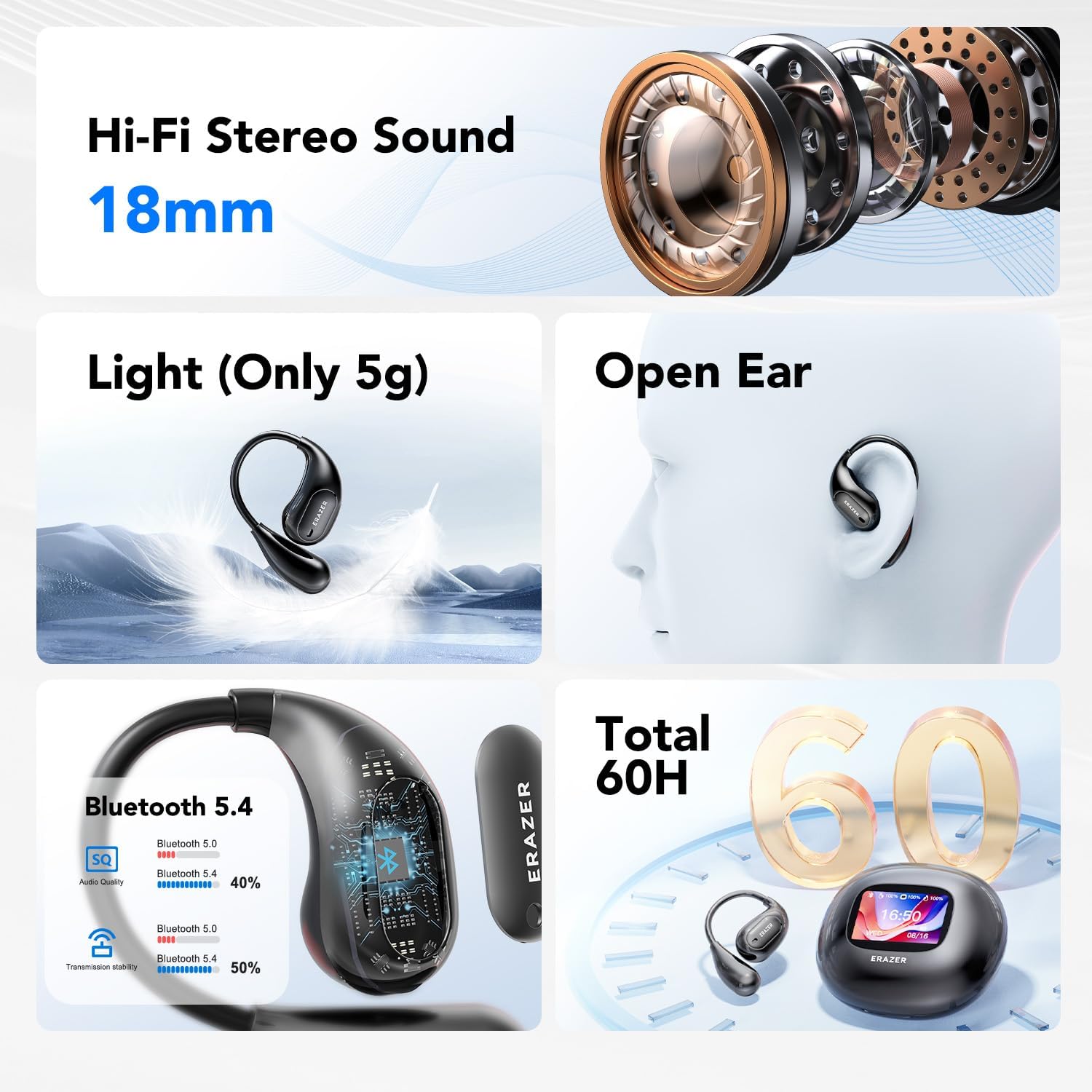
Image 4.4.1: Key features including 18mm Hi-Fi stereo sound drivers and Bluetooth 5.4 connectivity.

Image 4.4.2: The application's sound adjustment interface, allowing users to customize audio output.
5. Maintenance and Care
5.1 Cleaning
Regularly clean your earbuds and charging case to ensure optimal performance and hygiene. Use a soft, dry, lint-free cloth. Avoid using abrasive materials or harsh chemicals.
- For earbuds, gently wipe the surfaces, paying attention to the ear hooks and sound outlets.
- For the charging case, wipe the exterior and the charging contacts inside.
5.2 Water and Sweat Resistance
The ERAZER XP7 earbuds are IPX7 sweat resistant, making them suitable for workouts and light rain. However, they are not designed for swimming or submersion in water. Ensure the earbuds are dry before placing them back into the charging case to prevent damage.

Image 5.2.1: The earbuds are shown with water droplets, indicating their IPX7 sweat-resistant rating.
5.3 Storage
When not in use, store the earbuds in their charging case to protect them from dust, damage, and to keep them charged. Store the device in a cool, dry place away from direct sunlight and extreme temperatures.
6. Troubleshooting
If you encounter issues with your ERAZER XP7 earbuds, refer to the following common problems and solutions:
- No Sound or Low Volume:
- Ensure earbuds are properly connected to your device via Bluetooth.
- Check the volume levels on both your earbuds (via touch controls) and your connected phone.
- Clean any debris from the earbud sound outlets.
- Restart the earbuds and your phone, then attempt to reconnect.
- Intermittent Connection:
- Ensure the earbuds are within the Bluetooth range of your device.
- Check for interference from other wireless devices.
- Try unpairing and re-pairing the earbuds with your phone.
- Translation Inaccuracy:
- Ensure a stable internet connection for the translation app.
- Speak clearly and at a moderate pace.
- Verify that the correct source and target languages are selected in the app.
- Update the app to the latest version.
- Charging Case Screen Issues:
- Ensure the charging case is adequately charged.
- Try restarting the case by holding down any available physical buttons (if present) or allowing it to fully discharge and then recharge.
- Earbuds Not Charging:
- Ensure the charging cable is securely connected to both the case and the power source.
- Verify that the charging contacts on both the earbuds and the case are clean and free of obstruction.
- Try a different charging cable or power adapter.
- Anti-loss Function:
The companion app includes an anti-loss function to help locate misplaced earbuds. Refer to the app's settings for details on how to use this feature.

Image 6.1: The anti-loss feature displayed on a smartphone, showing the last known location of the earbuds.
7. Specifications
| Feature | Detail |
|---|---|
| Model Number | XPE002 |
| Brand | NAGFAK |
| Connectivity | Bluetooth 5.4 |
| Translation Languages | 135 languages (via app) |
| Earbud Battery Life | Approx. 6 hours (single charge) |
| Total Battery Life (with case) | Up to 50 hours |
| Charging Time | Approx. 1.5 hours (for case) |
| Water Resistance | IPX7 Sweat Resistant |
| Design | Open Ear, Ergonomic Earhooks |
| Control Interface | Smart Touch Control LCD Screen (on case), Earbud Touch Controls |
| App Compatibility | iOS / Android |
| Item Weight | 5.3 ounces |
| Package Dimensions | 5.79 x 3.66 x 2.05 inches |
8. Warranty and Support
For warranty information and customer support, please refer to the official NAGFAK website or contact their customer service directly. Details can typically be found on the product packaging or within the companion application.
Manufacturer: NAGFAK
For further assistance, please visit the NAGFAK Store on Amazon.