
midlocater B0DQKPXWJR
Midlocater Wallet Tracker Card for iOS Devices: Instruction Manual
Model: B0DQKPXWJR
Introduction
This manual provides detailed instructions for the Midlocater Wallet Tracker Card, an ultra-slim Bluetooth tracker designed for seamless integration with Apple's Find My network. This device helps you locate your wallet, keys, bags, passports, and other essentials using your iOS devices.

Image: The Midlocater Wallet Tracker Card, shown with a wallet and an iPhone displaying its location on the Find My app.
The Midlocater Wallet Tracker Card features a credit-card-thin 1.8mm profile, wireless charging, and a long battery life, making it a convenient solution for keeping track of your valuables.
Key Features
- Ultra-Slim Design: At just 1.8mm thick, it fits effortlessly into any wallet or card slot without adding bulk.
- Apple Find My Network Integration: Utilizes Apple's global Find My network for precise location tracking across cities or countries.
- Instant Separation Alerts: Receive immediate notifications on your iPhone if the tracker is left behind.
- Loud Audible Alert: A 90-100dB speaker helps locate items in close proximity.
- Wireless Charging: Supports Qi wireless charging for convenient recharging.
- Extended Battery Life: Provides 5-6 months of battery life on a single full charge.
- Durable Construction: Made from resilient PVC material with an IP68 rating for water and dust resistance.
- Easy Setup: Simple 3-step pairing process with the Find My app.
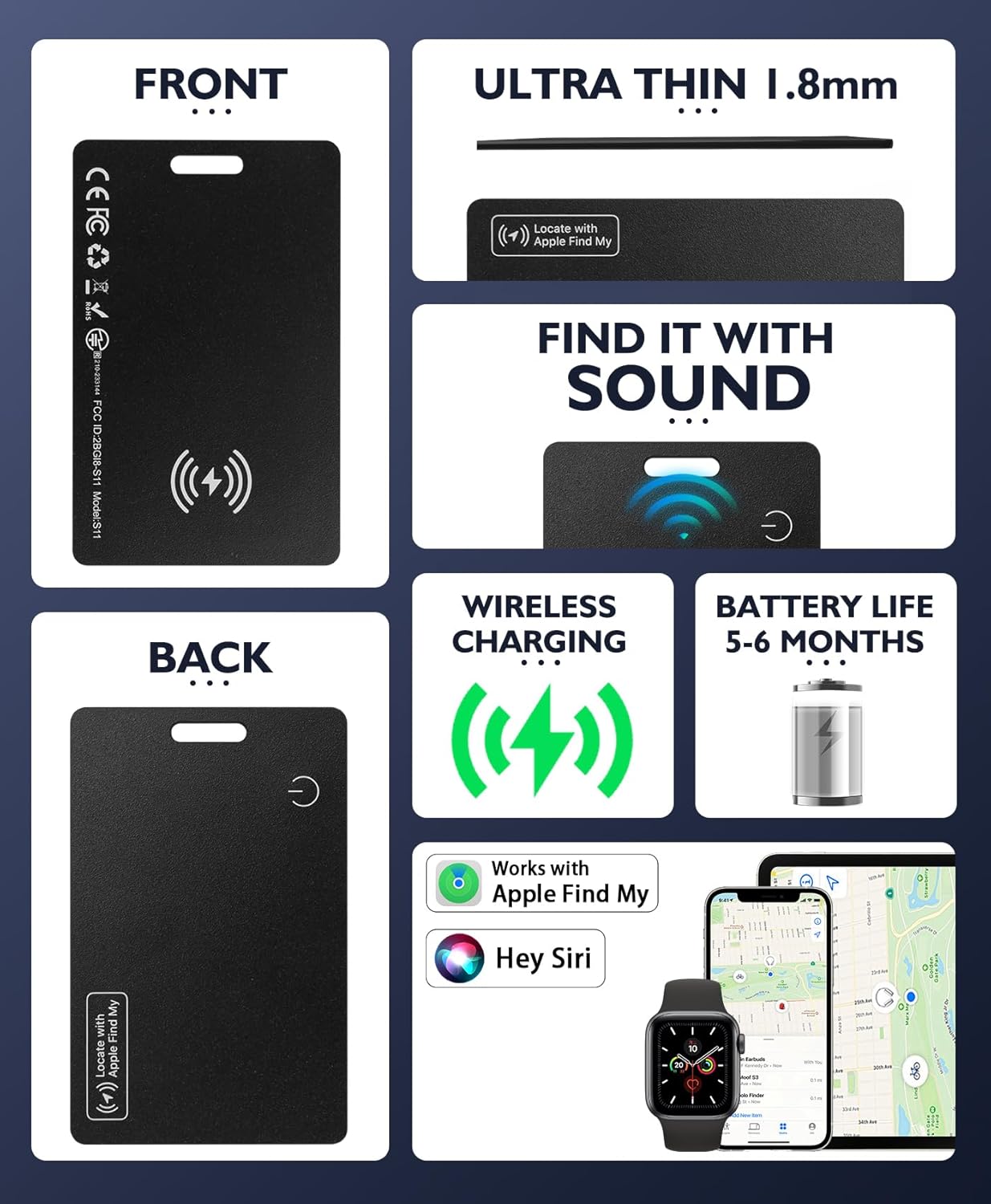
Image: An infographic detailing the key features of the Midlocater Wallet Tracker Card, including its slim profile, sound alert, wireless charging, battery life, and compatibility with Apple Find My and Siri.
Setup and Pairing
Follow these steps to pair your Midlocater Wallet Tracker Card with your iOS device:
- Prepare the Tracker: Ensure your Midlocater Wallet Tracker Card is charged.
- Open Find My App: On your iPhone or iPad, open the "Find My" application.
- Add New Item: Navigate to the "Items" tab and tap the "+" icon, then select "Add Other Item."
- Activate Pairing Mode: Press and hold the button on your Midlocater Wallet Tracker Card until it enters pairing mode (usually indicated by an audible cue or LED).
- Connect: Your device will detect the tracker. Follow the on-screen prompts to name your item and complete the pairing process.
Once paired, the tracker will appear in your Find My app, allowing you to monitor its location.

Image: A visual representation of the Midlocater Wallet Tracker Card's multi-device smart connectivity with an iPhone and Apple Watch, both showing the Find My app.
Operating Instructions
Locating Your Item
- Using the Find My App: Open the Find My app on your iOS device. Select the "Items" tab and choose your Midlocater Wallet Tracker Card. You will see its last known location on a map.
- Playing a Sound: If your item is nearby, tap "Play Sound" in the Find My app. The tracker will emit a loud sound (90-100dB) to help you pinpoint its exact location.
Separation Alerts
The Midlocater Wallet Tracker Card can notify you if you leave your item behind:
- Enable Notifications: In the Find My app, select your tracker, then enable "Notify When Left Behind." You can also set specific locations where you don't want to be notified (e.g., your home).
- Receiving Alerts: If your tracker moves out of Bluetooth range from your iOS device, you will receive an immediate alert on your iPhone, indicating its last detected location.

Image: An iPhone screen showing a "Wallet left behind" notification, illustrating the separation alert feature.

Image: A visual of the "Find Your Wallet, Always" feature, showing a wallet on the ground and an iPhone displaying a reminder notification.
Sharing Item Access
You can share access to your tracker's location with trusted individuals through the Find My app, allowing collaborative item retrieval while maintaining privacy.

Image: Screenshots of the iPhone's Find My app demonstrating the "Share This Item" functionality, allowing users to share their tracker's location.
Charging and Battery Life
The Midlocater Wallet Tracker Card features convenient wireless charging and an extended battery life.
- Wireless Charging: The tracker supports Qi wireless charging. Place the side with the wireless charging icon face down on any compatible Qi wireless charger (e.g., MagSafe, AirPods chargers, or car docks).
- Charging Time: A full charge typically takes approximately 1.5 hours.
- Battery Life: A single full charge provides 5-6 months of battery life with typical daily use and weekly alerts.
- Battery Indicator: The tracker may have an LED indicator to show charging status (e.g., red for charging, off for fully charged).

Image: The Midlocater Wallet Tracker Card placed on a wireless charging pad, illustrating the wireless charging feature. Note: Wireless charger is not included.

Image: A graphic demonstrating the wireless charging capability of the Smart Card Tracker, emphasizing its reusability and long-lasting performance.
Care and Maintenance
- Material: The tracker is crafted from flexible yet resilient PVC material, designed to withstand daily use within wallets and bags.
- Water and Dust Resistance: With an IP68 rating, the device is protected against dust ingress and can withstand immersion in water up to 1.5 meters for 30 minutes. This ensures reliable performance even if exposed to rain, spills, or accidental submersion.
- Cleaning: Wipe the tracker with a soft, dry cloth. Avoid harsh chemicals or abrasive materials.
- Storage: Store the tracker in a cool, dry place when not in use for extended periods.
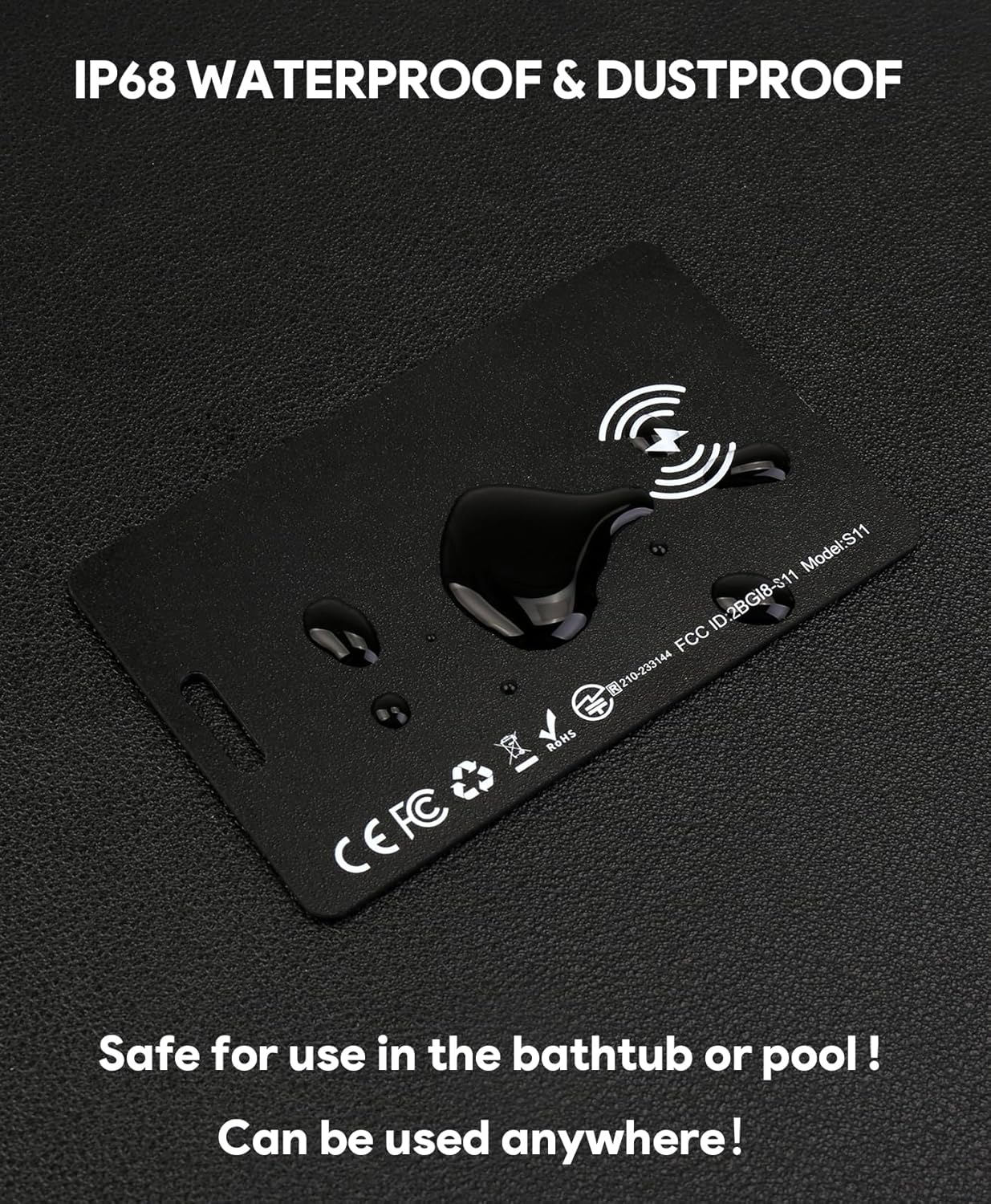
Image: The Midlocater Wallet Tracker Card with water droplets, demonstrating its IP68 waterproof and dustproof capabilities.
Troubleshooting
- Tracker Not Pairing:
- Ensure the tracker is charged.
- Make sure Bluetooth is enabled on your iOS device.
- Restart your iOS device and try the pairing process again.
- Ensure no other devices are actively trying to pair with the tracker.
- Cannot Locate Item / No Sound:
- Verify the tracker is within Bluetooth range of an Apple device connected to the Find My network.
- Check the battery level of the tracker in the Find My app. A low battery may affect functionality.
- Ensure the tracker is not completely covered by thick materials that could muffle the sound or block the signal.
- Charging Issues:
- Ensure the wireless charging pad is functional and powered.
- Confirm the tracker is placed correctly on the charging pad, with the wireless charging icon facing down.
- Try a different Qi-compatible wireless charger if available.
- If the tracker does not charge after several attempts, contact customer support.
- Inaccurate Location:
- Location accuracy relies on the density of Apple devices in the Find My network. In areas with fewer devices, location updates may be less frequent or precise.
- Ensure your iOS device has a stable internet connection for accurate map display.
Specifications
| Feature | Detail |
|---|---|
| Model | B0DQKPXWJR |
| Package Dimensions | 4.33 x 3.23 x 0.59 inches |
| Tracker Thickness | 1.8 mm |
| Item Weight | 0.423 ounces |
| Connectivity | Bluetooth |
| Compatible Devices | iPhone (iOS Only) |
| Battery Type | Rechargeable (internal, non-replaceable CR2032 battery included) |
| Battery Life | 5-6 months per charge |
| Charging Method | Qi Wireless Charging |
| Material | PVC |
| Water Resistance | IP68 |
| Manufacturer | midlocater |
Note: Product feature descriptions emphasize wireless charging and a rechargeable battery, while specifications mention an included CR2032 battery. For this product, the CR2032 is an internal, non-replaceable component of the rechargeable system, not a user-replaceable disposable battery.
Warranty and Support
For any questions, technical assistance, or warranty inquiries regarding your Midlocater Wallet Tracker Card, please contact Midlocater customer support. Refer to the product packaging or the official Midlocater website for the most current contact information.
Midlocater is committed to providing reliable products and responsive customer service.
Ask a question about this manual
Ask about setup, troubleshooting, compatibility, parts, safety, or missing instructions. Manuals+ will review the question and use this page’s manual context to help answer it.