
MaaZi L17
MaaZi Smartwatch L17 User Manual
Model: L17 | Brand: MaaZi
1. Introduction
Thank you for choosing the MaaZi Smartwatch L17. This manual provides essential information for setting up, operating, and maintaining your device. The L17 Smartwatch is designed to seamlessly integrate into your daily life, offering a large 1.7-inch display, Bluetooth call functionality, long battery life, GPS integration, and comprehensive health monitoring features.

Image: The MaaZi Smartwatch L17, showcasing its sleek design and vibrant display with health metrics and call interface.
2. Package Contents
Please check the package for the following items:
- MaaZi Smartwatch L17 Body
- USB Charging Cable
- Japanese Instruction Manual (Please refer to this English manual for detailed instructions)
3. Setup
3.1 Charging the Device
Before first use, fully charge your smartwatch. Connect the provided USB charging cable to the charging port on the back of the watch and to a USB power source. A full charge typically takes approximately 2 hours and provides up to 1 week of usage.

Image: Smartwatch connected to its USB charging cable, illustrating the charging process and battery life.
3.2 App Installation and Pairing
To unlock the full potential of your smartwatch, install the companion app (e.g., DaFit, as mentioned in user reviews) on your smartphone. Scan the QR code in the Japanese manual or search for the app in your phone's app store.
- Download and install the app on your iPhone or Android device.
- Enable Bluetooth on your smartphone.
- Open the app and follow the on-screen instructions to search for and pair with your MaaZi Smartwatch L17 (device name L17).
- Ensure the connection is stable for all features to function correctly.

Image: Illustrates the Bluetooth pairing process on a smartphone and a smartwatch displaying a message notification.
4. Operating Instructions
4.1 Basic Navigation
The smartwatch features a 1.7-inch large touch screen for easy navigation. Swipe left/right, up/down to access different functions and menus. The side button typically serves as a power/home button.
4.2 Bluetooth Call Function
The L17 Smartwatch allows you to make and receive calls directly from your wrist, eliminating the need to take out your smartphone. This is particularly convenient when your hands are occupied, such as during housework, driving, or training.
- Making Calls: Access the dial pad or contact list on your watch to initiate a call.
- Receiving Calls: When a call comes in, the watch will display the caller ID. You can answer or reject the call directly from the watch.
4.3 Notifications
Receive SMS and LINE notifications directly on your smartwatch. Ensure notification permissions are enabled in the companion app and your phone's settings.
4.4 Health Monitoring
The smartwatch is equipped with multi-functional sensors to support your health management:
- Activity Tracker: Monitors your daily activity, including steps taken (pedometer) and calories burned.
- Heart Rate Measurement: Provides real-time heart rate data.
- Sleep Monitoring: Tracks your sleep patterns and quality, helping you understand and improve your sleep.
- Sedentary Reminder: Alerts you when you've been inactive for too long, encouraging you to move.

Image: Smartwatch screens showing sleep data and a sedentary reminder, highlighting the health tracking capabilities.
4.5 Sports Modes
The L17 Smartwatch supports various sports modes, allowing you to accurately record your exercise data. By linking with built-in GPS (via your phone), it records distance traveled and routes during activities like running and cycling.

Image: Demonstrates the smartwatch in use during exercise, highlighting its multi-sport modes and IP68 waterproof rating.
4.6 Other Useful Tools
The smartwatch includes several convenient tools:
- Weather Forecast: Check the current weather and temperature directly on your watch.
- Alarm: Set alarms to wake up or for reminders.
- Find Phone: Locate your misplaced smartphone by making it ring.
- Remote Camera Control: Use your watch as a remote shutter for your phone's camera.
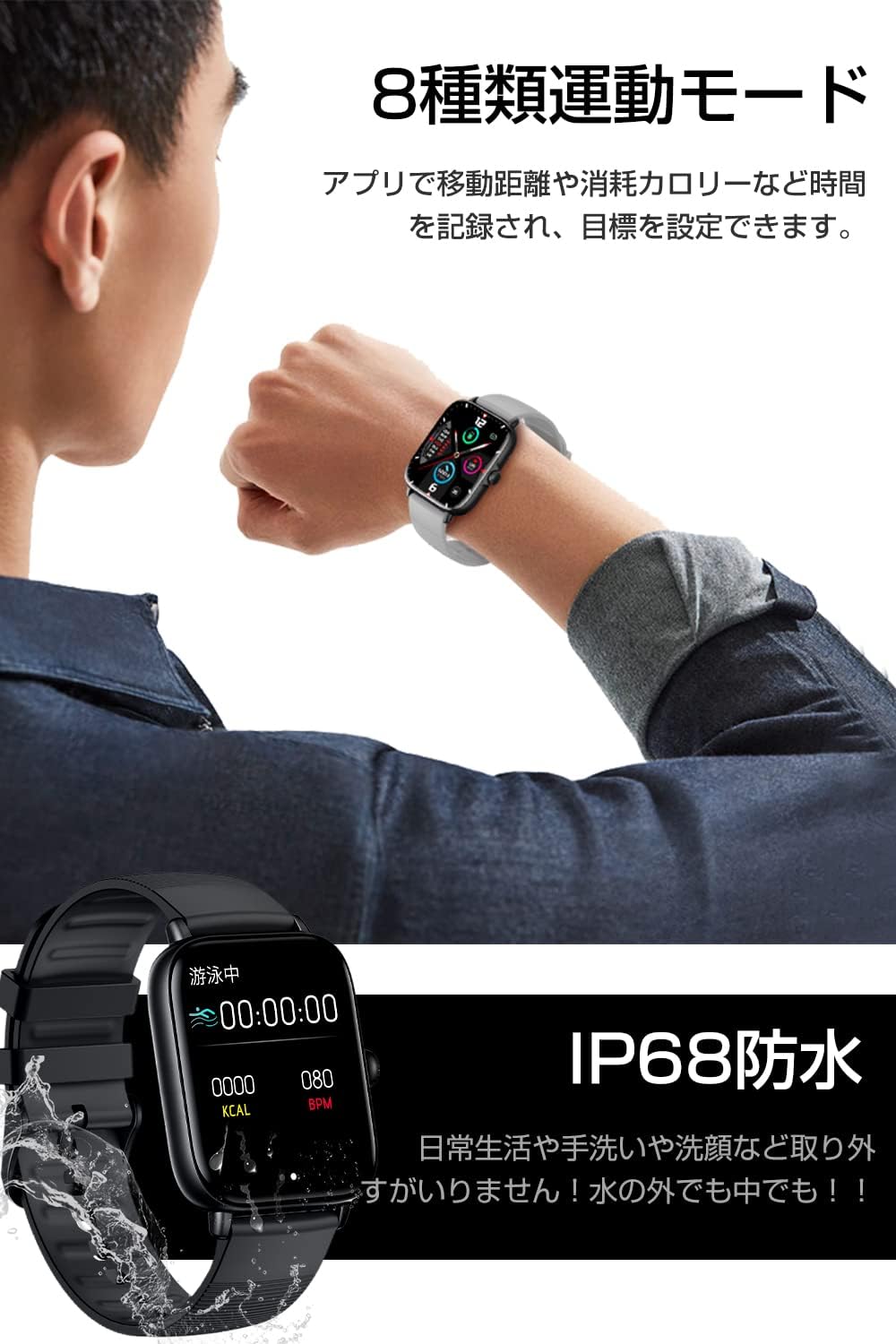
Image: Displays various utility features of the smartwatch, including weather, alarm, phone finder, and camera control.
4.7 Customization
Personalize your smartwatch with a rich selection of watch face designs to match your mood and style.

Image: Showcases the smartwatch's customizable watch faces and sleek design.
5. Maintenance
5.1 Water Resistance
The MaaZi Smartwatch L17 features IPX7 waterproof performance. This means it is resistant to sweat and light splashes of water, such as during handwashing or light rain. It is not suitable for swimming, showering, or diving. Avoid exposing the watch to hot water or steam.
5.2 Cleaning
To clean your smartwatch, wipe it gently with a soft, dry cloth. If necessary, use a slightly damp cloth and then dry thoroughly. Avoid using harsh chemicals or abrasive materials, as they may damage the device.
6. Troubleshooting
If you encounter issues with your smartwatch, try the following steps:
- Device Not Turning On: Ensure the watch is fully charged. Connect it to the charging cable and a power source.
- Bluetooth Connectivity Issues:
- Ensure Bluetooth is enabled on both your phone and watch.
- Restart both your phone and watch.
- Forget the device in your phone's Bluetooth settings and re-pair.
- Ensure the watch is within the Bluetooth range of your phone.
- Notifications Not Appearing:
- Check notification permissions in the companion app and your phone's system settings.
- Ensure the app is running in the background and not being closed by battery optimization settings.
- Inaccurate Health Data: Ensure the watch is worn snugly on your wrist, not too loose or too tight. Clean the sensors on the back of the watch.
- Short Battery Life: Reduce screen brightness, disable unnecessary notifications, and limit continuous heart rate monitoring if not needed.
If the problem persists, please refer to the support section or contact customer service.
7. Specifications
| Feature | Specification |
|---|---|
| Model Name | Smartwatch L17 |
| Brand | MaaZi |
| Color | Gray |
| Shape | Square |
| Connectivity Technology | Bluetooth, Wi-Fi |
| Display Size | 1.7 inches |
| Water Resistance | IPX7 |
| Battery Life | Up to 1 week (typical usage) |
| Charging Time | Approx. 2 hours |
| Compatibility | iPhone, Android |
| Included Accessories | Smartwatch body, Japanese instruction manual, USB charging cable |
8. Warranty and Support
For warranty information and customer support, please refer to the contact details provided with your purchase or visit the official MaaZi website. If you experience any issues not covered in this manual, our support team is ready to assist you.
Ask a question about this manual
Ask about setup, troubleshooting, compatibility, parts, safety, or missing instructions. Manuals+ will review the question and use this page’s manual context to help answer it.