
1. Setup
Before first use, ensure all packaging materials are removed. Place the espresso machine on a stable, level, and heat-resistant surface near a power outlet.
1.1 Water Tank Installation
Locate the 100-ounce (3L) removable water tank at the rear of the machine. Fill it with fresh, cold water up to the MAX line. Ensure the tank is securely seated in its position.
1.2 Bean Hopper Assembly
Place the bean hopper onto the top of the machine, aligning it with the integrated burr grinder. Rotate it clockwise until it locks into place. Fill the hopper with fresh whole coffee beans.

Image: The Tru Fully Automatic 19 Bar Espresso Machine with Grinder, showcasing its sleek design and components on a kitchen countertop.
1.3 Initial Power On and Pre-Heating
Plug the machine into a grounded power outlet. Press the power button. The machine will begin a pre-heating cycle, indicated on the digital display. This process typically takes approximately two minutes. The machine is ready for use once the display indicates 'Ready'.
1.4 Grinder Adjustment
The integrated burr grinder has adjustable grind settings. Rotate the bean hopper to select your desired grind size, ranging from coarse to fine. Finer grinds are generally preferred for espresso extraction.

Image: A close-up view of the bean hopper, showing the numerical grind size settings from fine to coarse.
1.5 Portafilter Preparation
Insert the appropriate filter basket (single or double shot) into the 58mm portafilter. The machine includes two steel filter baskets.
1.6 Video Guide: Setup and First Use
Video: A detailed demonstration of setting up and using the Tru 19 Bar Espresso Machine with Grinder for the first time, including grinding, tamping, and brewing.
2. Operating Instructions
2.1 Grinding Coffee
Place the portafilter under the grinder outlet. Press the single or double shot grind button. The display will show a countdown of grinding time. To customize the grind duration, press and hold the desired grind button until the desired amount is dispensed, then release. The machine will remember this setting.
2.2 Tamping the Grounds
After grinding, use the included barista-style espresso tamper to firmly press the coffee grounds evenly into the portafilter basket. Ensure a level and compact puck for optimal extraction.
2.3 Espresso Extraction
Insert the prepared portafilter into the group head and rotate it to lock it securely. Place your cup(s) on the drip tray. Press the single or double shot espresso button. The machine will begin extraction, and the display will show the extraction progress and pressure. To customize the extraction volume, press and hold the desired espresso button until the desired volume is reached, then release. The machine will remember this setting.
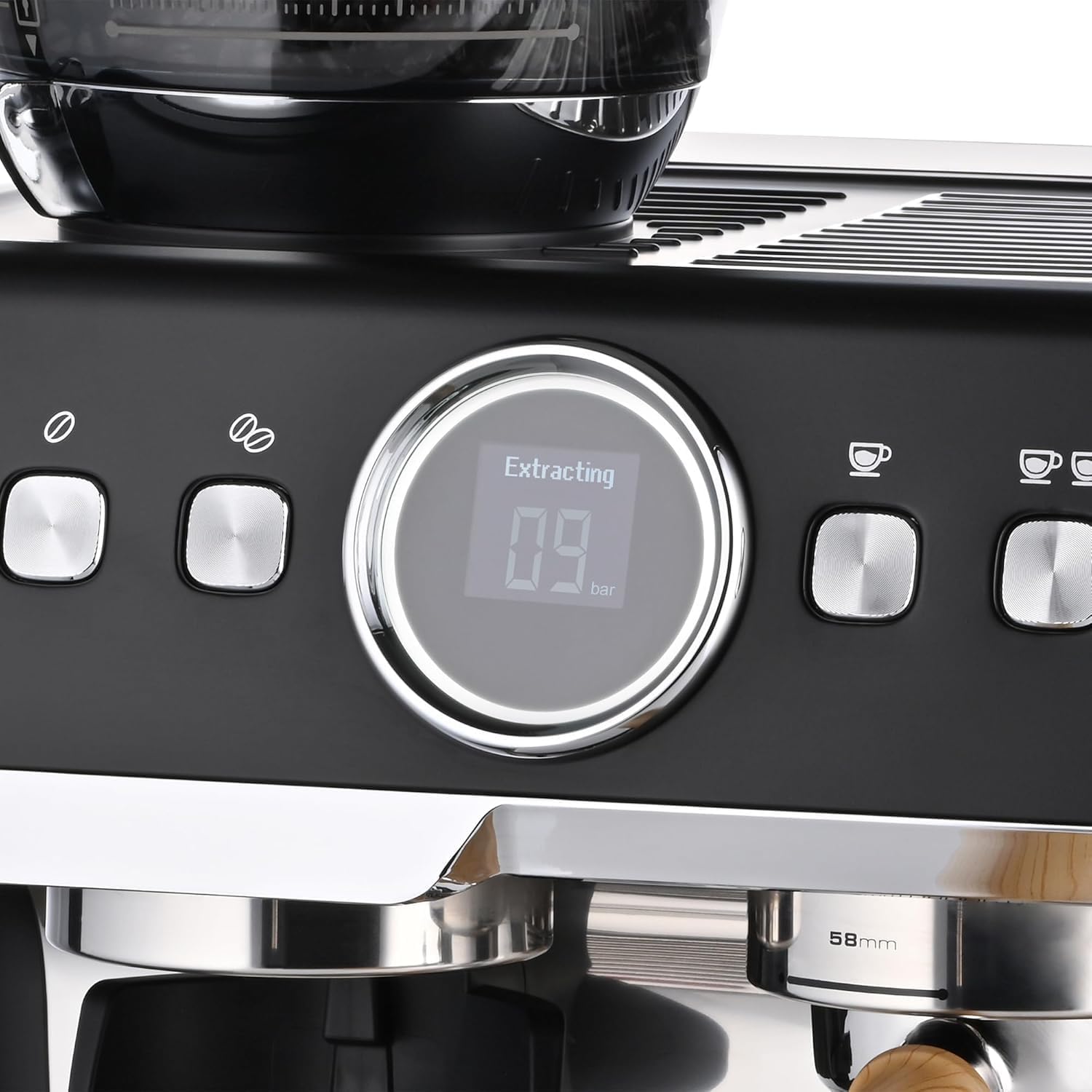
Image: The digital display of the espresso machine indicating 'Extracting' with a countdown timer.
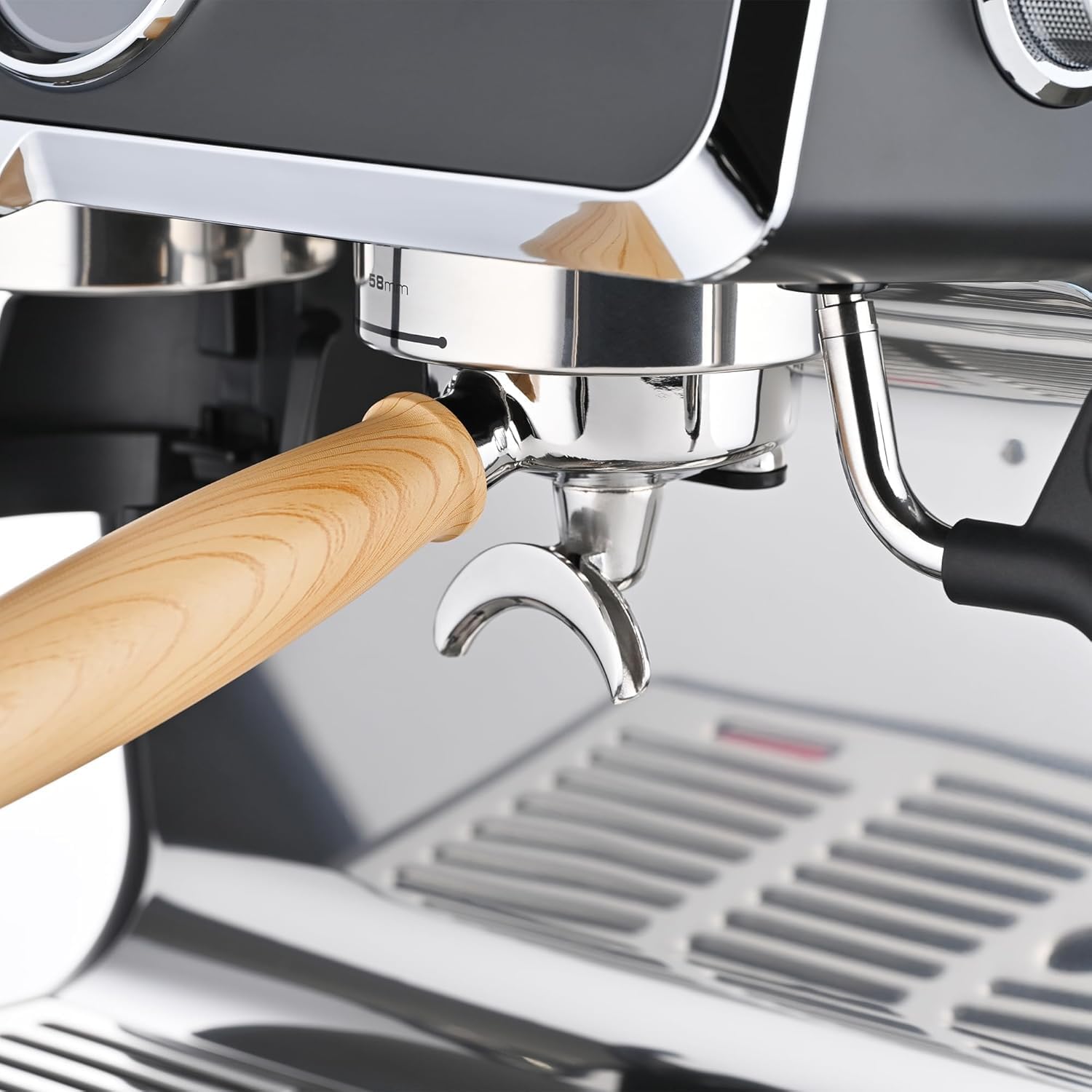
Image: A close-up of the portafilter securely locked into the group head of the espresso machine, ready for brewing.
2.4 Steaming Milk
Press the steam button to activate the steam function. The machine will pre-heat for steaming, indicated on the display. Once 'Steam Ready' is shown, position the 360-degree swivel steam wand into the included stainless steel frothing pitcher containing cold milk. Turn the steam control knob to release steam and froth the milk to your desired texture. Turn the knob off when finished.
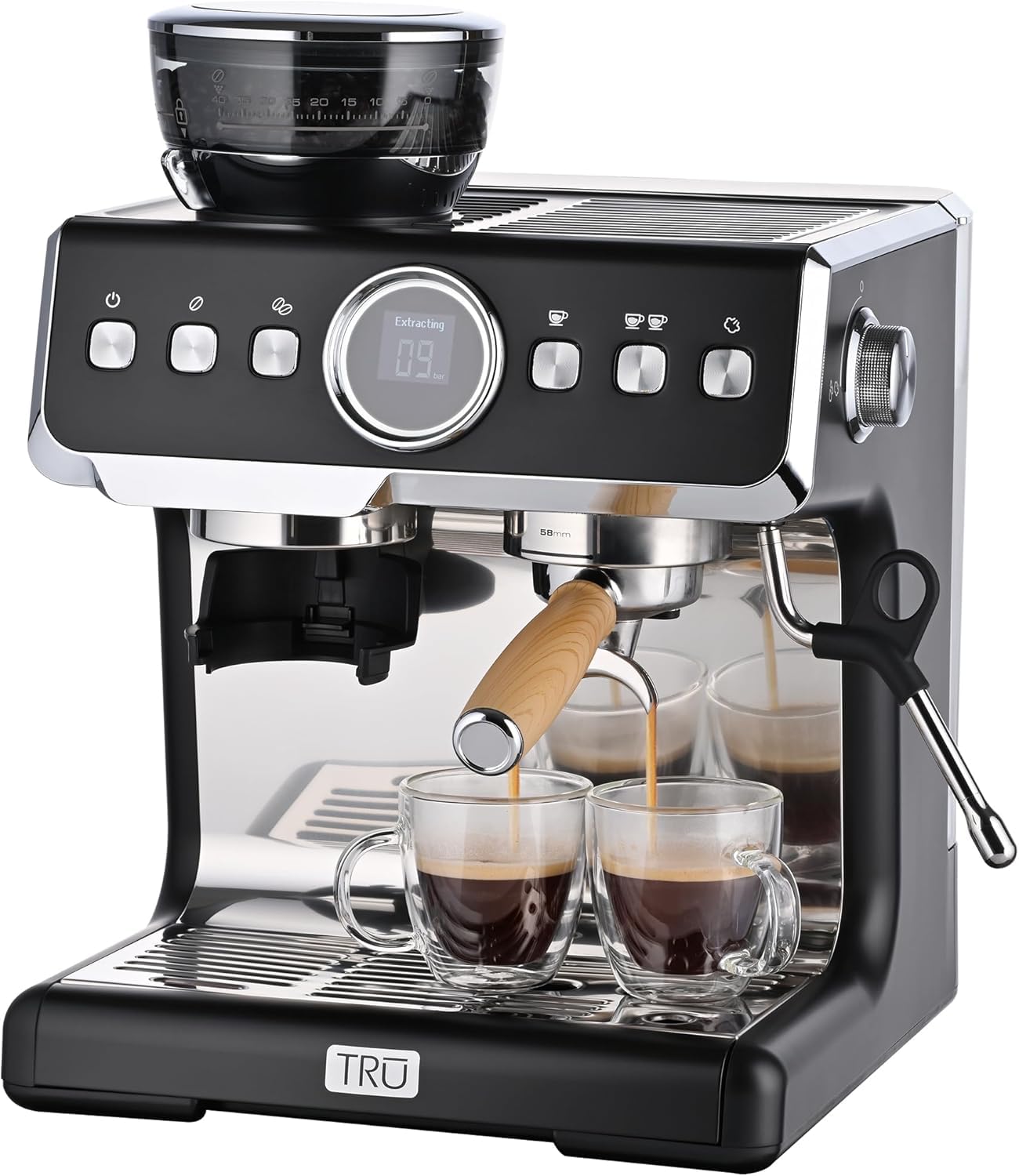
Image: A hand holding a frothing pitcher under the steam wand, actively frothing milk for a latte or cappuccino.

Image: A hand turning the steam control knob on the side of the espresso machine to adjust steam output.
2.5 Hot Water Dispensing
To dispense hot water, turn the steam control knob without pressing the steam button. The display will show a water icon. This function can be used for Americanos or pre-heating cups.
3. Maintenance
Regular cleaning and maintenance ensure optimal performance and longevity of your espresso machine.
3.1 Cleaning the Portafilter and Filter Baskets
After each use, remove the portafilter and discard the used coffee grounds. Rinse the portafilter and filter basket under hot water. Use the included cleaning brush to remove any residual coffee particles. Ensure the filter basket holes are clear.
3.2 Cleaning the Drip Tray
The two-piece drip tray should be emptied and cleaned regularly. Slide out the drip tray, discard accumulated water, and wash with warm, soapy water. Rinse thoroughly and dry before reinserting.
3.3 Cleaning the Steam Wand
Immediately after frothing milk, wipe the steam wand with a damp cloth to remove any milk residue. Briefly activate the steam function to purge any milk from inside the wand. Use the included cleaning needle to clear any blockages in the steam wand tip if necessary.
3.4 Descaling
Over time, mineral deposits can build up inside the machine, affecting performance. Descale the machine every 2-3 months, or more frequently if you have hard water. Refer to the detailed descaling instructions in the full product manual for specific steps and recommended descaling solutions.
4. Troubleshooting
This section addresses common issues you might encounter with your espresso machine.
| Problem | Possible Cause | Solution |
|---|---|---|
| Machine does not power on | Not plugged in; power outlet issue | Ensure machine is securely plugged in. Check power outlet with another appliance. |
| No water dispensing | Water tank empty or not seated correctly | Fill water tank and ensure it is properly inserted. |
| Weak or watery espresso | Grind too coarse; insufficient coffee; tamping too light | Adjust grinder to a finer setting. Use correct amount of coffee. Tamp firmly and evenly. |
| No steam from wand | Steam function not activated; wand blocked | Press the steam button and wait for 'Steam Ready'. Clean steam wand tip with needle. |
| Grinder not working | Bean hopper not locked; no beans | Ensure bean hopper is locked. Fill hopper with coffee beans. |
5. Specifications
- Brand: Tru
- Model Name: TRU Fully Automatic 19 Bar Espresso Machine with Grinder
- Model Number: CM-201B
- UPC: 655772024541
- Color: Black
- Product Dimensions (D x W x H): 13.98"D x 13.15"W x 16.5"H
- Item Weight: 18.74 Pounds
- Capacity (Water Tank): 100 ounce (3L)
- Pressure Pump: 19 Bar
- Wattage: 1450 watts
- Voltage: 120 Volts
- Filter Type: Reusable (58mm portafilter with two steel filter baskets)
- Special Features: Cup Warmer, Integrated Burr Grinder (adjustable settings), Intelligent Temperature Control, 360-degree Swivel Steam Wand, Single/Double Shot Brew Settings, Removable Two-Piece Drip Tray
- Included Components: Unit, drip tray, 58mm Portafilter, (2) filters, cleaning brush, cleaning needle, tamper, frothing pitcher

Image: The Tru espresso machine with key dimensions (height, width, depth) indicated.
6. Warranty
For detailed warranty information, please refer to the warranty card included with your product packaging or contact Tru customer support. Keep your proof of purchase for warranty claims.
7. Support
For further assistance, product registration, or to purchase accessories, please visit the official Tru website or refer to the contact information provided in your product documentation.
You can also visit the Tru Store on Amazon for more information.

