
Introduction
Thank you for choosing the Dodoore 1:14 Scale RC Rock Crawler. This manual provides essential information for the safe operation, setup, maintenance, and troubleshooting of your remote control vehicle. Please read this manual thoroughly before operating the product to ensure proper function and to prevent damage.

Image: The Dodoore 1:14 Scale RC Rock Crawler in white, showcasing its detailed design and the accompanying remote control unit.
Package Contents
Ensure all items listed below are present in your package:
- 1x Dodoore RC Car (1:14 Scale Rock Crawler)
- 1x Car Battery (7.4V 500mAh)
- 1x Remote Controller
- 1x Accessories Kit
- 1x Instruction Manual (this document)
Safety Precautions
- Choking Hazard: This product contains small parts and is not suitable for children under 3 years old.
- Water and Fire: Do not place this product into water or near fire sources (such as stoves) to avoid accidents and damage.
- Always operate the vehicle in open areas, away from people, pets, and obstacles.
- Do not operate the vehicle in public streets or near traffic.
- Adult supervision is recommended for users under the manufacturer's recommended age of 16 years.
- Ensure batteries are charged correctly and handled with care.
- Turn off the vehicle and remote control when not in use.

Image: A diagram of the remote control, which also includes a critical safety note regarding small parts and avoiding water or fire sources.
Setup
1. Charging the Car Battery
- Connect the 7.4V 500mAh car battery to the included USB balance charger.
- Plug the USB charger into a compatible USB power source (e.g., computer USB port, USB wall adapter).
- The charger's indicator light will show the charging status. Refer to the charger's specific instructions for light indications.
- Charging time for a single battery is approximately 3 hours. Do not overcharge.
- Once fully charged, disconnect the battery from the charger.
2. Battery Installation
Car Battery Installation:
- Locate the battery compartment on the RC car.
- Open the battery compartment cover.
- Insert the fully charged 7.4V 500mAh battery into the compartment, ensuring correct polarity.
- Connect the battery connector to the car's power port.
- Securely close the battery compartment cover.
Remote Controller Battery Installation:
- Locate the battery compartment on the back of the remote controller.
- Open the battery compartment cover.
- Insert 2x 1.5V AA batteries (not included) into the compartment, observing the correct polarity (+/-).
- Securely close the battery compartment cover.
Operating Instructions
1. Remote Control Overview
Familiarize yourself with the remote control functions:
Image: A comprehensive diagram illustrating the various parts and functions of the remote control, including the steering wheel, throttle trigger, and adjustment dials.
- On/Off Switch: Powers the remote control.
- Steering Wheel: Controls left and right turns.
- Throttle Trigger: Pull for forward movement, push for backward movement.
- Steering Fine-Tuning: Adjusts the steering trim to ensure the car drives straight.
- Throttle Fine-Tuning: Adjusts the throttle trim.
- High/Low Throttle (A): Adjusts the maximum throttle output.
- Third Channel (B): (Function not specified, typically for auxiliary features).
- Turn On/Off Light (C): Controls the vehicle's LED lights.
- Indicator Light: Shows power status.
Important: Please adjust the steering fine-tuning to the center when using. Failure to adjust may cause the vehicle to drive automatically.
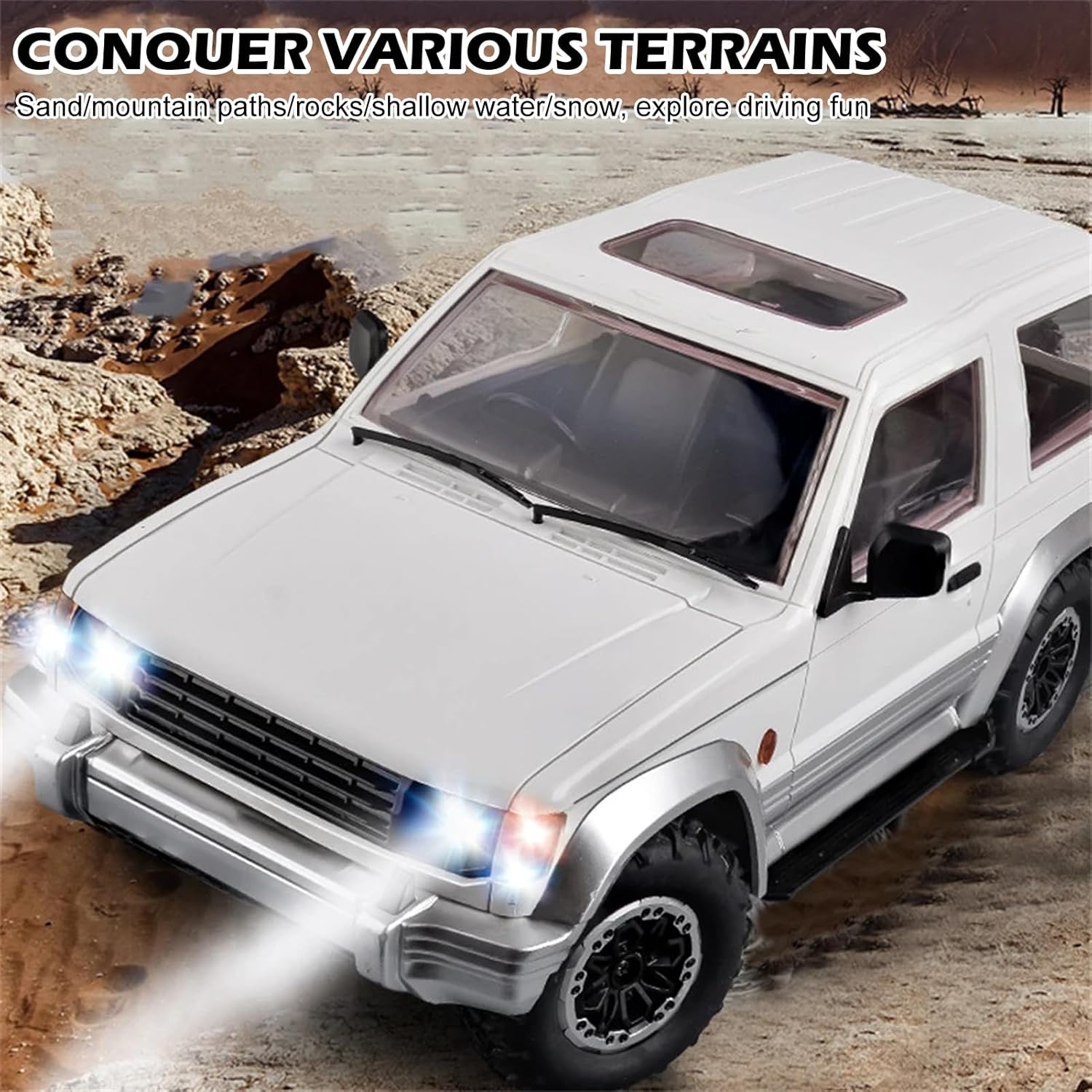
Image: The white RC car with its remote control, highlighting the full proportional steering capability which allows for precise control and wide-angle turns.
2. Driving the Vehicle
- Turn on the remote control, then turn on the RC car. The indicator lights on both devices should illuminate, indicating a successful connection.
- Use the steering wheel to control the direction (left/right).
- Use the throttle trigger to control speed and movement:
- Pull the trigger towards you for forward movement.
- Push the trigger away from you for backward movement.
- Adjust the High/Low Throttle switch (A) to control the maximum speed of the vehicle.
- Press the light control button (C) to turn the LED headlights and taillights on or off.
- The 4WD system and rubber tires with built-in sponge allow the vehicle to conquer various terrains such as sand, rocky paths, shallow water, and snow.

Image: The white RC car navigating a sandy and rocky environment, illustrating its ability to conquer various terrains.
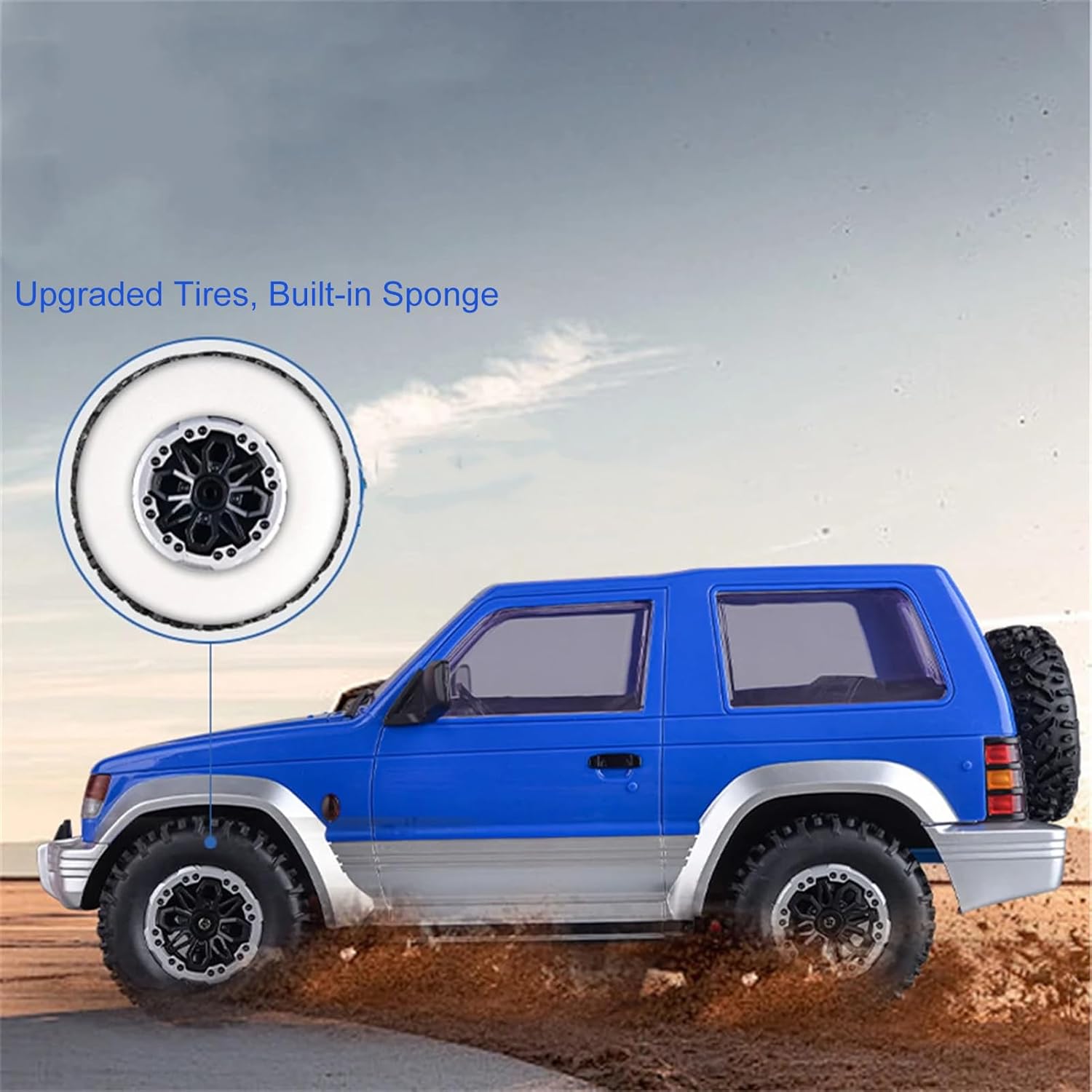
Image: The blue RC car with its LED headlights illuminated, demonstrating enhanced visibility for nighttime operation.
Maintenance
- Cleaning: After use, gently clean the vehicle with a soft, dry cloth to remove dirt and debris. Avoid using water or harsh chemicals.
- Storage: Store the RC car and remote control in a cool, dry place away from direct sunlight and extreme temperatures.
- Battery Care:
- Always remove batteries from the vehicle and remote control when not in use for extended periods.
- Do not store fully charged or completely depleted batteries. Charge them to about 50% for long-term storage.
- Dispose of old batteries responsibly according to local regulations.
- Tire Inspection: Regularly check the tires for wear and tear. The upgraded tires feature a built-in sponge for enhanced performance.

Image: A side view of the blue RC car, highlighting a close-up of its upgraded tire with a built-in sponge, designed for improved traction and durability.
Troubleshooting
| Problem | Possible Cause | Solution |
|---|---|---|
| Vehicle does not respond to remote control. |
|
|
| Vehicle drives crookedly. | Steering fine-tuning is off-center. | Adjust the steering fine-tuning dial on the remote control until the vehicle drives straight. |
| Short operating time. | Battery not fully charged or old battery. | Ensure battery is fully charged (approx. 3 hours). Consider replacing old batteries. |
| Interference during operation. | Other 2.4GHz devices nearby. | Move to an area with less electronic interference. The 2.4GHz system is designed to minimize this. |
Specifications
- Model: LD1297
- Material: ABS, Nylon, Metal
- Scale: 1/14
- Frequency: 2.4GHz
- Channels: 3 Channels
- ESC: Integrated Receiver Board
- Motor: 280 Brushed High-Speed Motor
- Servo: 17g Steering Servo
- Remote Control Distance: Approximately 20m (65.62ft)
- Car Battery: 7.4V 500mAh (included)
- Remote Controller Battery: 2x 1.5V AA batteries (not included)
- Charging Time (Single Battery): Approximately 3 hours
- Using Time (Single Battery): Approximately 20-30 minutes
- Car Size: 33cm x 15cm x 12cm (12.99in x 5.91in x 4.72in)
- Item Weight: 3.61 pounds
- Manufacturer Recommended Age: 16 years and up
Image: The blue RC car with its dimensions clearly marked, indicating its length (33cm/12.99in), width (15cm/5.91in), and height (12cm/4.72in).
Warranty and Support
For warranty information or technical support, please refer to the contact details provided with your purchase or visit the official Dodoore website. Keep your purchase receipt as proof of purchase.
Manufacturer: Dodoore