
1. Introduction
This manual provides comprehensive instructions for the installation, operation, and maintenance of your QQrCar Bluetooth Tire Pressure Monitoring System (TPMS) Sensor, Model QQR-S31. This sensor is designed to replace original equipment manufacturer (OEM) TPMS sensors in compatible Tesla vehicles, providing real-time tire pressure data to your vehicle's display. Please read this manual thoroughly before installation and use to ensure proper function and safety.
2. Product Overview

This image displays the QQrCar Bluetooth TPMS sensor, highlighting its compact design and the integrated valve stem. An inset graphic illustrates how the sensor fits inside a vehicle wheel, indicating its Bluetooth connectivity.
The QQrCar Bluetooth TPMS Sensor is an OEM replacement part engineered for seamless integration with specific Tesla models. It utilizes Bluetooth Low Energy (BLE) technology for wireless communication, ensuring accurate and stable tire pressure monitoring. The sensor is built with an Infineon SP400 chip and automotive-grade components for reliability and longevity.
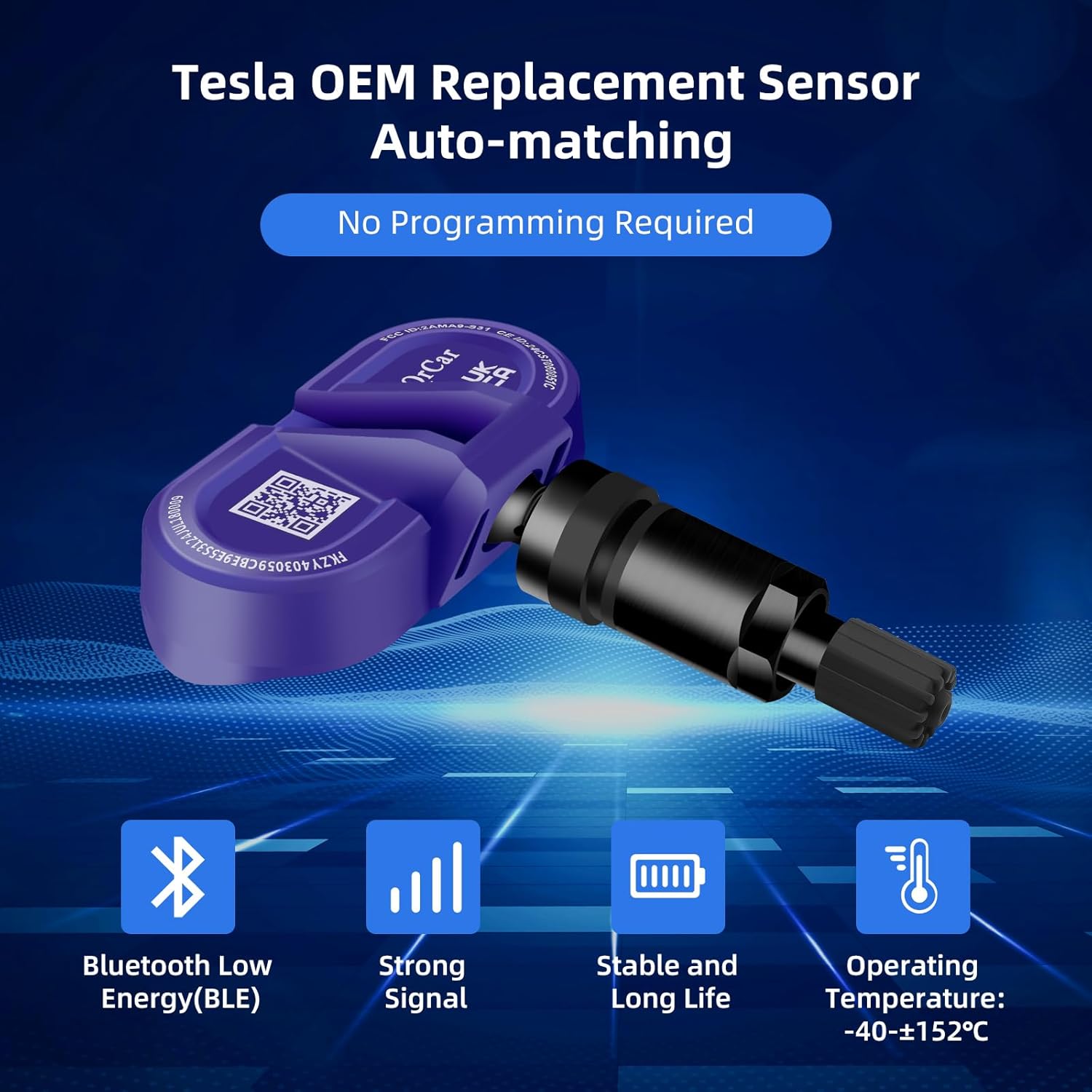
This image details the key features of the QQrCar TPMS sensor, including its use of Bluetooth Low Energy (BLE) for efficient communication, strong signal capability, stable and long operational life, and a wide operating temperature range of -40°C to +152°C.
3. Compatibility
The QQrCar Bluetooth TPMS Sensor (Model QQR-S31) is compatible with the following Tesla vehicle models:
- Tesla Model Y (October 2020 - Present) - Bluetooth
- Tesla Model 3 (October 2020 - Present) - Bluetooth
- Tesla Model S (Updated Model, June 2021 - Present) - Bluetooth
- Tesla Model X (October 2021 - Present) - Bluetooth
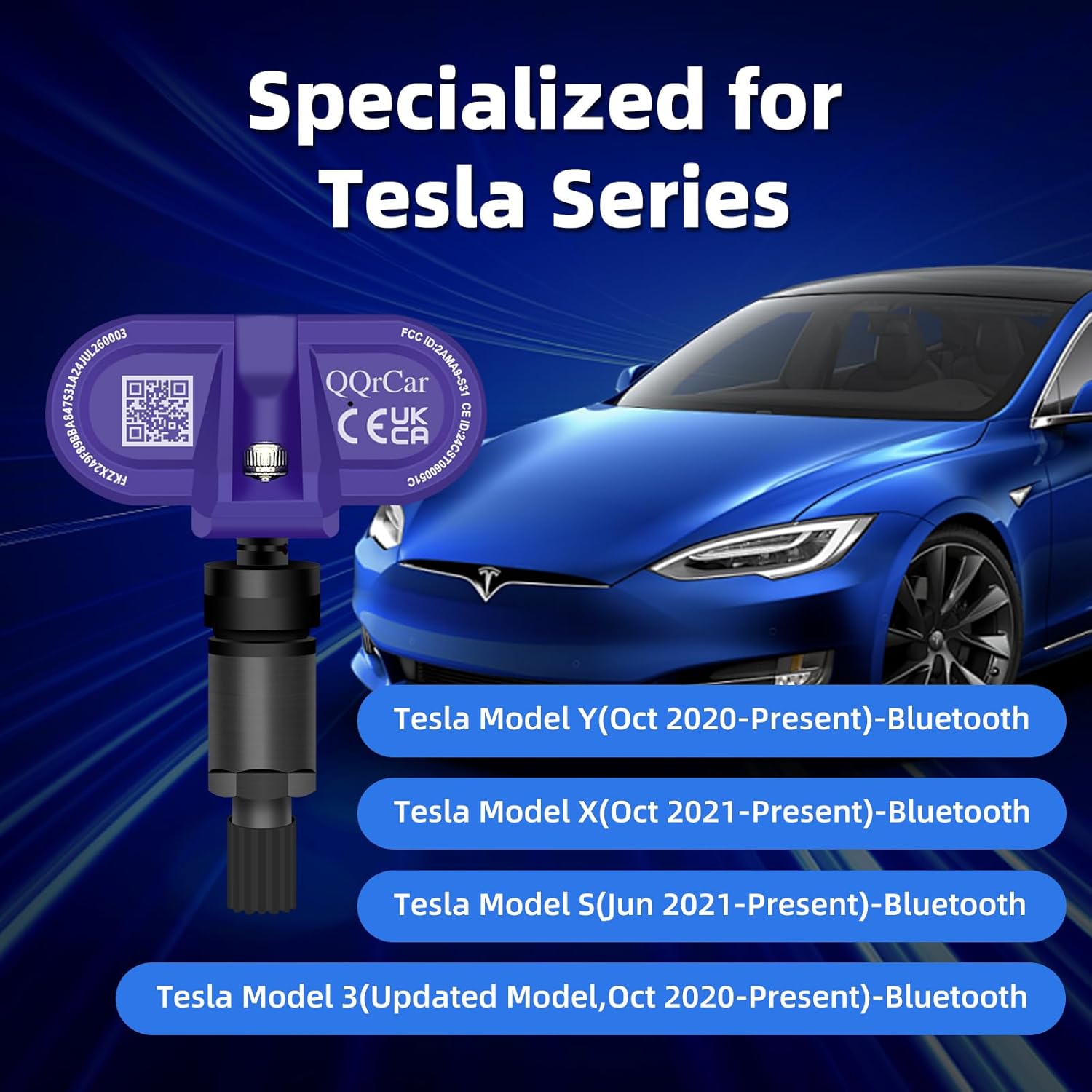
This graphic confirms the sensor's compatibility with various Tesla models, specifically Model Y (Oct 2020-Present), Model X (Oct 2021-Present), Model S (Jun 2021-Present), and Model 3 (Updated Model, Oct 2020-Present), all utilizing Bluetooth technology.
4. Installation Guide
The QQrCar Bluetooth TPMS Sensor is designed for a plug-and-play installation, requiring no programming or calibration. However, professional installation by a qualified technician is recommended to ensure proper mounting and tire integrity. Follow these general steps for installation:
- Release Tire Pressure: Safely deflate the tire completely.
- Remove Tire: Carefully remove the tire from the wheel rim using appropriate tire changing equipment.
- Remove Old Sensor: Detach and remove the existing TPMS sensor from the wheel.
- Install New Sensor: Mount the QQrCar Bluetooth TPMS sensor onto the wheel valve stem opening, ensuring it is securely fastened according to standard procedures.
- Install Tire: Reinstall the tire onto the wheel rim and inflate it to the manufacturer's recommended pressure.
- Drive Vehicle: After installation, drive your Tesla vehicle for a few miles (typically 10-20 minutes) at a speed above 15 mph (25 km/h). The new sensors will automatically connect and pair with your vehicle's TPMS system, and tire pressure readings will appear on your display.
Important Note: To avoid signal interference, do not place the original old sensor on or next to your vehicle after replacement. Keep a distance of 15 meters or more from the vehicle.
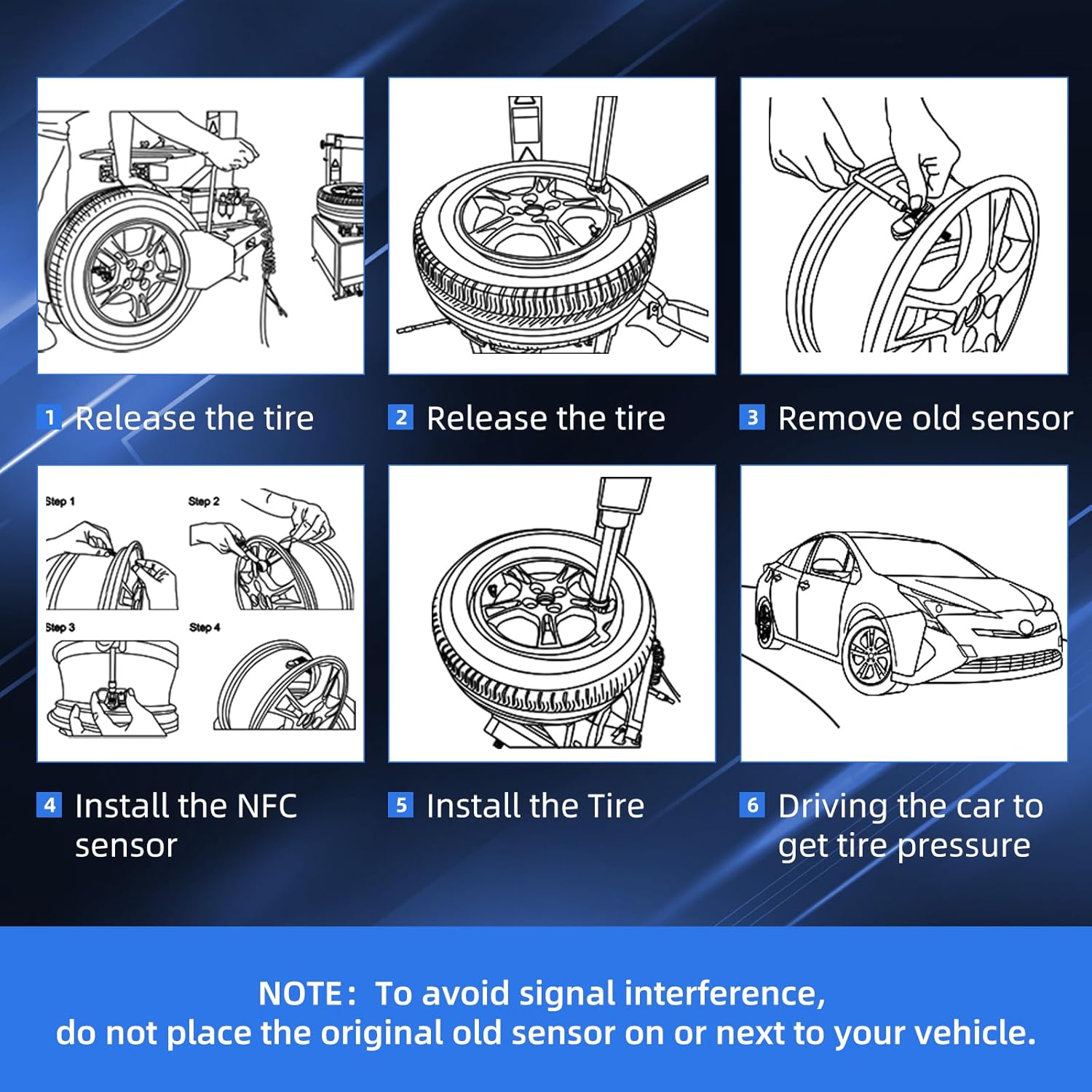
A visual guide outlining the six steps for installing the TPMS sensor: 1. Release tire pressure, 2. Remove tire, 3. Remove old sensor, 4. Install new sensor, 5. Reinstall tire, 6. Drive vehicle for automatic pairing. A note advises against placing old sensors near the vehicle to prevent interference.
5. Operation
Once installed and automatically paired, the QQrCar Bluetooth TPMS sensors continuously monitor your tire pressure and temperature. This data is transmitted wirelessly to your Tesla's onboard system, allowing you to view real-time tire pressure readings directly on your vehicle's display. The system will alert you to any significant drops in pressure or other anomalies, contributing to driving safety.

An illustration demonstrating the real-time monitoring capability of the built-in TPMS sensor. It shows the sensor transmitting data wirelessly from inside the tire to ensure continuous feedback on tire pressure for vehicle safety.
6. Maintenance
The QQrCar Bluetooth TPMS sensors are designed for minimal maintenance. They feature an imported automotive-grade battery with an expected lifespan of 6-7 years under normal operating conditions. The sensors are built to withstand extreme temperatures, ranging from -40°C to +128°C, ensuring reliable performance in various climates.
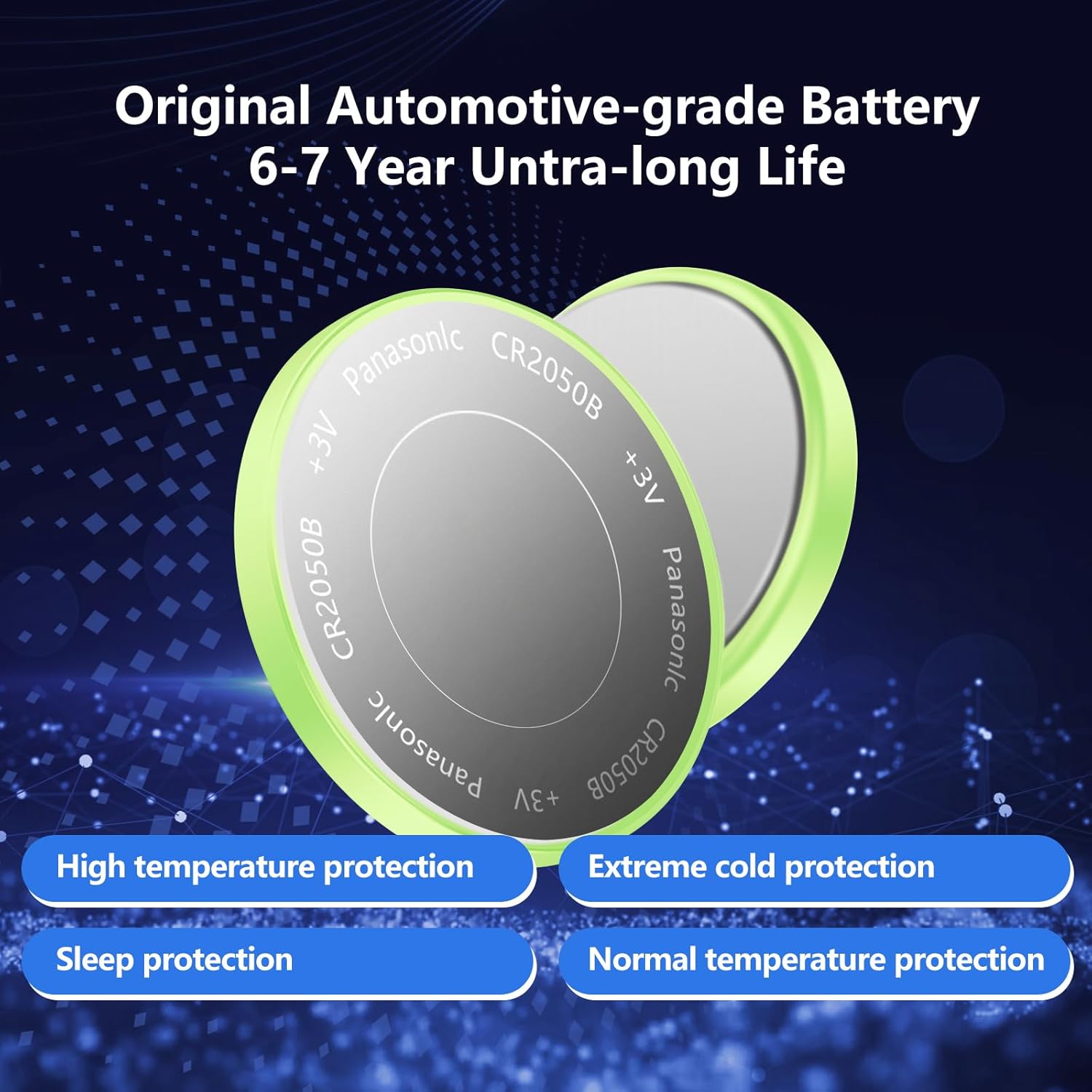
This image showcases the automotive-grade battery used in the sensor, emphasizing its 6-7 year ultra-long lifespan and protective features such as high temperature protection, extreme cold protection, sleep protection, and normal temperature protection.
No user-serviceable parts are inside the sensor. Battery replacement requires professional service and may not be cost-effective compared to replacing the entire sensor unit due to the sealed design.
7. Troubleshooting
If you encounter issues with your QQrCar Bluetooth TPMS Sensor, consider the following troubleshooting steps:
- Sensor Not Connecting/No Reading:
- Ensure all old TPMS sensors have been removed from the vehicle's vicinity (at least 15 meters away) to prevent signal interference.
- Drive the vehicle for an extended period (e.g., 20-30 minutes) at speeds above 15 mph (25 km/h) to allow the sensors sufficient time to pair automatically.
- Verify that the sensors were installed correctly and are securely seated in the wheel.
- Inaccurate Readings:
- Check tire pressure with a reliable manual gauge to compare against the vehicle's display.
- Ensure tires are inflated to the correct pressure specified by your vehicle manufacturer.
- If discrepancies persist, professional inspection may be required to check sensor integrity or vehicle's TPMS receiver.
- Error Messages on Display:
- Refer to your Tesla vehicle's owner's manual for specific TPMS error codes and recommended actions.
- If an error persists after attempting the above steps, contact customer support or a qualified service center.
8. Technical Specifications

This image focuses on the internal components of the sensor, pointing out the high-quality circuit board designed to resist severe weather and oxidation, and a high-precision chip for accurate data transmission and feedback.
| Feature | Specification |
|---|---|
| Model Number | QQR-S31 |
| Pressure Range | 100 - 900 KPA |
| Operating Frequency | 433/315 MHz |
| Monitoring Accuracy | ±5 KPA (-20°C to +30°C) |
| Operating Temperature | -40°C to +128°C |
| Battery Life | ≥ 6 Years |
| Mounting Type | Wheel Mount |
| Communication Protocol | Bluetooth Low Energy (BLE) |
9. Warranty and Support
QQrCar offers a 12-month after-sale service for this product. If the sensor fails or stops working within this period, please contact our customer service department for assistance, including replacement or refund options. We aim to respond to inquiries within 12 hours.
For further support or technical questions, please refer to the contact information provided with your purchase or visit the official QQrCar website.


