
Introduction
Thank you for choosing the Orestree 45W Charger. This power supply adapter cord is designed to provide reliable and efficient power to your Dell Vostro 3480 P89G P89G005 laptop. This manual provides essential information for the safe and effective use of your new charger, including setup, operation, maintenance, and troubleshooting.
Important Safety Information
Please read all safety instructions carefully before using the product. Failure to follow these instructions may result in electric shock, fire, or damage to the product or your device.
- Indoor Use Only: This charger is designed for indoor use. Do not expose it to rain, moisture, or extreme temperatures.
- Avoid Liquids: Keep the charger away from water, beverages, and other liquids.
- Proper Ventilation: Ensure adequate ventilation around the charger. Do not cover it or place it in an enclosed space during operation.
- Handle with Care: Do not drop, puncture, or disassemble the charger.
- Disconnect When Not in Use: Unplug the charger from the wall outlet and your laptop when not in use for extended periods.
- Inspect Cables: Regularly inspect the power cord and adapter for any signs of damage. Do not use if damaged.
- Children and Pets: Keep the charger out of reach of children and pets.
Package Contents
Verify that all items are present in the package:
- 1 x Orestree 45W Power Adapter
- 1 x AC Power Cord
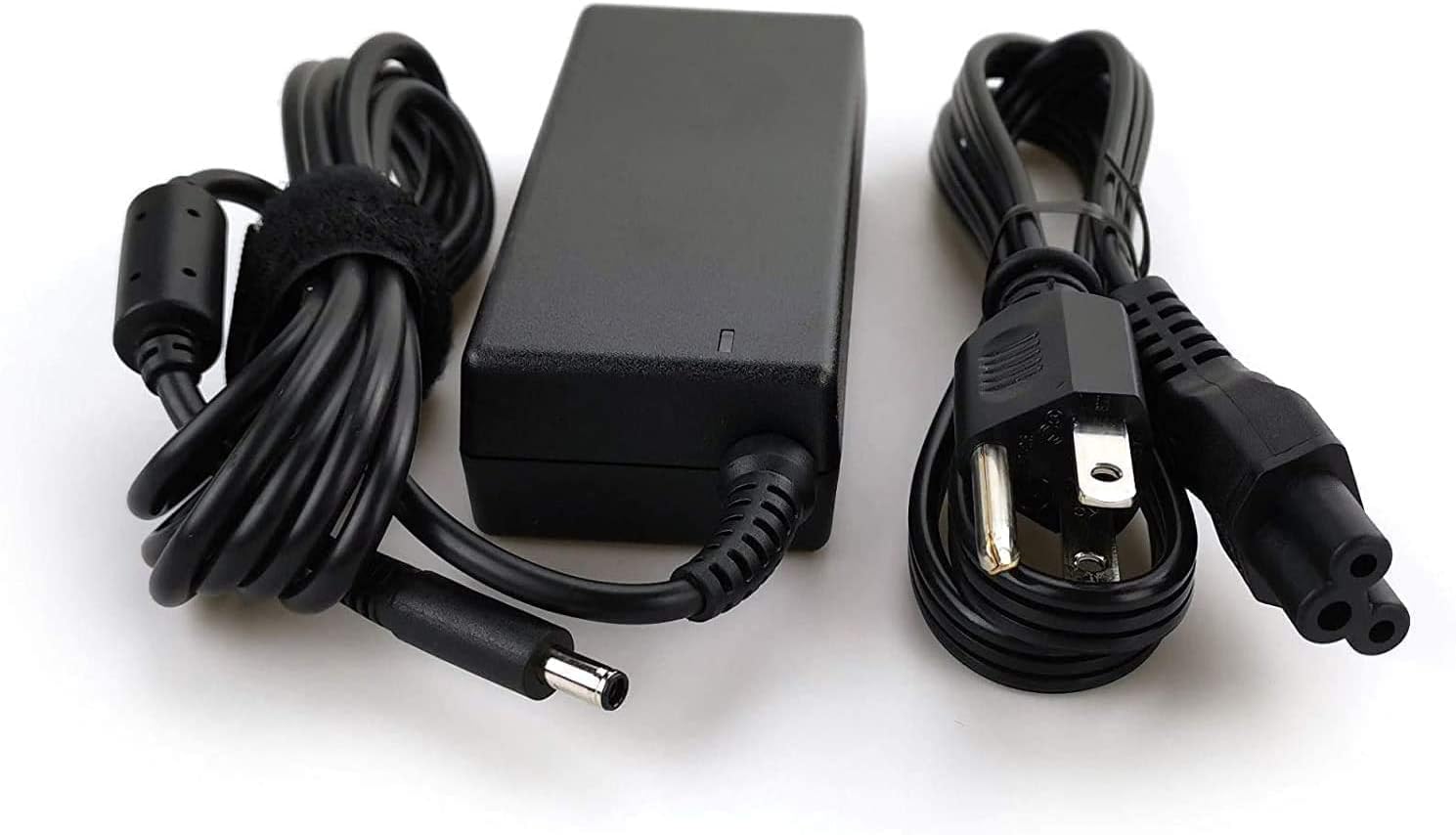
Image: The Orestree 45W Power Adapter and its accompanying AC power cord. The adapter is black with a blue-tipped 4.5mm x 3.0mm connector.
Setup Instructions
Connecting the Power Adapter
Follow these steps to properly connect your Orestree 45W Charger:
- Connect the AC power cord firmly into the power adapter's input port.
- Plug the other end of the AC power cord into a functional wall outlet.
- Insert the DC connector (4.5mm x 3.0mm blue tip) from the power adapter into the charging port of your Dell Vostro 3480 P89G P89G005 laptop.
- Ensure all connections are secure. Your laptop should begin charging, indicated by its charging status light.
Operating Your Charger
Once connected, the Orestree 45W Charger automatically begins supplying power to your laptop and charging its battery. The charger features an automatic off function to prevent overcharging and ensure safety.
- Input: The charger accepts a wide range of input voltages from 100-240V at 50-60Hz, making it suitable for international travel with appropriate plug adapters.
- Output: It provides a stable output of 19.5V at 2.31A, delivering 45 watts of power for efficient charging.
Care and Maintenance
To ensure the longevity and optimal performance of your charger, follow these maintenance guidelines:
- Cleaning: Use a soft, dry cloth to clean the charger. Do not use liquid cleaners or aerosols.
- Storage: Store the charger in a cool, dry place when not in use. Avoid wrapping the cord too tightly around the adapter.
- Temperature: Avoid exposing the charger to extreme hot or cold temperatures.
- Cable Inspection: Periodically check the power cord and adapter for any cuts, fraying, or bent pins. Replace if damaged.
Troubleshooting
Common Issues and Solutions
- Laptop not charging:
- Ensure the AC power cord is securely plugged into both the wall outlet and the adapter.
- Verify that the DC connector is fully inserted into your laptop's charging port.
- Test the wall outlet with another device to confirm it is functional.
- Confirm that the charger is compatible with your specific Dell Vostro model (3480 P89G P89G005).
- Charger feels hot:
- It is normal for the charger to become warm during operation. However, if it feels excessively hot, disconnect it immediately.
- Ensure the charger has adequate ventilation and is not covered.
- Loose connection:
- Check the connector size (4.5mm x 3.0mm) to ensure it matches your laptop's port.
- If the connection remains loose, inspect the laptop's charging port for damage.
Product Specifications
| Feature | Specification |
|---|---|
| Brand | Orestree |
| Model Number | AD195231 |
| Input Voltage | 100-240V ~ 50-60Hz |
| Output Voltage/Current | 19.5V / 2.31A |
| Wattage | 45W |
| Connector Size | 4.5mm x 3.0mm (Blue Tip) |
| Compatible Devices | Dell Vostro 3480 P89G P89G005 Laptops |
| Special Features | Automatic Off, Fast Charging |
| Item Weight | 8 ounces |
| Package Dimensions | 8 x 5 x 0.5 inches |
| Color | Black |
Warranty and Support
Warranty: This Orestree charger comes with a 12-month warranty from the date of purchase, covering manufacturing defects. Please retain your proof of purchase for warranty claims.
Return Policy: The product is subject to a 30-day return policy from the date of delivery. Please refer to the retailer's return guidelines for detailed instructions.
Customer Support: For technical assistance, warranty claims, or any questions regarding your Orestree charger, please contact the seller or manufacturer through the platform where the purchase was made. Provide your order number and a detailed description of the issue for prompt support.