
podofo A2747
User Manual for podofo 9-Inch Android 13 Car Stereo for BMW 3 Series E46 (1999-2005)
Model: A2747
1. Introduction
This manual provides detailed instructions for the installation, operation, and maintenance of your podofo 9-Inch Android 13 Car Stereo. This head unit is specifically designed for BMW 3 Series E46 models manufactured between 1999 and 2005, offering advanced features such as Wireless CarPlay, Android Auto, GPS navigation, Bluetooth connectivity, and more. Please read this manual thoroughly before installation and use to ensure proper functionality and safety.
2. Product Overview
The podofo car stereo is an advanced multimedia system featuring a 9-inch HD touch screen and running on Android 13. It includes a Quad-core CPU, 2GB RAM, and 64GB ROM for smooth performance and ample storage for applications.

Figure 2.1: Front view of the podofo 9-Inch Android 13 Car Stereo with included microphone, backup camera, and connectivity options.
Key Features:
- Android 13.0 System: Latest operating system for enhanced performance and app compatibility.
- Wireless CarPlay / Android Auto: Seamless integration with your smartphone for navigation, music, calls, and voice control.
- GPS Navigation & WiFi: Built-in offline map support and online navigation via Wi-Fi or hotspot.
- Multimedia Functions: Supports rear view camera input, Bluetooth hands-free calling and music streaming, Steering Wheel Control, FM/RDS radio, subwoofer output, dual USB ports, and dual microphones.
- 9-Inch HD Touch Screen: Provides a clear and responsive interface for all functions.
Included Components:
The package typically includes the head unit, power cable, RCA input/output cables, USB cables (2), external microphone, GPS antenna, HD backup camera, and installation tools.

Figure 2.2: Product dimensions and a visual representation of the included accessories.
3. Setup and Installation
Before beginning installation, ensure your vehicle's ignition is off and the battery is disconnected. It is recommended to have this unit installed by a professional if you are unfamiliar with car audio system installations.
3.1 Compatibility Check
This unit is designed for BMW 3 Series E46 models from 1999 to 2005. Verify your vehicle's dashboard configuration matches the unit's design for a proper fit. Some vehicles may require additional wiring harnesses or dash kits (not included) depending on the original factory setup.

Figure 3.1: Comparison of the dashboard before and after the installation of the podofo car stereo.
3.2 Wiring Instructions
Refer to the wiring diagram below and the labels on the unit's rear panel for correct connections. Ensure all connections are secure to prevent malfunctions.

Figure 3.2: Rear view of the head unit, displaying various ports and the model number A2747.

Figure 3.3: Comprehensive wiring instructions for connecting the power, RCA, USB, rear camera, and GPS antenna.
- Power Cable: Connect to the vehicle's power harness.
- RCA Input/Output: For external amplifiers, subwoofers, or video input/output.
- USB Ports: For media playback, charging, and wired CarPlay/Android Auto.
- Rear Camera Input: Connect the included HD backup camera. Ensure the camera input cable is plugged into the back of the radio to enhance Bluetooth and Wi-Fi signals.
- GPS Antenna: Mount in a location with a clear view of the sky for optimal signal reception.
- External Microphone: Connect for improved call quality.
4. Operating Instructions
4.1 Wireless CarPlay / Android Auto
Connect your iPhone or Android smartphone wirelessly to access navigation, music, calls, and voice assistants directly on the head unit's screen. This feature enhances driving safety and convenience.

Figure 4.1: Display of Wireless CarPlay/Android Auto functionality, including voice command examples.
4.2 GPS Navigation & WiFi
The unit comes with a built-in offline map application. You can also connect to Wi-Fi or a mobile hotspot to use online navigation apps and download additional applications from the Application Store, similar to a smartphone.
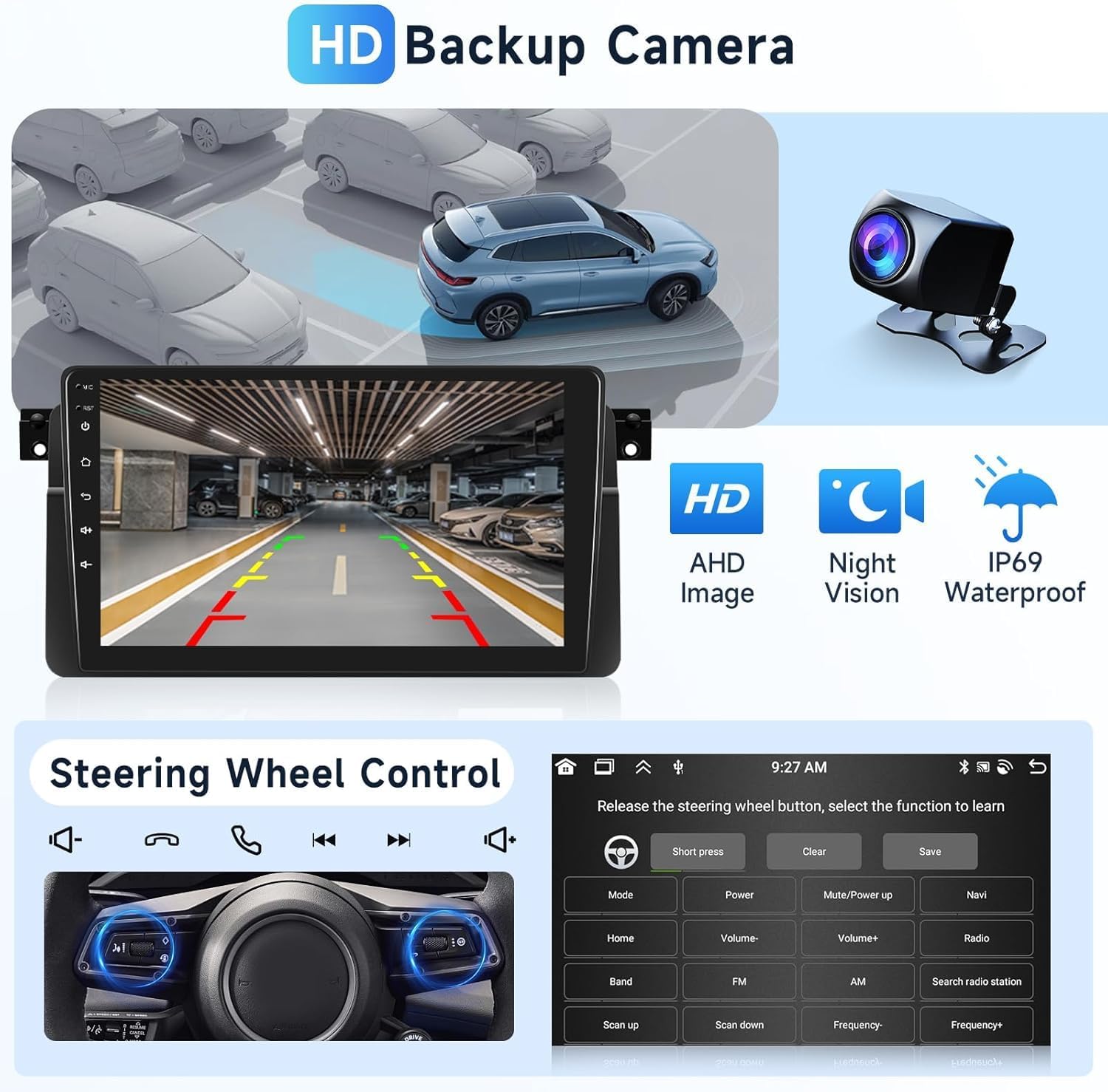
Figure 4.2: Screenshots demonstrating Wi-Fi connectivity for online music/video and GPS navigation with both online and offline map options.
4.3 Bluetooth Functions
Pair your mobile device via Bluetooth for hands-free calling and audio streaming. Access your phonebook, call history, and play music directly from your device.
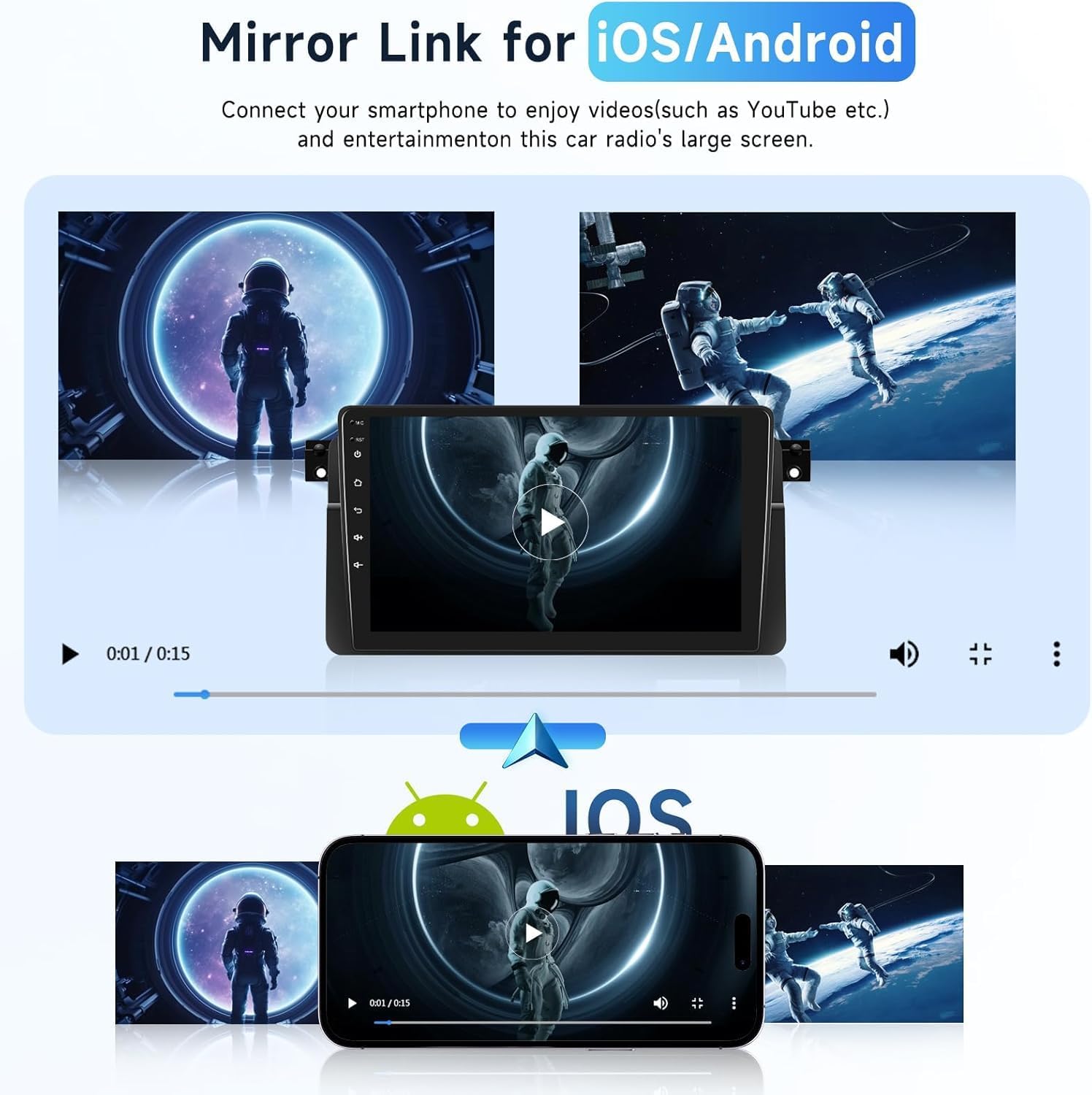
Figure 4.3: User interfaces for Bluetooth music, hands-free calling, FM/RDS radio tuning, and audio EQ settings.
4.4 FM/RDS Radio
Tune into your favorite FM radio stations. The RDS (Radio Data System) feature displays station information where available.
4.5 EQ Settings
Customize your audio experience using the built-in Equalizer (EQ). Adjust various frequency bands to match your preferred sound profile.
4.6 Steering Wheel Control
The unit supports steering wheel controls, allowing you to manage audio playback, calls, and other functions without taking your hands off the wheel. Refer to the unit's settings for programming these controls.

Figure 4.4: Display of the HD backup camera view with parking guidelines and the interface for programming steering wheel controls.
4.7 HD Backup Camera
When reverse gear is engaged, the unit automatically displays the view from the included HD backup camera, assisting with safe parking and maneuvering. The camera features AHD image quality, night vision, and IP69 waterproof rating.
4.8 Mirror Link
Use the Mirror Link function to display your smartphone's screen directly on the head unit. This allows you to view videos and other content from your phone on the larger display.

Figure 4.5: Illustration of the Mirror Link feature, enabling content from iOS or Android phones to be displayed on the car stereo screen.
5. Maintenance
To ensure the longevity and optimal performance of your car stereo, follow these maintenance guidelines:
- Cleaning: Use a soft, dry cloth to clean the screen and exterior. For stubborn smudges, a slightly damp cloth with a mild, non-abrasive cleaner can be used, but avoid spraying liquids directly onto the unit.
- Temperature: Avoid exposing the unit to extreme temperatures, both hot and cold, as this can affect electronic components.
- Connections: Periodically check all wiring connections to ensure they are secure and free from corrosion.
- Software Updates: Check the manufacturer's website or contact support for any available software updates to improve performance and add new features.
6. Troubleshooting
If you encounter issues with your podofo car stereo, refer to the following common troubleshooting steps:
- No Power: Check the power cable connection and the vehicle's fuse box. Ensure the unit is properly grounded.
- No Sound: Verify speaker connections, volume levels, and EQ settings. Check if the mute function is active.
- GPS Signal Loss: Ensure the GPS antenna is mounted in a location with a clear view of the sky and its connection is secure.
- Bluetooth Connectivity Issues: Ensure Bluetooth is enabled on both the unit and your phone. Try unpairing and re-pairing the devices.
- CarPlay/Android Auto Not Connecting: Ensure your phone's operating system is up to date. Check USB cable connections for wired connections. For wireless, ensure Wi-Fi and Bluetooth are enabled on your phone.
- Unit Freezes/Slow Performance: Try restarting the unit. If issues persist, a factory reset (refer to the unit's settings menu) may be necessary, but note this will erase all user data.
- Installation Fit Issues: Double-check vehicle compatibility and ensure all mounting brackets are correctly aligned. Professional installation is recommended if you experience persistent fitment problems.
For more complex issues, please contact customer support.
7. Specifications
| Feature | Detail |
|---|---|
| Display Size | 9 Inches |
| Operating System | Android 13 |
| Memory (RAM) | 2 GB |
| Storage (ROM) | 64 GB |
| Connectivity Technology | Bluetooth, USB, Wi-Fi |
| Special Features | Android Auto, CarPlay, GPS Navigation, FM/RDS, EQ, Backup Camera Support, Steering Wheel Control, Mirror Link |
| Map Type | Worldwide (Offline/Online) |
| Mounting Type | Dashboard Mount |
| Parcel Dimensions | 29.3 x 14.9 x 11.1 cm |
| Weight | 1.33 kg |
| Manufacturer | podofo |
| ASIN | B0DQD19LF9 |
8. Warranty and Support
8.1 Warranty Information
This podofo car stereo comes with a 2-Year Warranty from the date of purchase. Please retain your proof of purchase for warranty claims. The warranty covers manufacturing defects and malfunctions under normal use.
8.2 Technical Support
podofo offers 24/7 expert customer support. If you require technical assistance or have questions regarding your product, you can typically find support by visiting the podofo store page on Amazon or by contacting their customer service directly through the platform where you purchased the product.
To find technical support on Amazon:
- Go to the product page on Amazon.
- Look for the "Sold by [Seller Name]" section (e.g., "Sold by Podofo CA").
- Click on the seller's name to visit their store or profile.
- Look for an "Ask a question" button or a contact link to reach customer support.
Ask a question about this manual
Ask about setup, troubleshooting, compatibility, parts, safety, or missing instructions. Manuals+ will review the question and use this page’s manual context to help answer it.