Introduction
Thank you for choosing the M-VAVE Wireless MIDI Controller Pads. This compact and versatile device is designed to empower your music production, offering seamless integration with various digital audio workstations (DAWs) and operating systems. Its portable design and wireless capabilities make it an ideal tool for musicians and producers on the go.
This manual provides detailed instructions on setting up, operating, and maintaining your MIDI controller to ensure optimal performance and longevity.
What's in the Box
- M-VAVE Wireless MIDI Controller Pads (Model: K5-blackpocket)
- USB Cable (for charging and wired connection)
- User Manual (this document)
Product Overview
The M-VAVE K5-blackpocket is a compact MIDI controller featuring 16 velocity-sensitive RGB pads. It supports both wireless Bluetooth and wired USB connectivity, making it highly adaptable to various studio and mobile setups.

Image: The M-VAVE Wireless MIDI Controller Pads, showcasing its 16 backlit pads. Each pad is designed for velocity-sensitive input, providing expressive control for drumming and note input.
Key Features:
- 16 RGB Velocity-Sensitive Pads: Each pad responds to the force of your touch, allowing for dynamic musical expression. Features aftertouch for additional control.
- Note Repeat Function: Enables automatic repetition of notes or drum hits for rhythmic patterns.
- Wireless Bluetooth Connectivity: Offers low-latency and stable wireless transmission for untethered performance and creation.
- USB MIDI Outport: Provides a reliable wired connection for data transfer and charging.
- Portable Design: Measuring 4.1 x 4.1 x 0.8 inches and weighing only 0.28 lbs, it's designed for maximum portability.
- Built-in Rechargeable Battery: Provides up to 16 hours of working time on a single charge.
- Wide Compatibility: Works seamlessly with major DAWs including Ableton Live, FL Studio, Cubase, Logic Pro X, Bitwig, Reason, Studio One, and GarageBand (iOS). Compatible with Windows, Mac OS, Android, and iOS devices.
- Backlit Silicone Buttons: Ensures quiet operation and comfortable tactile feedback.
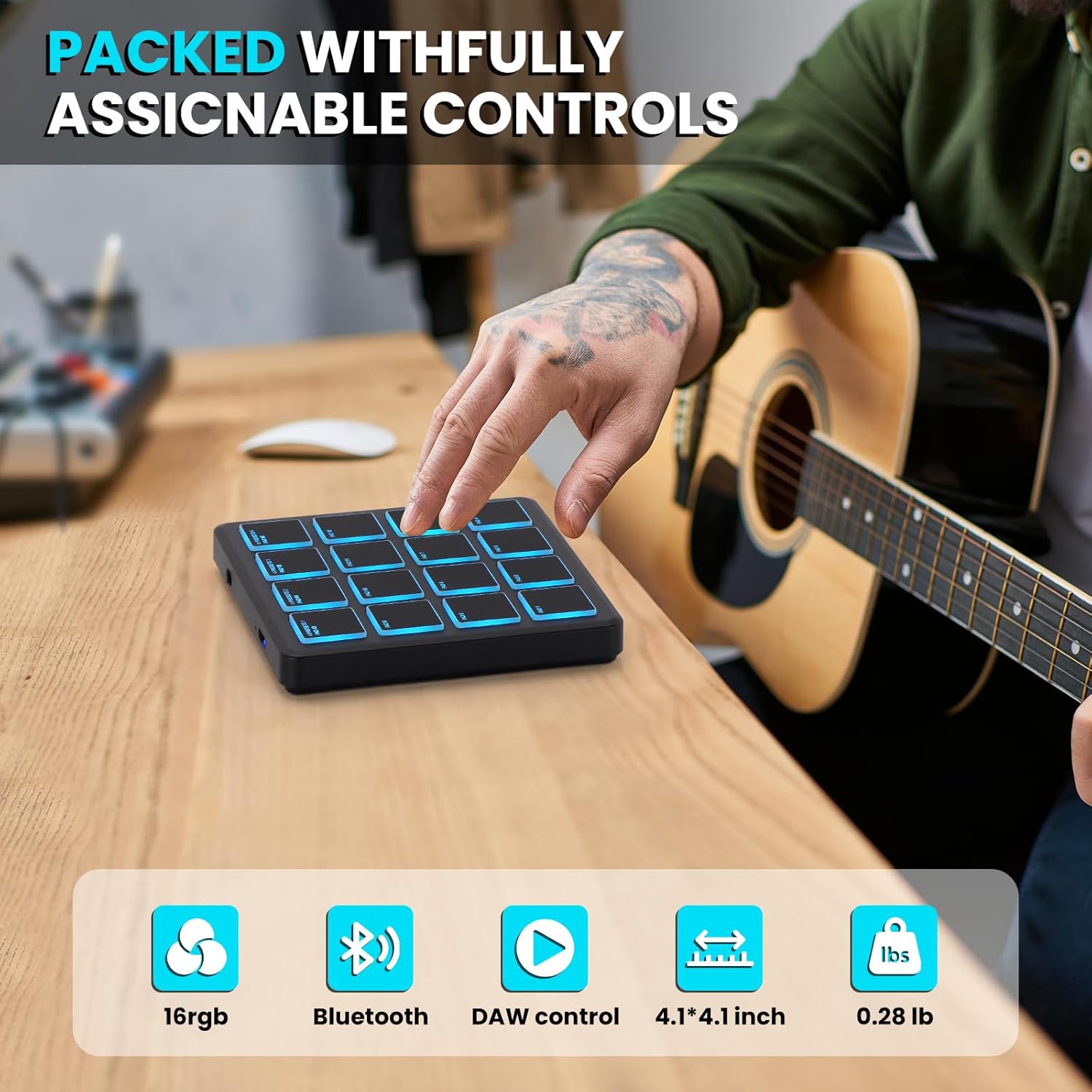
Image: The M-VAVE MIDI Controller shown on a wooden desk, with graphic overlays indicating its key features: 16 RGB pads, Bluetooth connectivity, DAW control, compact 4.1x4.1 inch dimensions, and lightweight 0.28 lb design.
Setup
Charging the Device:
Before first use, fully charge the MIDI controller using the provided USB cable. Connect the USB-C end of the cable to the controller's USB port and the other end to a standard USB power adapter (not included) or a computer's USB port.

Image: A detailed view of the M-VAVE MIDI Controller's side, highlighting the USB-C charging port and the power button for easy identification during setup.
Connecting to Your Device:
The M-VAVE MIDI Controller offers two primary connection methods: Bluetooth wireless and USB wired.
Bluetooth Connection:
- Power On: Press and hold the power button on the side of the controller until the pads illuminate.
- Enable Bluetooth: Ensure Bluetooth is enabled on your computer (Windows/Mac OS) or mobile device (iOS/Android).
- Pairing: Go to your device's Bluetooth settings and search for available devices. Select "M-VAVE K5" or a similar name to pair. The pads may flash to indicate pairing mode and become solid once connected.
- DAW Setup: Open your preferred Digital Audio Workstation (DAW) (e.g., Ableton Live, FL Studio, Logic Pro X). Navigate to the MIDI/Controller settings within your DAW. Select the M-VAVE K5 as your MIDI input device.

Image: A user operating the M-VAVE MIDI Controller wirelessly on a desk alongside a larger keyboard and laptop, demonstrating its Bluetooth connectivity and compatibility with various operating systems (iOS, Android, Windows, Mac OS).
USB Wired Connection:
- Connect Cable: Connect the provided USB cable from the controller's USB-C port to a USB port on your computer.
- Automatic Recognition: The controller should be automatically recognized by your operating system as a MIDI device. No special drivers are typically required for basic functionality.
- DAW Setup: In your DAW's MIDI/Controller settings, select the M-VAVE K5 as your MIDI input device.

Image: A musician seated at a desk with a guitar and a laptop, using the M-VAVE MIDI Controller. The image highlights the controller's compatibility with various DAWs such as GarageBand, Pro Tools, Studio One, Reason Studios, FL Studio, Ableton, and Cubase.
Operating Instructions
Using the Pads:
The 16 RGB pads are velocity-sensitive, meaning they respond to how hard you strike them. This allows for expressive control over drum sounds, samples, and virtual instruments. Experiment with different striking forces to achieve varied dynamics in your music.
Some pads may have pre-assigned functions or can be customized within your DAW or a dedicated M-VAVE editor software (if available, check the M-VAVE website for downloads).
Note Repeat Function:
The Note Repeat function allows you to automatically trigger a pad's sound repeatedly at a set tempo. This is useful for creating rhythmic rolls or sustained notes.
- To activate Note Repeat: Locate the "Note Repeat" button (if present) or a combination of buttons as indicated on the device or in advanced settings.
- While Note Repeat is active, holding down a pad will cause its sound to repeat according to the current tempo and quantization settings in your DAW.
Full Level Buttons:
The "Full Level" or similar function (if present) ensures that every pad strike triggers the sound at its maximum velocity (127 MIDI velocity), regardless of how hard you hit the pad. This is useful for consistent, loud hits or when you want to bypass velocity sensitivity.
- To activate Full Level: Press the designated "Full Level" button. The indicator light will typically illuminate when active.
- Press it again to deactivate and return to velocity-sensitive mode.
DAW Integration:
The M-VAVE MIDI Controller is designed for plug-and-play compatibility with most major DAWs. Once connected, you can assign the pads to trigger drum racks, samples, virtual instruments, or even control parameters within your software.
Refer to your DAW's specific documentation for detailed instructions on MIDI mapping and controller setup.

Image: A collage depicting various usage scenarios for the M-VAVE MIDI Controller, including a studio environment, a coffee shop, and while traveling, emphasizing its portability and versatility for music production anywhere.
Maintenance
Proper care will extend the life of your M-VAVE MIDI Controller.
- Cleaning: Use a soft, dry cloth to wipe down the surface of the controller. For stubborn marks, a slightly damp cloth with mild soap can be used, but ensure no liquid enters the device. Avoid abrasive cleaners or solvents.
- Storage: Store the controller in a cool, dry place away from direct sunlight, extreme temperatures, and excessive dust.
- Battery Care: For optimal battery life, avoid fully discharging the battery frequently. If storing for extended periods, charge the battery to about 50% every few months.
- Handling: Avoid dropping the device or subjecting it to strong impacts. Do not place heavy objects on top of it.
Troubleshooting
| Problem | Possible Cause | Solution |
|---|---|---|
| Device does not power on. | Low battery or power button not pressed correctly. | Charge the device using the USB cable. Ensure the power button is pressed and held until pads illuminate. |
| Cannot connect via Bluetooth. | Bluetooth not enabled on host device, device not in pairing mode, or interference. | Ensure Bluetooth is on and visible on your computer/mobile device. Restart the MIDI controller. Move closer to the host device. Disconnect other Bluetooth devices. |
| No sound or MIDI input in DAW. | MIDI controller not selected as input in DAW, incorrect track routing, or no instrument loaded. | Verify the M-VAVE K5 is selected as a MIDI input device in your DAW's preferences. Ensure the track is armed for recording/monitoring and has a virtual instrument or drum rack loaded. |
| Pads are not responding or inconsistent. | Firmware issue, physical damage, or software conflict. | Try restarting the controller and your computer/DAW. Check for firmware updates on the M-VAVE website. If issues persist, contact customer support. |
Specifications
| Feature | Detail |
|---|---|
| Model Name | K5-blackpocket |
| Brand | M-VAVE |
| Dimensions | 4.1 x 4.1 x 0.8 inches (10.5 x 10.5 x 2.0 cm) |
| Weight | 6.7 ounces (0.28 lbs / 127 grams) |
| Number of Pads | 16 (RGB, Velocity-Sensitive with Aftertouch) |
| Connectivity | Bluetooth, USB-C |
| Battery Type | Lithium Polymer (included) |
| Battery Life | Up to 16 hours (approximate) |
| Hardware Platform | PC, Mac |
| Compatible Devices | Windows, Mac OS, iOS, Android |
| Supported Software | Ableton Live, FL Studio, Cubase, Logic Pro X, Bitwig, Reason, Studio One, GarageBand (iOS) |
| Material | Plastic |

Image: The M-VAVE MIDI Controller viewed from an angle, with arrows and text indicating its compact dimensions of 4.1 inches by 4.1 inches, highlighting its portability.
Warranty and Support
M-VAVE products are designed for reliability and performance. For warranty information and technical support, please refer to the official M-VAVE website or contact your retailer.
For the latest drivers, firmware updates, and additional resources, visit the official M-VAVE support page. Keep your purchase receipt for warranty claims.


