
Introduction
The NEWCARE 3x1 HDMI switch allows you to connect up to three HDMI source devices to a single HDMI display. This eliminates the need to constantly plug and unplug cables when switching between devices. It supports advanced video resolutions and features, providing a high-quality audio and video experience.
This switch is compatible with HDMI 2.1, HDCP 2.3, and earlier HDMI standards, supporting resolutions up to 8K@60Hz with Ultra Full HDR and 3D display capabilities. It also supports refresh rates of 4K@60Hz, 4K@120Hz, and 1080P@240Hz.
Package Contents
Please check the package for the following items:
- 1x NEWCARE HDMI Switch Box (with built-in 1.3ft pigtail cable)
- 1x User Manual
Specifications
| Feature | Detail |
|---|---|
| Model | 8K@60Hz 3X1 with 1.6ft cable |
| Connector Type | HDMI |
| Brand | NEWCARE |
| Compatible Devices | Television, Projectors, Monitors, PCs, Laptops, Xbox 360, PS3/4/5, Roku, Amazon Fire TV Stick, Blu-ray players |
| Cable Type | HDMI |
| Number of Ports | 3 Input, 1 Output |
| HDMI Standard | HDMI 2.1, HDCP 2.3 |
| Max Resolution | 8K@60Hz, 4K@120Hz, 1080P@240Hz |
| Data Transmission Rate | Up to 48Gbps |
| Features | HDR, VRR, 3D Display, Plug and Play, LED Indicators |
 Image: Comparison of HDMI versions and their supported resolutions and bandwidth, highlighting 8K@60Hz.
 Image: Visual representation of 4K@120Hz high refresh rate for enhanced gaming.
 Image: Depiction of 8K@60Hz 3D and HDR features for an immersive viewing experience.
 Image: Representation of Dolby Audio support for enhanced sound quality.
 Image: Visual comparison demonstrating the improved picture quality with HDR enabled.
Setup Instructions
Follow these steps to connect your NEWCARE HDMI Switch:
- Connect HDMI Sources: Plug up to three HDMI source devices (e.g., game consoles, laptops, Blu-ray players) into the HDMI Input ports (labeled 1, 2, 3) on the NEWCARE HDMI Switch.
- Connect to Display: Connect the built-in pigtail HDMI cable from the NEWCARE HDMI Switch to an HDMI Input port on your display device (TV, monitor, projector).
- Power (Optional): The switch typically draws power from the connected HDMI devices. If you experience unstable performance or signal issues, ensure at least two or three signal sources are connected to provide sufficient power. No external power adapter is usually required.
- Select Input: Once all devices are connected, turn on your display and source devices. Use the "Select" button on the switch to cycle through the HDMI inputs. The LED indicators will show which port is currently active.
 Image: Connection diagram for the 3-Port HDMI Switch, illustrating input and output connections.
 Image: The HDMI switch connected to multiple gaming consoles and a laptop, displaying content on a television.
 Image: Compatibility chart showing various input devices (PS5, Xbox, etc.) and output displays (HDTV, Monitor, Projector) supported by the switch.
Important Notes:
- This is an HDMI switch 3 in 1 out, meaning it connects 3 sources to 1 display. It does NOT support 1 input to 3 outputs.
- The product is not compatible with MAC MINI (M4) or certain 4K120HZ Sony TVs.
- For optimal performance, use HDMI 2.1 cables within 1.5m (5ft) in length. Longer cables may reduce signal quality.
- This switch does not support connecting to a soundbar or speaker directly for audio output.
Operating Instructions
The NEWCARE HDMI Switch is designed for simple plug-and-play operation.
- Automatic Switching: The switch may automatically detect and switch to a newly powered-on HDMI source.
- Manual Switching: To manually switch between connected HDMI sources, press the "Select" button located on the top of the switch. Each press will cycle to the next available input.
- LED Indicators: The LED lights on the switch correspond to the HDMI input ports (1, 2, 3). The illuminated LED indicates which input source is currently active and being displayed on your screen.
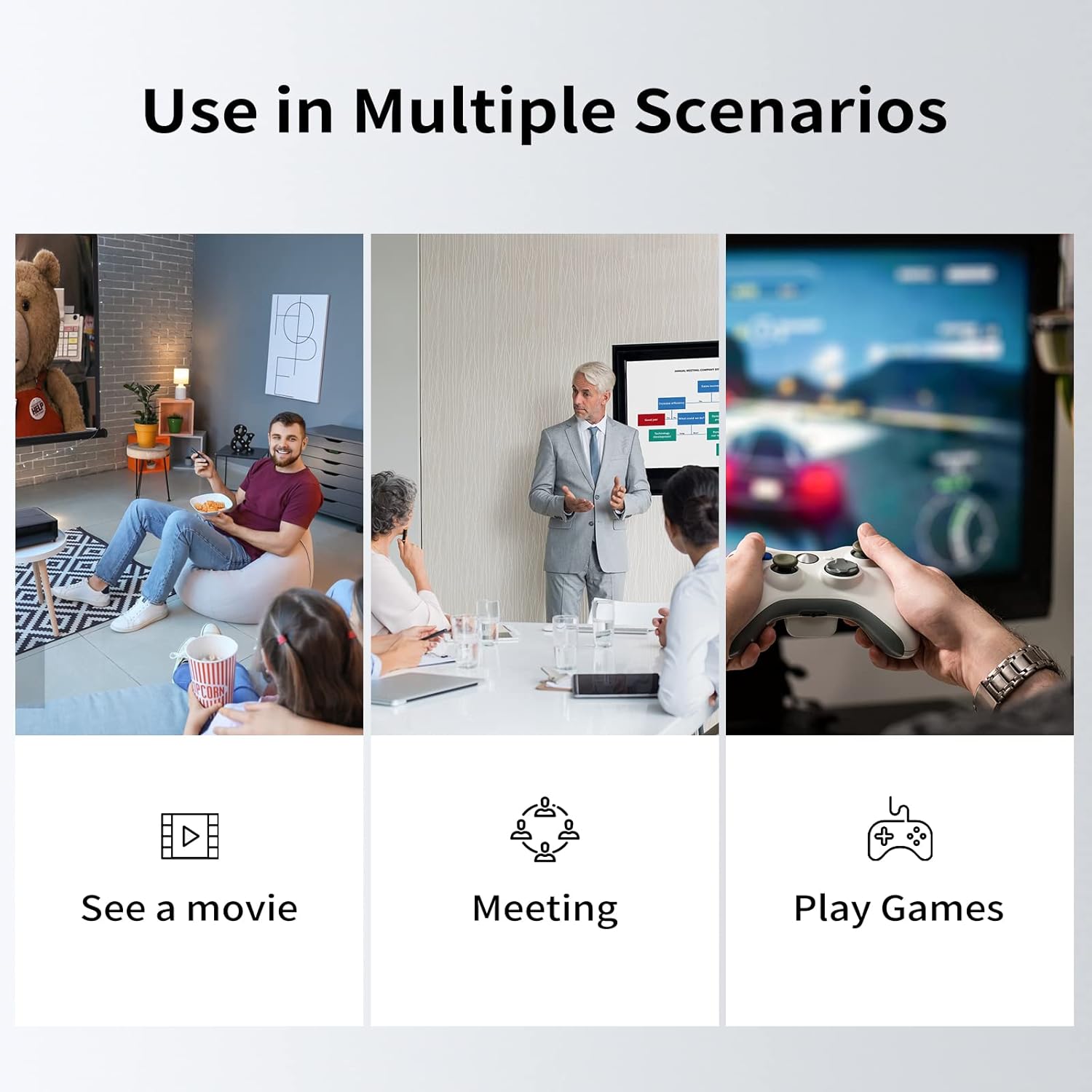 Image: Examples of the HDMI switch in use for entertainment, business, and gaming.
Maintenance
To ensure the longevity and optimal performance of your HDMI switch, follow these maintenance guidelines:
- Cleaning: Use a soft, dry cloth to clean the exterior of the switch. Avoid using liquid cleaners or abrasive materials.
- Environment: Keep the switch in a cool, dry place away from direct sunlight, excessive heat, and moisture.
- Cable Management: Ensure HDMI cables are not bent sharply or under strain, as this can damage the cables or the ports.
- Storage: If storing the device for an extended period, disconnect all cables and store it in its original packaging or a protective container.
Troubleshooting
If you encounter issues with your NEWCARE HDMI Switch, please refer to the following common problems and solutions:
| Problem | Possible Solution |
|---|---|
| No Signal / Blank Screen |
|
| Flickering or Unstable Picture |
|
| No Audio |
|
| Incompatibility Issues |
|
Warranty and Support
The NEWCARE HDMI Switch comes with a 1-year warranty from the date of purchase.
NEWCARE offers lifetime technical support for its products. If you encounter any issues during use or have questions, please do not hesitate to contact our customer support team for prompt assistance.
For support, please visit the official NEWCARE store or contact us through the platform where you purchased the product.

