
Stromberg Carlson T/SC11TWIN2NE
Stromberg Twin 2-in-1 Mini Portable Bluetooth Speaker User Manual
Model: T/SC11TWIN2NE
Brand: Stromberg Carlson
Introduction
Thank you for choosing the Stromberg Twin 2-in-1 Mini Portable Bluetooth Speaker. This manual provides essential information for setting up, operating, maintaining, and troubleshooting your speaker to ensure optimal performance and longevity.
The Stromberg Twin speaker offers a unique 2-in-1 design, allowing it to function as a single powerful unit or split into two independent speakers for true stereo sound. It features 10W power output, dual 2.25-inch subwoofers, and up to 10 hours of playtime.
Package Contents
Before you begin, please verify that all items are present in the package:
- Stromberg Twin 2-in-1 Speaker Unit
- USB-C Charging Cable
- 3.5mm AUX Cable
- User Manual (this document)
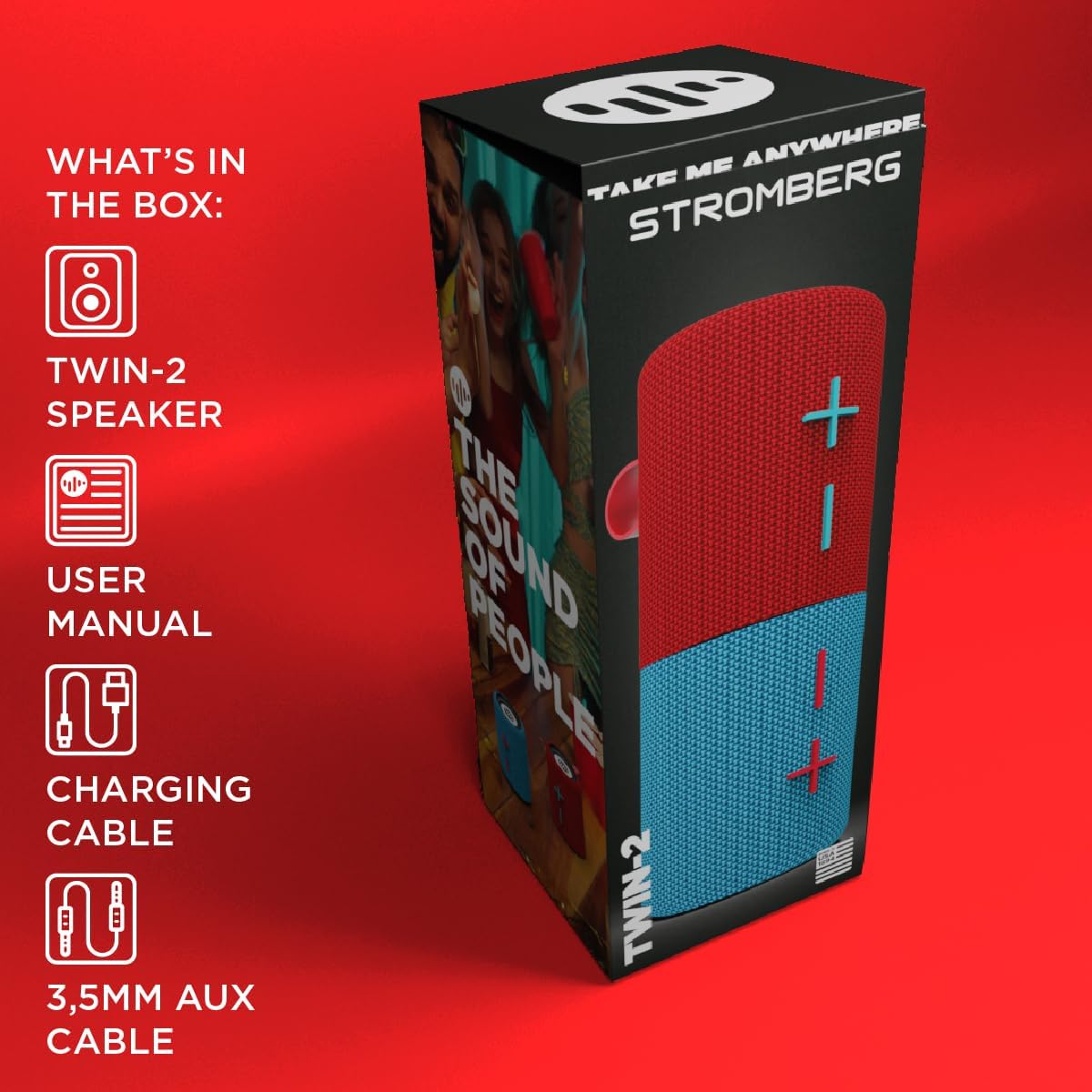
Figure 1: Contents included in the Stromberg Twin 2-in-1 Speaker package.
Setup
1. Charging the Speaker
Before first use, fully charge the speaker. Connect the supplied USB-C cable to the charging port on the speaker and the other end to a USB power adapter (not included) or a computer's USB port. The charging indicator light will show the charging status.
A full charge provides up to 10 hours of playtime.
2. Powering On/Off
To power on the speaker, press and hold the power button (location not specified in data, assuming standard speaker design). Repeat to power off.
3. Bluetooth Pairing
The Stromberg Twin speaker can be used as a single unit or as two separate units for stereo sound. The pairing process differs slightly depending on your desired configuration.

Figure 2: The Stromberg Twin speakers support both Bluetooth and AUX connections.
Single Unit Pairing:
- Ensure the two speaker halves are magnetically connected to form a single unit.
- Power on the speaker. It will automatically enter Bluetooth pairing mode (indicated by a flashing LED, if present).
- On your mobile device (smartphone, tablet, laptop), enable Bluetooth and search for available devices.
- Select "Stromberg Twin" from the list of devices.
- Once connected, the speaker will indicate successful pairing (e.g., a solid LED light or an audible prompt).
True Wireless Stereo (TWS) Pairing (Two Separate Units):
To use the two speaker halves as independent left and right channels for stereo sound:
- Separate the two speaker halves.
- Power on both speaker halves. They will automatically attempt to connect to each other for TWS pairing.
- Once the two halves are connected to each other (indicated by a specific LED pattern or audible prompt), one unit will become the master and enter Bluetooth pairing mode.
- On your mobile device, enable Bluetooth and search for available devices.
- Select "Stromberg Twin" from the list. Only one "Stromberg Twin" entry should appear, representing the combined TWS system.
- After successful pairing, audio will play in stereo through both separated units.

Figure 3: The Stromberg Twin speaker can be separated into two independent units for stereo sound.
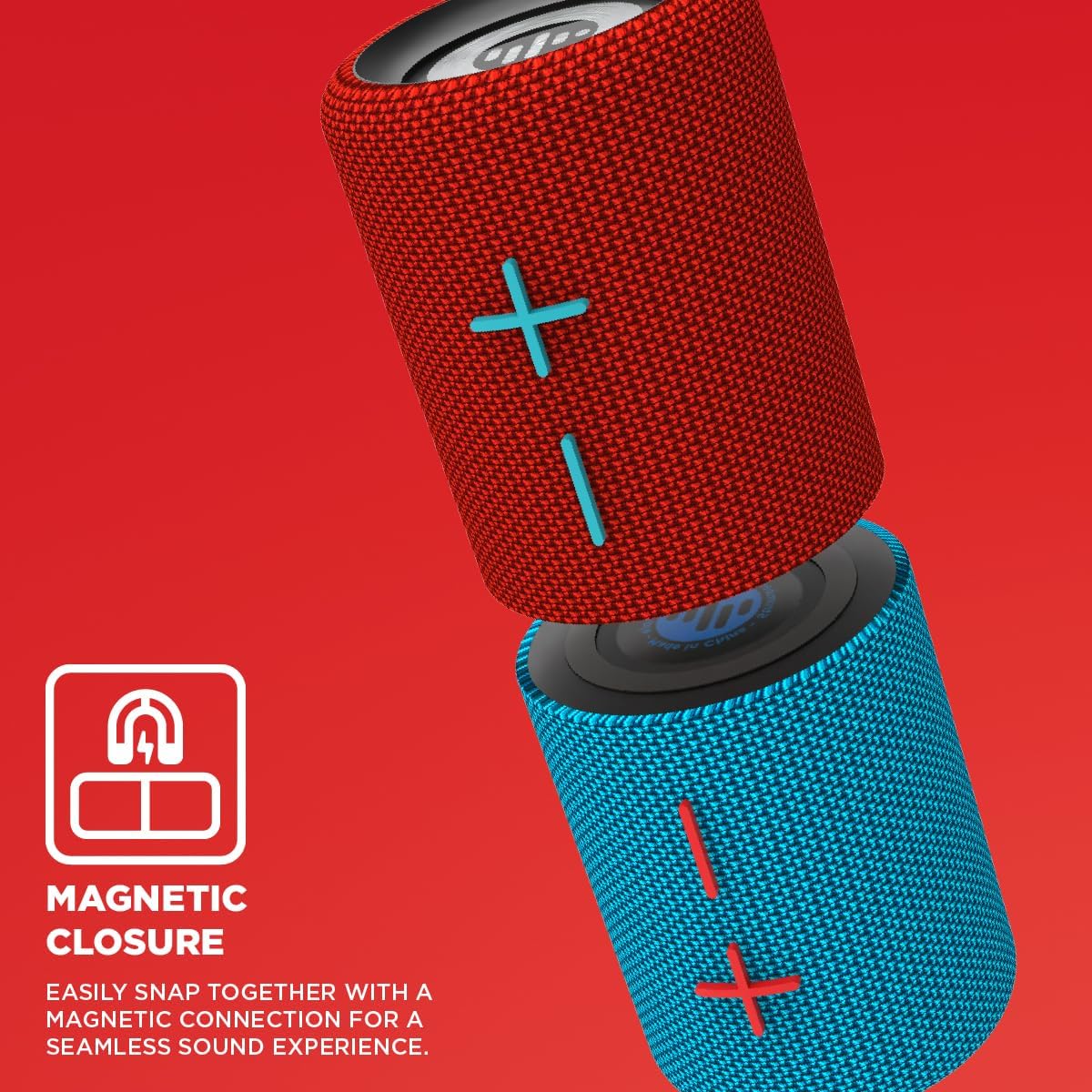
Figure 4: The speakers feature a magnetic closure for seamless connection.
Operating Instructions
1. Basic Controls
The speaker features intuitive controls for media playback and volume adjustment. (Based on product images, the '+' and '-' symbols indicate volume control.)
- Power Button: Press and hold to turn on/off.
- Volume Up (+): Press to increase volume.
- Volume Down (-): Press to decrease volume.
- Play/Pause: (Functionality inferred) Single press the power button or a dedicated button (if present) to play or pause audio.
2. Auxiliary (AUX) Input
For devices without Bluetooth, you can use the included 3.5mm AUX cable. Connect one end to the speaker's AUX input port and the other end to your audio source's headphone jack. The speaker will automatically switch to AUX mode when a cable is detected.
3. Using as a Single or Dual Speaker
The Stromberg Twin speaker's unique design allows for versatile audio experiences:
- Single Unit: Magnetically connect the two halves to form one compact speaker. This configuration provides powerful, unified sound.
- Dual Units (TWS): Separate the two halves to place them in different locations for a wider, true stereo soundstage. Ensure they are paired in TWS mode as described in the Setup section.
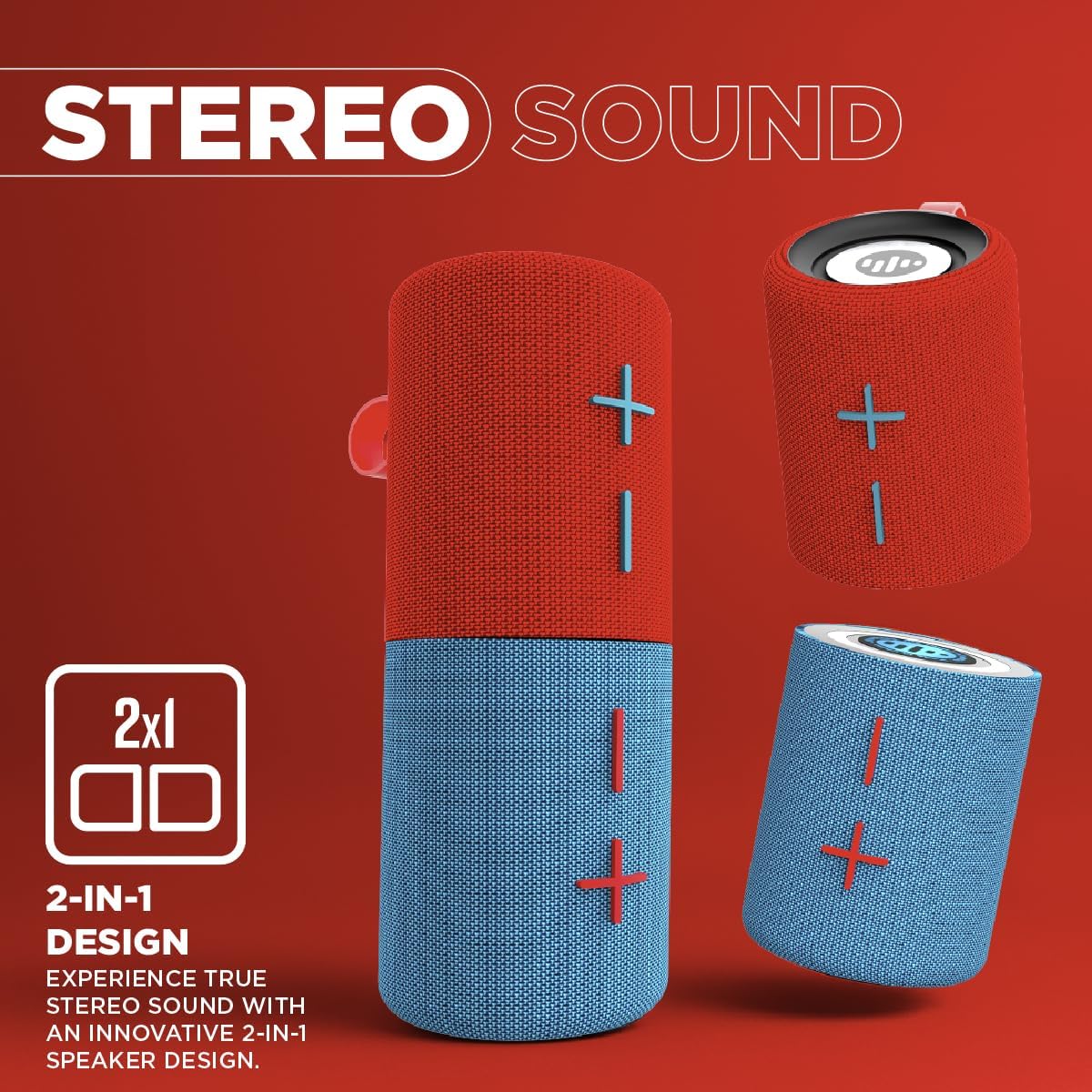
Figure 5: Experience true stereo sound with the innovative 2-in-1 speaker design.
Maintenance
1. Cleaning
Wipe the speaker's exterior with a soft, dry, lint-free cloth. Do not use abrasive cleaners, alcohol, benzene, or other chemicals, as these may damage the surface or internal components.
2. Storage
When not in use for extended periods, store the speaker in a cool, dry place away from direct sunlight and extreme temperatures. It is recommended to charge the battery at least once every three months to maintain battery health.
3. Water Resistance
The Stromberg Twin speaker features IPX4 splash-proof protection, meaning it is resistant to splashing water from any direction. It is not designed to be submerged in water. Do not expose it to heavy rain or immerse it in liquids.

Figure 6: The speaker is IPX4 splash-proof, suitable for outdoor use.
Troubleshooting
If you encounter issues with your Stromberg Twin speaker, please refer to the following common problems and solutions:
| Problem | Possible Cause | Solution |
|---|---|---|
| Speaker does not power on. | Low battery; Power button not pressed correctly. | Charge the speaker fully. Press and hold the power button for a few seconds. |
| Cannot pair via Bluetooth. | Speaker not in pairing mode; Bluetooth disabled on device; Device too far; Interference. | Ensure speaker is in pairing mode. Enable Bluetooth on your device. Move device closer to speaker. Turn off other Bluetooth devices. |
| One speaker unit is not working in TWS mode. | Improper TWS connection; Bluetooth interference. |
|
| No sound or low volume. | Volume too low on speaker or device; Incorrect input mode; Loose AUX cable. | Increase volume on both speaker and connected device. Ensure correct input mode (Bluetooth/AUX). Reconnect AUX cable firmly. |
| Sound distortion. | Volume too high; Device too far from speaker; Low battery. | Reduce volume. Move device closer to speaker. Charge the speaker. |

Figure 7: Steps to resolve issues with one speaker not functioning in a pair.
Specifications
The following table details the technical specifications of the Stromberg Twin 2-in-1 Mini Portable Bluetooth Speaker:
| Feature | Detail |
|---|---|
| Brand | Stromberg Carlson |
| Model Name | Twin 2 |
| Model Number | T/SC11TWIN2NE |
| Speaker Type | Portable Speaker |
| Connectivity Technology | Bluetooth, Auxiliary |
| Wireless Communication Technology | Bluetooth |
| Audio Output Mode | Stereo |
| Speaker Maximum Output Power | 10 Watts |
| Woofer Diameter | 2.25 Inches (2x) |
| Battery Life | Up to 10 Hours |
| Power Source | Battery Powered |
| Product Dimensions | 7.87"D x 3.15"W x 3.15"H (combined) |
| Item Weight | 1.55 pounds |
| Material | Polypropylene |
| Is Waterproof | False (IPX4 Splash Proof) |
| Compatible Devices | Desktop, FM Radio, Laptop, Smartphone, Tablet |
| Included Components | USB-C Cable, 3.5mm AUX Cable |

Figure 8: Key specifications of the Stromberg Twin speaker.

Figure 9: Additional specifications and features of the Twin-2 speaker.
Warranty and Support
The Stromberg Twin 2-in-1 Mini Portable Bluetooth Speaker comes with a Limited Warranty. Please refer to the warranty card included in your package or visit the official Stromberg Carlson website for detailed warranty terms and conditions.
For technical support, troubleshooting assistance beyond this manual, or warranty claims, please contact Stromberg Carlson customer service. Contact information can typically be found on the product packaging or the manufacturer's official website.
Ask a question about this manual
Ask about setup, troubleshooting, compatibility, parts, safety, or missing instructions. Manuals+ will review the question and use this page’s manual context to help answer it.