
F998
F998 Live Sound Card Audio Mixer User Manual
Model: F998
Introduction
The F998 Live Sound Card Audio Mixer is a professional-grade device equipped with an imported DSP Dual Chip, designed to deliver stable and clear audio for various applications including live streaming, podcasting, recording, vocal performances, and gaming. Its intuitive design and comprehensive features make it suitable for both beginners and experienced users.

The F998 Live Sound Card Audio Mixer, shown with its included data cable, audio cables, and user manual.
Key Features
- Superior Sound Processing: Features an imported DSP Dual Chip for 120kHz sample rate and 24-bit bitrate, ensuring stable and clear audio.
- Versatile Connectivity: Supports Bluetooth for wireless accompaniment and includes 3 real-time mobile phone ports for simultaneous multi-platform live broadcasting. Compatible with iOS, Android, iPad, Mac OS, and Windows.
- Multiple Functional Modes: Offers 16 fixed background special effects sounds, 7 podcast & recording modes, 4 Voice Changer modes, and 4 special functions (Elimination/Denoise/Voice Over/Internal Play).
- Convenient Portability: Built-in 1200 mAh battery and compact design for on-the-go use without constant power connection.
- Easy-to-Use Package: Includes sound mixer board, data cable, two audio cables, and an instruction manual, making it ideal for beginners.
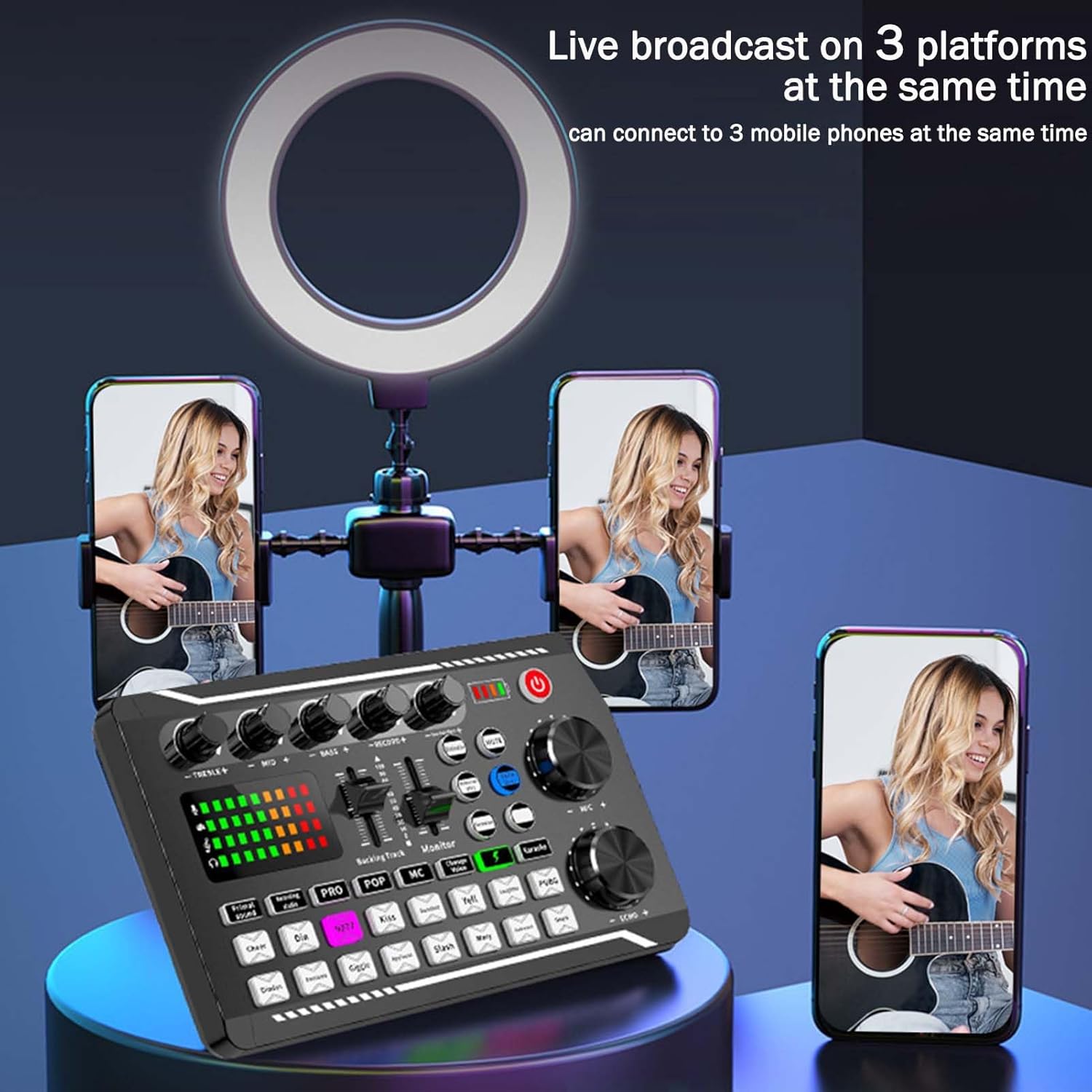
The F998 mixer supports live broadcasting on up to three platforms simultaneously.

Explore 16 different live effects to enhance your audio content.
Setup Guide
Package Contents
- F998 Live Sound Card Audio Mixer
- Data Cable (USB-A to USB-C)
- 2x Audio Cables (3.5mm to 3.5mm)
- User Manual
Connecting Your Device
Before use, ensure the sound card is adequately charged. Connect the provided USB-C cable to the 'charging' port on the sound card and a 5V-1A power source.

Rear view of the F998 mixer showing various input and output ports for microphones, headsets, earphones, accompaniment, and live streaming/PC connection.
- Microphone Connection: Connect your condenser microphone to the 'Condenser mic' port.
- Headset/Earphone Connection: Plug your headset or earphones into the 'Headset' or 'Earphone' ports for monitoring audio.
- Accompaniment Input: Use one of the 3.5mm audio cables to connect your accompaniment device (e.g., smartphone, tablet) to the 'Accompany' port.
- Live Streaming/PC Connection: Use the OTG/PC Live port to connect to your computer or mobile phone for live broadcasting or recording.
- Bluetooth Pairing: To connect wirelessly for accompaniment, activate Bluetooth on your device and search for 'F998'. Pair with the device. The 'BT' button on the mixer will illuminate when connected.
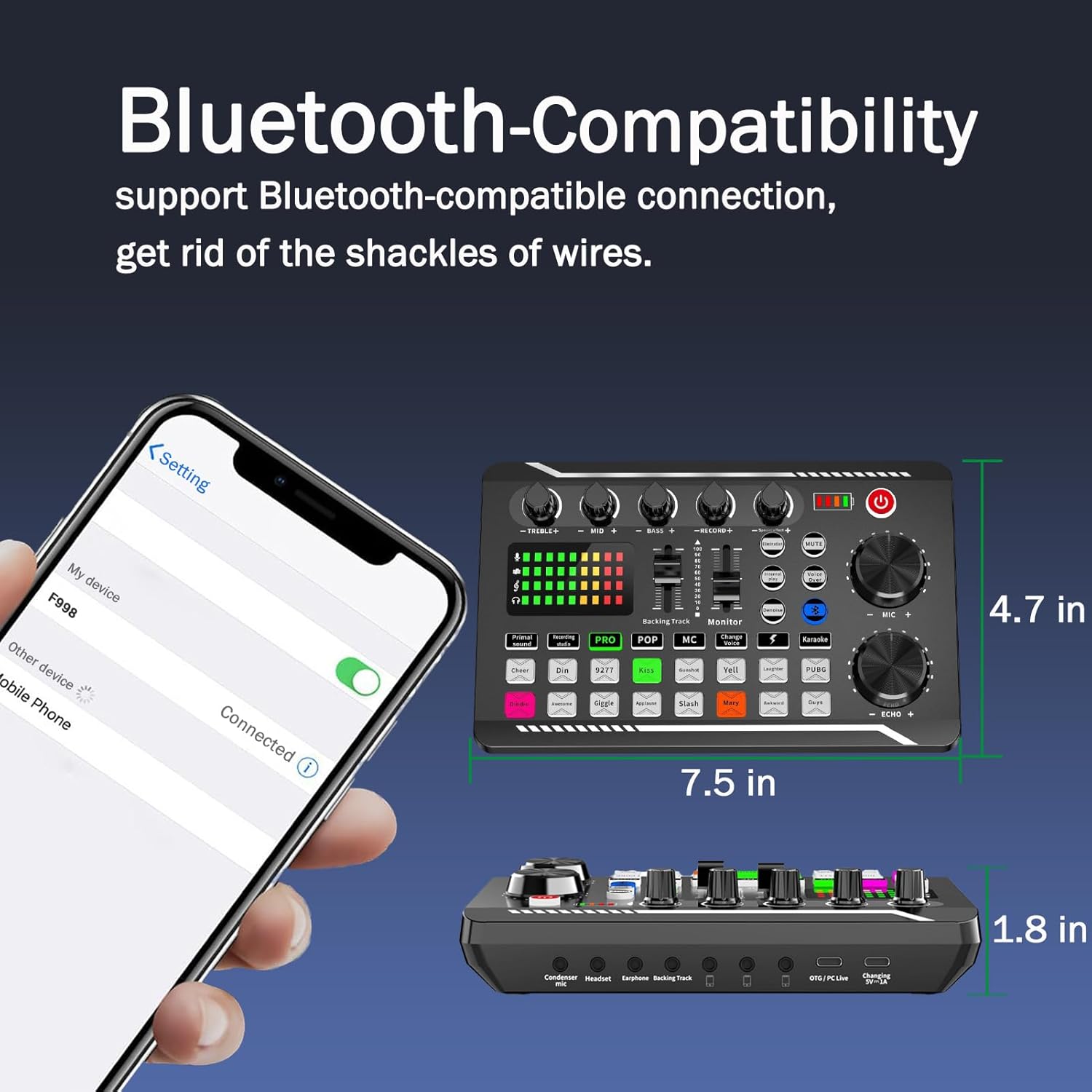
Easily connect your device via Bluetooth for wireless audio input.
Powering On
Press and hold the red power button located on the top right of the mixer until the indicator lights illuminate. The battery indicator will show the current charge level.

Simple steps for initial setup: Power on, select a mode, and adjust volume.
Operating Instructions
Basic Controls
- Treble/Mid/Bass Knobs: Adjust the high, mid, and low frequencies of your microphone input.
- Record+ Knob: Controls the recording volume level.
- MIC+ Knob: Adjusts the microphone input volume.
- ECHO+ Knob: Controls the echo effect level for your microphone.
- Accompany Fader: Adjusts the volume of the background music or accompaniment.
- Monitor Fader: Controls the volume of the audio you hear through your headphones.
Special Effects and Modes
The F998 offers a variety of pre-set effects and modes to enhance your audio experience:
- 16 Fixed Background Special Effects: Buttons like 'Cheer', 'Kiss', 'Gunshot', 'Yell', 'Laughter', 'PUBG', 'Dindin', 'Awesome', 'Giggle', 'Applause', 'Slash', 'Mary', 'Awkward', 'Guys' trigger specific sound effects.
- 7 Podcast & Recording Modes: Includes 'Primal sound', 'Recording studio', 'PRO', 'POP', 'MC', 'Change Voice', and 'Karaoke' modes, each optimizing settings for different scenarios.
- 4 Voice Changer Modes: Alter your voice for creative effects.
- 4 Special Functions:
- Elimination: Reduces vocal presence in music for karaoke.
- Denoise: Minimizes background noise for clearer audio.
- Voice Over: Automatically lowers background music when you speak.
- Internal Play: Routes internal audio from your device back into the stream/recording.
Watch this video to see a demonstration of the F998 Live Sound Card Audio Mixer's features and effects in action.
Maintenance
To ensure the longevity and optimal performance of your F998 Live Sound Card Audio Mixer, follow these maintenance guidelines:
- Cleaning: Use a soft, dry cloth to wipe down the surface of the mixer. Avoid using liquid cleaners or abrasive materials, as they may damage the device.
- Storage: Store the mixer in a cool, dry place away from direct sunlight, extreme temperatures, and high humidity. When not in use for extended periods, ensure it is fully charged before storage and periodically recharge it to maintain battery health.
- Handling: Handle the device with care. Avoid dropping it or subjecting it to strong impacts, which can damage internal components.
Troubleshooting
If you encounter issues with your F998 Live Sound Card Audio Mixer, refer to the following common problems and their solutions:
| Problem | Possible Cause | Solution |
|---|---|---|
| No sound output from headphones/speakers. | Incorrect connection, low volume, or muted. | Check all cable connections. Ensure the 'Monitor' fader is up. Verify the volume on connected devices. |
| Microphone not picking up sound. | Microphone not connected, 'MIC+' knob too low, or microphone issue. | Ensure microphone is securely plugged into 'Condenser mic' port. Increase 'MIC+' knob. Test with another microphone if possible. |
| Bluetooth connection unstable or not pairing. | Interference, device too far, or pairing mode not active. | Ensure the mixer is in Bluetooth pairing mode (BT button blinking). Move devices closer. Avoid strong interference sources. Try restarting both devices. |
| Battery not charging. | Faulty cable, power adapter, or charging port. | Use the original charging cable and a 5V-1A power adapter. Try a different USB port or power source. |
| Sound distortion or static. | Volume levels too high, faulty cables, or interference. | Lower volume levels (MIC+, Accompany, Record+). Check and replace any damaged cables. Ensure proper grounding. |
Technical Specifications
| Feature | Detail |
|---|---|
| Model Number | F998 |
| Brand | Generic |
| Power Source | Corded Electric (Built-in 1200 mAh battery) |
| Number of Channels | 2 |
| Connectivity Technology | Bluetooth-compatible |
| Output Connector Type | TRS |
| Sample Rate | 120kHz |
| Bitrate | 24-bit |
Warranty and Support
For warranty information or technical support regarding your F998 Live Sound Card Audio Mixer, please refer to the documentation provided at the time of purchase or contact the seller directly. Keep your proof of purchase for any warranty claims.
Related Documents - F998
 |
F998 Live Sound Card User Manual User manual for the F998 Live Sound Card, detailing product profile, packaging, system requirements, software support, schematic diagrams, specification parameters, connection methods, and troubleshooting. |
 |
F998 Live Sound Card: User Manual for Live Streaming and Recording Comprehensive user manual for the F998 Live Sound Card, detailing its features, setup, connections, and troubleshooting for mobile and computer live broadcasting, recording, and karaoke applications. |
 |
FRJ F998 Live Sound Card User Manual - Professional Audio Mixer for Streaming Comprehensive user manual for the FRJ F998 live sound card. Learn about its features, connections, controls, and troubleshooting for professional live streaming, karaoke, and audio mixing. |
 |
FRJ-F998 Live Sound Card User Manual: Setup, Features, and Troubleshooting Comprehensive user manual for the FRJ-F998 Live Sound Card, detailing product features, system requirements, software support, connection diagrams, specifications, troubleshooting, and important usage notes for live broadcasting and music production. |
 |
Live Sound Card User Manual: FRJ-F998 Audio Interface for Streaming & Karaoke User manual for the FRJ-F998 Live Sound Card, a versatile audio interface for live streaming, podcasting, and karaoke. Covers product features, setup, specifications, connection diagrams, troubleshooting, and best practices. |
Ask a question about this manual
Ask about setup, troubleshooting, compatibility, parts, safety, or missing instructions. Manuals+ will review the question and use this page’s manual context to help answer it.