
Larimuer FK310
Larimuer Electric Nail Clipper FK310 User Manual
Model: FK310
1. Introduction
This manual provides essential instructions for the safe and effective use of your Larimuer Electric Nail Clipper FK310. Please read this manual thoroughly before operation and retain it for future reference.

Image 1.1: Larimuer Electric Nail Clipper FK310 and accessories.
2. Safety Information
- Do not stay in the same area for a long time to avoid over-trimming.
- This electric nail clipper is designed for trimming fingernails only. Do not use it on other parts of the body.
- Children under the age of 12 should not use this device unsupervised. Keep out of reach of children.
- Ensure the device is fully charged before first use.
- Avoid contact with water or other liquids.
- Do not attempt to disassemble or repair the device yourself. Contact customer support for assistance.
3. Package Contents
Verify that all items are present in the package:
- 1 x Larimuer Electric Nail Clipper FK310
- 1 x Type-C USB Charging Cable
- 1 x Cleaning Brush
- 1 x User Manual

Image 3.1: Package contents.
4. Product Overview
The Larimuer Electric Nail Clipper FK310 is designed for safe and efficient nail trimming with minimal noise. It features an integrated LED light and an LCD display for enhanced usability.
Key Features:
- Three Speed Modes: Adjustable for different age groups and nail types.
- Built-in LED Light: Illuminates the trimming area for precision and safety.
- LCD Display: Shows current speed mode and battery level.
- Nail Scraps Storage Bin: Collects clippings for easy cleanup.
- USB Rechargeable: Convenient Type-C charging.
- Compact and Lightweight: Easy to carry for travel.

Image 4.1: Product components diagram.

Image 4.2: Compact and portable design.
5. Setup
5.1 Charging the Device
- Locate the Type-C USB charging port on the device.
- Connect the provided Type-C USB cable to the device and a suitable USB power source (e.g., wall adapter, computer USB port).
- The LCD display will show the battery level, indicating charging status.
- A full charge takes approximately 1.5 to 2 hours and can last for about 60 days of typical use.
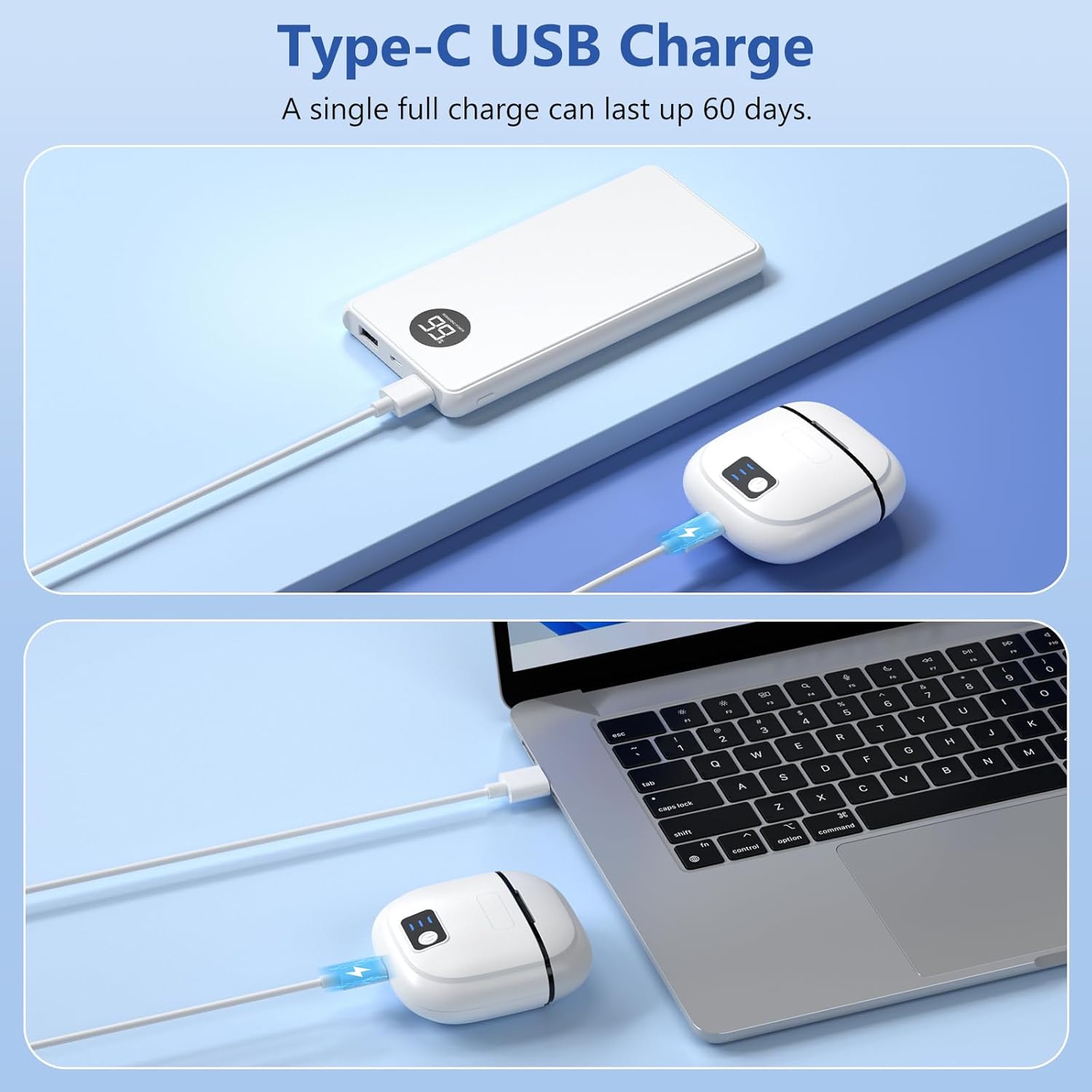
Image 5.1: Charging the Larimuer Electric Nail Clipper.
6. Operating Instructions
6.1 Basic Operation
- Remove the Cover: Gently slide off the protective cover from the trimming slot.
- Power On and Select Speed: Long press the power button to turn on the device. Lightly press the power button to cycle through the three speed modes (Mode 1: Low Speed, Mode 2: Medium Speed, Mode 3: High Speed). The LCD display will indicate the selected mode.
- Trim Nails: Carefully insert your fingernail into the trimming slot. Move the device slowly along the nail edge to trim. The built-in LED light will illuminate the area.
- Power Off: Long press the power button to turn off the device after use.

Image 6.1: Step-by-step guide to using the nail clipper.
6.2 Speed Modes
- Mode 1 (Low Speed): Ideal for baby nail care, offering a gentle trimming experience.
- Mode 2 (Medium Speed): Suitable for teens and adults for daily nail maintenance.
- Mode 3 (High Speed): Provides precision for seniors or those requiring faster trimming.

Image 6.2: Adjustable speed modes for nail care.
6.3 Trimming Tips
- For quick trimming, insert fingers deeper into the slot so nails are closer to the blade. Adjust to Mode 2 or 3.
- Constantly adjust the angle and position of your fingers to ensure even trimming.
- The device is primarily designed for fingernails. It may not be suitable for very thick or hyperplastic toenails.

Image 6.3: Suitable for various age groups.
7. Maintenance
7.1 Cleaning the Nail Scraps Storage Bin
- After each use, or when the bin appears full, press down on the debris bin to release it.
- Carefully pour out the collected nail chips.
- Use the provided cleaning brush to remove any remaining debris from the bin and the trimming area.
- Reattach the debris bin securely.
7.2 Storage
Store the device in a cool, dry place, away from direct sunlight and moisture. Ensure the protective cover is in place when not in use.
8. Troubleshooting
| Problem | Possible Cause | Solution |
|---|---|---|
| Device does not turn on. | Low battery. | Charge the device using the provided Type-C USB cable. |
| Device does not trim effectively. | Nail not positioned correctly; debris in trimming slot; low battery. | Ensure nail is fully inserted. Clean the trimming slot. Charge the device. |
| Nail chips are not collected. | Debris bin is full or not properly attached. | Empty and reattach the debris bin securely. |
| Device stops unexpectedly. | Low battery; motor overload. | Charge the device. If trimming very thick nails, try a higher speed mode or trim in smaller sections. |
9. Specifications
| Model Number | FK310 |
| Product Dimensions | 2.4 x 0.83 x 2.72 inches |
| Weight | 3.84 ounces (approx. 83g) |
| Battery Type | 1 Lithium Polymer battery (included) |
| Charging Time | 1.5 - 2 hours |
| Usage Time (per charge) | Up to 60 days |
| Charging Port | Type-C USB |
| Blade Material | Stainless Steel |
| Manufacturer | Larimuer |
10. Warranty and Support
For warranty information or technical support, please contact Larimuer customer service. Refer to the packaging or the official Larimuer website for contact details.
Please have your model number (FK310) and purchase date available when contacting support.
Related Documents - FK310
 |
Heavy-Duty Stainless Steel Nail Clipper for Adults - User Manual & Safety Guide Comprehensive user manual and safety information for the Heavy-Duty Stainless Steel Nail Clipper, designed for adult thick toenails and fingernails. Learn proper usage, restrictions, and maintenance. |
 |
Vancostar NMJ-666 Electric Nail Clipper User Manual Comprehensive user manual for the Vancostar NMJ-666 electric nail clipper, detailing usage, features, and charging instructions for safe and effective nail care. |
 |
2-in-1 Electric Nail Clipper and Foot File - MC-118 Detailed specifications and features of the Ms.Dear 2-in-1 Electric Nail Clipper and Foot File (Model MC-118), a rechargeable device for nail care and foot callus removal. |
 |
COSLUS C50 Electric Baby Nail Trimmer User Manual - Safe & Gentle Nail Care Comprehensive user manual for the COSLUS C50 Electric Baby Nail Trimmer. Learn how to safely trim and polish your baby's nails with detailed instructions, safety warnings, and FAQs. |
 |
Seemagic Electric Automatic Nail Clipper Pro: Safety and Usage Guide Safety precautions and usage tips for the Seemagic Electric Automatic Nail Clipper Pro. Learn how to safely operate the device and achieve optimal trimming results. |
 |
2-in-1 Electric Nail Clipper - User Guide and Specifications Comprehensive guide for the 2-in-1 Electric Bright Nail Clipper, covering usage instructions for trimming and polishing, along with detailed technical specifications. |
Ask a question about this manual
Ask about setup, troubleshooting, compatibility, parts, safety, or missing instructions. Manuals+ will review the question and use this page’s manual context to help answer it.