
BEZGAR LH-X90SWF
BEZGAR LH-X90SWF RC Plane User Manual
Model: LH-X90SWF
Brand: BEZGAR
Introduction
This manual provides essential information for the safe operation and maintenance of your BEZGAR LH-X90SWF RC Plane. This 2.4GHz brushless drone features a camera, 6-axis gyro, 360° flip capabilities, and colorful LED navigation lights, designed for users aged 8-13. Please read this manual thoroughly before operating the device.

Image: The BEZGAR LH-X90SWF RC Plane showcasing its design and LED lights.
Safety Information
Always prioritize safety during operation. Failure to follow these guidelines may result in injury or damage to the product.
- Read the entire instruction manual before first use.
- Always operate the RC plane in open, clear areas, away from people, animals, and obstacles.
- Do not fly in strong winds, rain, or other adverse weather conditions.
- Keep hands, face, and loose clothing away from rotating propellers.
- Never operate the RC plane near airports or restricted airspace.
- Adult supervision is recommended for children operating the device.
- Handle batteries with care. Do not overcharge, puncture, or expose to extreme temperatures.
What's in the Box
Verify that all components are present in the packaging:
- RC Plane x 1
- Remote Control x 1
- 7.4V 1200mAh Battery x 2
- Charging Cable x 1
- Fan Blade x 2 (Spare)
- Screwdriver x 1
- User Manual x 1

Image: All components included in the BEZGAR RC Plane package.
Setup
1. Battery Charging
Before first use, fully charge the drone's batteries. Connect the provided charging cable to the battery and a suitable USB power source. The indicator light on the charger will turn off once the battery is fully charged.

Image: The dual modular battery, designed for easy installation and extended flight time.
2. Remote Control Battery Installation
Open the battery compartment on the back of the remote control using the included screwdriver. Insert 3 AAA batteries (not included), ensuring correct polarity. Close the compartment and secure it with the screw.
3. Assembly
If any parts, such as the tail fins or landing gear, are not pre-assembled, carefully attach them according to the diagrams in the printed manual. Ensure all connections are firm and secure.
4. App Installation and Connection
For camera functionality and advanced controls, download the 'KY UFO' app. Scan the QR code below or search for 'KY UFO' in your device's app store.
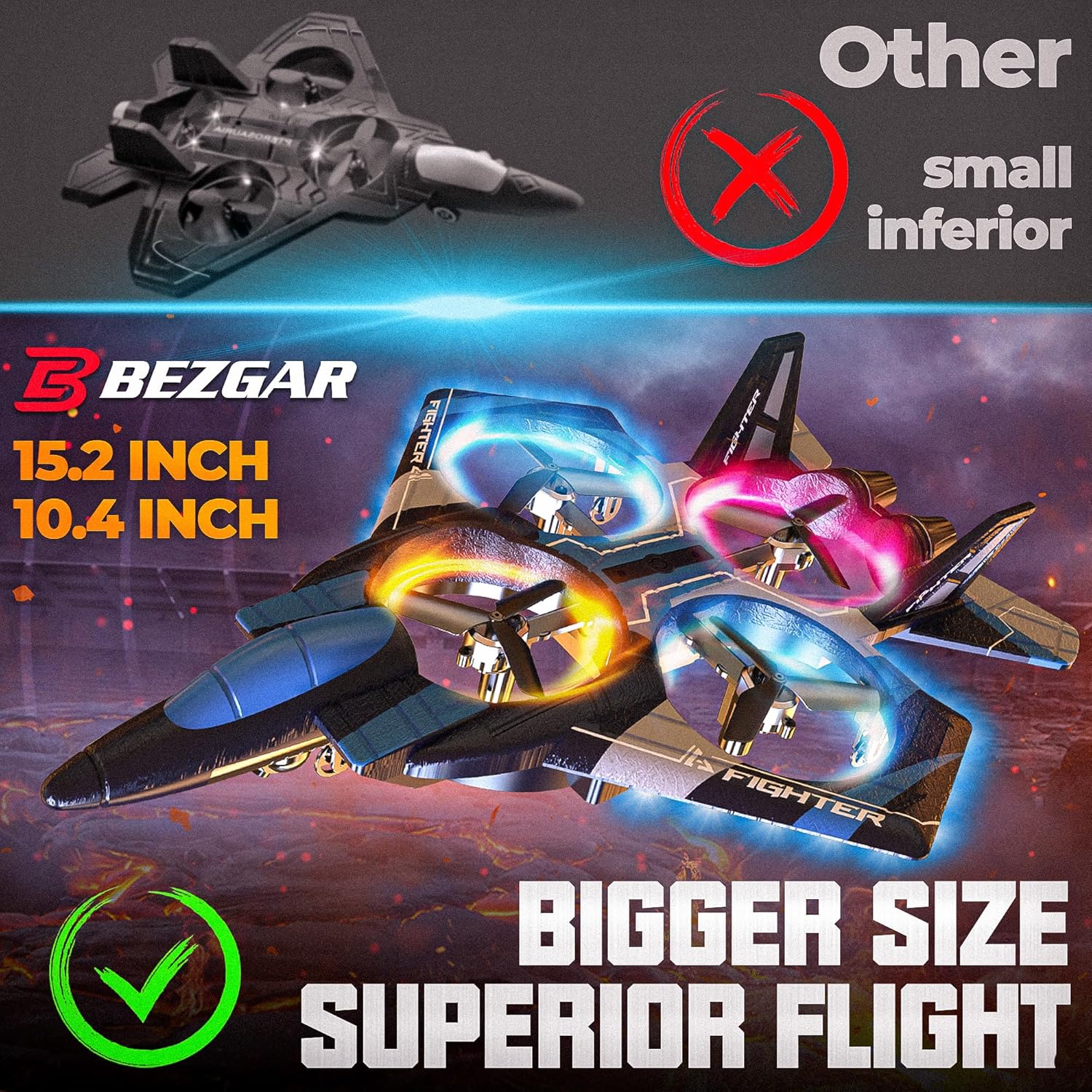
Image: The app operation manual showing the QR code for downloading the 'KY UFO' app.
Once installed:
- Turn on the power switch of the RC plane.
- On your mobile phone, go to Wi-Fi settings, find the network named 'Flow-xxxxx', and connect to it.
- Open the 'KY UFO' app and click 'Start' to enter the real-time view interface.
Operating Instructions
1. Power On and Pairing
Turn on the RC plane and then the remote control. The remote's indicator light will flash and then become solid, indicating successful pairing.
2. Takeoff and Landing
- One-Key Takeoff: Place the drone on a flat surface. Press the dedicated one-key takeoff button on the remote. The drone will automatically ascend to a stable hovering height.
- Manual Takeoff: Push the left joystick up to start the propellers and ascend.
- One-Key Landing: Press the dedicated one-key landing button. The drone will automatically descend and land.
- Manual Landing: Pull the left joystick down to descend and land.
3. Flight Controls
- Altitude & Rotation: Use the left joystick to control altitude (up/down) and rotation (left/right).
- Directional Movement: Use the right joystick for forward/backward and left/right movement.
- Automatic Altitude Hold: The drone's 6-axis gyro system provides automatic altitude hold, ensuring stable hovering at a consistent height.
- Speed Modes: Press the 'Speed' button on the remote to cycle through different flight speeds (low, medium, high) to suit your skill level and environment.
- Headless Mode: Activate headless mode to simplify controls, making the drone's forward direction relative to the remote control, regardless of the drone's actual orientation.
- Emergency Stop: In case of an emergency, press the emergency stop button on the remote to immediately cut power to the motors.
4. Aerial Stunts
- 360° Flip: Press the dedicated 360° flip button and then push the right joystick in any direction to perform an impressive aerial flip.
- Rotating & Circling: Utilize the controls to execute rotating and circling maneuvers, adding dynamic flair to your flights.

Image: The RC plane executing a 360-degree flip, demonstrating its acrobatic capabilities.

Image: The RC plane performing rotating and circling maneuvers in the air.
5. Camera Operation (via App)
With the 'KY UFO' app connected, you can view real-time footage and control the drone's camera functions.
- Real-time View: The app displays live video feed from the drone's camera.
- Photo Capture: Tap the camera icon in the app to take still photographs.
- Video Recording: Tap the video icon to start and stop video recording.
- Dual HD Cameras: The drone is equipped with dual HD cameras, allowing you to switch between front and bottom views for diverse perspectives.

Image: Close-up view of the BEZGAR RC Plane's dual HD cameras, capable of switching between front and bottom perspectives.
6. LED Navigation Lights
The RC plane features colorful LED navigation lights, enhancing visibility and adding to the flying experience, especially in low-light conditions.

Image: The RC plane illuminated by its vibrant multi-colored LED lights.
7. Flight Demonstration Video
Video: An outdoor flight demonstration of the BEZGAR RC Plane, showcasing its maneuverability and stability.
Maintenance
- Cleaning: Use a soft, dry cloth to clean the drone after each use. Avoid using water or harsh chemicals.
- Propeller Inspection: Regularly inspect the propellers for any signs of damage (bends, cracks, chips). Replace damaged propellers immediately using the spare parts provided and the screwdriver.
- Storage: Store the RC plane and its components in a cool, dry place, away from direct sunlight and extreme temperatures. Remove batteries from the remote control during long periods of non-use.
- Battery Care: Do not store batteries fully charged or completely depleted. Charge them to about 50-60% for long-term storage.
Troubleshooting
- Drone not responding:
- Ensure the drone and remote control are both powered on.
- Check if batteries in both the drone and remote are fully charged and correctly installed.
- Re-pair the remote control with the drone by following the pairing instructions.
- Inspect propellers for any obstructions or damage.
- Unstable flight or drifting:
- Calibrate the drone's gyroscope as per the instructions in the app or printed manual.
- Ensure all propellers are securely attached and undamaged.
- Avoid flying in windy conditions.
- Poor camera feed or no image in app:
- Verify that your mobile device is correctly connected to the drone's Wi-Fi network.
- Ensure the app has necessary permissions (e.g., camera, storage) on your device.
- Check for sufficient lighting in the flying environment.
- Short flight time:
- Ensure batteries are fully charged before each flight.
- Reduce aggressive maneuvers, which consume more power.
- Consider using the second included battery for extended play.
Specifications
| Feature | Detail |
|---|---|
| Brand | BEZGAR |
| Model Name | LH-X90SWF |
| Age Range (Description) | Youth |
| Color | Blue |
| Video Capture Resolution | 1080p |
| Connectivity Technology | Radio Frequency |
| Included Components | Battery, Plane, Remote Control |
| Skill Level | Beginner |
| Video Capture Format | RM |
| Remote Control Technology | Radio Frequency |
| Control Type | Remote Control |
| Material | Plastic |
| Wireless Communication Technology | Radio Frequency |
| Battery Cell Composition | Lithium Ion |
| Are Batteries Included | No (for remote control) |
| Video Output Resolution | 1080 pixels |
| Remote Control Included? | Yes |
| Optical Sensor Technology | CMOS |
| Rechargeable Battery Included | Yes (for plane) |
| Item Weight | 1.63 pounds |
| Product Dimensions | 16 x 11 x 4 inches |
| Batteries | 2 Lithium Ion batteries required (included for plane) |
Warranty and Support
For detailed warranty information, product registration, or technical assistance, please visit the official BEZGAR website or contact their customer support team. Keep your purchase receipt for any warranty claims.
Ask a question about this manual
Ask about setup, troubleshooting, compatibility, parts, safety, or missing instructions. Manuals+ will review the question and use this page’s manual context to help answer it.