
1. Introduction
This manual provides comprehensive instructions for the installation, operation, and maintenance of the Generic 1X-130X Adjustable Zoom Microscope Lens. This lens is designed for use with video microscope cameras, offering a wide magnification range and adjustable working distance for various observation needs. Please read this manual thoroughly before using the product to ensure correct operation and to maximize its performance and lifespan.
2. Safety Information
- Always handle the lens with care to avoid damage to optical components.
- Do not expose the lens to direct sunlight for extended periods, as this may cause damage to internal components or create fire hazards.
- Keep the lens away from dust, moisture, and corrosive chemicals.
- Ensure the lens is securely mounted to prevent accidental drops.
- Do not attempt to disassemble the lens. Refer to qualified personnel for repairs.
3. Package Contents
Verify that all items are present in the package:
- 1x 1X-130X Adjustable Zoom Microscope Lens
- 1x 40mm Ring Adapter (if applicable to your model variant)
Note: The specific ring adapter included may vary based on the product variant purchased. This manual refers to the "40 Ring" model.
4. Setup
Follow these steps to properly set up your microscope lens with a compatible video microscope camera:
- Unpack the Lens: Carefully remove the lens and any accessories from their packaging.
- Inspect the Lens: Check for any visible damage or dust on the optical surfaces.
- Attach the Ring Adapter: If your setup requires it, attach the 40mm ring adapter to the lens body. This adapter is typically used for mounting the lens to a stand or a specific camera interface.
- Mount to Camera: Securely attach the lens assembly to your video microscope camera. Ensure a firm connection to prevent movement during observation.
- Mount to Stand: Place the camera and lens assembly onto a stable microscope stand. Adjust the height as needed to achieve the desired working distance from your specimen.
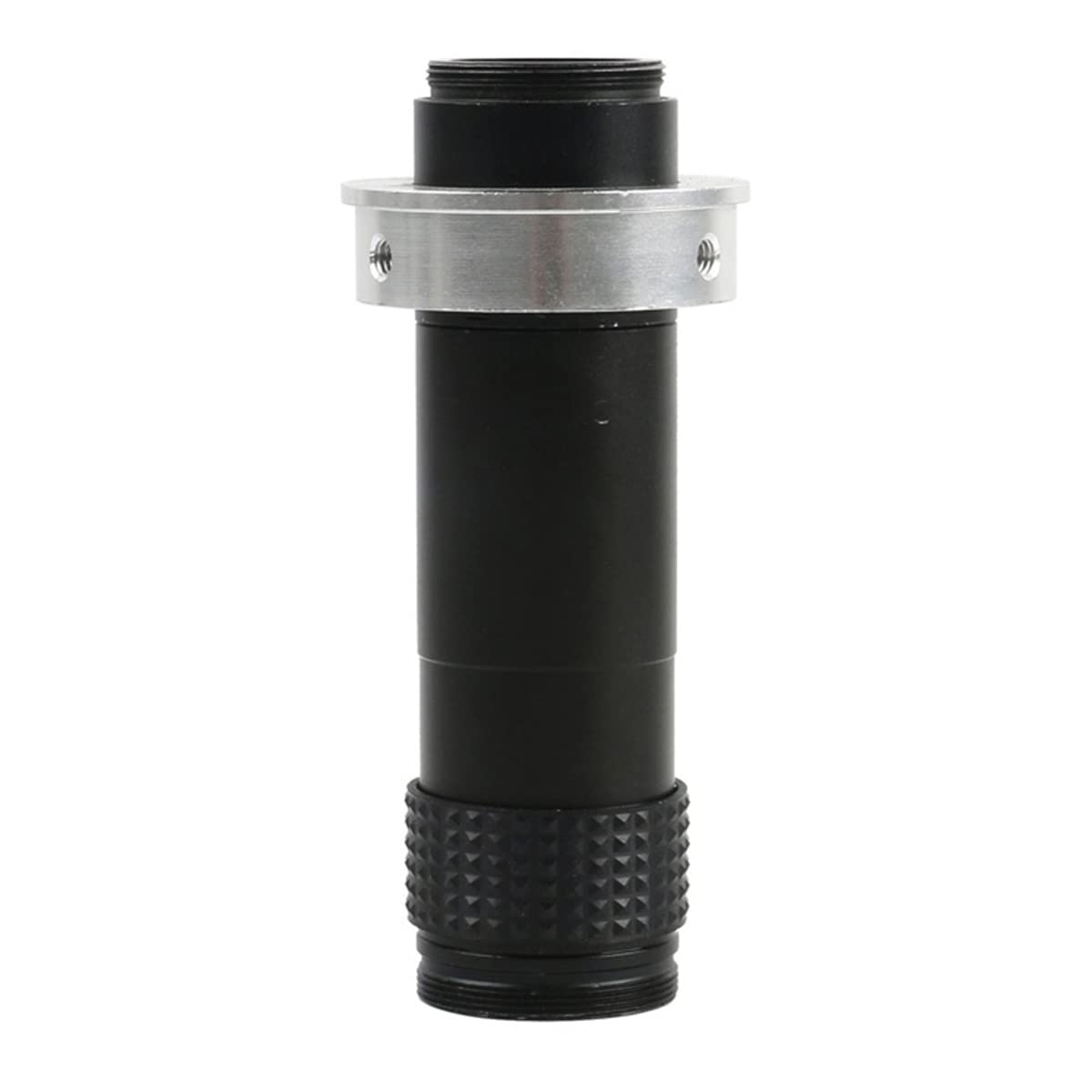
Figure 4.1: The 1X-130X Adjustable Zoom Microscope Lens.
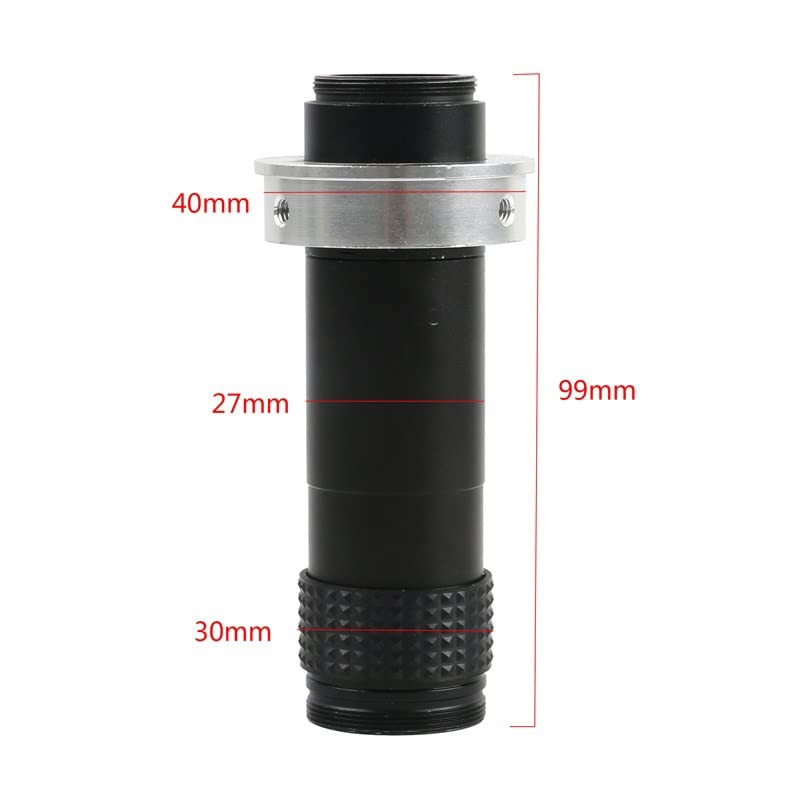
Figure 4.2: Dimensional diagram of the microscope lens, showing overall length of 99mm, main body diameter of 30mm, and ring adapter diameter of 40mm.
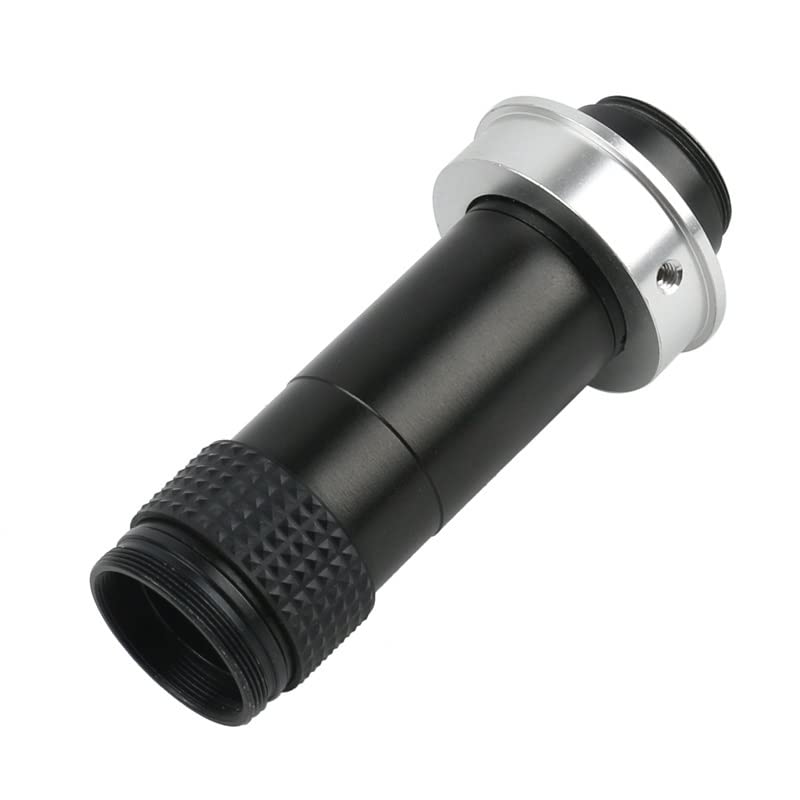
Figure 4.3: The microscope lens with the 40mm ring adapter securely attached, ready for mounting.
5. Operating Instructions
Once the lens is set up, follow these steps for effective observation:
- Power On: Turn on your video microscope camera and display monitor.
- Position Specimen: Place the object you wish to observe under the lens.
- Adjust Working Distance: Adjust the height of the lens or the specimen stage to achieve an initial clear image. The optimal working distance for this lens ranges from 50mm to 1000mm.
- Adjust Zoom: Rotate the zoom ring on the lens body to change the magnification. The lens offers a magnification power from 0.13X to 2X, which translates to approximately 1X to 130X on a typical display monitor, with a zoom ratio of 1:15.
- Fine Focus: Use the focus mechanism of your microscope stand or camera to achieve a sharp image at the desired magnification.
- Observe Field of View: At maximum magnification, the field of view is approximately 4.2mm x 2.4mm. At minimum magnification, the field of view is approximately 130mm x 70mm.
6. Maintenance
Proper maintenance ensures the longevity and performance of your microscope lens:
- Cleaning Lenses: Use a soft, lint-free cloth specifically designed for optical lenses to gently wipe dust from the lens surfaces. For stubborn smudges, use a small amount of optical lens cleaning solution applied to the cloth, not directly to the lens.
- Cleaning Body: Wipe the lens body with a soft, dry cloth. Avoid using harsh chemicals or abrasive materials.
- Storage: When not in use, store the lens in a clean, dry, and dust-free environment, preferably in its original packaging or a protective case. Avoid extreme temperatures and humidity.
- Avoid Disassembly: Do not attempt to lubricate or disassemble any part of the lens, as this will void the warranty and may cause irreparable damage.
7. Troubleshooting
If you encounter issues with your microscope lens, refer to the following common problems and solutions:
| Problem | Possible Cause | Solution |
|---|---|---|
| Image is blurry or out of focus. | Incorrect working distance; focus not adjusted; dirty lens. | Adjust the height of the lens or specimen. Rotate the focus ring on your camera/stand. Clean the lens surfaces. |
| No image on display. | Camera not powered on; lens cap still on; incorrect camera settings. | Ensure camera is powered and connected. Remove any lens caps. Check camera input/output settings. |
| Magnification does not change. | Zoom ring not rotated; mechanical issue. | Ensure the zoom ring is being rotated correctly. If the issue persists, contact support. |
If the problem persists after attempting these solutions, please contact customer support.
8. Specifications
| Model Name | EKKBABBNQ-40RING |
| Brand | Generic |
| Magnification Power | 0.13X - 2X (approximately 1X - 130X on display) |
| Zoom Ratio | 1:15 |
| Working Distance | 50mm - 1000mm |
| View Field (Max Multiple) | 4.2mm * 2.4mm |
| View Field (Min Multiple) | 130mm * 70mm |
| Size (Diameter * Length) | 30mm * 99mm |
| Item Weight | 800 Grams |
9. Warranty Information
This product is covered by a standard manufacturer's warranty against defects in materials and workmanship. The warranty period typically begins from the date of purchase. Please retain your proof of purchase for warranty claims. The warranty does not cover damage caused by misuse, accident, unauthorized modification, or improper maintenance. For specific warranty terms and conditions, please refer to the documentation provided at the time of purchase or contact customer support.
10. Customer Support
For technical assistance, troubleshooting not covered in this manual, or warranty inquiries, please contact Generic customer support. Details for contacting support are typically found on the product packaging or the retailer's website. When contacting support, please have your product model number (EKKBABBNQ-40RING) and purchase information ready.