
1. Introduction
The MINIFOCUS S5214B adapter is designed to convert a standard 1/4"-20 screw mount to a GoPro-style two-card slot mount. This allows for broad compatibility, enabling you to attach cameras with a 1/4"-20 thread to various GoPro mount ecosystems. Constructed from durable aluminum, this adapter ensures a secure and stable connection for your action cameras and other accessories.
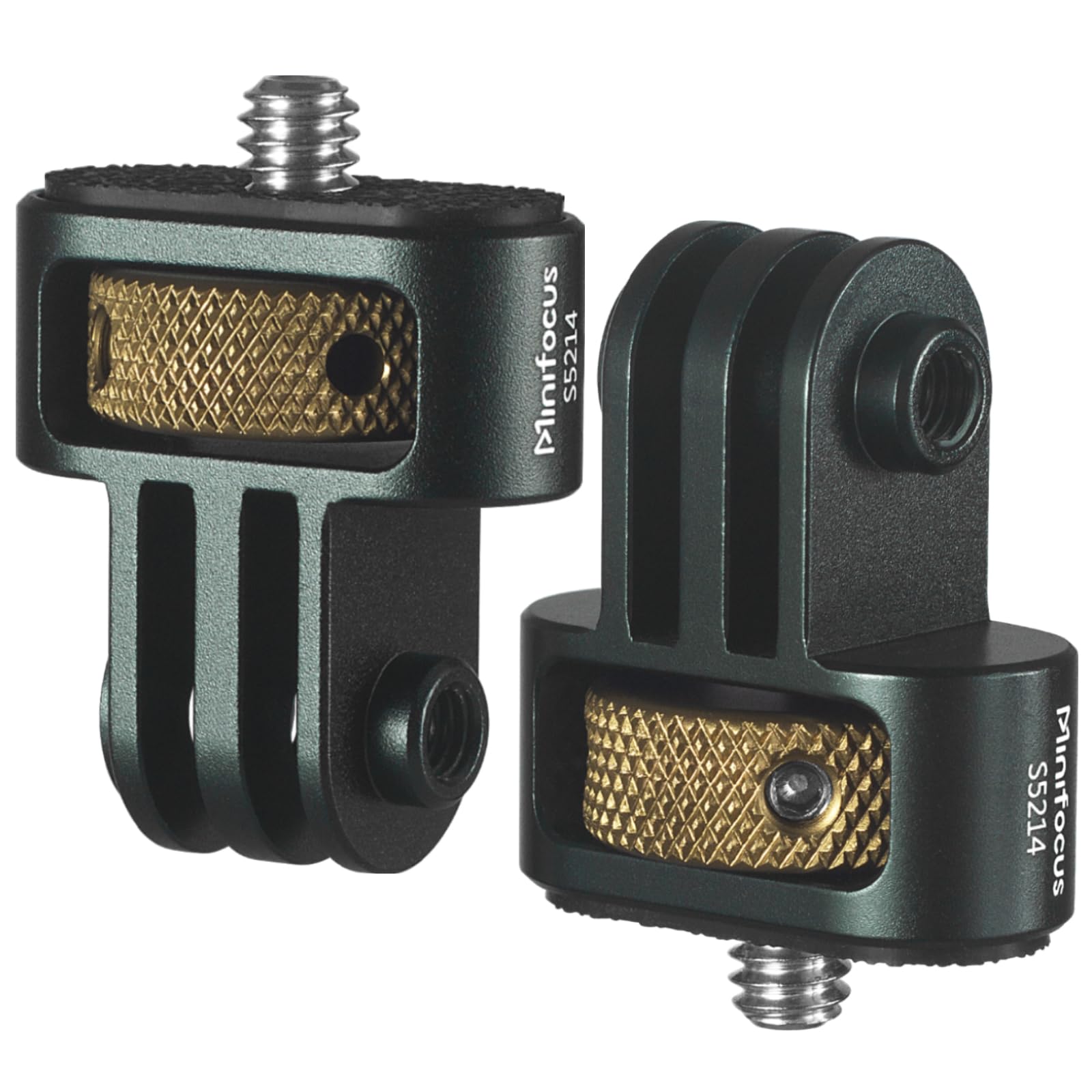
Figure 1: MINIFOCUS S5214B GoPro to 1/4" Adapter.
2. Product Features
- High-Quality Construction: Made from full CNC aluminum metal for durability and lightweight design.
- Wide Compatibility: Converts 1/4"-20 screw mounts to GoPro two-card slot mounts, compatible with GoPro Hero series (13/12/11/10/9/8), Insta360 X5/X4/X3, DJI Osmo, AKASO, and other standard 1/4" accessories.
- Secure Locking Mechanism: Features a locking ring and a turnable hole. The locking ring ensures a snug fit to the camera's bottom, allowing alignment without loosening. The swivel hole provides additional reinforcement.
- Non-Slip Design: Includes a silicone pad on the top surface to prevent unwanted rotation and protect the camera's base from wear.
- Easy to Use: Simple design for quick attachment and detachment.
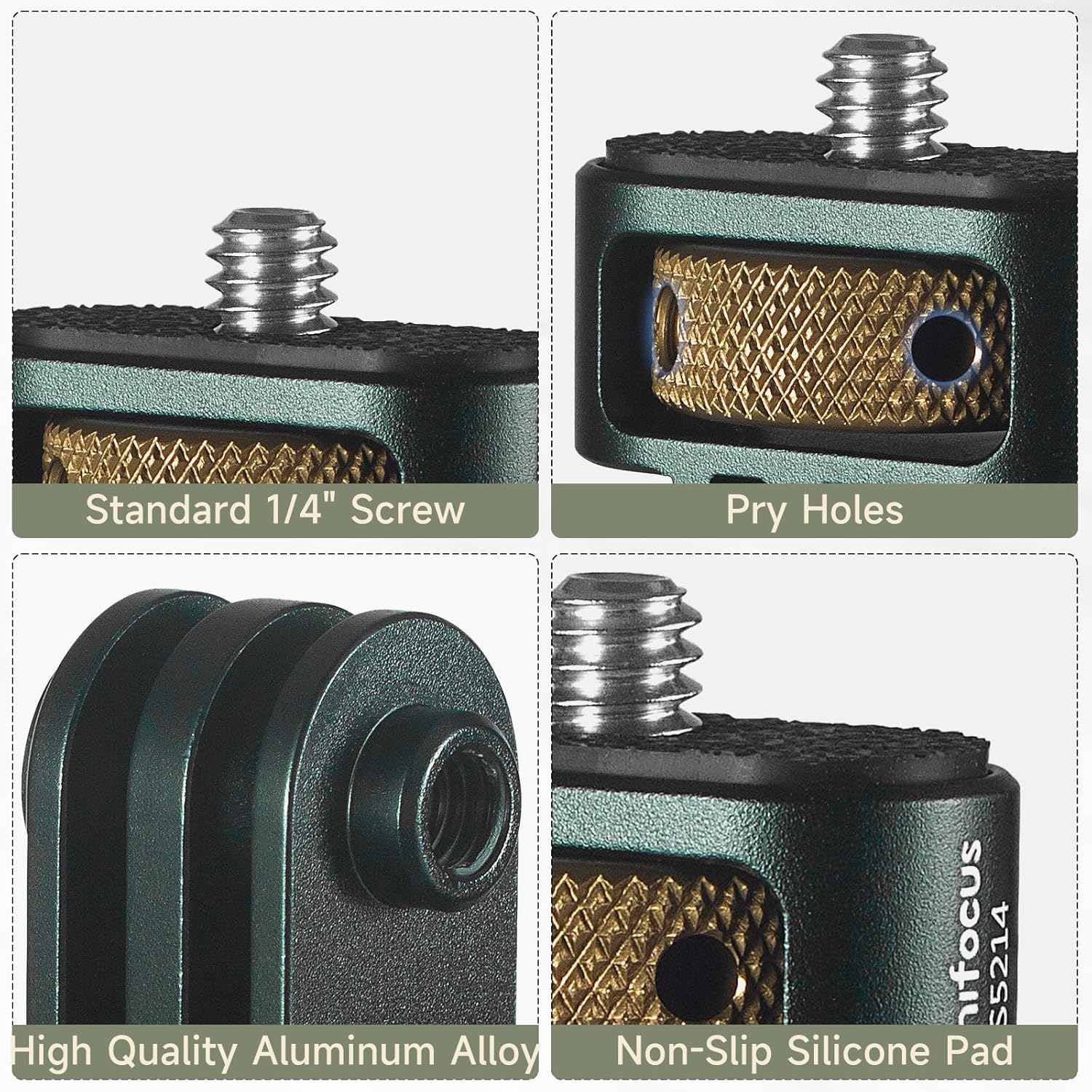
Figure 2: Detailed view of the adapter's features: standard 1/4" screw, pry holes, high-quality aluminum alloy construction, and non-slip silicone pad.
3. Package Contents
The package includes:
- 2x MINIFOCUS S5214B 1/4'' Camera Tripod Mount Adapter
4. Setup & Installation
Follow these steps to properly install your MINIFOCUS S5214B adapter:
- Attach to Camera: Locate the 1/4"-20 tripod thread on the bottom of your camera (e.g., DSLR, mirrorless, Insta360, DJI Osmo). Align the 1/4" screw of the adapter with this thread.
- Secure the Camera: Rotate the knurled locking ring on the adapter clockwise to tighten it onto your camera. Ensure the silicone pad makes firm contact with the camera base to prevent rotation and protect the surface.
- Align the Mount: Once the adapter is snug, you can adjust the orientation of the GoPro-style mount by slightly loosening the locking ring, positioning the camera as desired, and then re-tightening the ring.
- Secondary Reinforcement (Optional): For extremely secure mounting, especially with malleable plastic adapters, use a hex wrench (not included) in the turnable hole to further tighten the connection. This reinforces the setup and provides an additional locking mechanism.
- Attach to GoPro Mount: Slide the two-card slot of the adapter into your desired GoPro-compatible accessory (e.g., tripod, chest mount, bicycle handlebar mount). Secure it with a standard GoPro thumb screw (not included).
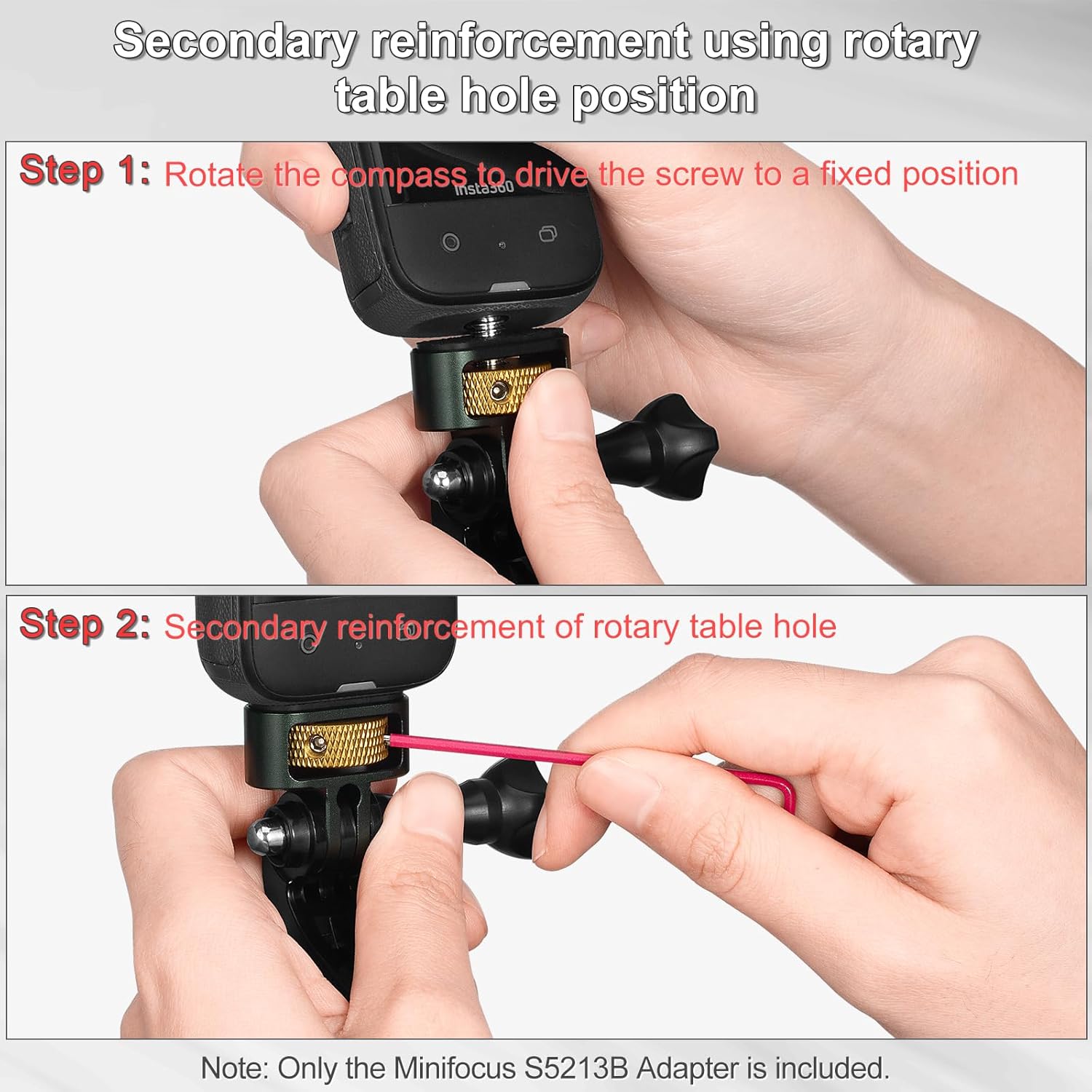
Figure 3: Step-by-step guide for secondary reinforcement, ensuring a secure camera attachment.

Figure 4: Using a wrench for increased locking force (wrench not included).
5. Operating Instructions
Once installed, the MINIFOCUS S5214B adapter allows your camera to be used with any GoPro-compatible mounting system. Ensure all connections are tightened before use, especially in dynamic environments like action sports. The adapter's robust aluminum construction and non-slip features are designed to maintain stability during various activities.

Figure 5: The adapter in various action sports and outdoor activities.
6. Maintenance
- Cleaning: Wipe the adapter with a soft, dry cloth to remove dust or debris. Avoid harsh chemicals.
- Inspection: Periodically check the 1/4" screw threads and the GoPro-style mount for any signs of wear or damage. Ensure the silicone pad is intact.
- Storage: Store the adapter in a dry place away from extreme temperatures when not in use.
7. Troubleshooting
- Adapter feels loose on camera: Ensure the knurled locking ring is fully tightened. The silicone pad should create a firm, non-slip contact. If necessary, use a hex wrench in the turnable hole for additional tightening.
- GoPro mount connection feels loose: Ensure the GoPro thumb screw is fully tightened. If using older or non-standard plastic GoPro mounts, the metal prongs of the adapter might be slightly thicker. Lightly scuffing the adapter's prongs with fine-grit sandpaper can sometimes improve fit with certain plastic mounts.
- Difficulty aligning camera: The locking ring allows for adjustment. Loosen it slightly, orient your camera, then re-tighten to secure the position.
8. Specifications
| Feature | Detail |
|---|---|
| Brand | MINIFOCUS |
| Model Name | S5214B |
| Compatible Devices | Any 1/4" Thread Hole Accessories, Quarter Inch Mount for GoPro Ecosystem |
| Compatible Camera Models | Digital Camera, DSLR Camera, Insta360 One X5/X4/X3/X2/X, GoPro Hero 13/12/11/10/9/8/7, DJI Pocket 2 |
| Mounting Type | Tripod |
| Special Feature | Lightweight, Non-Slip, Slim Fit, Travel, Universal |
| Compatible with Vehicle Type | Car, Truck, Motorcycle, Bicycle |
| Item Dimensions | 1.2 x 0.8 x 1.4 inches (3.1 x 2.1 x 3.5 cm) |
| Unit Count | 2.0 Count |
| Item Weight | 1.56 Ounces (44.2 grams) |
| Enclosure Material | Aluminum, Silicone |

Figure 6: Dimensions and weight of the MINIFOCUS S5214B adapter.
9. Warranty & Support
This product comes with a 30-day warranty. For support or warranty claims, please contact MINIFOCUS customer service through your retailer or the official MINIFOCUS website.