
1. Introduction
This manual provides detailed instructions for the setup, operation, and maintenance of your SIMOLIO JH-726B Wireless Headphones and Bluetooth Transmitter set. This system is designed to provide clear, low-latency audio for television viewing, ensuring synchronized sound without disturbing others.
2. Package Contents
Verify that all items listed below are included in your package:
- Bluetooth Headphones
- Bluetooth Transmitter
- Charging Cable for Headphones
- Optical Audio Cable
- RCA Audio Cable
- 3.5mm AUX Audio Cable
- USB Power Cable

Figure 2.1: All components included in the SIMOLIO JH-726B package.
3. Product Overview
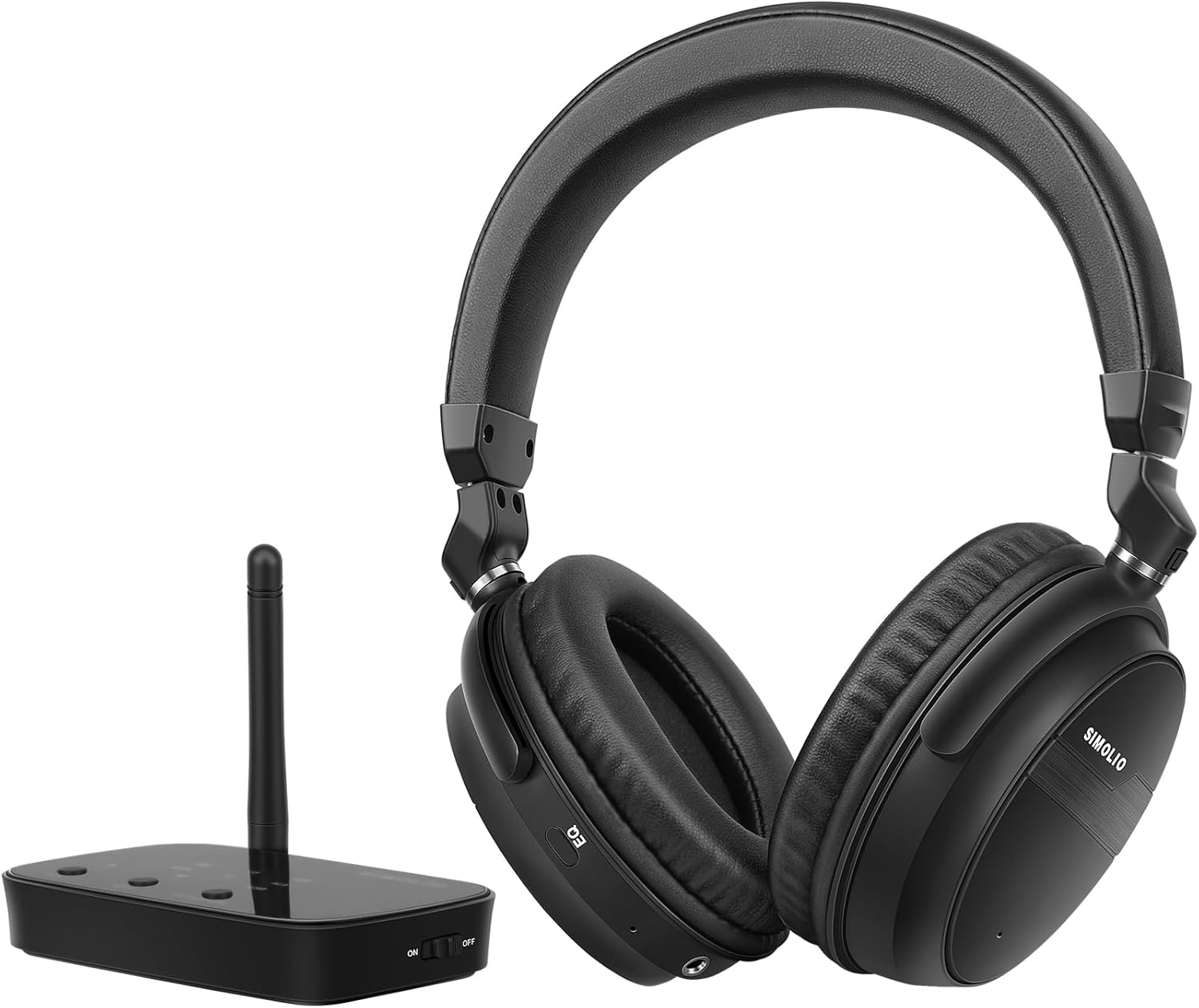
Figure 3.1: SIMOLIO JH-726B Wireless Headphones and Bluetooth Transmitter.
3.1 Key Features
- aptX Low Latency & aptX HD: Ensures minimal audio delay for synchronized sound with video.
- 3 EQ Presets: Dialogue (D), Music (M), and Normal (N) modes for optimized audio.
- Wide Compatibility: Supports Digital Optical, RCA, and 3.5mm AUX audio inputs.
- Extended Battery Life: Up to 40 hours of playtime on a single charge.
- Long Range: Class I Bluetooth solution provides a transmission range of up to 197 feet (60 meters) in open air.
- Comfort Design: Protein earmuffs, 90-degree rotational earcups, and a 6-level adjustable headband for extended wear.

Figure 3.2: Headphone comfort features including rotational earcups and adjustable headband.
4. Setup Instructions
4.1 Connecting the Transmitter to Your TV
The SIMOLIO JH-726B transmitter supports multiple audio input options. Choose the connection method that matches your TV's available audio output ports.

Figure 4.1: Common TV audio output ports.
- Optical (Digital Audio Out):
Connect one end of the optical cable to your TV's 'Digital Audio Out (Optical)' port and the other end to the 'OPTICAL IN' port on the SIMOLIO transmitter. Ensure the protective caps are removed from the optical cable ends before connecting.
Figure 4.2: Optical cable connection.
Important: If using optical connection, access your TV's audio settings and set the 'Digital Sound Out' format to 'PCM' (Pulse Code Modulation). DTS/Dolby Digital formats are not supported by the transmitter.

Figure 4.3: Setting TV audio output to PCM.
- RCA (Red/White Audio Out):
Connect the red and white plugs of the RCA audio cable to the corresponding 'Audio Out R/L' ports on your TV. Connect the other end of the RCA cable to the 'RCA IN' ports on the SIMOLIO transmitter. - AUX (3.5mm Headphone Jack):
Connect the 3.5mm AUX cable to your TV's headphone jack or 'Audio Out' port. Connect the other end to the 'AUX IN' port on the SIMOLIO transmitter.
After connecting the audio cable, connect the USB power cable to the transmitter and a power source (e.g., TV USB port or a USB wall adapter). Turn on the transmitter using the ON/OFF switch.

Figure 4.4: Transmitter and headphones ready for use.
4.2 Pairing Headphones with the Transmitter
The headphones and transmitter are typically pre-paired from the factory. If they do not connect automatically, follow these steps:
- Ensure the transmitter is powered on and connected to your TV.
- Turn on the headphones.
- If the headphones do not connect automatically, put the headphones into pairing mode by holding the Volume Up (+) and Volume Down (-) buttons simultaneously until the headphone LED flashes RED and BLUE alternately with two beep sounds.

Figure 4.5: Headphone LED in pairing mode.
- Enter the transmitter into pairing mode (refer to the transmitter's specific instructions, usually by pressing a pairing button).
- Wait for the headphones and transmitter to connect. Once connected, the headphone LED will typically show a solid blue light.

Figure 4.6: TV screen showing pairing confirmation.
5. Operating Instructions
5.1 EQ Modes
The headphones feature three Equalizer (EQ) presets to optimize your listening experience. Press the EQ button on the headphone ear cup to cycle through the modes:
- D (Dialogue Mode): Enhances speech clarity, making conversations and vocals easier to understand, especially amid background noise.
- M (Music Mode): Boosts bass and treble for a richer, more immersive musical experience.
- N (Normal Mode): Provides a balanced sound profile suitable for general listening and daily use.

Figure 5.1: Headphone EQ switch location.
5.2 Volume Control
Adjust the volume directly on the headphones using the Volume Up (+) and Volume Down (-) buttons located on the ear cup.
5.3 Battery Life and Charging
The headphones provide up to 40 hours of listening time on a full charge. When the battery is low, the LED indicator will change, and an audible alert may sound. Connect the headphone charging cable to the headphone's charging port and a USB power source to recharge.

Figure 5.2: Extended battery life of 40 hours.
5.4 Extended Range
The Class I Bluetooth solution allows for an extended transmission range of up to 197 feet (60 meters) in line-of-sight open air. This enables movement around your home while maintaining audio connection.
5.5 Dual Streaming (Optional)
The SIMOLIO transmitter supports connecting a second pair of compatible SIMOLIO headphones (e.g., SIMOLIO JH-716B) for simultaneous, lag-free audio streaming to two users.
6. Troubleshooting
- No Sound:
- Ensure the transmitter is powered on and correctly connected to the TV's audio output.
- Verify the TV's audio output settings are configured correctly (e.g., PCM for optical).
- Check that the headphones are powered on and paired with the transmitter.
- Increase the volume on both the headphones and the TV.
- Audio Delay/Out of Sync:
- Ensure both the headphones and transmitter support aptX Low Latency. The JH-726B system is designed for low latency.
- Minimize interference by keeping the transmitter and headphones within range and away from other wireless devices.
- Headphones Not Pairing:
- Ensure both devices are in pairing mode (headphone LED flashing red/blue).
- Turn off and restart both the headphones and transmitter, then attempt pairing again.
- Refer to Section 4.2 for detailed pairing instructions.
- Intermittent Connection/Cracking Sound:
- Move closer to the transmitter to ensure you are within range.
- Reduce potential interference from other Wi-Fi routers, cordless phones, or microwave ovens.
- Ensure the transmitter's antenna is positioned vertically for optimal signal.
- TV Audio Still Playing Through Speakers:
- Some TVs allow simultaneous output to external devices and internal speakers. Check your TV's audio settings for options like 'TV Speaker + Optical Out' or similar.
7. Specifications
| Feature | Specification |
|---|---|
| Model Name | JH-726B aptX Low Latency Bluetooth Wireless Headphones Set for TV Watching |
| Brand | SIMOLIO |
| Connectivity Technology | Wireless (Bluetooth) |
| Bluetooth Version | 5.0 |
| Wireless Communication Technology | Bluetooth |
| Audio Codecs Supported | aptX Low Latency, aptX HD |
| Headphones Jack | 3.5 mm Jack (for wired use) |
| Noise Control | Sound Isolation |
| Ear Placement | Over Ear |
| Form Factor | Over Ear |
| Battery Life | Up to 40 Hours |
| Frequency Range | 20Hz - 20,000Hz |
| Impedance | 32 Ohm |
| Material | Acrylonitrile Butadiene Styrene (ABS) |
| Item Weight | 0.56 Kilograms (1.23 pounds) |
| Compatible Devices | TVs, Bluetooth-enabled devices |
8. Maintenance
- Cleaning: Use a soft, dry cloth to clean the headphones and transmitter. Do not use liquid cleaners or aerosols.
- Storage: Store the device in a cool, dry place away from direct sunlight and extreme temperatures.
- Battery Care: For optimal battery longevity, avoid fully discharging the headphones frequently. Charge them regularly.
- Cable Care: Handle cables gently to prevent damage. Avoid sharp bends or excessive pulling.
9. Warranty and Support
SIMOLIO products are designed for reliability and performance. For warranty information, technical support, or service inquiries, please refer to the warranty card included with your product or visit the official SIMOLIO website. Please retain your proof of purchase for warranty claims.


