
Introduction
Thank you for choosing the FocusOnHome Queen Size Metal Platform Bed Frame. This bed frame is designed to provide a sturdy and stylish foundation for your mattress, featuring a wooden headboard and footboard, integrated LED lighting, and convenient USB charging ports. It eliminates the need for a box spring and offers ample under-bed storage space. Please read this manual thoroughly before assembly and use to ensure proper setup and safe operation.

Image: Fully assembled Queen Size Metal Platform Bed Frame, showcasing the wooden headboard with integrated LED lighting and the overall design.
Safety Information
- Keep all parts and packaging materials out of reach of children.
- Ensure all connections are securely tightened before use. Periodically check and re-tighten fasteners.
- Do not stand on the bed frame or use it as a ladder.
- Distribute weight evenly across the bed frame.
- Do not exceed the maximum weight capacity (refer to specifications).
- Avoid exposing the LED lights or USB ports to water or excessive moisture.
- Use only the provided remote control for LED light operation.
Package Contents
Before beginning assembly, verify that all components listed below are present and undamaged. If any parts are missing or damaged, please contact customer support.
- Headboard components (wooden panel, metal frame)
- Footboard components (wooden panel, metal frame)
- Side rails (left and right)
- Metal bed slats
- Center support bar(s) and legs
- Hardware pack (screws, bolts, washers, Allen wrench)
- LED light strip with power adapter
- Remote control for LED lights
- USB charging module
- Installation Manual (this document)
Setup and Assembly
Assembly typically requires two adults. Please follow the steps carefully. An installation manual with detailed diagrams is included in the package.
- Prepare the Area: Clear a spacious area for assembly. Lay out all components on a soft, clean surface to prevent scratches.
- Assemble Headboard and Footboard: Attach the wooden panels to their respective metal frames using the provided hardware. Ensure all screws are finger-tight initially.
- Connect Side Rails: Attach the side rails to the assembled headboard and footboard. Use the appropriate bolts and washers. Do not fully tighten yet.
- Install Center Support: Assemble and attach the center support bar(s) and legs to the bed frame. This provides crucial stability.
- Install Bed Slats: Place the metal bed slats across the frame, securing them to the side rails and center support as indicated in the detailed manual. Ensure even spacing.

Image: Detail of a metal bed slat securely connected to the bed frame, illustrating the robust construction.

Image: View of the central support leg and the arrangement of metal slats, providing strong mattress support.
- Tighten All Hardware: Once all components are in place, systematically tighten all screws and bolts using the provided Allen wrench. Do not overtighten.
- Install LED Lights and USB Module: Attach the LED light strip to the designated area on the headboard. Connect the USB charging module and its power cable.
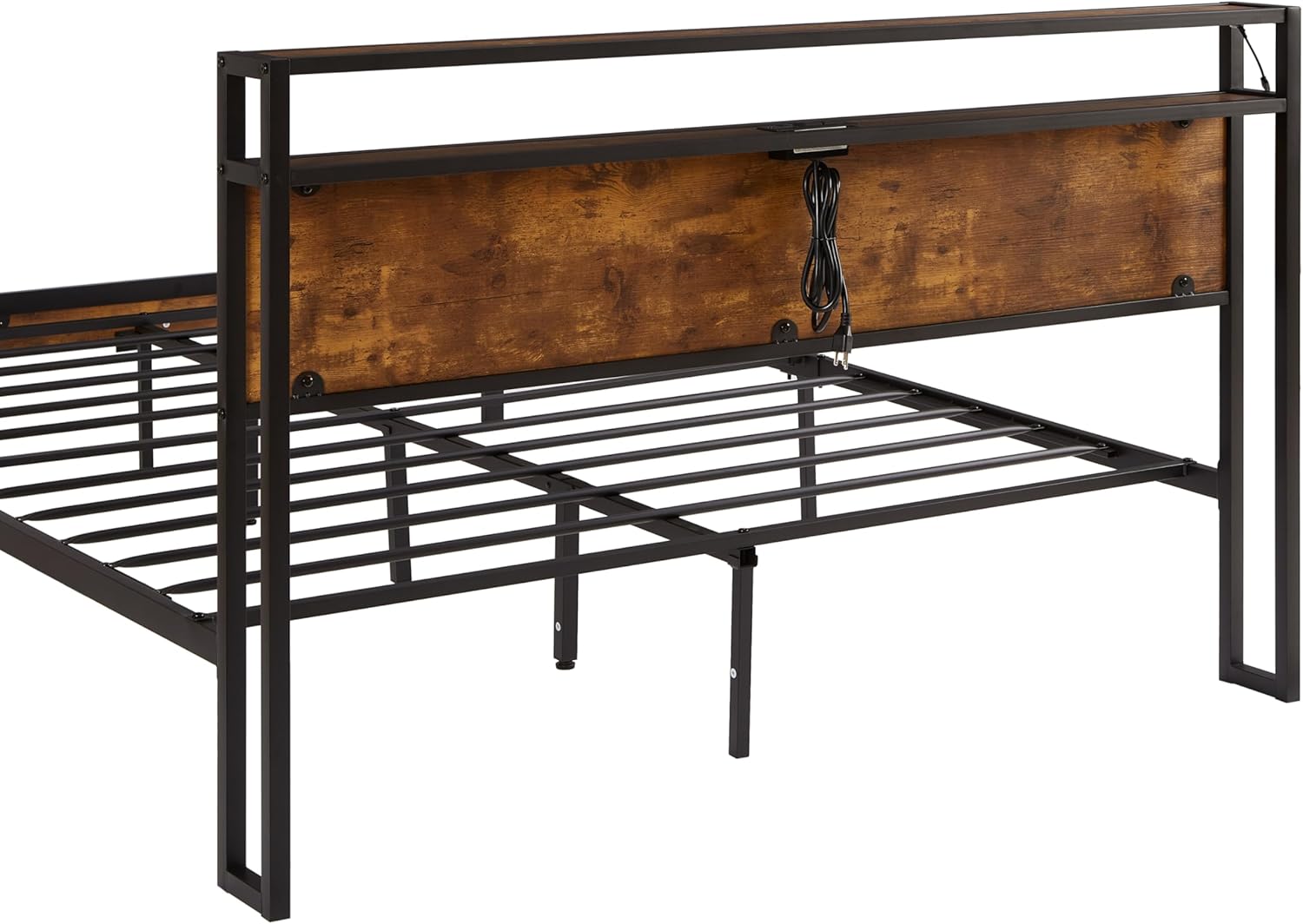
Image: The back of the headboard, revealing the wiring for the USB ports and LED lights, designed for neat cable management.
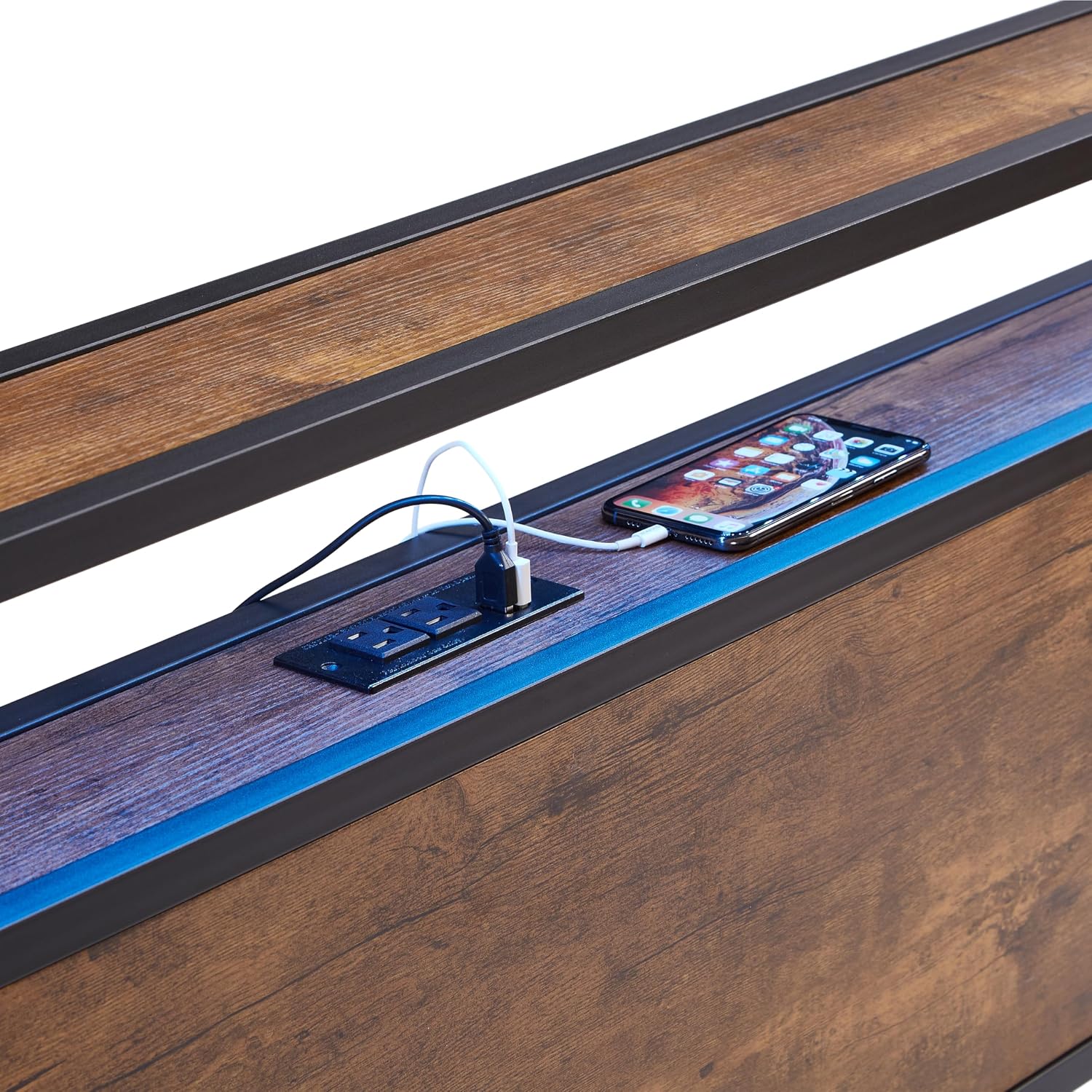
Image: A detailed view of the integrated USB charging ports and the LED light strip embedded within the headboard.
- Connect Power: Plug the power adapter for the LED lights and USB module into a standard wall outlet.
Operating Instructions
LED Lighting System
The integrated LED lighting system is controlled by the included remote control.
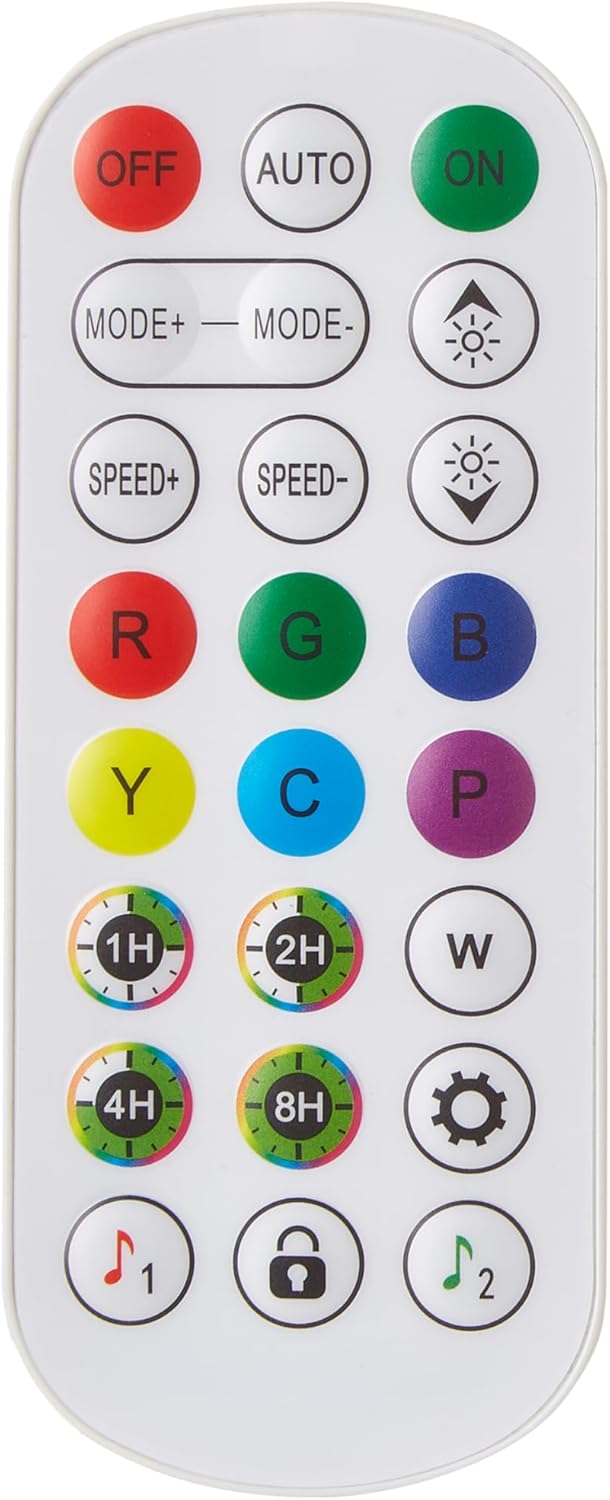
Image: The remote control for the LED lights, showing various buttons for color, mode, brightness, and timer settings.
- ON/OFF: Press the "ON" button to turn the lights on, and "OFF" to turn them off.
- Color Selection: Use the R (Red), G (Green), B (Blue), Y (Yellow), C (Cyan), P (Purple), W (White) buttons to select static colors.
- Mode Selection: Use "MODE+" and "MODE-" buttons to cycle through various dynamic lighting effects (e.g., flash, fade, strobe).
- Brightness Adjustment: Use the sun icon buttons (up/down arrows) to increase or decrease brightness.
- Speed Adjustment: Use "SPEED+" and "SPEED-" buttons to adjust the speed of dynamic modes.
- Timer: Use the 1H, 2H, 4H, 8H buttons to set a timer for the lights to automatically turn off after the selected duration.
USB Charging Ports
The headboard features integrated USB charging ports for convenient device charging. Simply plug your USB charging cable into the port and connect your device. Ensure the bed frame's power adapter is plugged into a wall outlet for the USB ports to function.
Maintenance and Care
- Cleaning: Wipe the metal frame and wooden headboard/footboard with a soft, damp cloth. Avoid harsh chemicals or abrasive cleaners.
- Fastener Check: Periodically (e.g., every 3-6 months) check all bolts and screws to ensure they remain tight. Re-tighten if necessary to maintain stability and prevent squeaking.
- LED Lights: The LED lights are designed for long-term use. If a segment fails, contact customer support for assistance. Do not attempt to replace individual LEDs.
- USB Ports: Keep the USB ports free of dust and debris. Do not force cables into the ports.

Image: A close-up of a bed frame leg, showing the protective cap designed to prevent floor scratches and ensure stability.

Image: A detailed view of the wooden headboard's texture, highlighting its rustic brown finish and grain pattern.
Troubleshooting
- Issue: Bed frame is wobbly or squeaks.
- Solution: Check all bolts and screws. Tighten any loose fasteners. Ensure the center support legs are firmly on the floor and adjusted correctly. Uneven flooring can also cause wobbling; consider using furniture pads or shims.
- Issue: LED lights are not turning on.
- Solution:
- Ensure the power adapter is securely plugged into a working wall outlet and the LED strip.
- Check if the remote control has working batteries. Replace if necessary.
- Point the remote directly at the LED receiver on the headboard.
- Unplug the power adapter for 30 seconds and plug it back in to reset the system.
- Issue: USB ports are not charging devices.
- Solution:
- Verify that the bed frame's power adapter is plugged into a live wall outlet.
- Ensure your USB cable is not damaged and is properly connected to both the port and your device.
- Try a different USB port or a different device to isolate the issue.
Specifications
| Model Number | bedf1210-1098 |
| Brand | FocusOnHome |
| Size | Queen |
| Material | Metal frame, Wooden headboard/footboard |
| Color | Black frame, Brown wood accents |
| Special Features | Integrated LED lighting, USB charging ports, No box spring required, Under-bed storage space |
| Assembly Required | Yes |
| Package Weight | Approximately 56 Pounds |
Warranty Information
FocusOnHome products are manufactured with quality and care. Specific warranty details, including coverage period and terms, are typically provided with your purchase documentation or can be found on the official FocusOnHome website. Please retain your proof of purchase for warranty claims.
Customer Support
If you have any questions, require assistance with assembly, or encounter issues not covered in this manual, please contact FocusOnHome customer support:
- Online Support: Visit the official FocusOnHome store on Amazon: FocusOnHome Amazon Store
- Email: Refer to your purchase invoice or the product packaging for direct email contact information.
- Phone: Refer to your purchase invoice or the product packaging for direct phone contact information.
When contacting support, please have your model number (bedf1210-1098) and purchase date ready.